Remember when new phone announcements used to happen all in one go, at one event, with zero specs being officially outed beforehand by the companies themselves? Those were the days. Then OnePlus came along and changed the game with its drip feeding of small tidbits method of creating and sustaining hype over extended periods of time.
Well, now everybody’s doing just that, and vivo sub-brand iQOO has been applying exactly this formula when it comes to the Neo6 SE. This phone is due to become official on May 6, but at this rate, we’ll know absolutely everything there is to know about it before then – and straight from iQOO itself.
After having previously revealed the phone’s chipset, battery capacity, charging speed, and storage amount, today it was time for the company to address the elephant in the room: cameras. It hadn’t talked about this before, but now we know that the Neo6 SE’s main rear shooter will be a 64 MP unit with OIS.
That seems, on paper at least, identical to the Neo6, which is already launched. The SoC that is used may be what will make these devices different. The Neo6 SE has the Snapdragon 870, while the Neo6 goes with a Snapdragon 8 Gen 1. Based on previous rumors, the displays seem to be identical too, so we’re anxious to find out what other differences there might be – if any. Keep watching for iQOO’s next teaser.
Apple shares criteria for removing ‘abandoned’ software from App Store after recent pushback
In response to the recent news about software being removed from App Store, Apple has shared its guidelines for how it removes abandoned apps. The company is also reiterating that the practice is not new but instead part of an initiative that started six years ago.
Abandoned apps
The effort started in September 2016 as part of a greater initiative to revitalize the App Store with daily editorial and clearer policy decisions. The company said it would pull software that had been abandoned by developers or just no longer worked. It makes sense to remove software that was not working when it is downloaded on new hardware years ago. However, this has not always been obvious. Nothing stops Apple from pulling apps that still work but just aren’t maintained.
Criteria
Six years after it made a reset of dev relations, Apple continues to learn how to better its relationships with developers. Part of that effort is material in publishing its criteria for how it chooses to remove apps that it considers abandoned.
As part of the App Store Improvements process, developers of apps that have not been updated within the last three years and fail to meet a minimal download threshold — meaning the app has not been downloaded at all or extremely few times during a rolling 12 month period — receive an email notifying them that their app has been identified for possible removal from the App Store.
Emphasizing that the program has been ongoing for years as standard App Store maintenance, Apple shares that it has removed nearly 2. 8 million apps and counting for meeting this criteria. Read more about the policy on Apple’s developer site. Apple says it has revised its page detailing the practice as well for clarity.
20 years after the eMac, should Apple introduce a new entry-level Mac?
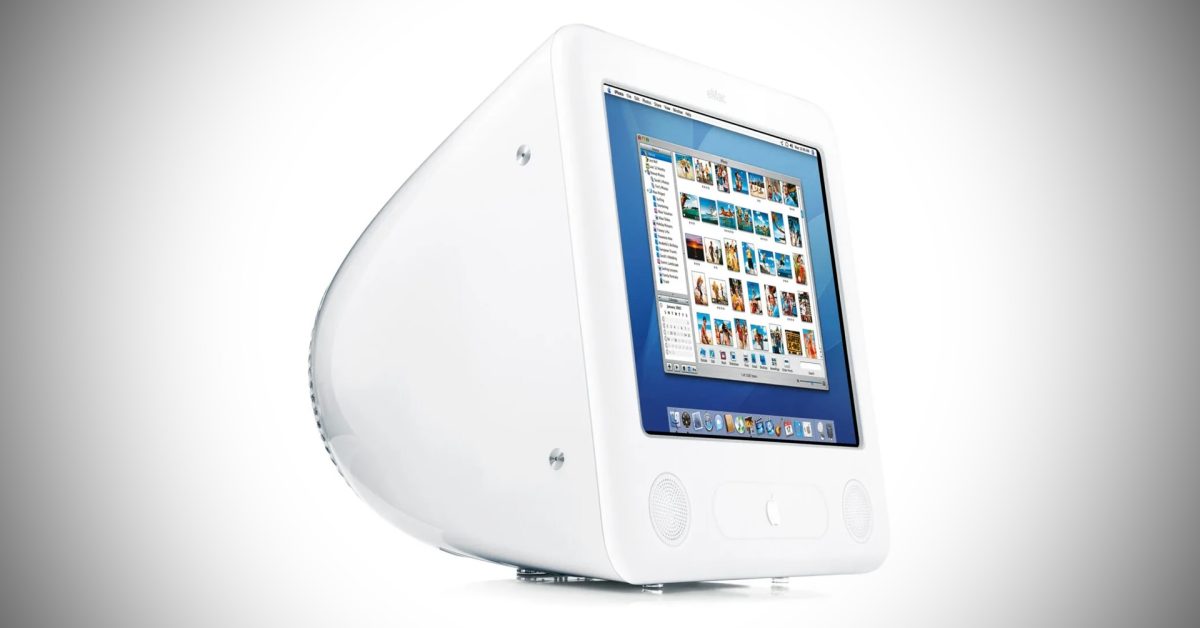
20 years ago, on April 29, 2002, Apple unveiled the eMac – a desktop computer that was based on the iMac but with less premium design and hardware, so that it could be more affordable for the education segment. Apple does offer an education discount, but there is no Mac specifically designed for this market. But what if Apple introduced a new entry-level Mac in 2022?
The eMac
When the eMac was introduced, Apple had already released the iMac G4 a few months earlier with a floating LCD display and the iconic “lamp” design starting at $1,299. But since the company wanted to reach out to students and educational institutions, it came up with the eMac.
Although the eMac had the same G4 processor as the entry model iMac G4, the rest of the computer was largely based on the old iMac G3. Apple reduced production costs by using a CRT screen instead of an LCD display.
At first, the eMac was sold exclusively to educational buyers with prices starting at $1,099. The machine became so popular that Apple later reduced the price to $999 and made it available to everyone. The eMac was officially discontinued in July 2006, when Apple replaced it with a low-end version of the iMac G5 sold exclusively to educational institutions.
Is an entry-level Mac needed?
If we take a closer look, the entry-level price of the iMac remains about the same since the first model. However, 24 years later, you can get a machine with a large Retina display, SSD storage, and the powerful M1 chip for the same $1,299 as before. It’s a great deal, right?
At the same time, Apple sells the M1 MacBook Air for just $999, and you can get an M1 Mac mini for as low as $699. I believe there is still a market for a more affordable Mac.
I do think that all Apple Silicon Macs are a great value considering all they offer, but they are still expensive machines for students and educational institutions. You could argue that the Mac mini fits this purpose, but then you need to consider the price of all the peripherals like a monitor, keyboard, and mouse.
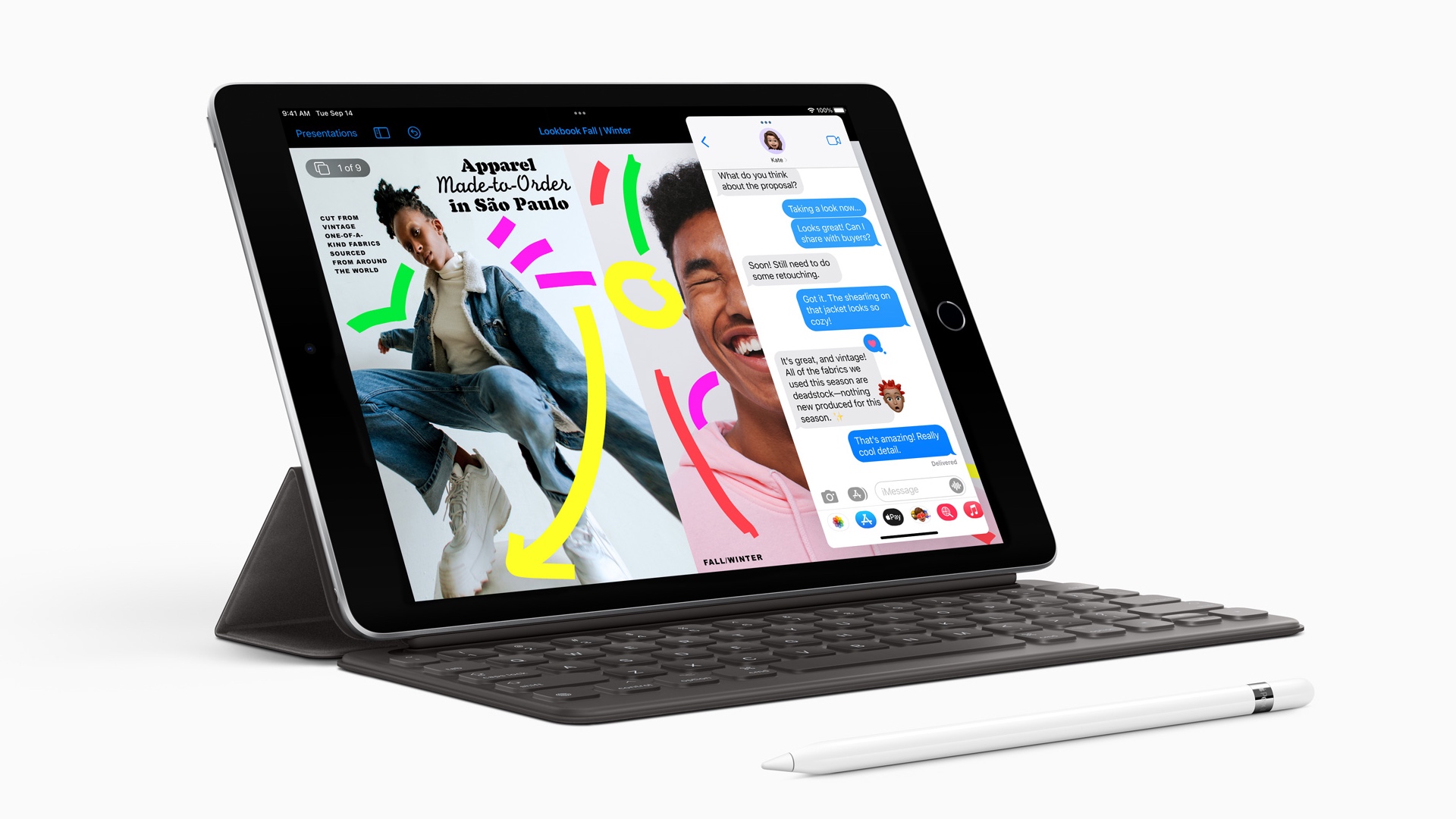
Apple already offers a student-focused entry-level iPad that costs almost half the price of the iPad Air and delivers the full iPad experience. The iPhone SE, which is a cheaper option than the iPad Air, offers a more basic experience and is less expensive.
This strategy to introduce cheaper products is working well, since Android has lost ground to iOS over the past few years. So why not adopt the same strategy with the Mac?
I’m sure some students (and even regular consumers) would give up things like a 4K display, advanced speakers, or modern design to experience macOS and the Apple Silicon platform for a more affordable price. Personally, I believe that if Apple keeps the current M1 MacBook Air for a lower price after introducing the rumored redesigned model later this year, it would be killer for the laptop market.
But what about you? Do you want to see an entry level Mac in Apple’s product line? Let me know in the comments below.
Apple this week released a new AirTag firmware to users, but details about the update were unknown. However, the company has now confirmed that the latest AirTag firmware (version 1.0. 301) enhances the unwanted tracking alert.
In a rare occasion, Apple has posted official notes of what has changed with the latest AirTag firmware update on its website (via MacRumors). There, the company revealed that AirTag Firmware Update 1.0. 301 tunes the audible alert when an unwanted AirTag is detected, so that a person can easily locate it.
AirTag Firmware Update 1.0. 301:
Tuning the unwanted tracking sound to more easily locate an unknown AirTag.
Requires iOS 14. 5 or later.
Since the AirTag was introduced, we’ve seen some good and fun stories related to the product. Unfortunately, some malicious people have been using AirTag to track others without consent. Apple announced anti-stalking precautions in order to stop anyone using AirTags for tracking people.
For instance, iPhone users now receive an alert if an unknown AirTag is detected moving with that person. To make it easier for people to find unknown AirTags, the company also created an Android app. Then, users can trigger an audible alert on that AirTag to find and dispose of it, or take it to the authorities.
It’s worth noting that AirTag firmware updates are rolled out to users in phases. These updates will be delivered to your iPhone in phases. Make sure that you have the most recent iOS version installed and your AirTag is within Bluetooth range.
Read also:
Man uses AirTags and PowerPoint presentation to ask airline for his lost bags
Here are additional AirTag anti-stalking measures Apple could introduce
AirTag stalking protections working around a third of the time, show police reports
The Pixel Watch leaks campaign has begun ahead of the expected announcement at Google I/O in October. Already, we’ve seen the prototype in action in a restaurant in a cardboard box with no charge. This very conveniently managed to show the world the upcoming hardware without also portraying any part of its software.
Then the watch got certified by the Bluetooth SIG in three versions, and today a new rumor drip-feeds us the next bit of info: the battery capacity. It’s going to be 300 mAh. Are you surprised? Is that small?
Let’s put it into context. The Pixel Watch that leaked in that restaurant is a 40mm device, as is the Galaxy Watch4 which has a smaller 247 mAh battery. It’s not clear what sizes the Pixel Watch might come in. After all, even if the device is two-sized like many other smartwatches (including that of Samsung), it’s hard to know which model the leakage applies to.
It looks like the Pixel Watch will not have the smallest cells. Which makes sense considering it’s a pretty chunky monkey at around 14mm thickness.
The only detail that this leak gives us is the fact that the Pixel Watch will be able to connect wirelessly. It’ll be one of three models and will be the most costly. Hopefully it’s not the one with the 300 mAh battery, as that combo doesn’t make us envision great endurance.
YouTuber turns a 27-inch iMac into a fully functioning ‘Studio Display’ for half the price
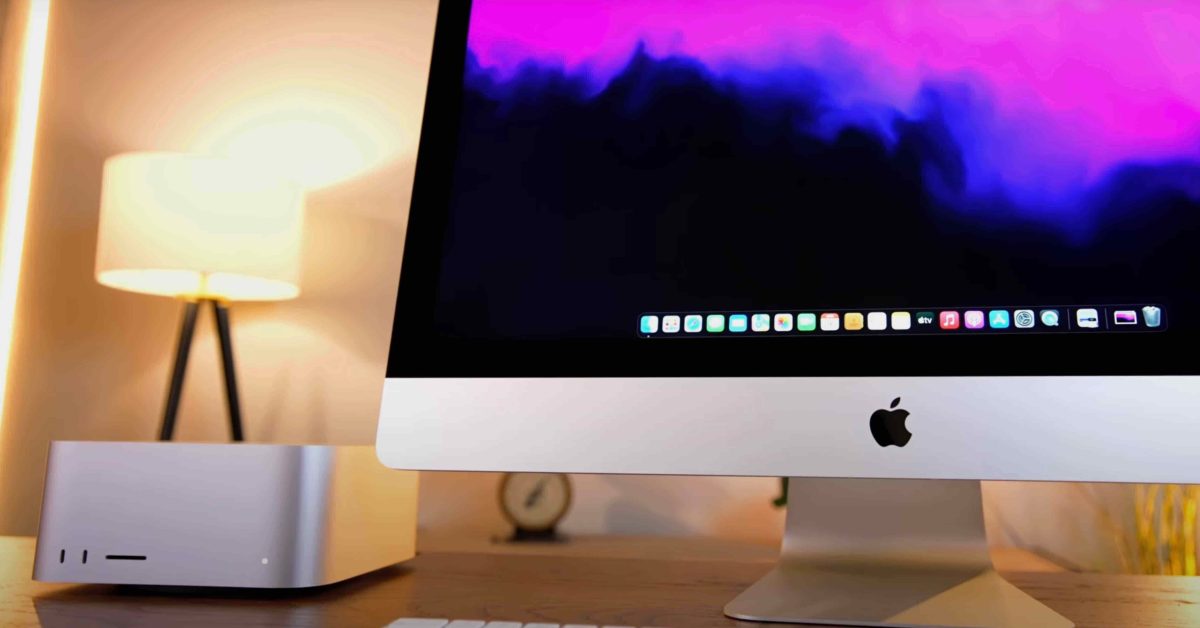
When Apple’s new Studio Display was released last month, many people were quick to point out that panel is nearly identical to the one that Apple used in the 27-inch iMac starting in 2014. Because of the similarities between the two, YouTuber Luke Miani decided to see if he could convert an old iMac into a Studio Display.
Can an iMac be converted into a Studio Display?
Miani explains:
Apple’s new Studio Display is quite an interesting product, but at $1,599 it’s an arguably bad value. But since there are so few other displays out there that offer 5K resolution at 27 inches, for some it’s the only option. Until today. If you don’t fancy spending $1600 on the Apple Studio Display, you can make your own!
The obvious choice would be Target Display Mode. This feature allows you to use your iMac’s display as an external monitor for another Mac. Apple has since discontinued Target Display Mode with macOS Mojave. The Retina iMac wasn’t supported by this feature.
With that in mind, Miani set out to convert an iMac from 2014 into a standalone, fully functional external display for $600. This process involved completely gutting the iMac, which is something you have to do by removing the front panel of the iMac itself. After this complex process was complete, Miani needed to find the right conversion board to allow you to connect your iMac.
The finished product is pretty impressive. The iMac has USB-C connectivity, and its built-in webcam works perfectly. The total all-in cost for this project turned out to be $829, which is around half the price of the Studio Display. You miss out on some features, such as P3 color gamut support, but it’s an impressive result for under $,1000.
Watch Miani’s complete video. This is a fascinating process that many people would not dare to attempt.
Switch Sports proves Nintendo’s extreme patience pays off
Polygon’s Patch Notes is a weekly newsletter that tells you about the best stuff to watch, play, and read. Let our band of editorial experts simplify your plans — subscribe here!
In the mid-2000s, Wii Sports was the biggest game on the planet. If Activision, EA, or Ubisoft had published the minigame collection, we would have a dozen sequels and a reboot by this point — maybe an animated show on Nickelodeon, too. Wii Sports, for better or worse is a Nintendo franchise. Instead, we get one sequel, an remake and a decade worth of silence on the radio.
As a fan of the title, I was disappointed every time Nintendo completed a press conference or Nintendo Direct without mention of motion-controlled bowling. But as an editor who has covered this beat since the days of the Wii, I understood the business logic of it all. Nintendo is home to so many well-loved studios, they would be able to cannibalize one another if they got all the sequels they wanted.
So, I waited. And I waited. And I waited.
When the publisher revealed Nintendo Switch Sports in December last year, it was clear that I was losing hope. It was my assumption that Nintendo would produce another Pack-in for Switch if it wanted to use the Wii Sports model. I was wrong in every way.
As the Switch’s sales figures (and empty Target shelves) demonstrate, Nintendo did not need to include a game in its pack-in bundle in order to sell it. The success of the Switch could make Nintendo Switch Sports an even bigger hit than Wii Sports . Just this year, the Switch passed the Wii in total sales, zipping past 100 million units sold. The potential market for Nintendo Switch Sports seems enormous. And should Nintendo Switch Sports do the classic Nintendo game thing, amassing huge sales numbers over multiple years, then the game will keep the Switch relevant as it wades into the golden years of its hardware life cycle.
Once again, Nintendo has proven that patience is a virtue. We saw a similar situation last year with Metroid Dread, a project that had bounced in and out of development since 2005. Whether the publisher waits for the right moment to revive a series, or keeps a project in development hell, the end results are the same: a sustained quality that its peers haven’t matched (and likely never will).
Until recent times, “a delayed video game is eventually great, but a rush game is always bad” was incorrectly attributed to Shigeru Miyamoto, the Mario creator and icon. It’s much more likely, however, that the quote was just a common phrase across the games industry, the sort of aphorism that helps creatives push back the accounting team an extra month or two. I prefer the thought that Miyamoto didn’t coin the phrase, because that would mean that every major publisher in the games industry knows this mantra to be true. It has been a mantra that Nintendo only consistently lives by.
This week on YouTube | Why have the recent crop of science fiction video games all sounded so… rustic? Are they more than simply a soundtrack from a rural country? Clayton Ashley investigates in this Polygon classic!
Five stories to read
Image: TT Games/WB Games/Disney/Lucasfilm Games
Lego Star Wars: The Skywalker Saga is at its best when it veers from the films | “Do I need another Death Star trench run? Is this really pod racing? While I understand the Gungans fighting the droid army, is this a level that is fun to play? The answer to all of these questions is no, and Lego Star Wars is at its best when it meaningfully departs from the cinematic source material.”
The MCU wasn’t designed for shows like Moon Knight . Marvel’s house style limits emotion and drama which makes it difficult for Oscar Isaac to tell a bold story.
Unionization continues to gain traction at game studios | This week, BioWare QA workers made moves to unionize, potentially organizing contractors on the Dragon Age and Mass Effect teams. Activision QA employees at Raven Software were awarded a ruling by the NLRB, opening the door to a vote on unionization in April.
Rogue Legacy 2’s Easter egg is a generous nod to an overlooked gem| “FMF Fan” gives players free gold. But what does it mean?
Netflix’s controversial Eurotrash sex franchise goes soft in 365 Days: This Day | Is this the first movie to feature “sex golf”?
Five things to watch
Image: Netflix
Bubble on Netflix | One day you wake up and there’s a post-apocalyptic sci-fi parkour riff on The Little Mermaid from a director of Attack on Titan waiting to be watched.
10 recent Nicolas Cage movies you should watch | The star of The Unbearable Weight of MassiveTalent has been been putting together one of the strangest and enjoyable filmographies of the past decade.
Undone on Amazon Prime | Season 2 of this amazing animated show asks: Is time travel the best therapy of all?
Barry on HBO Max | The HBO comedy is back to make you laugh — but not too hard.
The 13 Batman movies, ranked| We apologize in advance for the placement of Batman & Robin, an underappreciated disasterpiece of gaudy commercialism. Signed, the management.
Plus, everything new to streaming:The Godfather trilogy returns! And 12 great movies leaving streaming at the end of April.
Three games to play
Image: Analgesic Productions
Sephonie | This 3D platformer was inspired by Tony Hawk’s Pro Skater, Spyro the Dragon… and Tetris! Available on PlayStation 4, Xbox One, Windows PC, Linux, and Mac OS.
The Iron Oath | Polygon Recommends | A mix of Darkest Dungeon, XCOM, and Divinity: Original Sin, this might be the next great turn-based tactics game. Available for Windows PC.
Warframe | Many years into the shooter’s life, its new updates remain consistently bizarre, fun, and compelling. Available on PlayStation 4, Xbox One, Nintendo Switch, and Windows PC.
Free game of the week
Image: Bethesda Softworks
The Elder Scrolls 1 & 2 | Bethesda is shutting down the Bethesda.net Launcher and moving its catalog to Steam. The publisher is offering the Elder Scrolls’ first two titles for free. Now you can play the classic games that cleared a trail for Morrowind and Skyrim without having to wonder if that’s a good use of your cash when you could just buy Skyrim for the umpteenth time. Available on Steam for Windows PC.
The best of the rest
Image: Daniel Warren Johnson, Juan Gedon/DC Comics
MacBook Air vs MacBook Pro: Which should you buy in 2022?
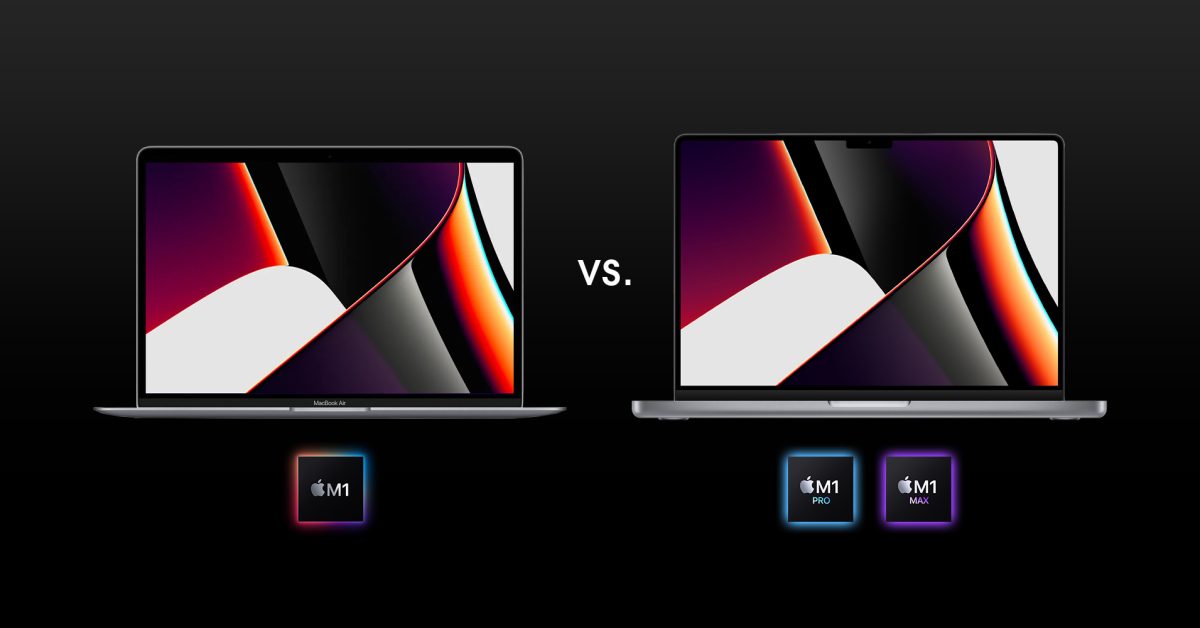
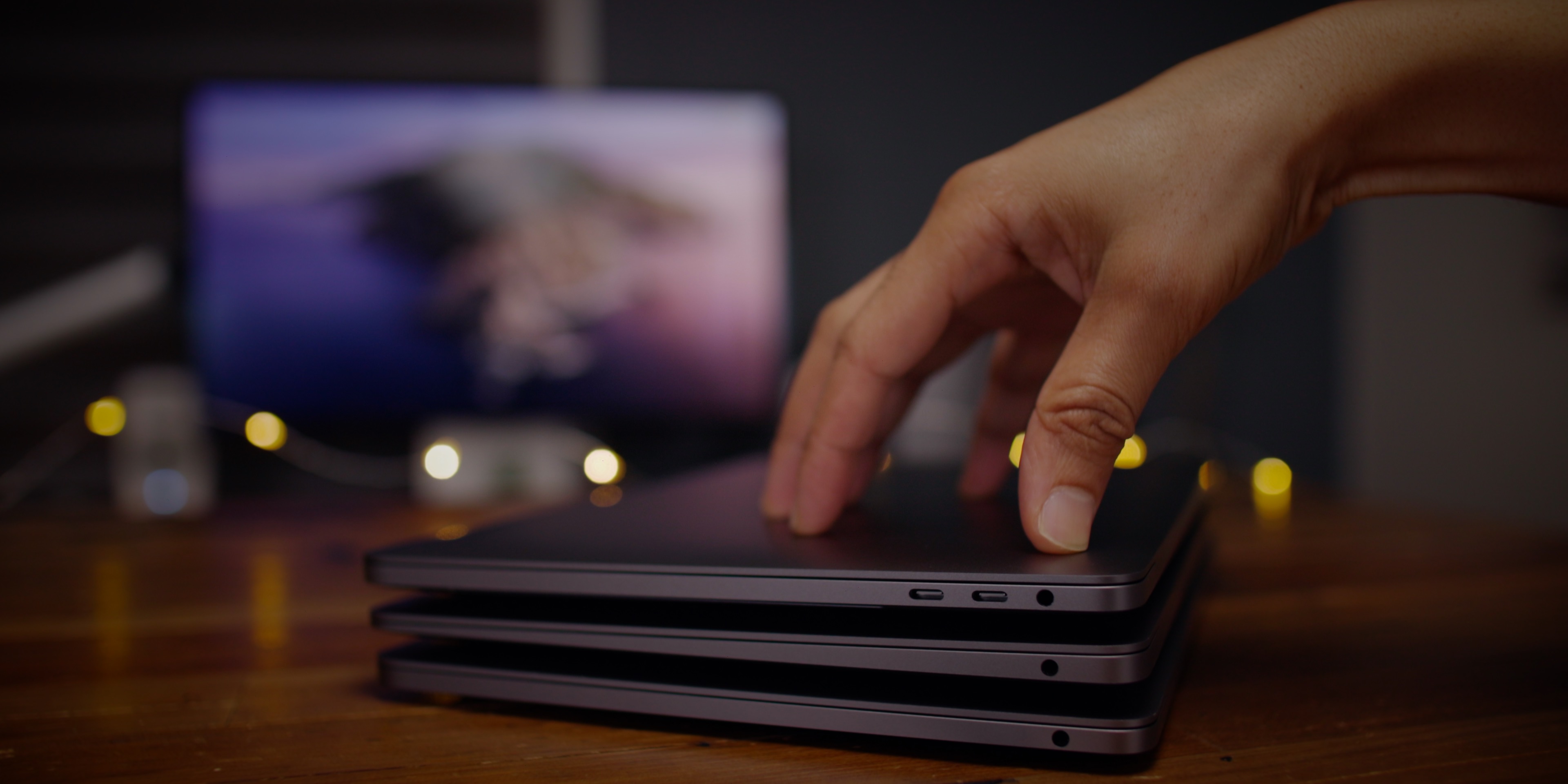
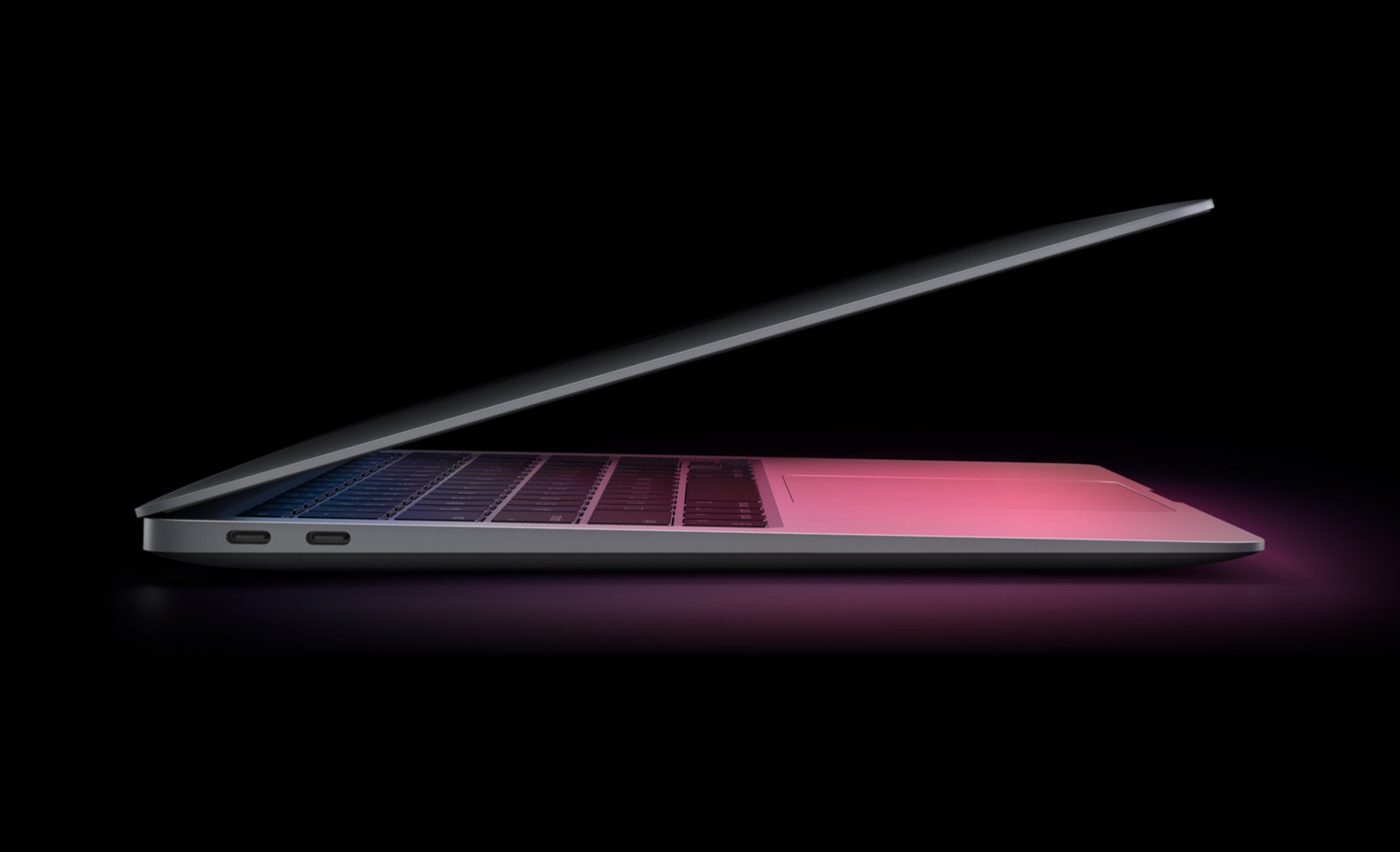
Apple’s MacBook lineup offers impressive performance and at first glance, the MacBook Air and 13-inch MacBook Pro seem quite similar. They have the same CPU/GPU, same ports, same FaceTime camera, and more. However, the more powerful 2021 14-inch MacBook Pro may complicate your decision. Let’s take a closer look at the MacBook Air vs Pro to see what differentiates these MacBooks and help you decide which to buy in 2022.
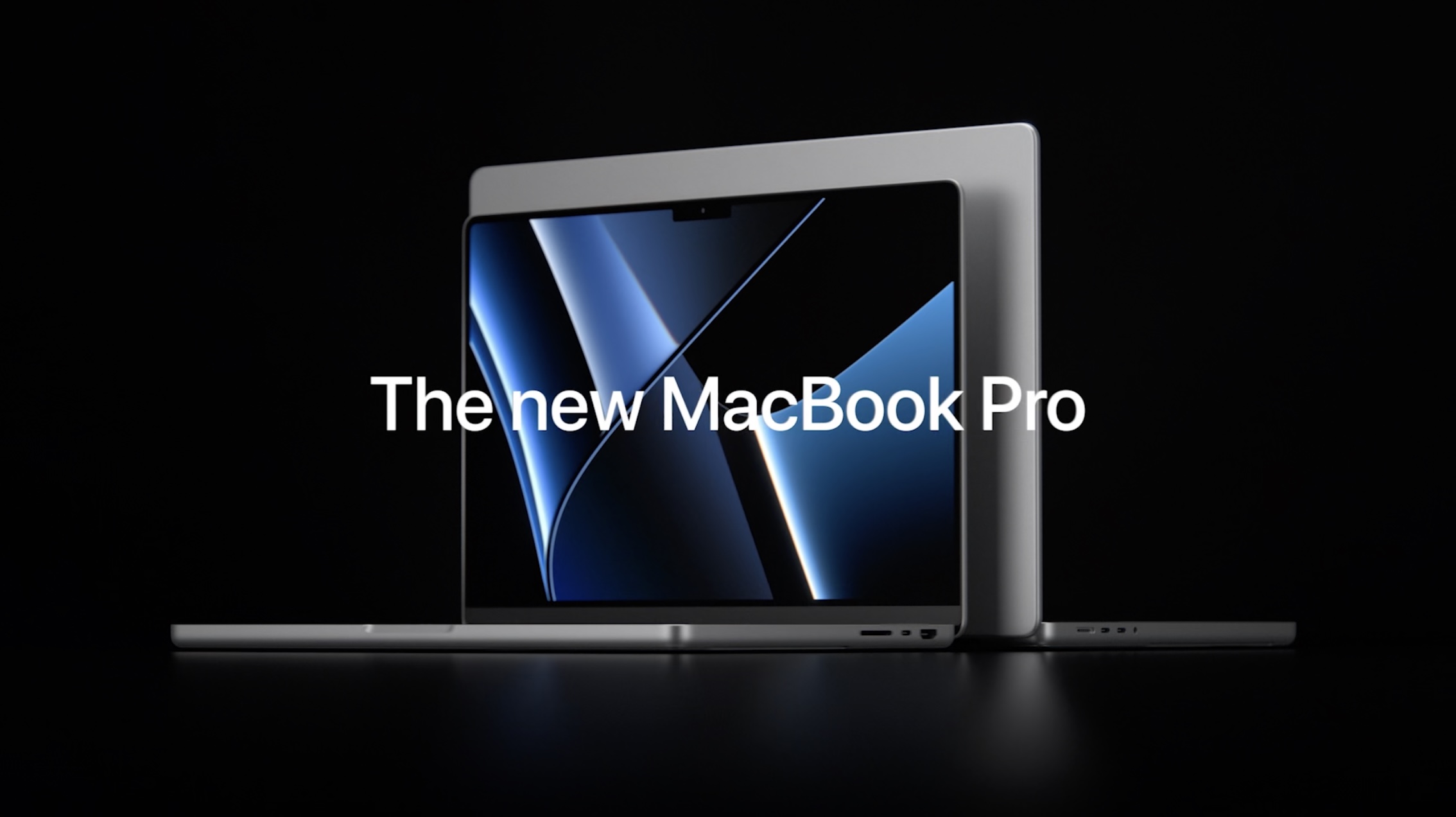
Beyond the larger screens, the all-new 14 and 16-inch MacBook Pro notebooks feature a refreshed design, mini-LED display backlighting, the return of I/O including HDMI, SD card slot, and MagSafe, and the removal of the Touch Bar.
And of course, they have more power than ever with the M1 Pro and M1 Max chips. If you’re on the fence between the 14 and 16-inch MacBook Pro, check out our detailed guide.
Here’s how the new 14” and 16” MacBook Pro compare to other MacBook models
But if you know you want a compact 13 or 14-inch MacBook, read on for our in-depth Air vs MacBook Pro comparison. Also, keep in mind there is a new MacBook Air in the works that could arrive as soon as summer 2022.
2022 MacBook Air: Everything the rumors say we should expect
Initial reactions to Apple unveiling the new M1 MacBook Air and MacBook Pro in late 2020 included confusion about the point of continuing to offer both since they appear so similar.
While it is impressive and somewhat confusing that the $999 base M1 MacBook Air has the same CPU/GPU and neural engine as the $1,299 and higher M1 MacBook Pro, there are some notable differences that are worth considering before making a decision.
And with the 14-inch M1 Pro/Max MacBook Pro available there are even more differences.
MacBook Air vs Pro hardware comparison
You’re getting the powerful and efficient M1 chip with 2020 MacBook Air and Pro machines with 4 high-efficiency cores and 4 high-performance cores for the CPU. But interestingly enough, it’s actually a 7-core GPU on the base MacBook Air models instead of the 8-core on the higher end Air configurations and all the MacBook Pro models. Ben Lovejoy, my colleague wrote an explanation on this.
In addition to the GPU differences, the MacBook Pro has active cooling. This is notable because it allows for the notebook to run at high speeds even when subjected to prolonged loads.
For the 14-inch MacBook Pro, you get the M1 Pro or M1 Max chip with the option for more CPU and GPU cores, increased RAM, full HD 1080p FaceTime camera, and more.
Processor
Storage
RAM
Graphics
Neural engine
FaceTime camera
Speakers
Mics
Thermal management
Maybe more minor in the big picture, but both MacBook Pro models features high dynamic range with stereo speakers and the mics are “studio-quality.”
It’s great to see Wi-Fi 6 support all models. However, it’s just a 720p FaceTime camera on the 2020 MacBooks. Apple says it’s improved the image quality with its image signal processor. But to get the full HD 1080p FaceTime camera, you’ll need to buy the new 14-inch MacBook Pro.
You’re going to see awesome performance for everyday computing with all three of these computers but if you lean toward heavier workflows, the new MacBook Pro is the winner.
If you are looking for a portable solution that is both cost-conscious and lightweight, then the MacBook Air would be a good choice.
MacBook Air vs Pro display comparison
If screen brightness is important to you, chalk up another point for the MacBook Pro with its 500-1600 nits brightness vs 400 nits on the MacBook Air.
The new MacBook Pro’s up to 1,000 sustained nits brightness (1,600 peak) may be just for HDR content, but you’re still getting up to 120Hz refresh rates with ProMotion, mini-LED backlighting, and even thinner bezels.
Actual screen size
Resolution
Aspect Ratio
PPI
Nits(brightness)
Retina display
Liquid Retina XDR display
ProMotion (up to 120Hz)
mini-LED backlit
True Tone
P3 wide color
The new 14-inch MacBook Pro display does include a notch at the top center of the display for the 1080p FaceTime camera. But unlike the iPhone, the notch doesn’t include Face ID hardware/support on the new MacBook Pro notebooks.
MacBook Air vs Pro I/O comparison
The difference between the 2020 Air and Pro with the rest of the I/O not covered above is the Touch Bar coming on the MacBook Pro and dedicated row of function keys (new ones too for dictation, spotlight, more) on the MacBook Air.
One downside with the 2020 MacBooks is support for just 1 external display up to 6K at 60Hz.
In contrast, the 14-inch MacBook Pro offers much more I/O including 3 USB-C/Thunderbolt ports, HDMI, SDXC slot, MagSafe, and support for up to 3 external displays.
Best USB-C display and Thunderbolt 3 display for MacBooks and iPad
Magic Keyboard
Touch ID
Touch Bar
USB-C/Thunderbolt ports
HDMI
SDXC card reader
MagSafe charging
Bluetooth
Wi-Fi
External display support
Size, weight, and finish comparison
As you’d expect, the MacBook Air is the lightest machine with the 13-inch MacBook Pro weighing a touch more, and the 14-inch naturally being the heaviest.
The MacBook Air, with its tapered design is the slimmest Apple notebook. The MacBook Air is the only model that comes in the golden color.
Weight
Thickness
Width
Depth
Display size
Finishes
Battery life comparison
Real-life use shows massive battery life gains for Apple Silicon MacBooks compared to the old Intel models. However, keep in mind you probably won’t see exactly the Apple ratings of up to 15-20 hours without compromises like turning down display brightness, etc.
But in any case, the power efficiency and battery life improvements are big with Apple Silicon!
Wireless web battery
Video playback
Included power adapter
Battery capacity
Fast charging
Pricing comparison
Across the different configurations, it’s a $300-$1,000 difference between the MacBook Air and MacBook Pro.
Stocked models are the 256GB/8GB RAM and 512GB/8GB RAM configurations for the 13-inch Air and Pro. Models with 16GB RAM for the 2020 Air and Pro are custom orders.
And the 14-inch MacBook Pro base model starts at $1,999 with M1 Pro chip, 16GB RAM, and 512GB SSD.
Model/price
256 / 8GB
512 / 8GB
256 / 16GB
512 / 16GB
1TB / 16GB
1TB / 32GB
Custom builds
MacBook Air vs Pro wrap-up
Hopefully you now have clarity on the right MacBook for you. The MacBook Pro is for you if you are looking for more power and active cooling to handle extended workloads. A brighter screen and additional ports make the MacBook Pro the best choice.
Meanwhile, if you have light to medium performance needs, and prefer the lightest machine with great battery life, the MacBook Air is the choice starting at a really reasonable $999.
But don’t overlook the possibility that a new MacBook Air will be released in the next few months. If you know you’d like an Air but don’t need it immediately, it could be worth waiting to see if a new model arrives this summer or fall.
2022 MacBook Air: Everything the rumors say we should expect
Sponsored by FitnessView: A health and fitness dashboard for tracking Health data with insights, widgets, and Apple Watch support!
New episodes of 9to5Mac Daily are recorded every weekday. Subscribe to our podcast in iTunes/Apple Podcast or your favorite podcast player to guarantee new episodes are delivered as soon as they’re available.
Stories discussed in this episode:
Apple beats estimates with record Q2 earnings: $97. 3 billion revenue
Will iPhone 13 cases fit the new iPhone 14?
Beats Fit Pro on sale for one of the very first times at $180, Studio Buds hit new 2022 low of $100
Native Union launches 20% off sitewide Mother’s Day sale on latest MagSafe gear and more
ecobee HomeKit SmartThermostats go on sale for spring starting at $149
Elden Ring is way more fun with a kid, as this Twitch stream shows
Elden Ring is a stunning open-world RPG that feels like an endless well of surprises. Whether it’s summoning giant glowing jellyfish or the simple joy of trotting around on Torrent, the game provides ample opportunities for players to admire its world. This game is a marvel for anyone, but it’s even more special when a child sees it firsthand. Lately, to the delight of fans online, streamer Sizzsarz has been streaming Elden Ring alongside a special guest: her daughter Evie.
Sizzsarz is a variety streamer on Twitch. She first started streaming Elden Ring when it came out, and while she primarily streams by herself, every now and then her daughter Evie will hop on her lap and join her. They do different things in Elden Ring . Sometimes Evie runs around with Torrent and sometimes Sizzsarz shows Evie all of the awesome monsters that live in this game’s world.
Sizzsarz uses a green screen, so whenever Evie comes by, it looks like she magically appears from behind a barrier. Evie has appeared on multiple streams, and on one stream, she wore a sparkly blue princess dress with a matching headband. During streams, Evie provides astute commentary and sometimes sings. Evie sings “Rain Rain Go Away” when the mother-daughter pair were exploring Limgrave.
The best thing about Evie is her facial expressions. Evie has large, round eyes which express her curiosity about the world. A clip she recently filmed of herself seeing Agheel, the dragon, was very popular on TikTok and racked up more than three million views. In it, Evie sits on her mom’s lap, eyes wide and mouth agape as she looks at the dragon. Evie and Evie don’t battle it. Instead, they watch it as it moves by, while Evie exclaims, “Hehe! He wants to chase !”
!”
For a clip featuring a giant world of monsters, it sure is cute. If you want more of Evie’s adorable video game reactions, you can check out Sizzsarz’s Twitch channel or watch clips on TikTok.





:format(webp):no_upscale()/cdn.vox-cdn.com/uploads/chorus_asset/file/23417529/lego_star_wars_the_skywalker_saga_launch_qui_gon_maul_TALL.jpg)
:format(webp):no_upscale()/cdn.vox-cdn.com/uploads/chorus_asset/file/23423069/07_Bubble_sub6.jpg)
:format(webp):no_upscale()/cdn.vox-cdn.com/uploads/chorus_asset/file/23421091/ss_017a2b33e379f2068cc4ec085d43019bfead7568.jpg)
:format(webp):no_upscale()/cdn.vox-cdn.com/uploads/chorus_asset/file/23423014/daggerfall_unity_skeleton_bkjd.1280.jpg)
:format(webp):no_upscale()/cdn.vox-cdn.com/uploads/chorus_asset/file/23215599/The_Jurassic_League_01_02_03.jpg)