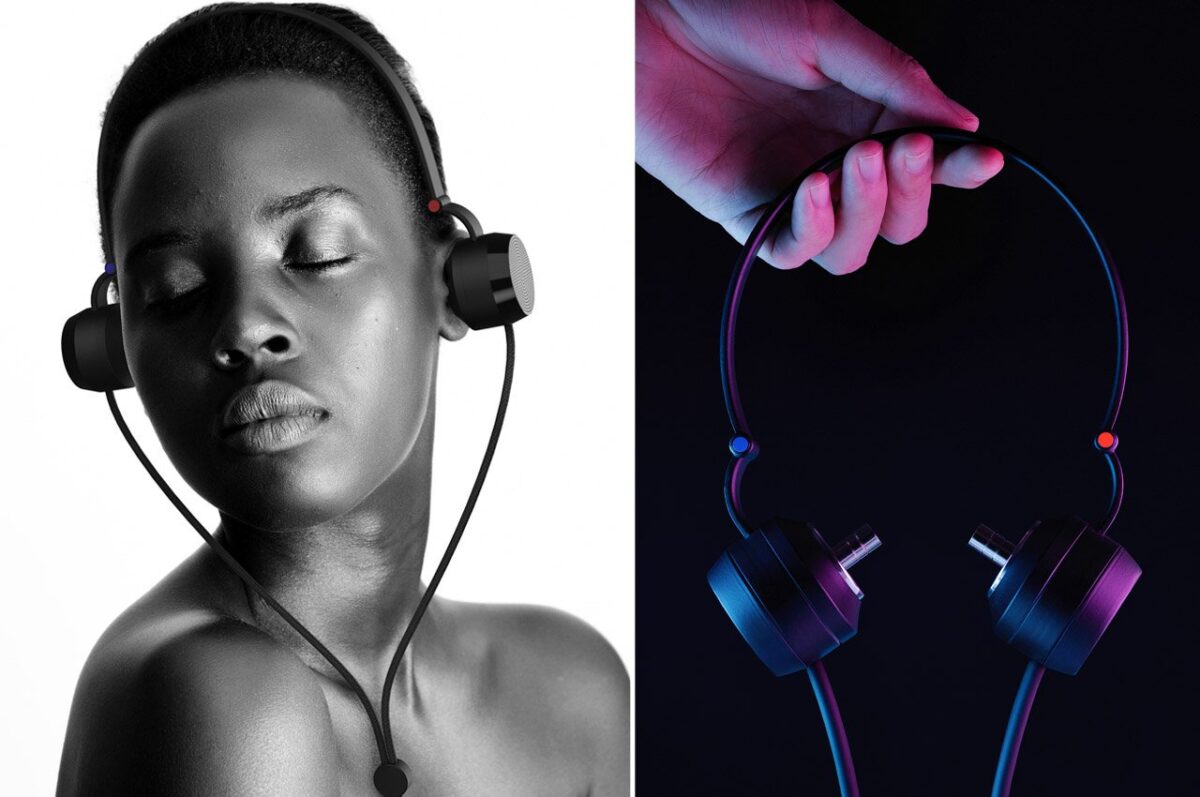
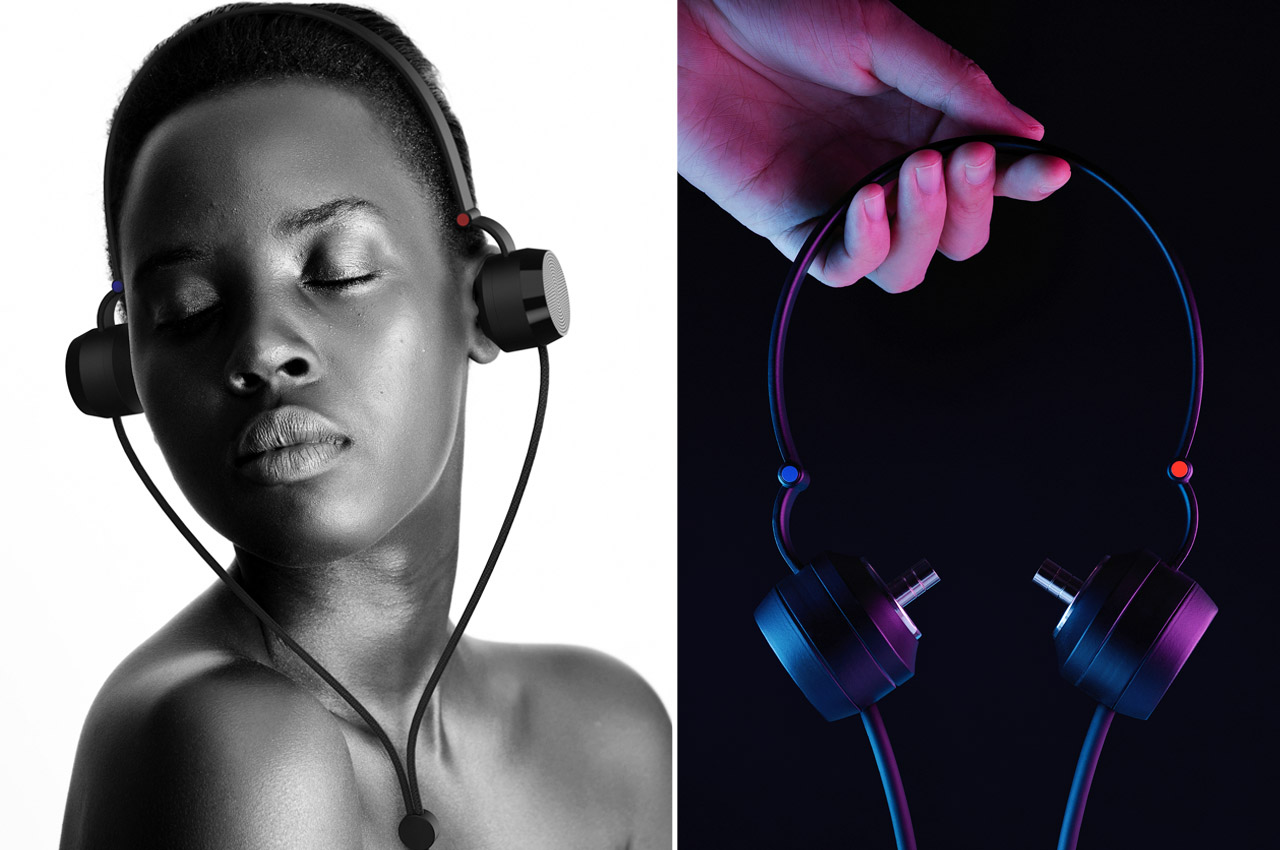
These temperature regulating headphones have sound isolating metal earbuds on the inside
Over-the-ear headphones can give you sweaty and uncomfortable ears in the hot summer days, so why not have an active cooling system to keep the heat down? You can also get a pair hybrid headphones that have integrated metal earbuds.
Ones who listen to quite a chunk of music and podcasts on their headphones get good sound isolation from all the distracting noises around them. However, wearing headphones for longer durations does come with its downsides. Feeling hot in the ears and uncomfortable being one – especially in the scorching heat and humid conditions or on the flipside in extremely cold temperatures. It can be very painful to deal with heat buildup in headphones at high temperatures.
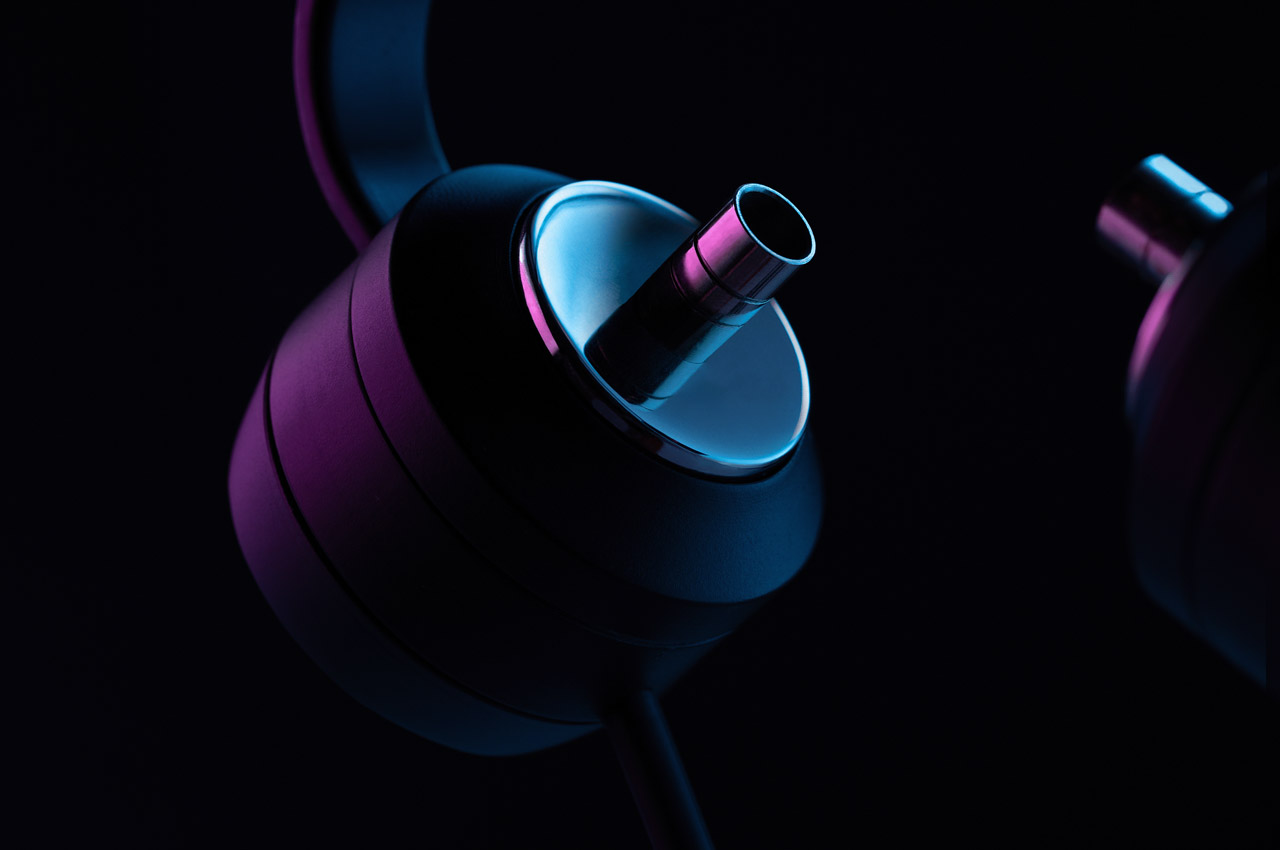
This heat-induced discomfort while wearing over-the-ear headphones is even more concerning in the current era which is plagued by global warming and record-breaking heatwaves. Indeed, not a good scenario for audiophiles who listen to music on their sound-isolating headphones. Designer Kevin Chiam has got a niche idea to solve this problem with an inventive headphone prototype. Meet the Thermaphones – a pair of cans that alter the temperature to nullify the effect of extremely hot temperature or the chill of winter.
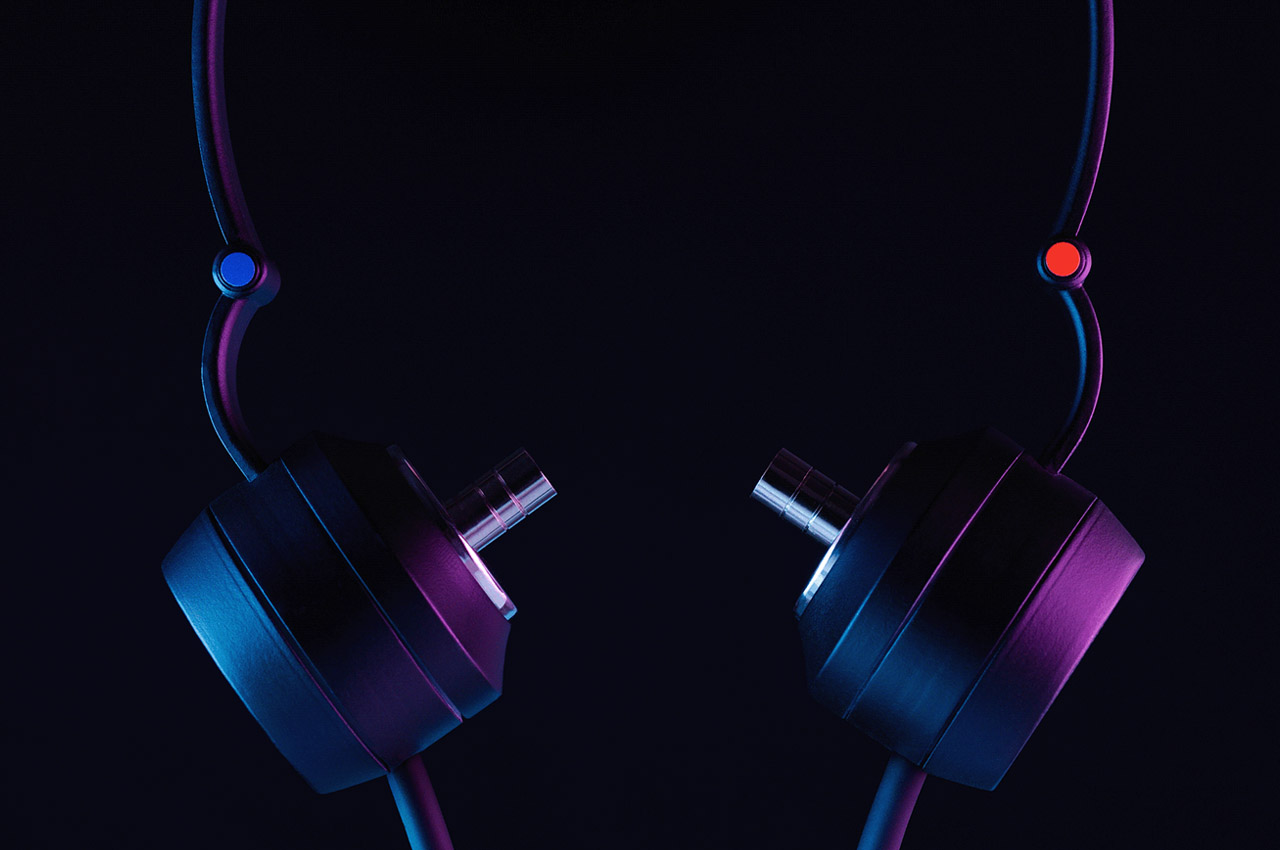
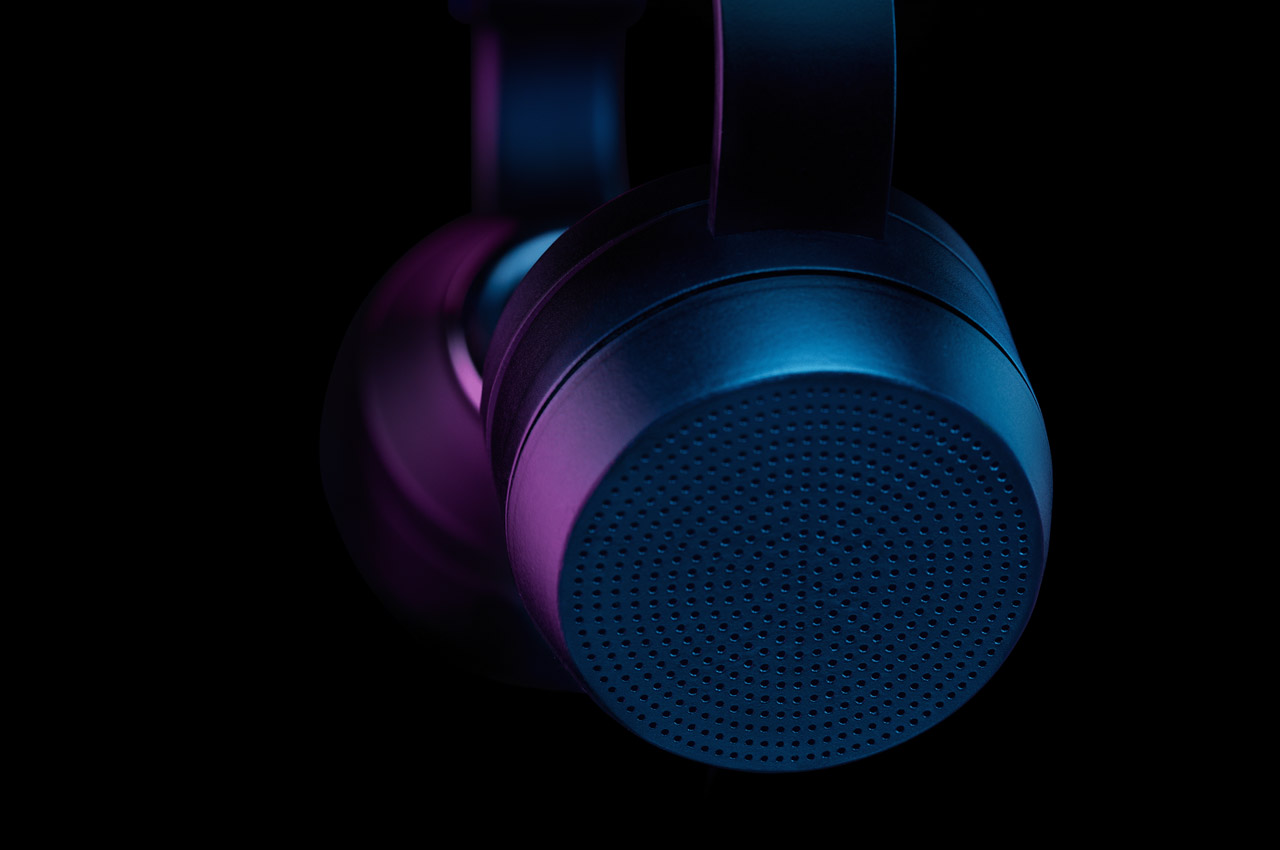
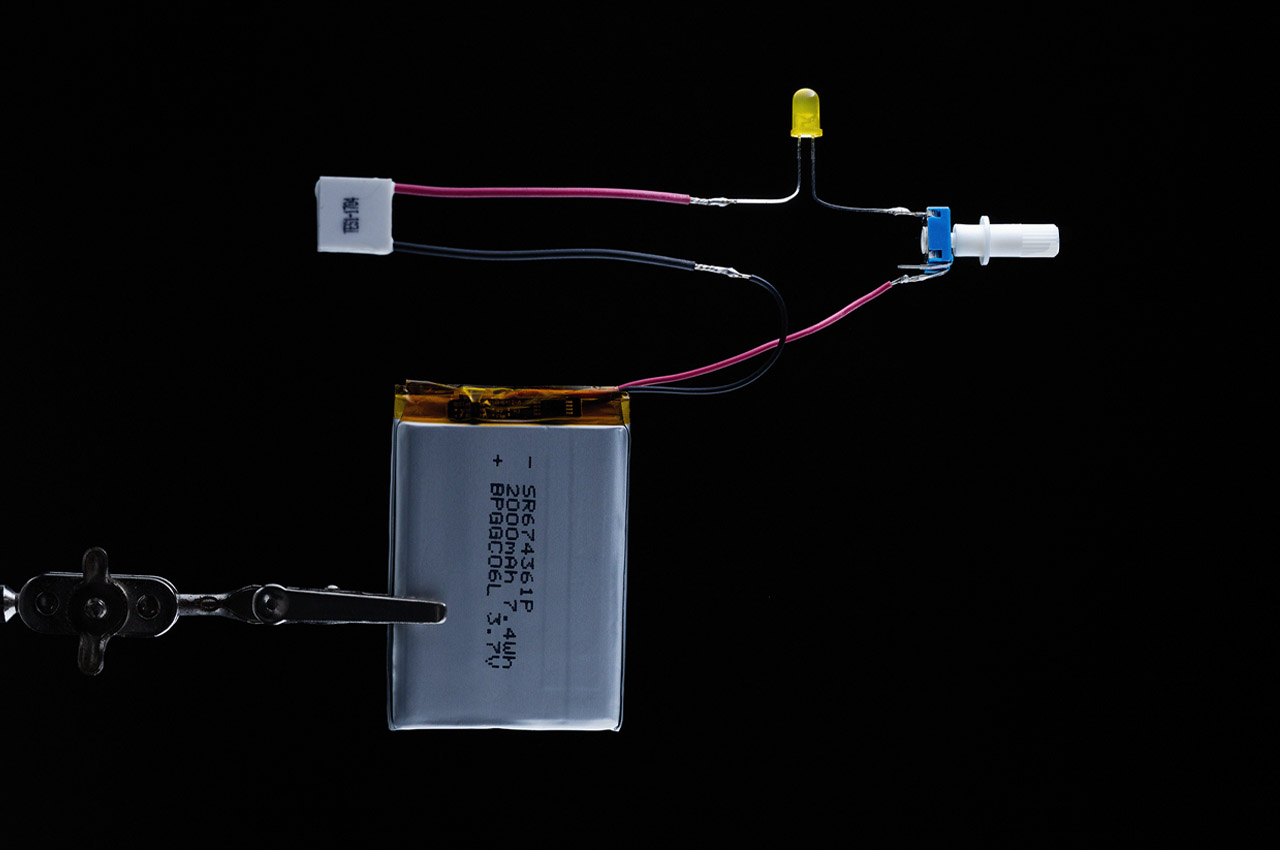
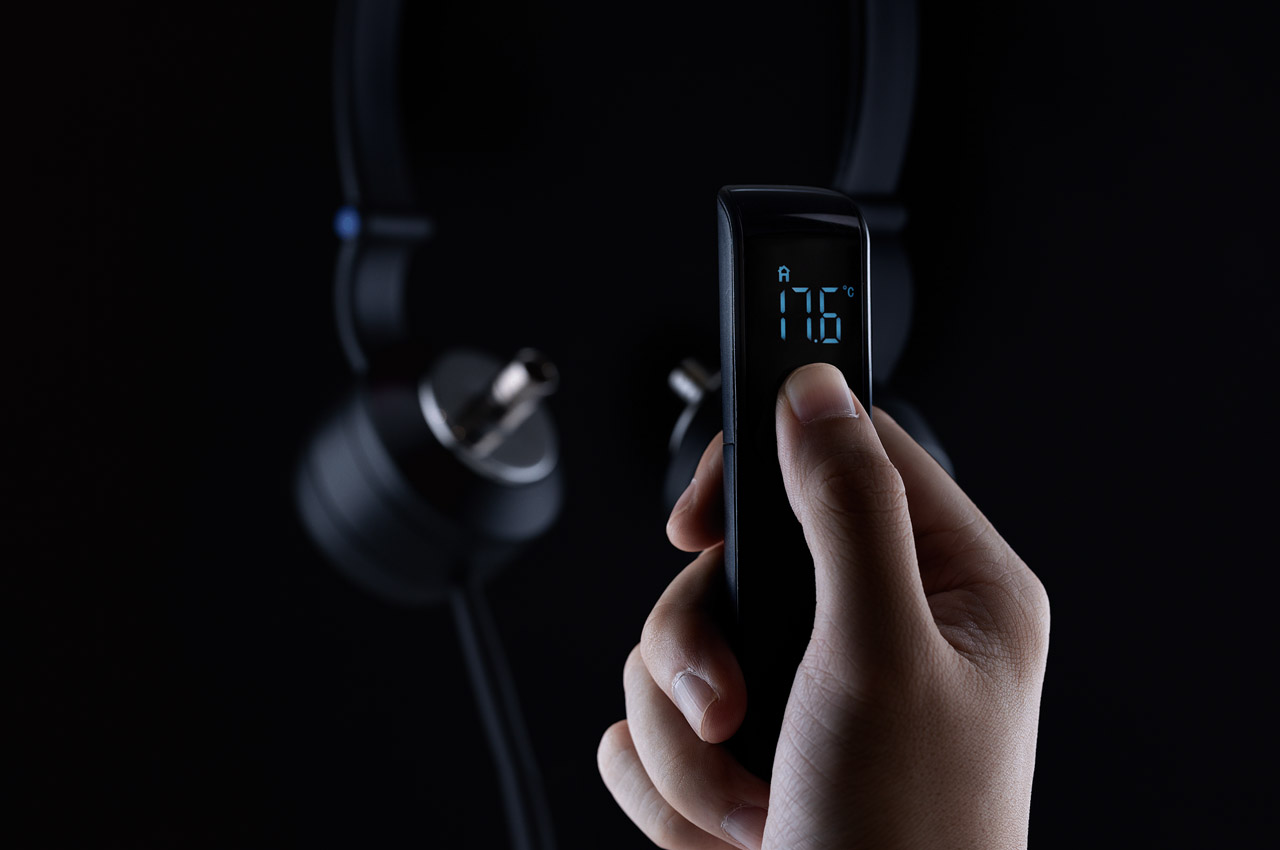
These headphones have a hybrid design, wherein, they have temperature-changing earbuds for unique thermal comfort. These headphones have a compact earcup design with protruding ears. This promises superior sound isolation honed by the vacuum seal of the earbuds and topped by the encapsulating properties of the ear cups. Temperature control is achieved via the 2 integrated Peltier chips which are capable of toggling the temperature between 25degC and 38degC.
The idea of these audio accessories in the prototype stage is very unique as they bring great comfort even in the hottest and most humid environments or freezing cold. These accessories eliminate the possibility of experiencing vertigo due to extreme temperature variations. In fact, the project is inspired by the project Saiga4 neck wearable which works on the perception of temperature for cooling you down.
Opinion: iPad sees year-over-year sales decline, I blame iPadOS for that
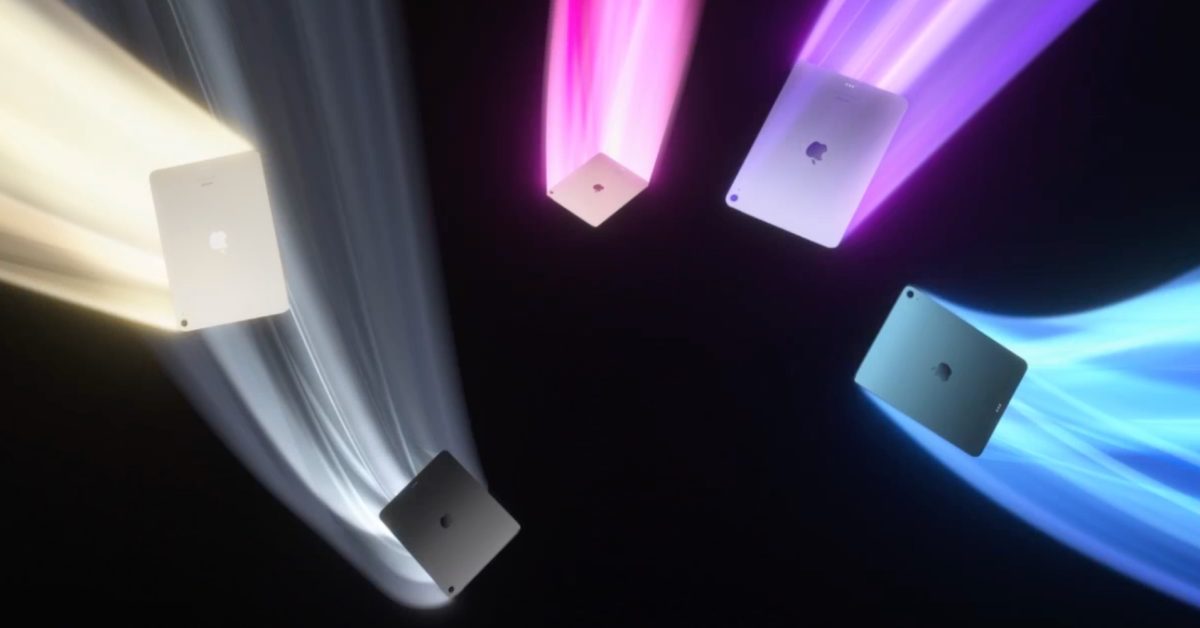
Last Wednesday, Apple’s earnings report for its second quarter ended March. While the company just launched a new iPad Air with the M1 chip, Center Stage, and 5G support, numbers show that the iPad is generating less money and it’s suffering from a year-over-year sales decline. I personally blame iPadOS.
While the company was “very pleased” with “an all-time revenue record for Services and March quarter revenue records for iPhone, Mac, and Wearables, Home and Accessories,” the iPad is struggling to sell well as it’s down 2. 2% YOY with a $7. 65 billion revenue.
While the Mac hardware is finally catching up after years of controversies and issues due to Intel chips and lack of an optimized macOS system, the iPad feels like is going on the same controversial path the Mac went some time ago.
While it is impossible to say that the iPad line-up has poor hardware, you will often hear that the software does not follow up. While iPadOS could be great for the base-model iPad, it looks like it’s always falling behind with iPad mini, iPad Air, and iPad Pro models, here’s why.
iPadOS needs to be a little bit different for each iPad
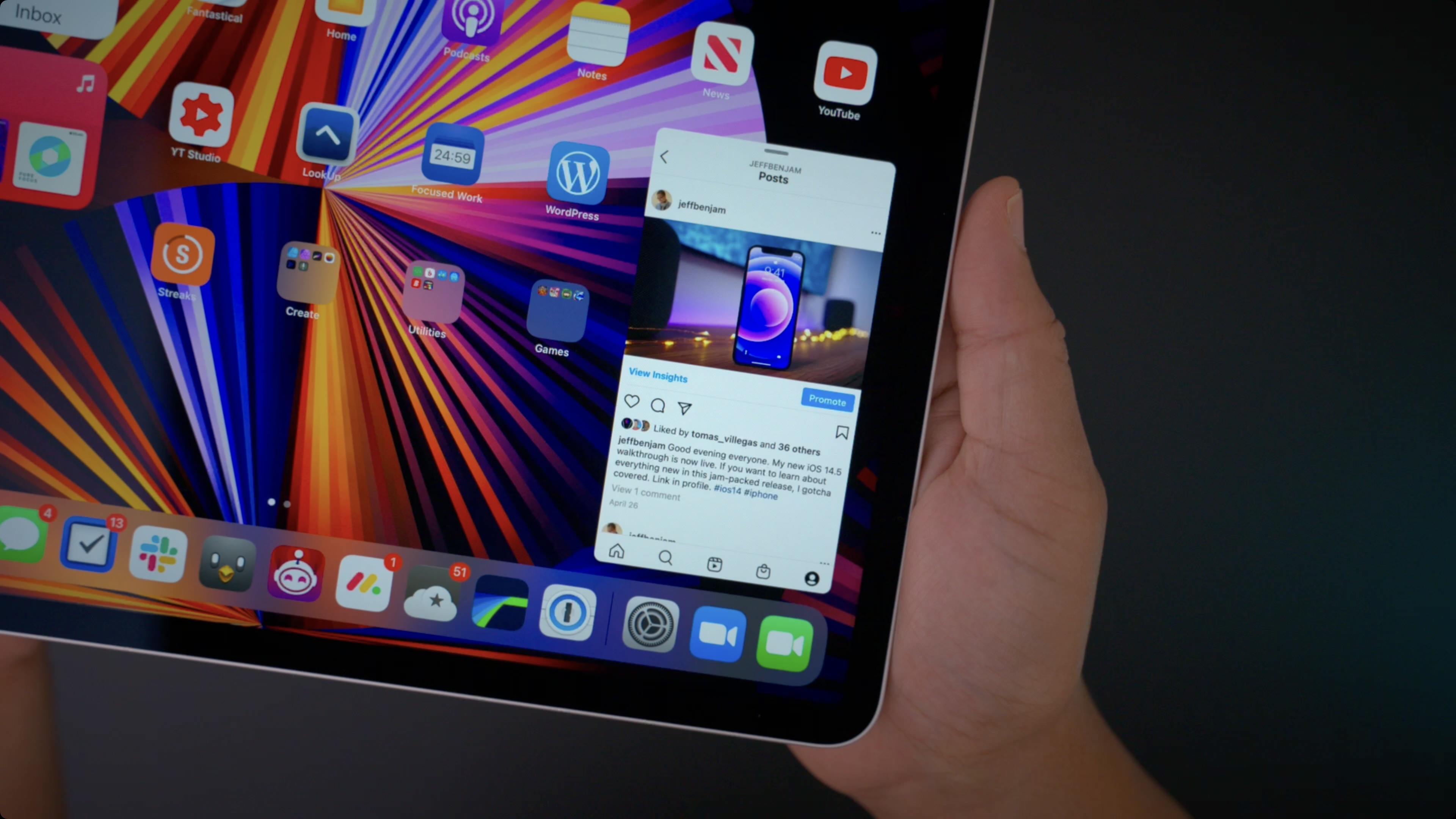
For the iPad mini, iPadOS lacks optimization. Its weird aspect ratio feels like users are always experiencing a 4:3 view – like an old tube TV. This iPad is great for iPhone app use – and I am looking at you, Instagram! – but Apple hasn’t provided an elegant solution to allow users to enjoy the top iPhone apps on their tablet.
Not only is this not what the users want, but multitasking in this device does not meet their needs. Apple could make the iPad feel more comfortable by making it smaller and allowing for more apps to fit onto its home screen.
For the M1 iPad Air and iPad Pro, Apple should take the opposite way: maximize multitasking capabilities since larger screens can help you do more things at once. Especially when talking about the 12. 9-inch iPad Pro, Apple should add a proper “Pro” mode with windows and more apps opened on the screen at the same time. Bloomberg Mark Gurman suggested three modes for iPadOS a few weeks ago:
A standard, touch-first mode with the normal home screen that is part of iPadOS today.
A new option that turns on when you connect an Apple Pencil, optimizing icons, controls, and user interface elements for that accessory.
And, most importantly, a new “pro” mode that kicks in when the iPad is connected to a keyboard and trackpad, such as Apple’s own Magic Keyboard, or an external display.
iPads are expensive but can do less than a Mac
Apart from the $329 base-model iPad, all Apple tablets are expensive. Imagine paying $350 for a keyboard for your $1,599 iPad. It’s bananas. OK, one could say that iPad models feature incredible hardware – and it’s true – but why add an M1 chip to a machine that can’t properly do multitasking?
With a MacBook Air starting at $999 and an M1 Mac mini for $699 (Magic Keyboard and Magic Mouse for $99 each), it’s cheaper to get a full machine with a mature software than to pay $699 for a 64GB iPad Air and $300 on a Magic Keyboard.
The problem isn’t iPad being expensive, the issue here is the iPad costing a lot and not doing half what users can do on the Mac, especially when talking about M1 Macs that can perform every task in a blink of an eye.
iPad Sales Wrap up
9to5Mac has extensively covered what Apple could improve with the next iPad operating system, always wishing the “next one” will finally unleash the power of the Pro models. Once the company does that, who knows whether iPad sales won’t start to grow again.
While WWDC 2022 is just around the corner, what are your wishes for the next iPadOS? Share your thoughts in the comment section below.
Related:
iPadOS 16: Here’s what we know so far about new features, supported devices, and more
M1 iPad Pro turns one, but patience for pro experience hits zero
Kuo: Apple Watch Series 8 could feature body temperature measurement, depends on algorithm quality
Apple Watch Series 7 was first rumored to get the new body temperature sensor last year, but as we all know, this feature didn’t make the cut – as well as a complete redesign of the Watch.
Now, for the Apple Watch Series 8, it seems the wearable could feature this sensor with one important condition, as explained by analyst Ming-Chi Kuo.
In a thread shared by the analyst on his Twitter, Kuo says that “Apple canceled body temperature measurement for Apple Watch Series 7 because the algorithm failed to qualify before entering EVT stage last year. I believe Apple Watch Series 8 in 2H22 could take body temperature if the algorithm can meet Apple’s high requirements before mass production.”
With that in mind, Kuo’s report corroborates stories shared by Bloomberg and the Wall Street Journal about the upcoming body temperature measurement sensor on the Apple Watch Series 8. Since the wrist is not the place people usually measure their body temperature, an accurate algorithm is more than necessary to make this sensor work.
“The challenge in implementing precise body temperature measurement is that skin temperature quickly varies depending on outside environments,” explains Kuo. A smartwatch cannot measure core temperature in hardware terms, therefore it requires an exceptional algorithm to combine .”
.
The analyst also brings an example of what Samsung is facing as well. “Unlike previous media reports, I think Samsung Galaxy Watch 5 in 2H22 might not support the body temperature measurement due to algorithm limitations.”
Only time will tell whether Apple Watch Series 8 will feature a body temperature measurement sensor. This is what Apple expects to include in the Watch Series model for this year.
Do you think this sensor would be a nice addition to the Apple Watch? Share your thoughts in the comment section below.
(1/3) Apple canceled body temperature measurement for Apple Watch 7 because the algorithm failed to qualify before entering EVT stage last year. I believe Apple Watch 8 in 2H22 could take body temperature if the algorithm can meet Apple’s high requirements before mass production.
— Guo Ming Qi (Ming-Chi Kuo) (@mingchikuo) May 1, 2022
Samsung Selects Two EdTech Start-Ups as Spin-offs From the C-Lab Inside Program – Samsung Global Newsroom
In line with its vision to shape the future with intelligence and innovation, Samsung Electronics has announced that it will be supporting two new startups that have grown out of its in-house incubation program, C-Lab Inside.
Starting in December 2012, Samsung C-Lab Inside was established to encourage Samsung employees to discover new ideas and foster a culture of creativity. In the 10 years since its inception, C-Lab Inside has incubated 365 projects and engaged more than 1,500 Samsung employees. This month, Samsung announced support for two other startups, bringing the total number of startups that the company supports to 59.
In this age of digital learning it is no surprise that Samsung Electronics selected two EdTech startups to innovate in teaching and learning. Two startups were chosen: ‘Piloto, an AI-driven parental control app, that encourages children to use technology in a safe and thoughtful way, and EdInt, which proctors and administers online exams.
Continue reading to find out more about C-Lab Inside and two of the most important startups in the future education sector.
Piloto: An AI Companion for Keeping Children Safe Online
Piloto is an AI-based training solution that uses a friendly AI character to help regulate children’s screen usage and correct their posture while using smart devices.
According to South Korea’s Ministry of Science and ICT report, 28. 4% of children between the ages of 3 and 9 are at high risk for smartphone addiction. As indicated in the report, the biggest cause of smartphone addiction in young children is that parents do not know how to teach their children healthy smartphone habits.
The Piloto team is headed by Ms. Lee Dayoung who studied early childhood education. Lee developed an AI solution that allows a character to ‘live’ on a smart device, and communicates with the child as if he were a friend. This is because children are inclined towards “animistic thinking”, or believing that all things in the universe are alive.
The AI character helps children develop the ability to self-regulate their screen time by teaching them how to set their own usage time goals. The app also uses a unique natural language processing conversation model to identify the child’s language ability and communicate with them using easy-to-understand expressions.
Going beyond usage time, Piloto also analyzes a child’s body position through a camera mounted on their smart device and helps them correct any harmful posture. The app also offers exercises for the eyes to prevent vision loss and neck pain after long hours of playing. The app automatically blocks harmful content so that parents are able to rest assured knowing their children’s online activities are safe.
Since the early stages of the app’s development, the team consulted with various pediatric psychiatrists and child psychology experts to create content tailored especially to the needs of young children. The app’s clinical results have shown that it can reduce smartphone addiction as well as teach kids how to manage their screen time.
” I want to make the internet a place where kids around the globe can play and run in an enjoyable way.” said Lee Dayoung (CEO of Piloto).
Piloto will be released in the second quarter of 2011.
EdInt: An AI Proctor for Online Exams
Due to COVID-19, many institutions were forced to rapidly switch to online testing, which led to a rise in cheating during corporate recruitment and university exams. This trend inspired the creation of the Edu-tech startup, EdInt.
It can be difficult to create online test environments and control home testing. Supervisors also have to manually identify cheating with their eyesight alone, which can be both inefficient and ineffective.
EdInt, an AI online test management and proctoring service, was developed using object recognition technology and motion recognition algorithms to help organizers, supervisors and test-takers conduct online tests conveniently and efficiently.
By scanning their surroundings with a camera, test-takers can easily build their exam environment to match the guide provided by the organizer. Once an exam begins, EdInt’s AI analyzes test-takers’ behavior in real time and notifies the supervisor of any suspicious behavior. Instead of relying on humans, using AI to detect cheating can significantly reduce operating costs. In addition, EdInt provides a detailed report and full test video that can be reviewed after every test.
” We will grow into global markets starting with local public institutions and companies, said Won Dongil (CEO of EdInt).
Small Ideas, Big Innovations
For more than 10 years, the C-Lab Inside program has been supporting ideas from all areas of business as well as ideas that contribute to society. Since its introduction in December 2012, 59 projects in the program have been spun off as startups, creating more than 500 jobs.
Projects selected to the program will receive one-year support from Samsung, which includes office space and research funds, as well as full creative control of the project’s development.
The C-Lab Inside program has also resulted in numerous innovations being deployed within Samsung itself, such as Galaxy upcycling, Eco-packaging, Lifestyle TV ‘The Sero’ and new features for mobile cameras and Samsung Pay.
For the past two consecutive years, South Korea’s Ministry of SMEs and Startups has selected Samsung as the most suitable company to manage in-house venture operations. It was selected by the Korean Fair Trade Commission as a Best Practice in Implementing Fair Trade Agreements last year.
Moving forward, Samsung will continue to invest in the longevity of Korean startups through its ‘Economic Revitalization and Job Creation Initiative Plan’. Announced in August 2018, the company pledged to incubate 200 in-house projects (C-Lab Inside) and 300 external startups (C-Lab Outside) through the C-Lab program over the next five years.
The company is on track to reach its goal, having incubated a total of 426 projects, including 244 external startups through its C-Lab Outside program and 182 in-house venture projects through its C-Lab Inside program.
Pioneering Future Technology
The C-Lab program is known for its ability to foster successful startups. Recently, 30 startups that have been previously spun off from Samsung Electronics’ C-Lab attracted a total of 120 billion won in follow-up investments, including 29 billion won for ‘Linkflow’ and 14 billion won for ‘Welt’. Moreover, two startups launched from Samsung C-Lab’s first spin-off program in 2015, ‘Salted’ and ‘Mopic’, have also gained recent industry attention for their strong, foundational technology.
The first company established as a spin-off, Salted, is generating stable sales in the golf sports industry for its innovative fitness tracking and coaching solution that uses smart insoles to analyze weight shifting, swing data, balance data and posture data. At the end of 2020, the company ranked first in sales in the Amazon golf training product category and is currently maintaining steady growth in the global market by signing supply contracts in the United States and Europe. Salted recently expanded into the digital healthcare field using foot data from the patented pressure sensor technology. Salted is currently conducting domestic and international clinical trials for patients who need gait rehabilitation, such as degenerative brain diseases and diabetic neuropathy.
Another notable C-Lab startup is Mopic, a company developing light field 3D displays and image rendering software that can produce vivid stereoscopic vision. In the early stages, Mopic started its business as a smartphone cover accessory that allowed users to enjoy the 3D content without glasses. However, the 3D content market didn’t grow as fast as expected, causing difficulties in the business model. Despite these setbacks, Mopic continued to grow and improve its technology. The company is now receiving collaboration proposals worldwide as an enterprise solution, such as being used for stereoscopic images for medical surgery, infotainment for vehicles, video conferencing and more. Considering the recent rise of the metaverse and the increasing demand for immersive content, Mopic is now attracting more attention than ever as a company specializing in 3D content production and implementation technology. This success led to a Series B investment of around 10 billion won.
Weekly poll results: OnePlus Ace/10R success hinges on the right pricing
Money and money are all related to the phone’s price. The OnePlus Ace, which launched as the OnePlus 10R in India a few days ago, has potential, but the company has to hit the right price point.
Many in the comments were wishing that this will be a sub-EUR400 phone in Europe, however, while we don’t know the exact price yet, the EUR450 price tag of the Realme GT Neo2 makes it unlikely. We do know the price for India: Rs39,000 for the base model (80W charging, 5,000 mAh battery) and Rs44,000 for the Endurance Edition (150W charging, 4,500 mAh battery).
We mentioned the GT Neo2 because the Ace (the 10R especially) is basically a rebranded Realme GT Neo3. Speaking of the Neo3, that one went global on Friday, starting with a launch in India with a promotional price tag Rs30,000 (regular price is Rs36,000 for the 80W variant and Rs43,000 for the 150W variant).
OnePlus 10R aka OnePlus Ace
Anyway, back to the OnePlus Ace/10R. It’s not the most popular phone in the world, but about 1 in 3 voters are just waiting for local stores to stock up and are prepared to hit the ‘buy’ button.
A smaller fraction prefers the Realme model. While the hardware is all but identical, several commenters wrote that they prefer the styling of the GT Neo3. That’s not great news, since the 10R model looks the same. It doesn’t have a Sandstone option or an Alert slider, though those two are long-time favorites.
Speaking of hardware, people wish there was a smaller option than the 6. 7″ display. The Nord 2 is smaller, but is also a mid-ranger that misses out on things like the 10-bit 120 Hz display.
Returning to the OnePlus vs. Realme argument, although Realme UI is a great way to keep OnePlus brand loyal. However, Realme UI still lacks the kind of long-term software support that OnePlus users are used to. The 10R runs OxygenOS 12. 1 out of the box (based on Android 12), OnePlus has committed to 3 major OS updates and 4 years of security updates.
Save on your dream portable power station setup with new FREE BLUETTI rewards program
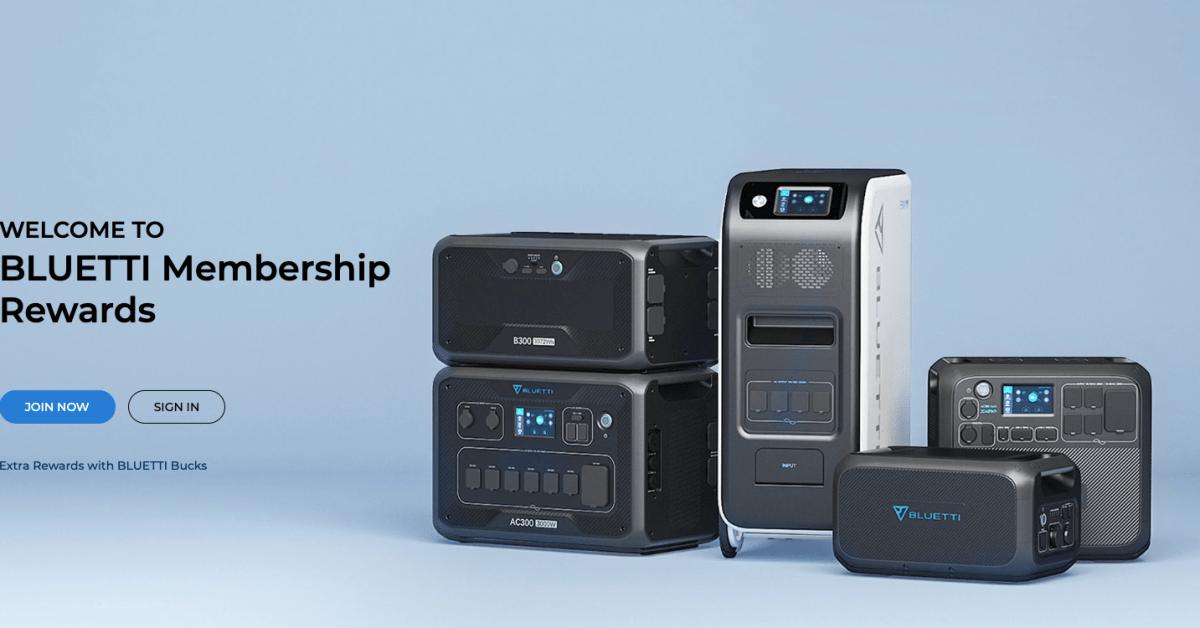
BLUETTI, a global leader in off-grid portable power station solutions, has launched a loyalty reward program that allows customers to get deep discounts and credits for future purchases. The brand has become well known for its portable battery systems to light up your camp site, provide much needed outlets during emergency situations, and otherwise power your off-grid adventures. And while its gear isn’t always the most affordable solutions out there, the feature-rich and rugged designs are about to get less expensive by way of the new BLUETTI Plus membership program. The rewards program is free to join and offers members bonus gifts, deep discounts, and credits that can be used to purchase more. Below is a deep dive.
BLUETTI Plus deliver deals, bonuses, and more on every purchase
BLUETTI Plus is essentially a membership program that won’t cost you anything. You just simply score free gift cards and vouchers when you make a purchase, refer a friend, share on social, and more. If you are going to or are already invested in its portable power supply ecosystem, it is a no-brainer decision to sign-up and redeem some free credit towards a future purchase.
The brand introduced a tiered pricing system to help people who want to increase their off-grid setup. This is in addition to the no-cost sign up process.
According to BLUETTI, it will even honor purchases made previous to the introduction of the loyalty program. Just email them from the address you used for your previous BLUETTI gear after signing up to fold those purchases into your membership account: “Send us a message with the email address you used in purchasing and we’ll help to update your history bucks.”
Members who earn BLUETTI bucks through purchases also get priority access to new products, special sale events, bonuses and birthday gifts. There’s also a check list of simple contributions members can make to add to their BLUETTI Bucks bank as well:
Our loyalty program is an extension of our appreciation for the community. It helps to improve retention rates and shows our customers and potential future customers that we care.
Go to the BLUETTI Plus official page for more information and to sign up.
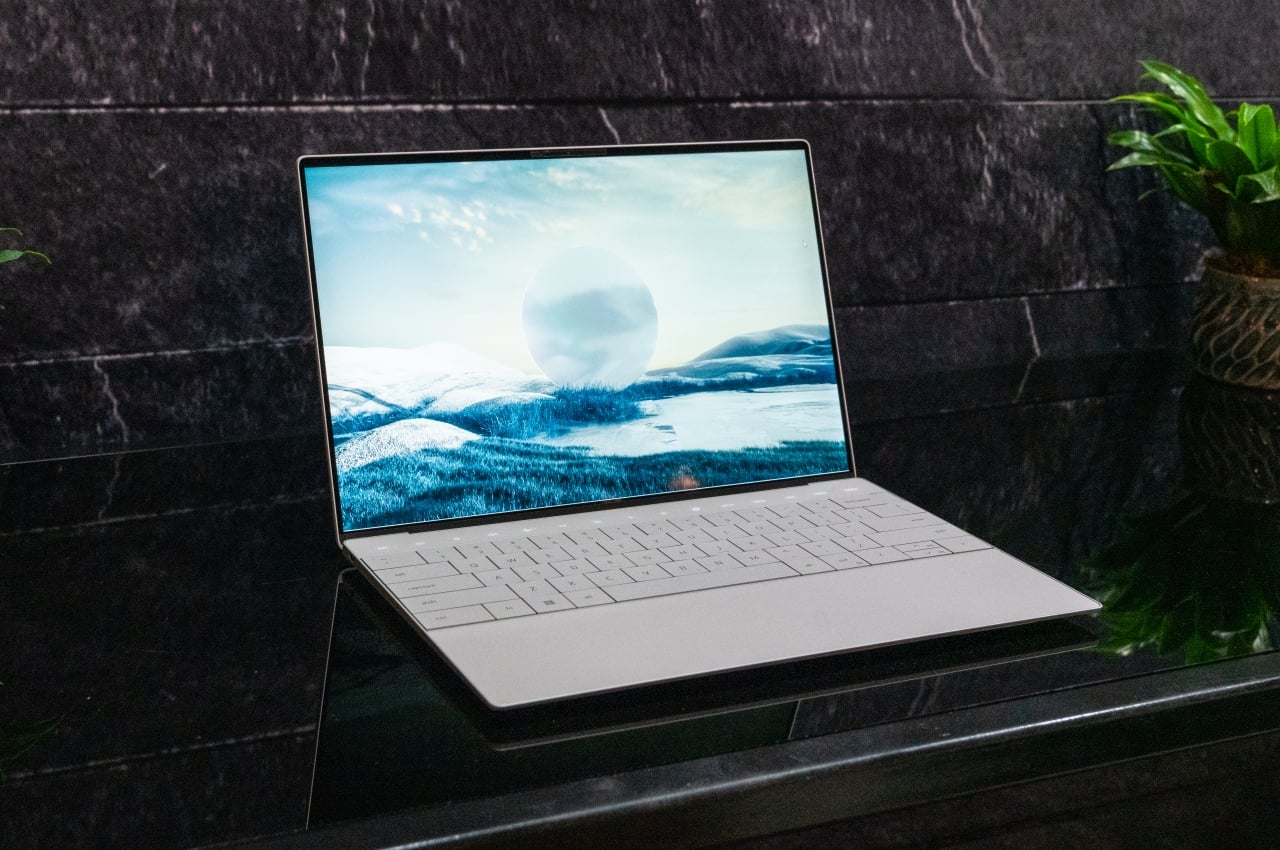
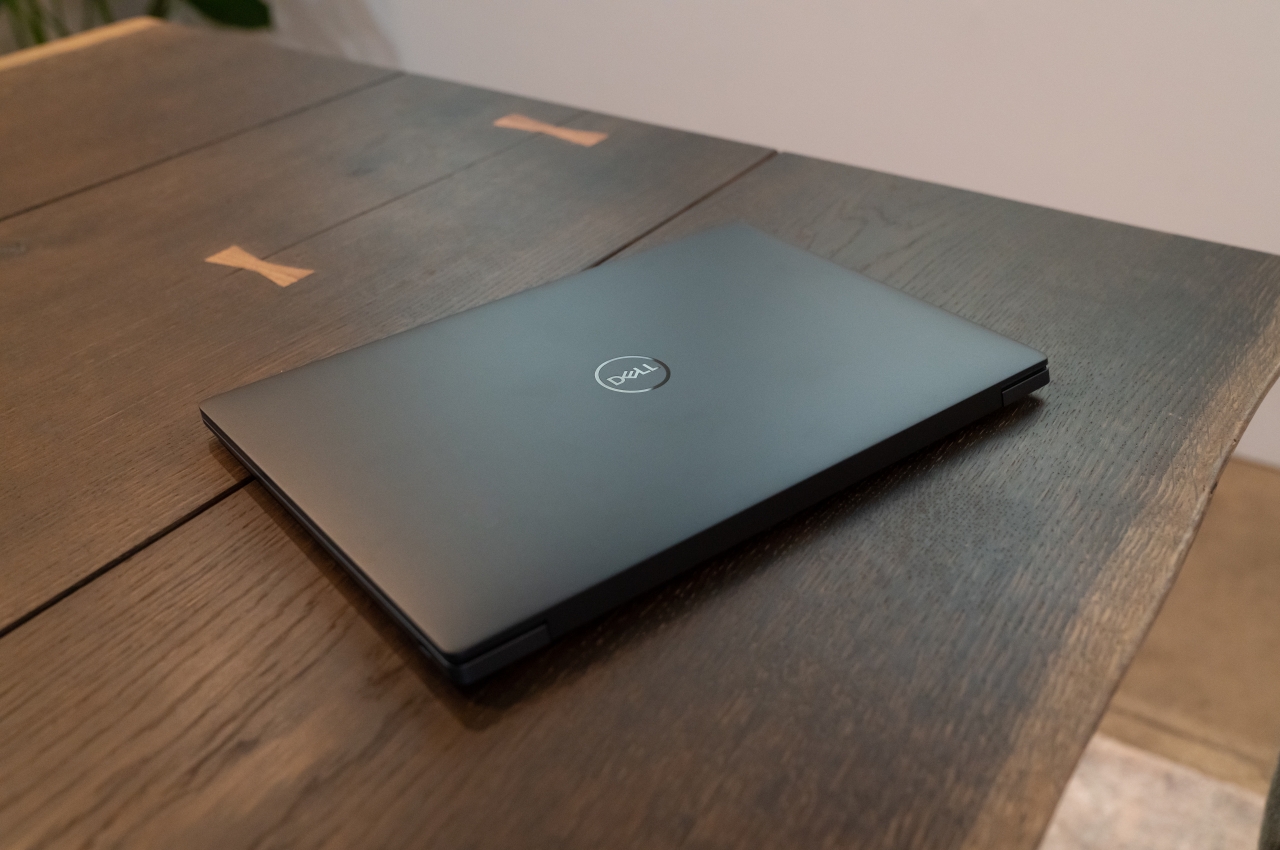
Dell XPS 13 Plus tries to evolve the laptop with questionable features
Laptops have become the go-to computing solutions of people, be it for personal use or for work. They have reached a point where they can match desktop computers in all but the most specialized cases, though the ability to expand their power through things like external graphics docks evens out the score as well. Laptop design, in general, has remained the same in the past few decades, at least as far as the placement of components goes. While some laptops have become lighter and thinner, bezels have been almost eliminated from most models. However, the layout of keys and screens is more standard than ever (even though keyboard layouts may vary). However, Dell is trying to be more modern and minimalistic to create a futuristic look for the laptop. This raises important questions regarding the ergonomics and usability of this new design.
One can argue that laptops have never been the most ergonomic computing devices in the first place. The overall purpose of laptops was to be portable and able to fit on your lap. Laptops are a strain on the neck and legs, as well as the position of the wrist and arms. This has made them the antithesis of ergonomics.
Things are getting better over time, thanks more to peripherals and accessories than the design of the laptop itself. The position and angle of the screen, keys, and touchpad still don’t lend themselves well to good posture, and manufacturers haven’t exactly been too keen on changing a working formula. Instead, the likes of Dell, ASUS, and Lenovo have tried to reinvent the laptop with features that drastically change how you use it.
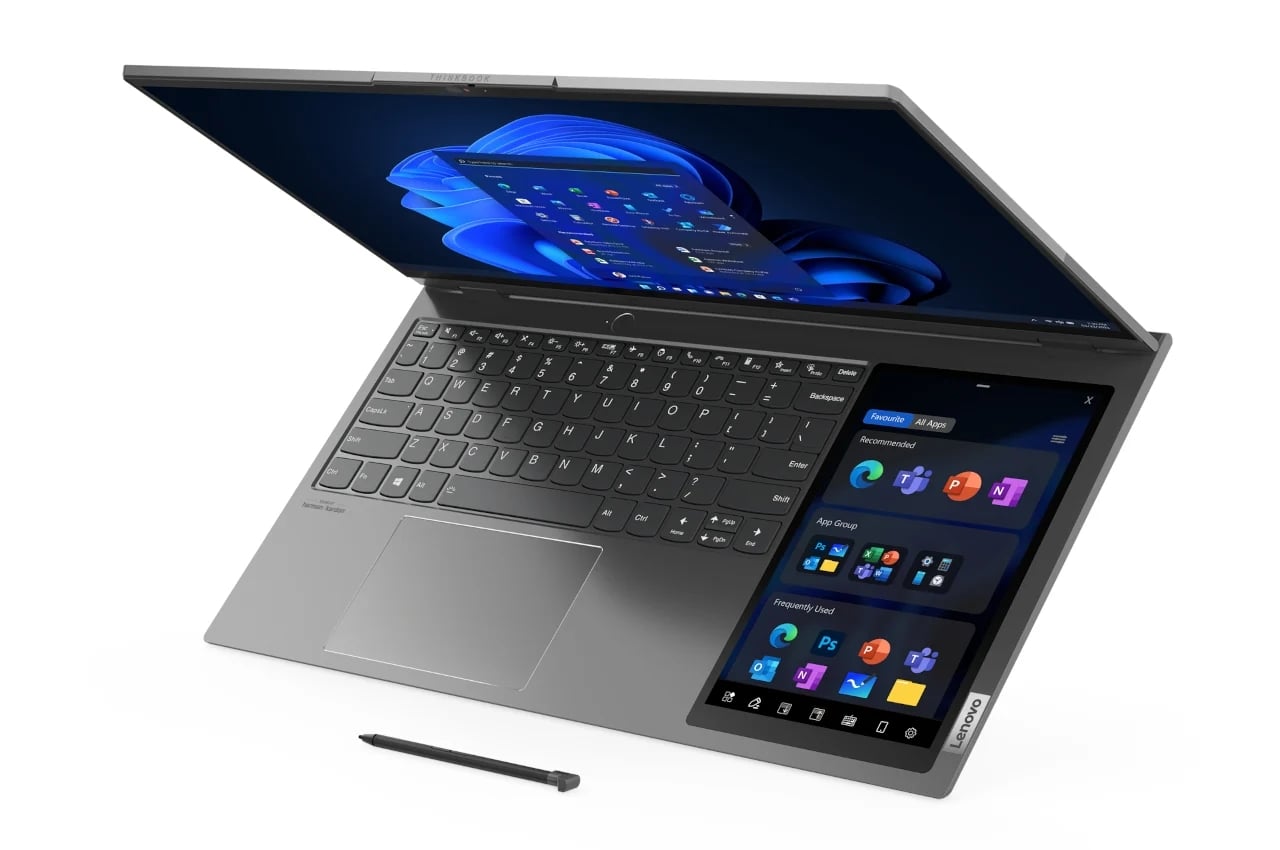
ASUS, for example, has been putting a second screen right above the keyboard, which ends up pushing the keyboard further down. The traditional trackpad gets the boot. However, technically it’s been moved to the right as a second configurable screen. Lenovo goes further than that by placing a tablet-sized screen to the right side of the keyboard. However, the trackpad remains there but is now to the left.
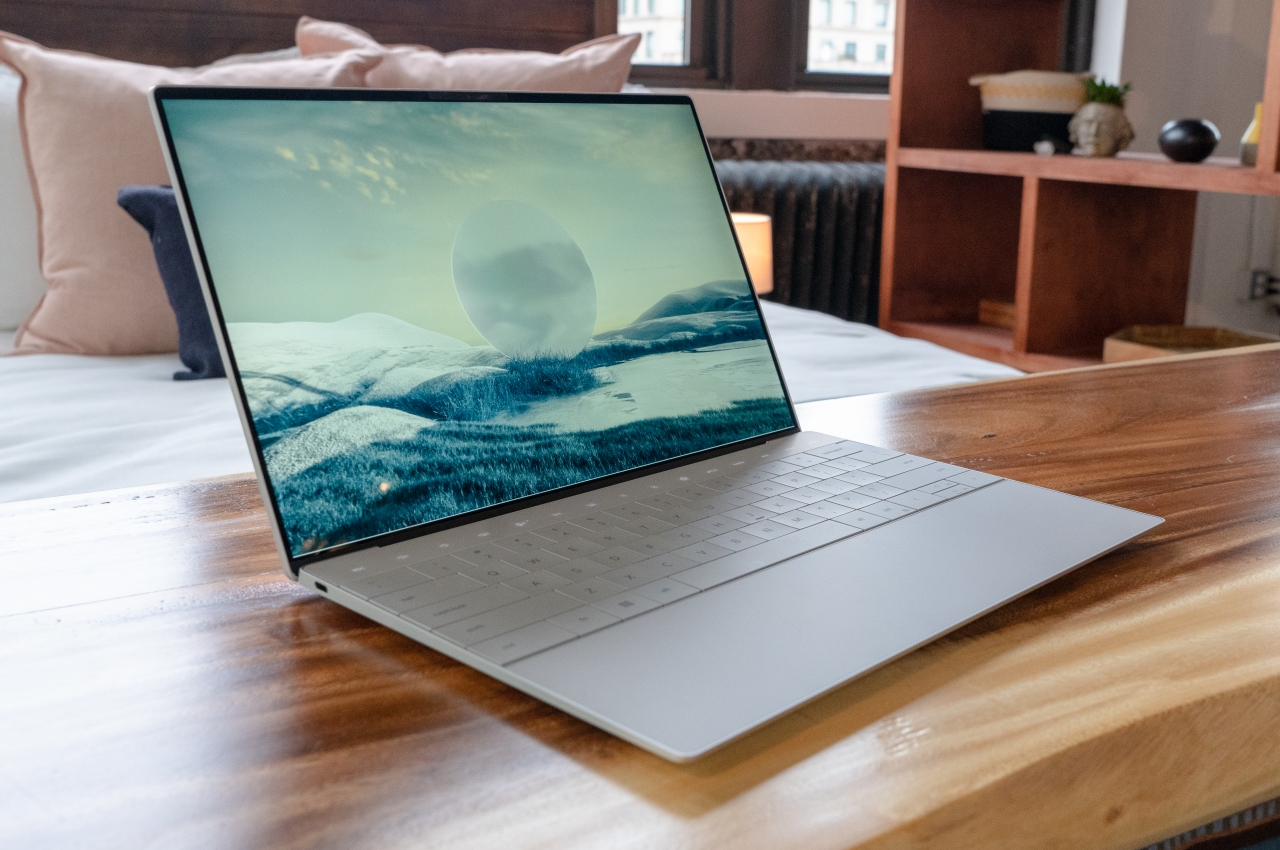
Dell XPS 13 Plus
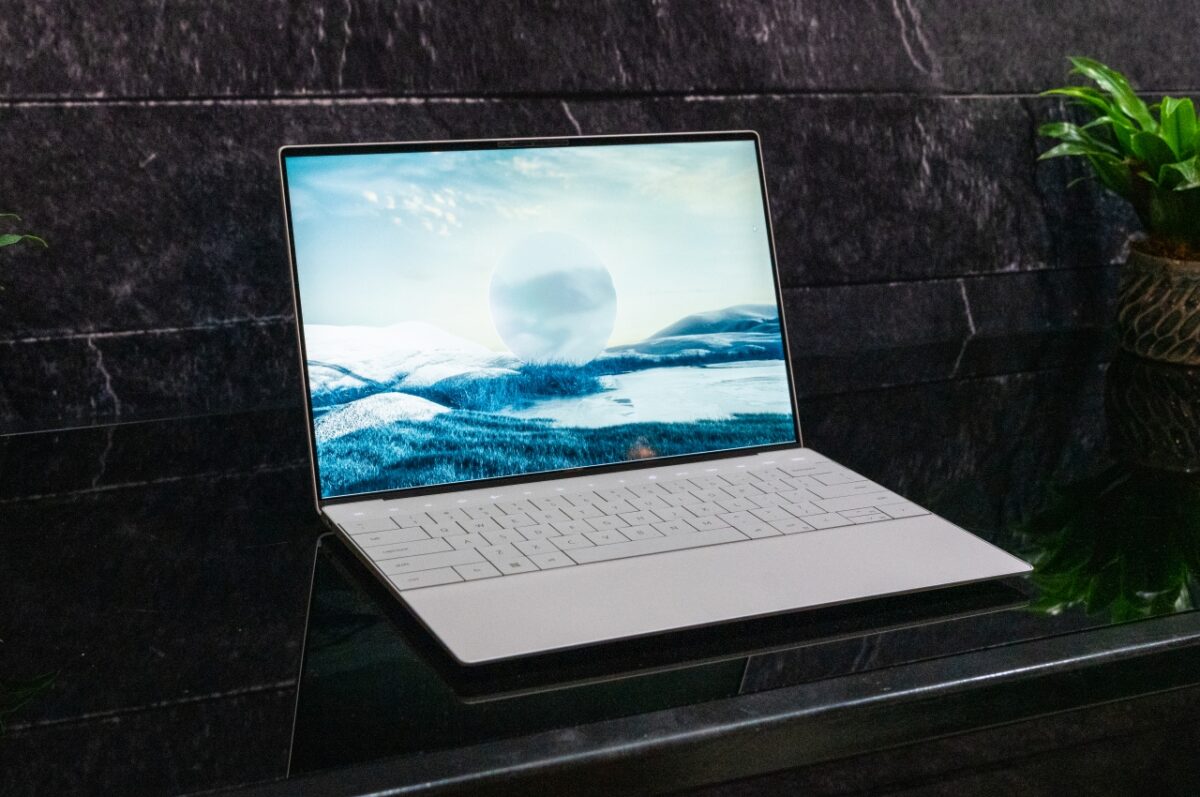
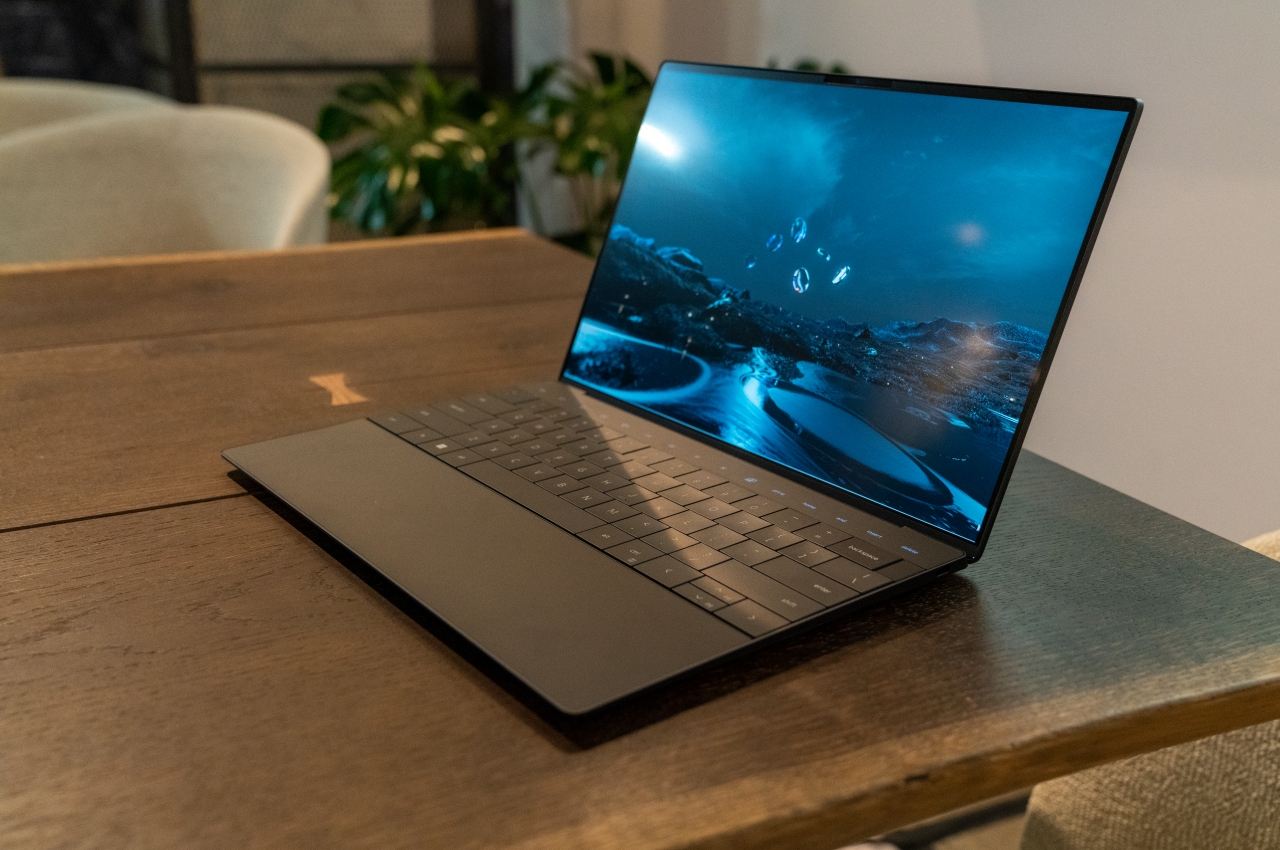
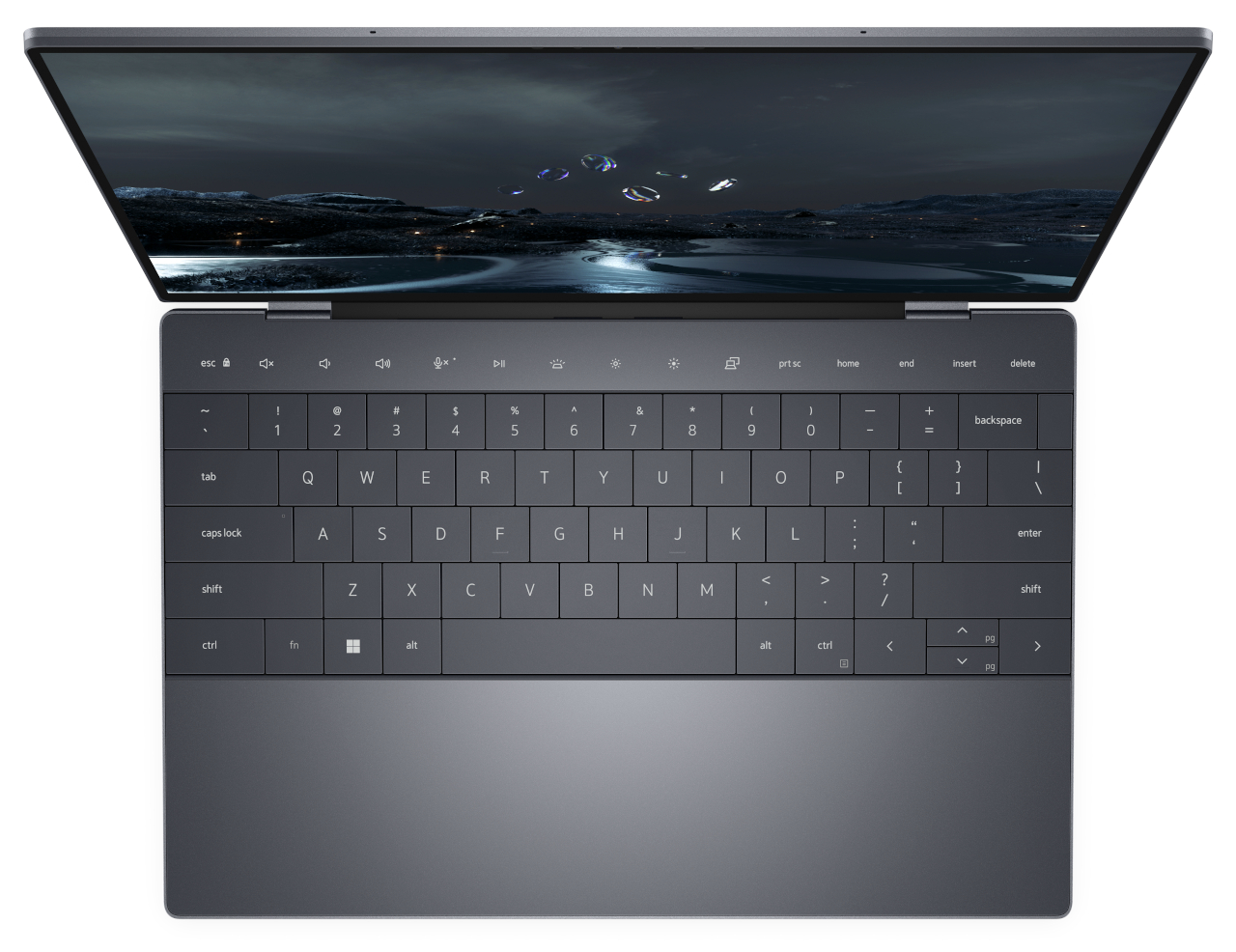
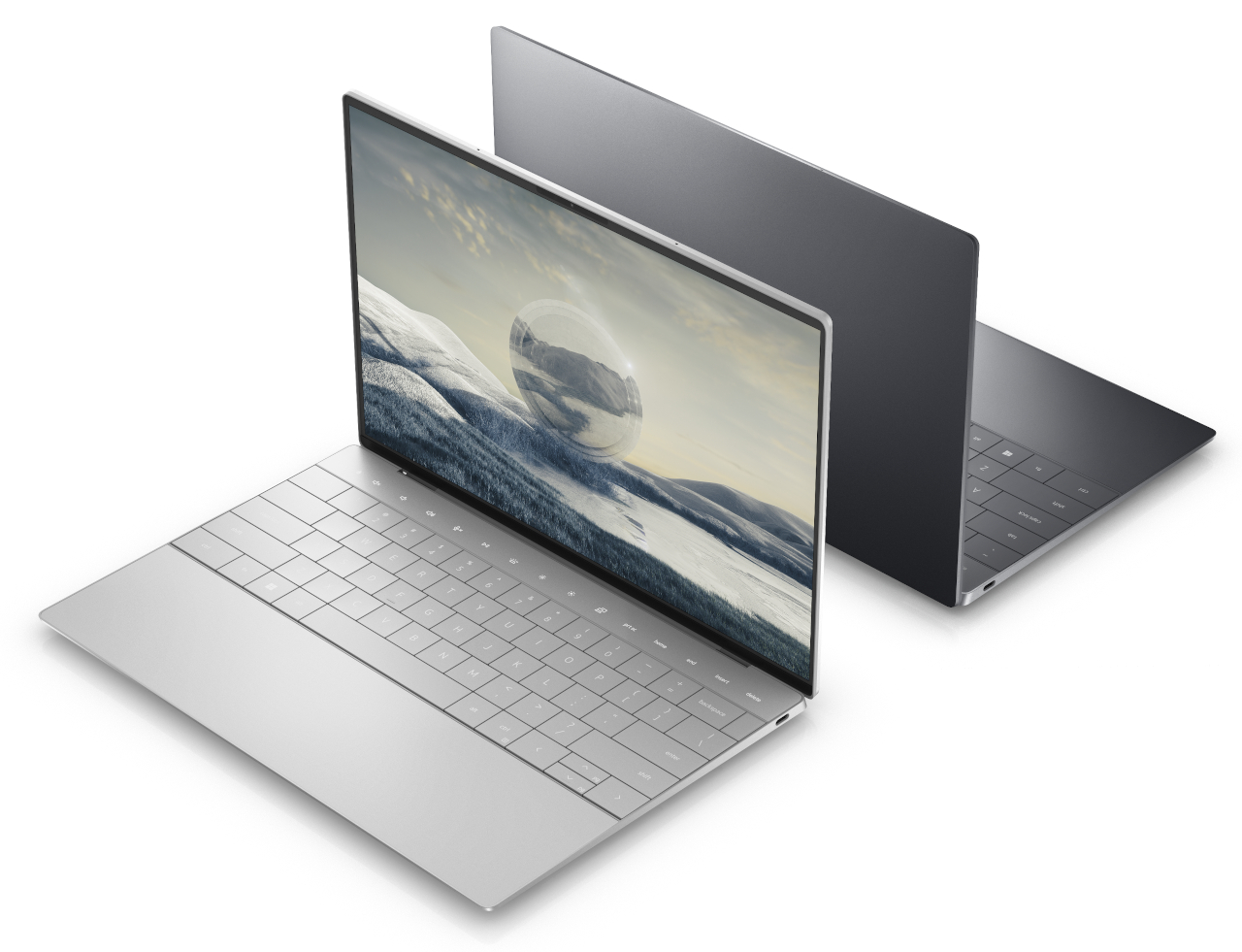
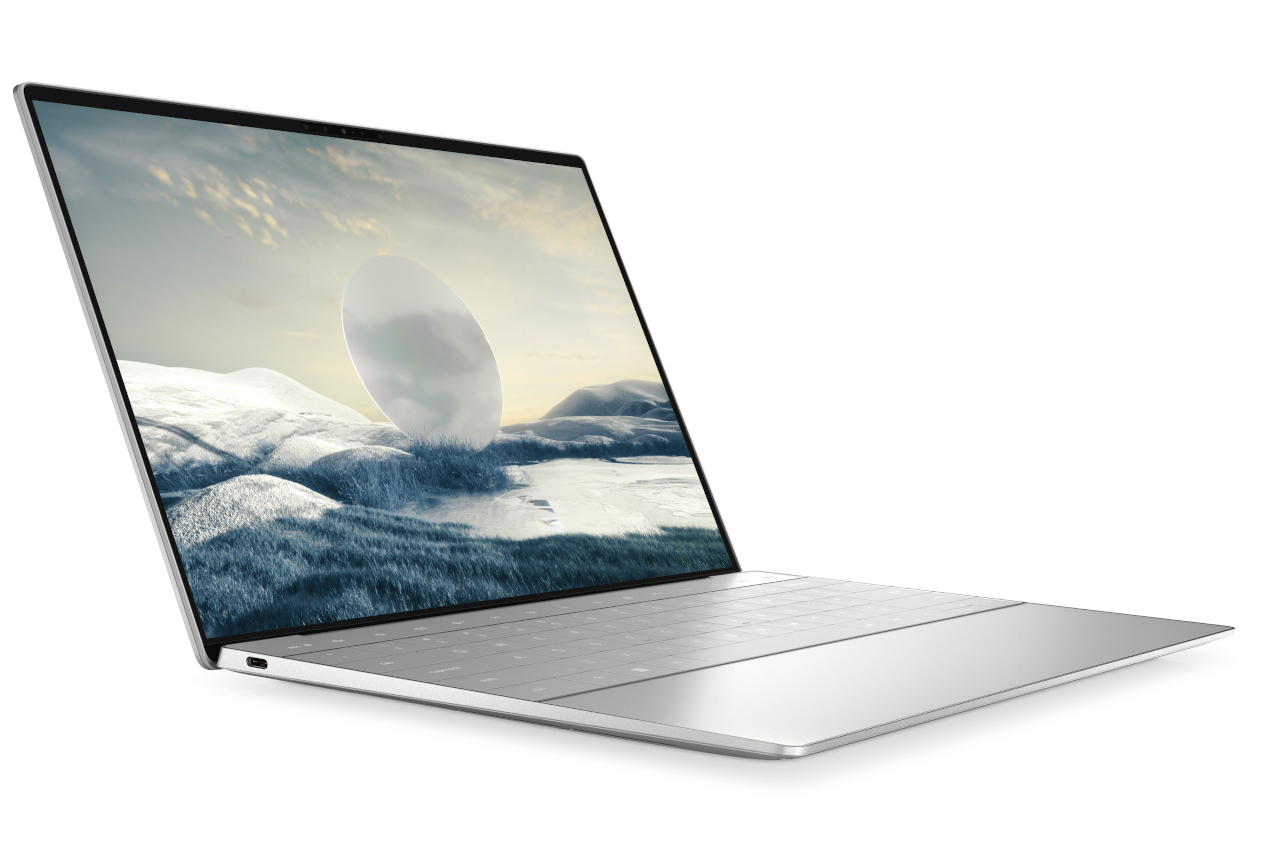
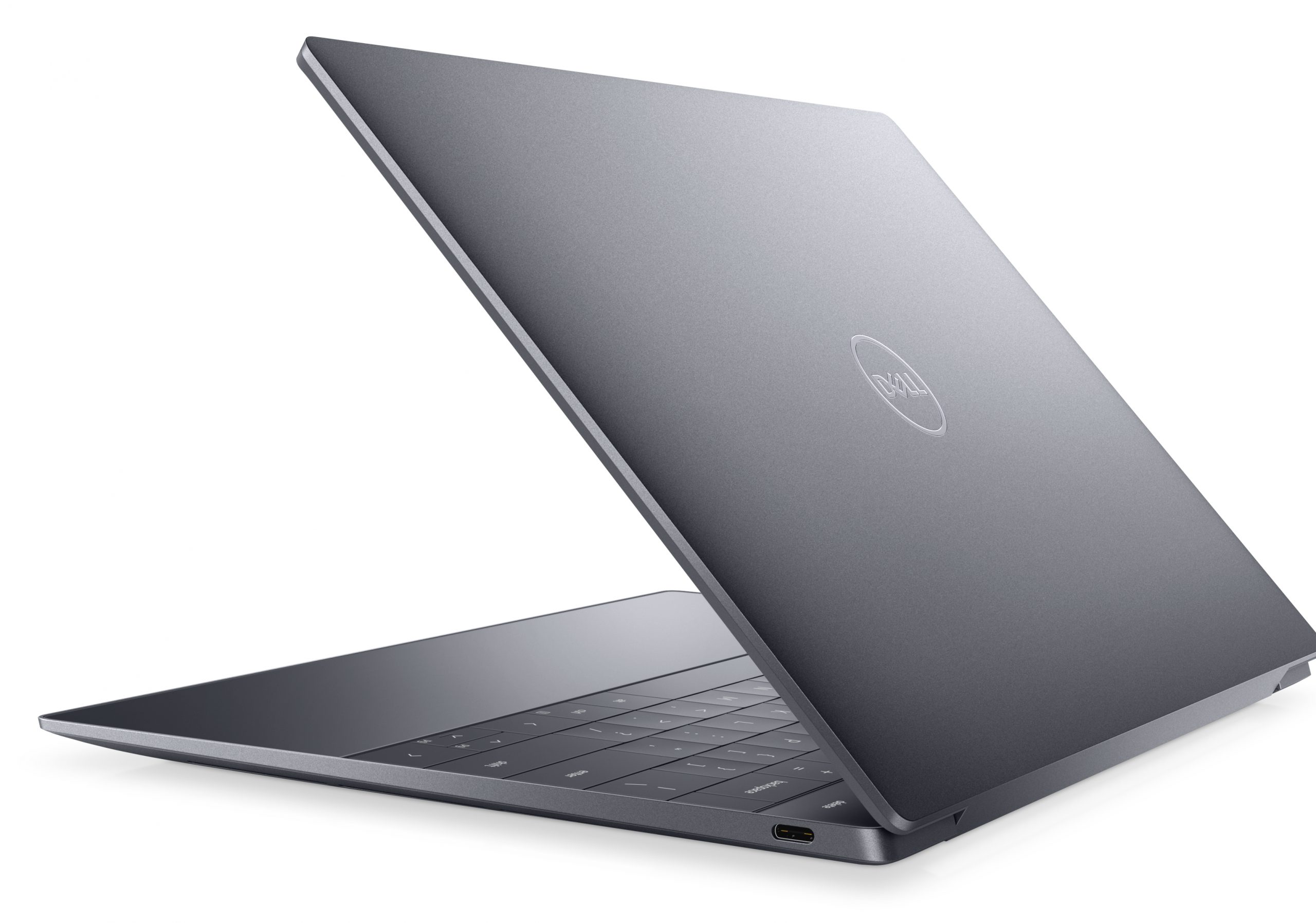
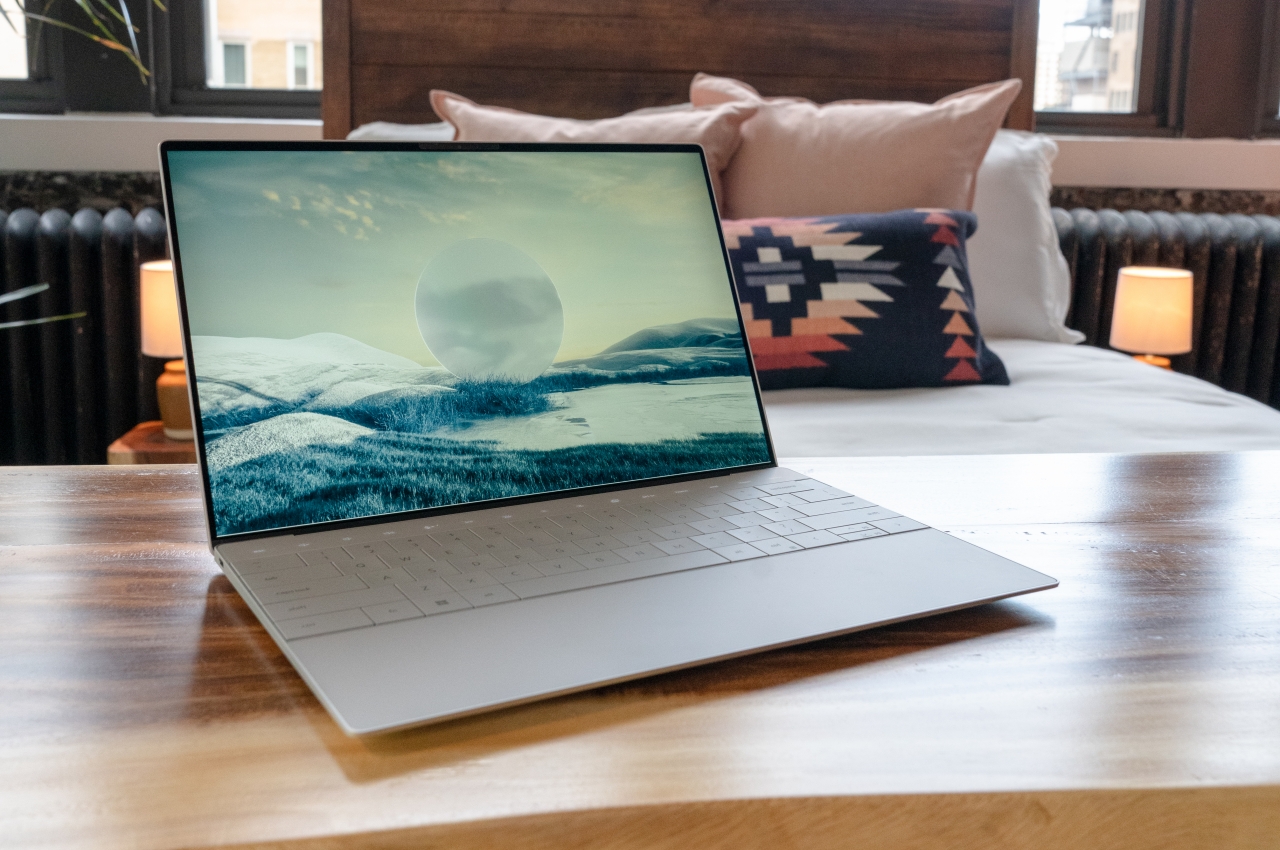
Compared to these two changes, Dell’s major improvements to the laptop design seem almost modest. However, they do have their moments of head-scratching. In a nutshell, the new Dell XPS 13 Plus embraces minimalism to its fullest, giving the area opposite the display a completely flat look. That means no bumps and almost no gaps save for what’s necessary for the keycaps. Even then, the gaps are minimal, thanks to what Dell calls a “zero-lattice” keyboard.
There’s also a touch-sensitive area above the keyboard that serves as the function keys. We’ve seen a similar technology with the MacBook Pro’s Touch Bar, which was equally controversial. It is clear that Dell’s Touch Bar is minimalistic and blends seamlessly into the background without any separation.
The biggest change, however, is the invisible trackpad. It’s still there and occupies the same area as a regular trackpad, perhaps even bigger, but there’s no clear way for you to actually see where it is. You’re given haptic feedback, so you’re not completely clueless, but it remains to be seen (or felt) how effective that will be in practice.
Eye Candy, Touch-Deprived
Dell definitely accomplished what it set out to do with the Dell XPS 13 Plus. This laptop is beautiful, clean and a minimalist’s dream. As an added bonus, the PC maker took steps to reduce the carbon footprint of the laptop, both during its production as well as its packaging. This laptop certainly meets all the criteria for product design and sustainability. It does, however, leave some questions hanging when it comes to other aspects that would affect how people use the product.
The MacBook Pro Touch Bar wasn’t exactly that popular, and the XPS 13 Plus’ version actually misses out on some of the flexibility and benefits of a screen-based solution in favor of a minimalist design. The lack of physical keys could make it harder to hit them by muscle memory, so you’ll always end up looking down. The same could almost be said of the zero-lattice keys, whose larger sizes could be negated by the very same thing that makes them special. Because of the way our fingers feel between bumps and spaces, we almost know which keys to hit.
The invisible trackpad is the biggest mystery. It might take a lot of trial and error for people to get used to where the active area is or how far it extends. There is no argument that it definitely looks elegant in its cleanliness, and we give Dell the benefit of the doubt that it did due diligence in R&D, but we’ll have to wait and see for real-world feedback on whether this beautiful but unusual $1,299 laptop is worth those changes.
Mac Studio review – even the base model is great [Video]
I’ve been working on formulating my Mac Studio review for a couple of weeks, and I’ve finally been able to spend enough time with the machine to share my thoughts about Apple’s most powerful desktop offering.
I’ve had the opportunity to test both the high-end Mac Studio with M1 Ultra system on a chip, along with the entry-level M1 Max base model. Is the Mac Studio a worthwhile purchase for those looking for a desktop solution? Should you splurge for the M1 Ultra? Watch my hands-on video walkthrough as I share my observations and findings, and be sure to for more Mac Studio-related videos.
Form factor and design
In terms of design, the Mac Studio is the definition of an overcorrection. Its beefy chassis, which is nearly the size of three Mac minis stacked on top of each other, is neither pretty nor elegant.
Contrary to past approaches, Apple designed this computer by first determining what users needed in terms of performance and capability, and sculpted the machine around those parameters. The Mac Studio isn’t an ugly machine, but it’s a clear departure from Jony Ive’s vision of what a desktop computer should look like, and frankly, that’s a breath of fresh air.
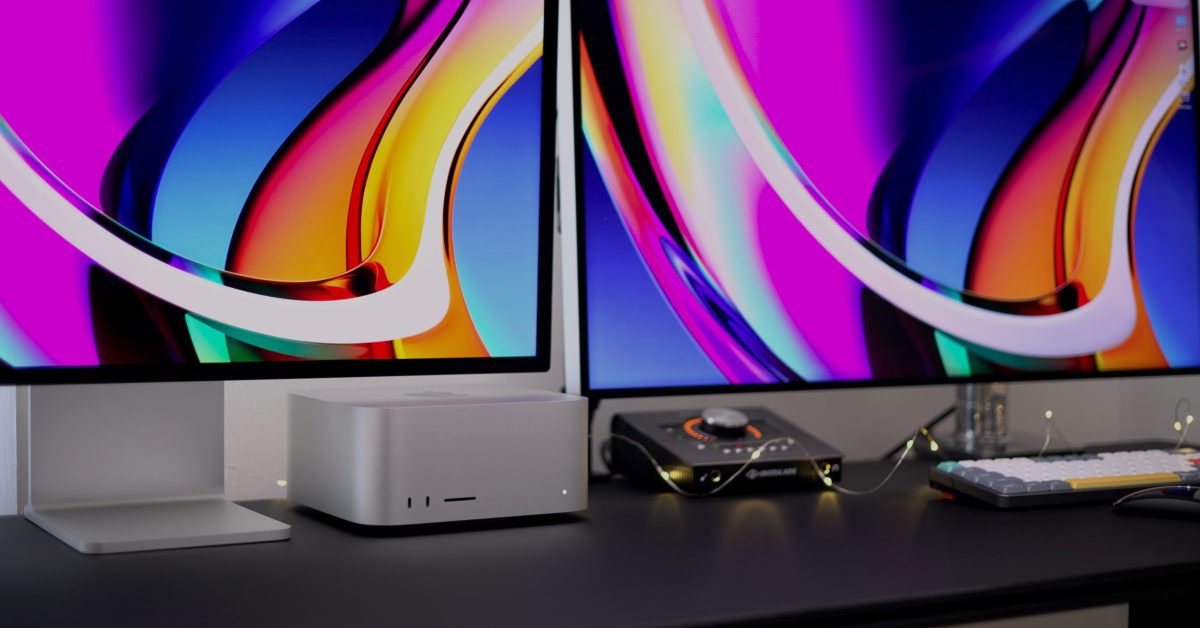
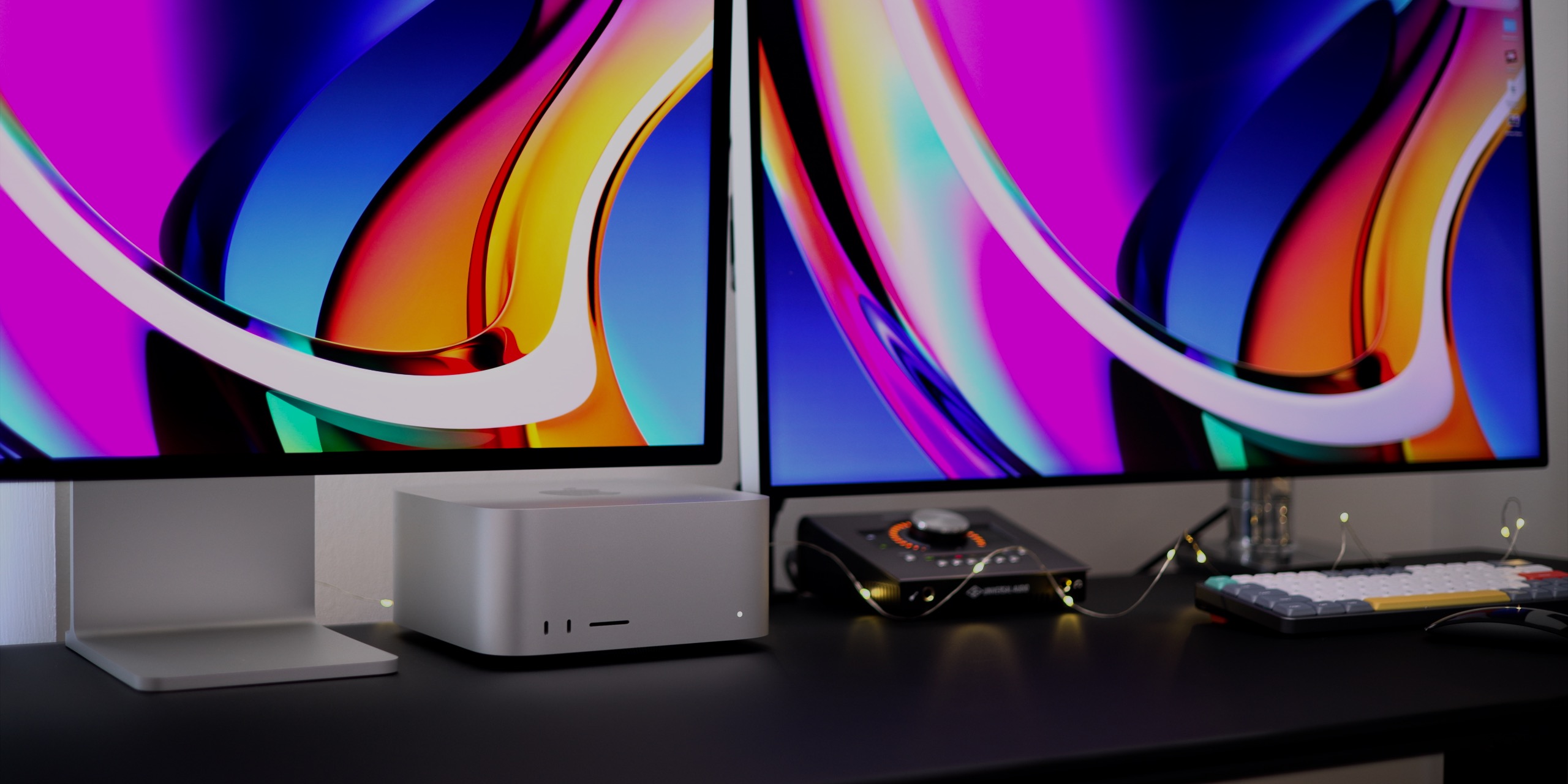
That’s not to say that the Mac Studio doesn’t have its thoughtfully designed areas. For example, the unit is just short enough so that it safely fits underneath Apple’s newly-launched 27-inch Studio Display. It also features a beautifully-designed intake and exhaust system. The Mac Studio isn’t dead-silent, but it’s quiet enough to where you’ll need to put forth some effort to hear it, even when it’s under considerable load.
Video: Mac Studio review
I/O
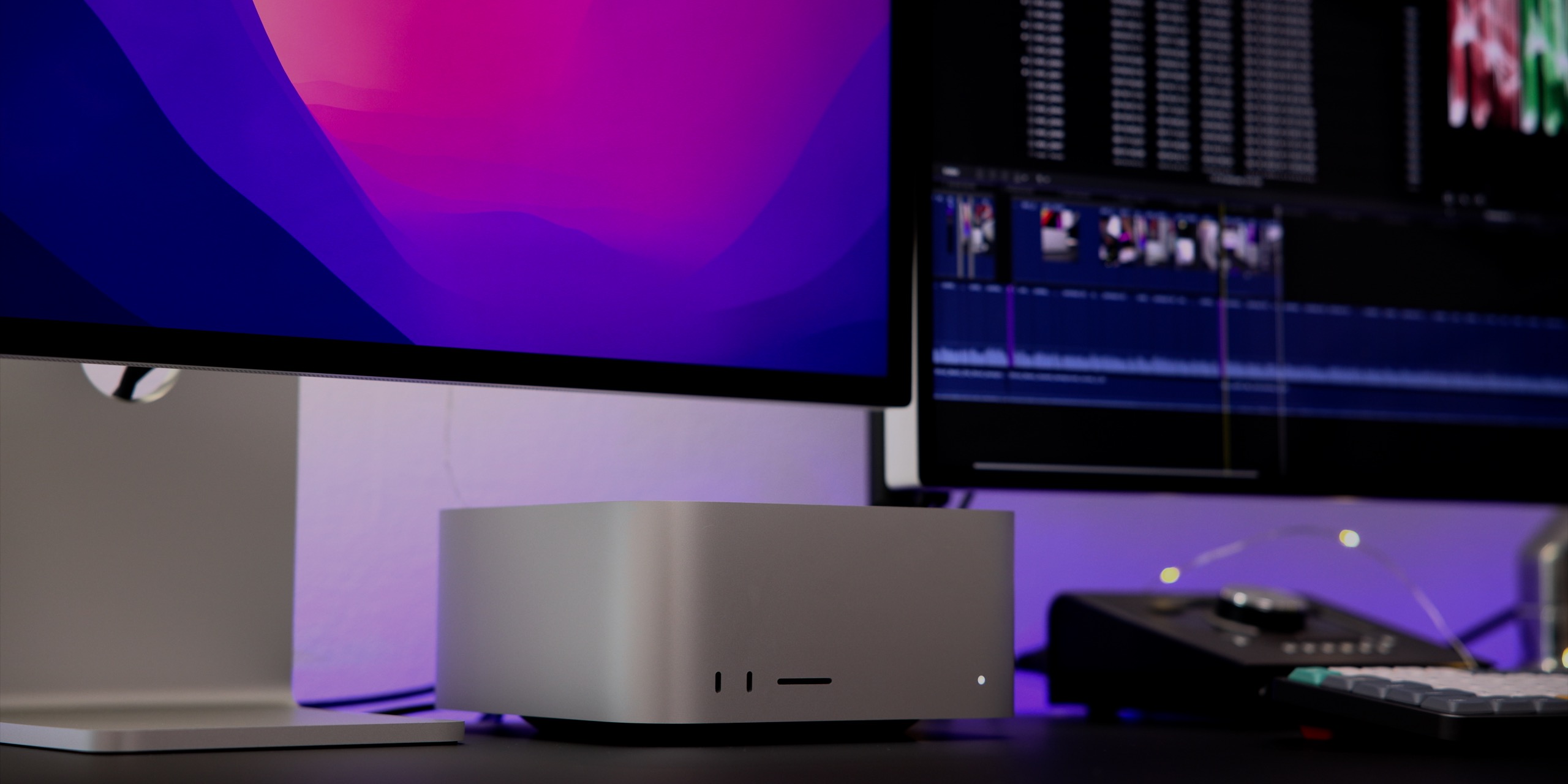
Outside of the Mac Pro, the Mac Studio is the only computer that Apple makes with more than four USB-C ports. On the M1 Ultra version of the machine, all of the USB-C ports are Thunderbolt 4 ports, which proves to be extremely handy for those like me, who are steeped knee-deep in the Thunderbolt ecosystem.
Cheaper M1 Max-enabled Mac Studios lack the necessary bandwidth to have six Thunderbolt ports, relegating the front two ports to “10Gbps” USB 3.1 Gen 2 ports instead. For me that’s disappointing, but for the majority of people, four Thunderbolt 4 ports + two USB 3.1 ports provides more than enough USB-C I/O.
Next to the two front-facing USB-C ports is a UHS-II-enabled SDXC card slot. This is a perfect addition for those who regularly offload photos and videos from digital cameras. Although SD cards aren’t nearly as fast as something like CFExpress, a storage medium that many modern cameras use, SD cards remain far more prevalent. Even some of the newest cameras that can capture 8K video support shooting directly to an SD Card.
I’ve recently been testing Canon’s R5c hybrid mirrorless camera, and it features an updated HEVC codec with a very reasonable 540Mbps data rate. Such a data rate happens to be perfect for V90 SD cards. In fact, card manufacturer Wise just announced a V90 offering that maxes out at 512GB, the largest such V90 card yet, and one capable of storing up to two hours of 8K video captured with the R5c. Stay tuned, because in an upcoming post and video I’ll be discussing why the R5c is such an amazing camera and an ideal Mac Studio companion.
The awesome Canon R5c shoots 8K HEVC to SD Cards at a usable bitrate out of the box
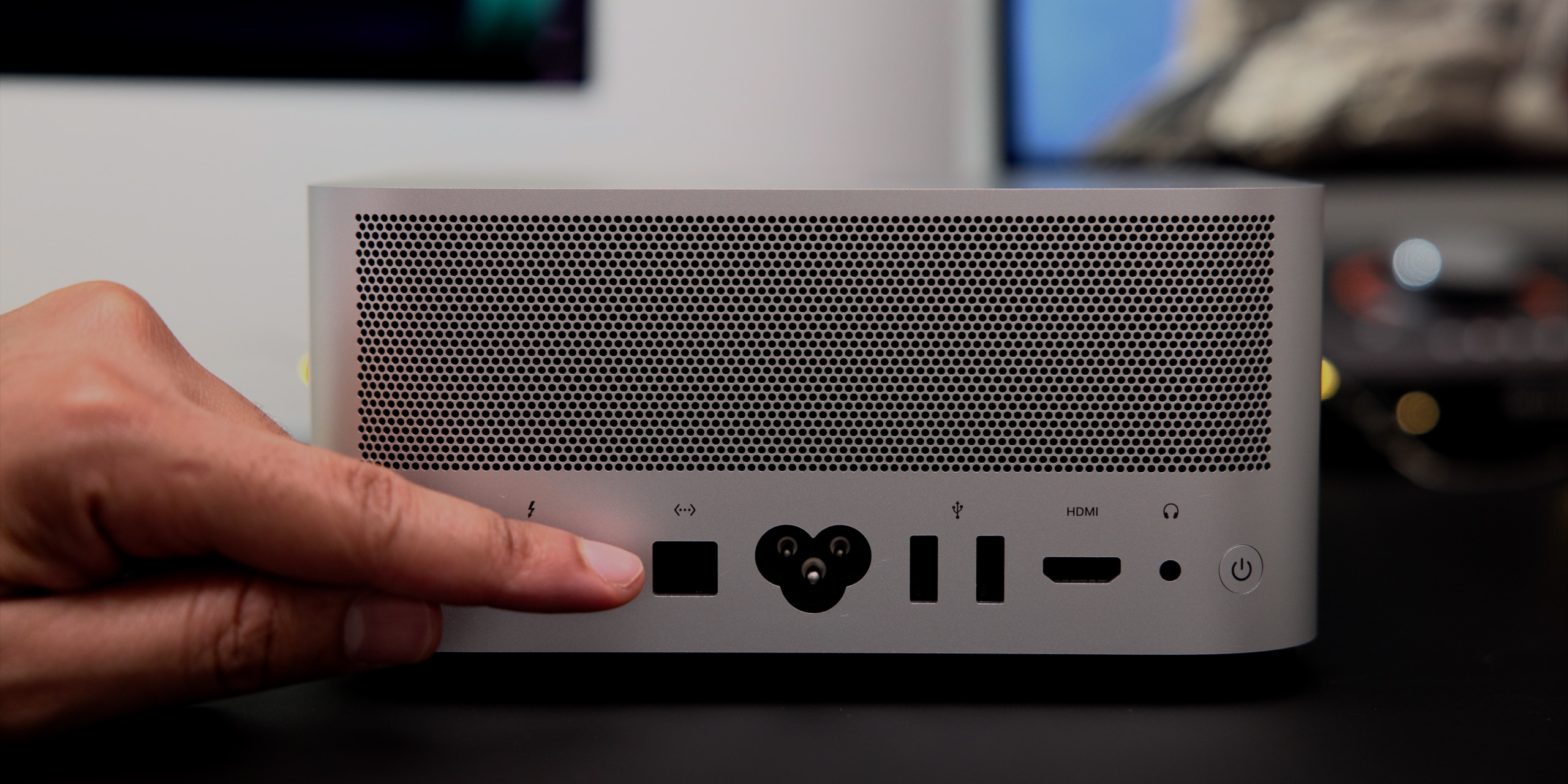
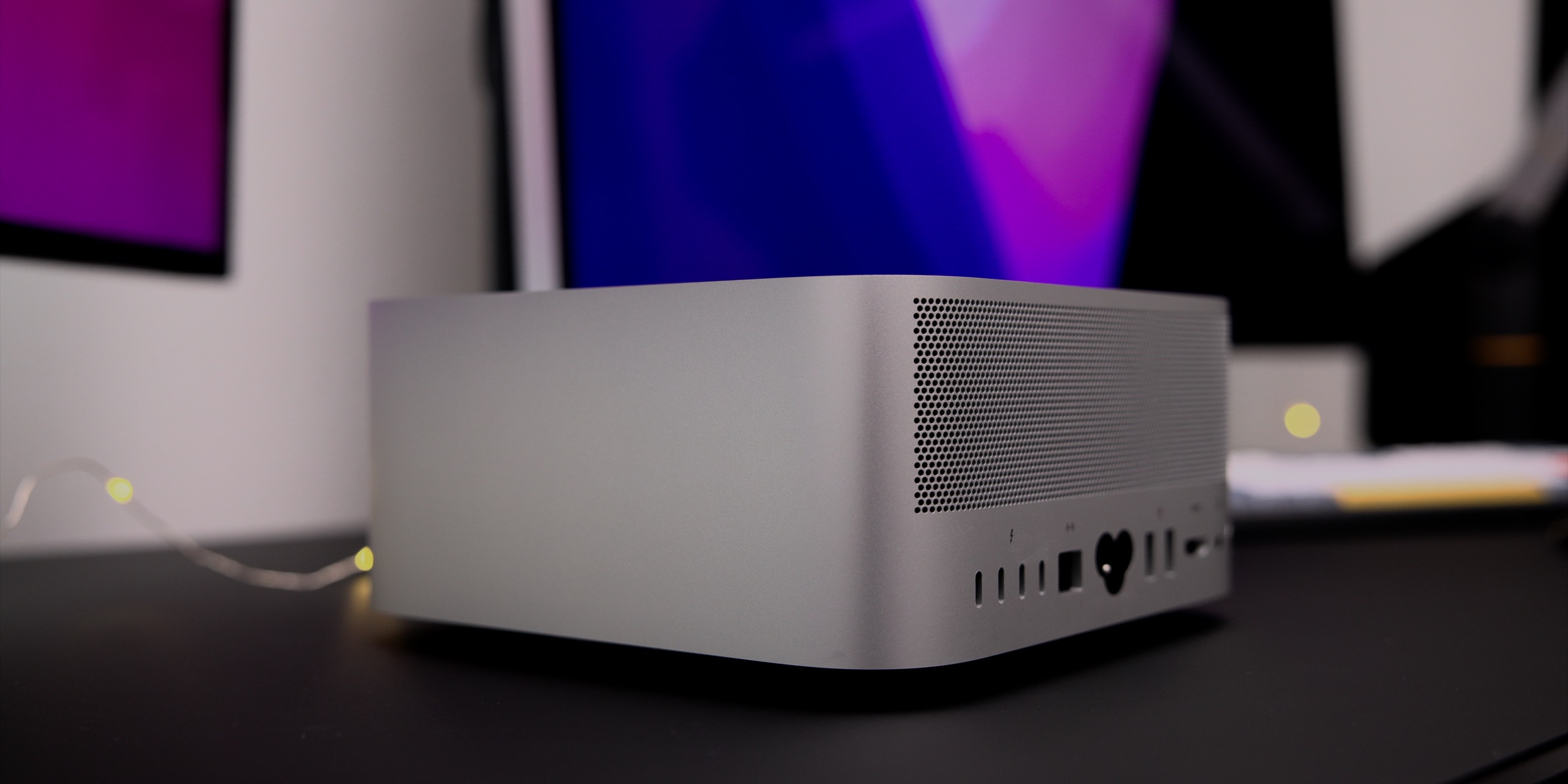
You wouldn’t be crazy to think that you were looking at the back of an Intel Mac mini when looking at the rear of the Mac Studio. Outside of the arrangement of the ports, the type of I/O is very similar. Mac Studio features four Thunderbolt 4 / USB 4 ports on the rear, a 10GbE port, two USB-A ports, an HDMI 2.0 port, and a 3.5mm headphone output.
Like the old Intel Mac mini, the Mac Studio has lots of I/O
Unlike the Mac mini, 10GbE comes standard on all Mac Studio machines, which is great for connecting to NAS boxes, or even something like Blackmagic Design’s newly introduced Cloud Store. While not as fast as Thunderbolt, 10GbE can travel over much longer distances and whole networks can be designed around it.
Utilizing the benefits of 10GbE with a 10GbE-capable switch, Synology NAS, and 5GB AT&T fiber
In my case, I have my Mac Studio connected to a TP-Link 10G Unmanaged Ethernet Switch, Synology NAS with 10GbE card, and a 5Gbps AT&T Fiber Internet connection. What’s great is that all of these networked components reside in another area of the house away from my office, meaning that I don’t have to worry about the noise emanating from the Synology NAS when a Time Machine backup decides to run.
Of course, I can’t forget to mention one of the biggest I/O benefits of the Mac Studio when compared to M1-based machines. The M1 Mac mini supported just one Thunderbolt display up to 6K resolution, while the Mac Studio supports four 6K Pro Display XDRs or 5K Studio Displays simultaneously. In all the Mac Studio supports five displays at once, if you count its ability to also connect to a 4K display via HDMI.
Performance
I’ve tested both the base model Mac Studio and a much beefier M1 Ultra model featuring a 20-core CPU, 64-core GPU, 128GB of unified memory, and 1TB SSD. I have lots of thoughts about both machines, but one of the talking points you’ll likely hear around the tech world is how the M1 Ultra is a bad value.
This talking point rings roughly true in some areas. For example, 9to5Mac’s Miles Somerville put both machines to the test for video editing and found that while the M1 Ultra yielded slightly better export and render times in Final Cut Pro, the differences for his workflows weren’t nearly commensurate to the $2,000+ price difference.
Build-to-order options
But here is where it gets interesting. Like anything, different needs and different workflows will determine whether or not you should upgrade any of the build-to-order parts when configuring a Mac Studio.
Here are my main observations after testing these two machines back to back, spoken primarily from a video editor’s perspective, but also touching other areas. First and foremost, I’m glad that Apple opted to give users 32GB of unified memory as a starting point. 16GB is just not enough memory for a desktop computer, and you’ll quickly start running out of memory and swapping out to the much slower SSD with just a few apps open. If you edit video, especially higher resolution 6K or 8K workflows, you’ll start swapping out to disk as soon as you open some Final Cut projects.
Swapping out to disk can occur quickly with only 16GB of RAM
With that being said, I believe 64GB of unified memory is the sweet spot if you can a). afford the up-charge, and b). can wait weeks or perhaps months due to backorders of build-to-order configurations.
I’ve always noted that storage is really the only thing that’s “upgradable” on modern Apple computers, because of the existence of Thunderbolt connectivity. In the past, I was quick to dismiss internal storage upgrades due to how costly they were when compared to external media.
But depending on the type of work you do, internal storage upgrades are an area that should not be overlooked on Apple Silicon. If you regularly work with huge files – 3D rendering, video editing, etc. – then you should consider upgrading internal storage if you can afford it.
I don’t think most people truly appreciate how utterly fast Apple’s internal storage is, and how much of an impact it has on overall system performance when working with large swaths of data. Not only does a larger SSD help from the perspective of being able to store more files, but the drives get faster as the size increases. At any rate, the speed of Apple’s internal SSD will more times than not run circles around external media. Even most Thunderbolt SSDs won’t be able to compete unless you delve into some of the really expensive NVMe-based RAID setups, and comparatively, Apple’s $2,400 asking price for the 8TB SSD is pretty competitive.
If you haven’t noticed, the machines that Apple uses to benchmark the Mac Studio’s ability to handle multiple streams of 8K Pro Res video feature 8TB of specced out storage. I don’t believe this is a coincidence, because brutally fast storage is essential when you start moving a dozen and a half streams of 8K video at the same time. Apple notes that the Mac Studio configured with the M1 Ultra can play back an insane 18 streams of 8K Pro Res 422 video at the same time, and although my Mac Studio has the necessary CPU and GPU credentials, the 1TB of storage seemed to serve as a bottleneck causing the last four streams of 8K video to drop frames on playback below real-time levels in my testing.
18 Streams of 8K ProRes
While basic video workflows won’t see huge gains when upgrading to the higher-specced version of the Mac Studio, trudging through more demanding work, such as editing feature-length films with multiple streams of 8K video, will definitely benefit from the more powerful build-to-order configurations There’s also the matter of machine learning tasks, which apps like Final Cut Pro are becoming more reliant on. The M1 Ultra, with its 32-core Neural Engine, will be able to execute operations like motion tracking and the new voice isolation features in Final Cut Pro 10.6.2 even faster.
TensorFlow on the M1 Ultra Mac Studio
But obviously the Mac Studio wasn’t just made for video. Application developers will benefit from the reduced compile times made possible by the M1 Ultra’s 20-core CPU, while training ML models using platforms like TensorFlow stand to benefit from the additional GPU cores. Although these are far from my areas of expertise, I was able to see tangible benefits when running tests across both disciplines.
9to5Mac’s take
The following people should consider purchasing the Mac Studio:
Mac mini users looking for more I/O and power
Mac Pro users whose work translates to Apple Silicon
Other Apple users looking for an always-on desktop solution
Even the base Mac Studio is a great overall computer and a massive step up in usability over any M1 Mac that Apple sells. It features way more I/O than either of the other Apple Silicon-powered desktop options, runs quieter than any of the company’s laptops, and features relatively generous specs for the $1,999 base model.
One of the biggest Mac Studio advantages vs the M1 Mac mini: multiple Thunderbolt displays
One of the main downsides of the Mac Studio is that, like the Mac mini, you’ll need to already own a display or purchase a display. Of course, this unit pairs perfectly with Apple’s new 27-inch Studio Display, but that adds another $1599 on top of the purchase price. If such a scenario is a non-starter, you may consider the M1 Pro 14-inch MacBook Pro, which is a very capable laptop that features a screen that, outside of size, is better than the Studio Display in several tangible ways. Either that, or wait for the cheaper M2-powered Mac mini arriving later this year.
Whereas the Mac mini serves as more of a niche product, the Mac Studio is extremely usable on pretty much all fronts. Just add a display, keyboard, and mouse, and you’re good to go. I just wish it came in black, because it would look a lot less awkward that way.
What do you think about the Mac Studio? Have you purchased one or plan on purchasing one? Sound off down below in the comments with your thoughts.
The Samsung Galaxy A23 arrived at HQ and is now in the review queue. It comes in a simple box with a 15W charger, USB cable, and a SIM tool. The Black model we have is available, but it’s also possible to order the same phone in White or Blue.
The Galaxy A22 had an AMOLED display, albeit of 720p resolution, and at 6. 4 inches and with reasonable bezels it made up for a compact phone. The Galaxy A23 has a larger 6. 6-inch 1080p LCD with a 90Hz refresh rate, but in turn is a bigger handset.
Samsung Galaxy A23
The display isn’t terrible, but it’s not great. The display isn’t quite as bright and it struggles to be legible in certain situations. The device also has a blue tint. We’ll review it and provide a detailed explanation.
On the upside, the Galaxy A23 has a 50MP main camera that should perform well for the class. The processor of choice is the Snapdragon 665 – an 11nm chip that while not a screamer, provides good general performance.
The Galaxy A23’s strongest side is its battery. At 5,000mAh, it should last a long time between charges. This and other features will be tested in our complete review. However, we request patience as there is a large number of phones currently in queue.
This aerodynamically tuned drone is for covert missions in urban warzones
When we think of a drone, the first picture that comes to mind is that of a quadcopter flying in the skies. The stealth drone has a different look with its helicopter-like appearance and speed.
Snap, formerly Snapchat, has announced the second tangible product it offers. This time around it’s a compact palm-sized drone for shooting videos and directly sending them to Snapchat. However, we’re going to shift our focus to another drone that is much bigger and could go head-on in the market dominated by DJI Mavic 3, Ryze Tello, or Parrot Anafi FPV.
Designer: Vladislav Kulikov
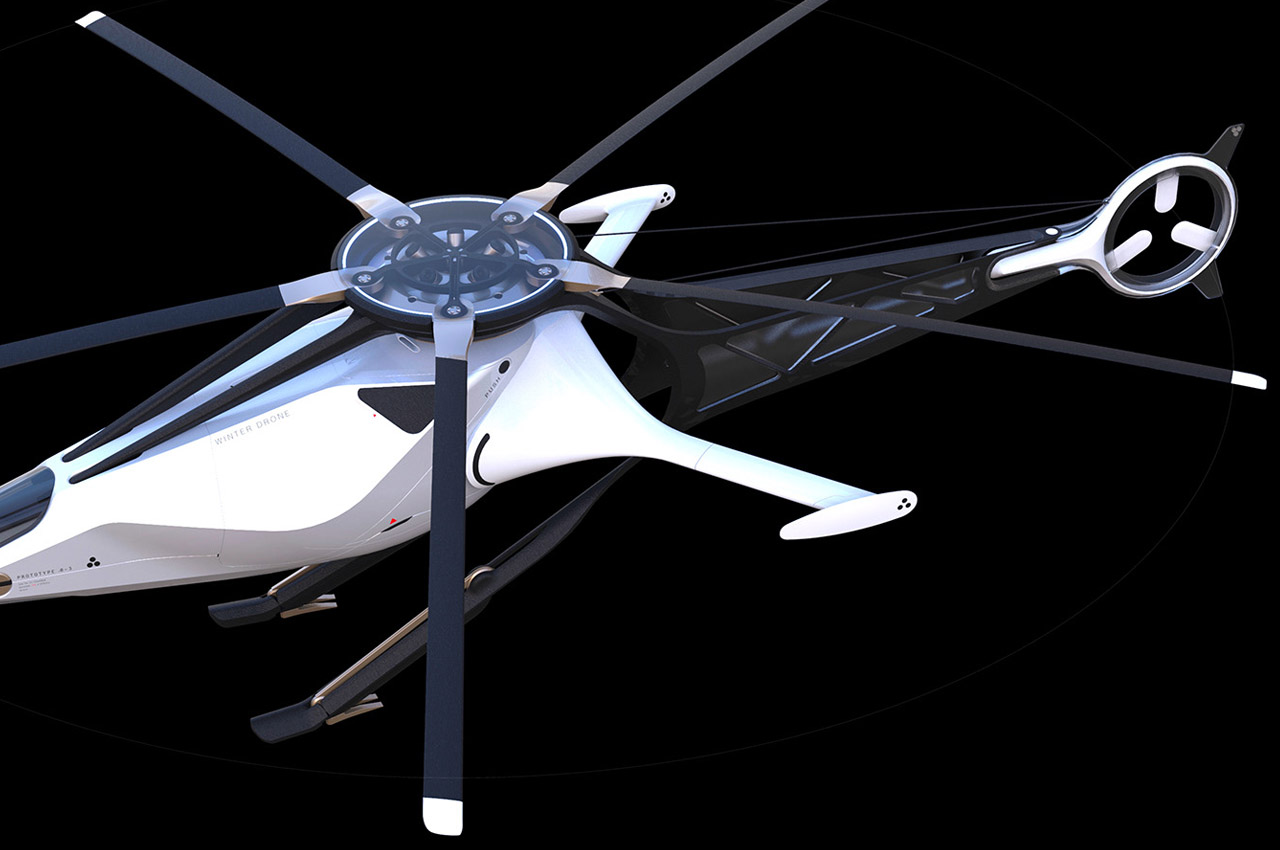
The intended purpose of this conceptual design is to have a reliable unmanned medium-sized drone fly swiftly in cities, delivering important small cargo in the concrete jungle with efficiency. This design makes perfect sense given the uncertain times and pandemics that plague the globe. Unlike the customary quadcopter form of most of the drones out there, this one has the semblance of an RC helicopter. That’s why the name of this flying machine is VR Drone Helicopter.
Vladislav Kulikov portrays this sleek machine as one inspired by the body of the birds. This is reinforced by the seemingly floating cabin within the frame. Those hindlegs and the forward-leaning position lend a bird-like character to the whole design. Five rotors at the top provide lift, while the tail rotor controls the direction. Virtual Reality is the part of the drone that allows remote humans to fly it into dangerous or sensitive areas with full awareness.
Aerodynamics are at play here so the aerodynamics tuning of the body is in complete play. The top view and side angle render show the amount of detail being put into shaving off the unnecessary weight for maximum lift and maneuverability.