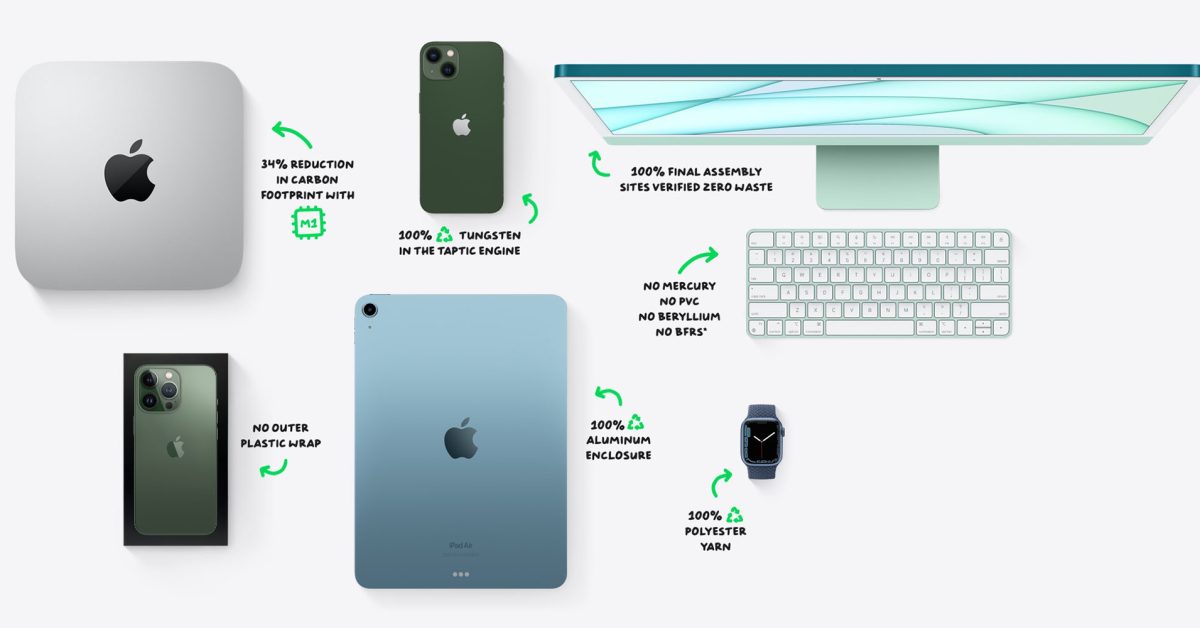
It’s Earth Day, and Apple website highlights progress in everything from Apple Watch to iMac
It’s Earth Day today, an annual opportunity to demonstrate support for the environment, and to call for policies that help to protect our planet. Apple promotes the occasion as usual with prominent links on its apple.com homepage .
The company kicked things off earlier this month by announcing that it would donate $1 to the World Wildlife Fund for every Apple Pay transaction made in Apple Stores, through the Apple Store app, or on its website from April 14 to today …
Background
Earth Day takes place on April 22 each year. This year’s focal points are on The Great Global Cleanup, sustainable fashion, tree planting, and climate literacy.
The Great Global Cleanup is a worldwide campaign to remove billions of pieces of trash from neighborhoods, beaches, rivers, lakes, trails, and parks — reducing waste and plastic pollution, improving habitats, and preventing harm to wildlife and humans.
The fashion industry is responsible for over 8% of total greenhouse gas emissions. Sustainable Fashion refers to a clothing supply chain that is ecologically and socially responsible. This is your chance to change the fashion industry away from fast fashion and towards sustainable practices in sourcing and production as well as distribution and marketing.
As little as $1 can plant a tree. Home to about 80% of the world’s biodiversity, forests are collectively the second biggest storehouse of carbon after oceans, absorbing significant amounts of greenhouse gasses. Forests also help to increase biodiversity and protect waterways. They can even improve soil nutrition and provide buffers against natural disasters.
Join us in the fight for climate literacy. It is time to prepare a new generation of workers, students and citizens for the climate crisis. We need public understanding of how to stop climate change and environmental harm.
Apple’s homepage emphasizes Earth Day
The Apple homepage features an environmental-focused heading.
Clicking the link leads to Apple’s environment microsite, with the environmental credentials of the company’s products getting the headline. It goes on to describe the company’s plan to make its entire supply chain carbon-neutral by 2030, as well as other steps the company already takes.
Apple typically promotes through the App Store sources of environmental education, as well as causes people can support, and we’ll no doubt see this year’s selections later in the day.
Downpour is a design tool for more approachable games
V Buckenham pulled up the Downpour app during our Zoom call Friday, and within a few seconds, we were making a game. Buckenham snapped photos of our faces on the screen, then turned the camera on themselves for a selfie. Buckenham was able to link these images together with a few taps of their smartphone and created a game from them. It wasn’t their best game but it was an enjoyable experience.
“The idea is that you can be waiting at a bus stop, download [Downpour], and then by the time you get off your bus at the other end, you’ll have made a game and released it,” Buckenham said. “That’s the kind of thing I want to be possible.”
Buckenham, the founder of Downpour Limited, is part of a community of creators making game design tools with an aim towards making game design more accessible, approachable, and creative. They said it’s not necessarily the singular future of video games, but one of many futures: an option for creators looking to do something different, not a replacement for traditional game-making methods.
Polygon spoke to Buckenham via Zoom last week to chat about this community of creators making new tools — including Downpour, which Buckenham hopes will come out this year.
[Ed. note: This interview has been edited for length and clarity.]
Polygon: I’d love to start by hearing about you and your history in the video game industry.
V Buckenham: I’ve been around the games industry for about 10 years, around the indie space. I worked with Die Gute Fabrik on Mutazione, which you might know — many, many years ago, because that was in development for years. I worked at a start-up called Sensible Object on a game called Beasts of Balance, which was a digital and physical stacking game. Niantic acquired the company, and I was able to work on things that are still unknown.
Basically, I was there long enough to earn money to buy a house and put together some savings. I left to go do my own things. While I have been working on several things since then, Downpour has been my main focus. The other thing, which is not actually video games, but it’s pretty relevant to Downpour, is that I was involved in the Twitter bot community around five to seven years ago and made a site called Cheap Bots Done Quick. There’s, like, tens of thousands of people using it to host Twitter bots. That’s my biggest, most notable creative tool. I think the fact that I’d made that gives me a lot of confidence that I can make something and it’s going to find users. This will allow people to achieve things that they wouldn’t otherwise be able to.
Image: Downpour
What is Downpour? What is Downpour?
Downpour is a tool for making games quickly and approachably. You can download Downpour while you wait at a bus stop and release it when you reach the other side. This is what I would like to see happen. It’s just a way of saying that it can be done faster but the amount of things you will make is limited. I don’t know if you know HyperCard, this ancient MacOS thing, but basically if you have an image and you can link bits of that image to other images, there’s a lot you can do with that. You can do a lot with it. You can also use it to create your games by drawing on paper and making silly faces. That just feels much more tactile than doing it on a computer, and it means you can spend time outside of that. We all have smartphones and cameras so we can use it in ways that you wouldn’t otherwise be able to. It was particularly important to think about teenagers, who may not have access to a laptop or other tech.
The bit that’s missing from this [right now] is a button that you can press and then it uploads to my servers, and you can share [your game] immediately. Although there are many other functions I should be focusing on, this is the core of it.
Why is it important to you to make game design more approachable? Downpour seems to be based on Bitsy’s experience with Twine and Twine.
Honestly, with all the things going on right now, I don’t know if I can justify it as actually important. It’s great to watch people make stuff. That brings joy. And if I can make people make more things … the feeling of making an approachable tool and someone does something with it, and you’re like, ‘Wow, that’s really cool. That’s something I wouldn’t have thought of. It’s difficult to match the joy that you can see in others and how they make an impact. That’s great.
Do you think that approachable game-making tools are sort of the future of games? Do you think that game-making tools are the future of games?
No, I mean, it’s a future. It’s clear that expensive items will continue to exist. Indie games in particular categories are becoming more costly to produce. But there’s also people making things that weren’t here before, but that feels like a thing.
So, you know, I don’t know. Roblox is going in both directions simultaneously, right? It’s easier than ever to make a game. There are professionalized games. I think all this stuff can coexist.
When you showed the tool at Now Play This, were there any games or experiences that came out of that were especially unique or surprising to you? You must find it exciting to see the results of this tool.
Yeah, a couple things that were pretty cool. The other was stop motion. There’s one that’s like, just basically a turtle going through a door. Another one that’s slightly cheating, because it was done by Joe who is one of the organizers of Now Play This, who was able to detach the tablet and wander around with it. But basically, he did a walkthrough of the festival, like going through all the doors and all kinds of stuff. There’s a thing about taking pictures in 3D space, like it’s a 3D scan of your environment that you can walk around in, like the kind of thing people did with that weird house that was a warehouse that was previously a church. I even went to that in VR Chat.
There’s that, and then there’s the low-tech thing of taking photos and linking it together and getting that weird, actually really 3D sense of being in a space. It’s quite exciting to see that this is possible.
Is there anything that you’ve made using Downpour that you’re particularly proud of?
I did this thread [of games] as a way to force me into actually making it. Because once I’m making it, I’m in tunnel mode and it’s hard to shift to actually using it. The one I’m probably most proud of is the Pluto one, just because I think blink comparators are really cool, just using that technique and flicking between code and seeing what’s changed. It’s great to be able share this stuff.
Also, I’m not necessarily recommending anyone looks at it, [but I made one when] I had a tooth extracted. Then I just sort of threw it out there and started posting pictures, in a personal way, of the tooth. It has a certain amount of playfulness in just, ‘Don’t click here,’ and then you click here, and making that approachable. I’m on Mastodon, and it was definitely an inspiration for this kind of thing being on there and seeing the way that the content warning feature can be used for jokes. This is the setup. You just need to click one button. When you click the button, you see the punchline. But the fact that you clicked it makes you responsible for seeing the punch line in a way that makes things fun. It’s quite inspiring to be able put in jokes.
You’ve talked a bit before about flatgames being an inspiration for the tool. I’d never heard the term flatgames before.
Making stuff on paper feels really great. But then there’s this sticky bit in the middle where I have to get stuff into the computer. Then I need to create scripts in Unity. Yes, Unity can handle scripts. It’s just too difficult for technical reasons. The other part of that is that we had flatgame stuff at Now Play This in the past, and seeing people get really into it. The setup there was that people were drawing on pieces of paper and they were being scanned using this tool that someone had made. That was really good. People were putting together games using the stuff that was made by it. That kind of showing how stuff is made and making it more approachable is great, but at the same time, it’s a shame that people couldn’t make the games themselves. This was quite a while ago. However, it’s something I knew could have been improved upon. OK, actually, I can make this better.
Is there anything else you think people should know about this project or your experience in making it?
Other than the fact that it will be out in late this year, what’s important is that people are creating these tools. Nathalie Lawhead, [their] blog posts on this really give a sense of the vibrant community. It’s not like I’m pioneering this thing that otherwise wouldn’t exist. Because there are so many cool tools, I do this. You can do it too. Also, a shout out to sok-stories, the Sokpop Collective tool. It has you drawing these little things, but the drawing interface is really nicely constrained. And then you’re just dragging and dropping things. And then it sometimes turns into a third thing or produces another thing.
Apple supply chain problems continue as iPhone display production takes further hit
It seems hardly a day passes without fresh news on Apple’s supply chain problems. Recent ones focus on the impact of COVID-19 lockdowns in China, but the global chip shortage continues to bite.
Apple had hoped that Chinese display manufacturer BOE would be able to make as many as 40M iPhone displays this year. A shortage of display driver chips saw the goal reduced to 30M, but even that is now in doubt …
Background
We’ve previously outlined the background to the problem.
A combination of factors caused the global shortage in chip supply. These include increased demand for technology during the pandemic, COVID-related production disruption, and a growing demand for chips by car-makers; as cars rely on increasing numbers of microprocessor units.
The biggest issue is not with CPUs and GPUs, but far more mundane chips like display drivers and power management systems. This low-tech chip is used in many devices including Apple’s.
Apple CEO Tim Cook revealed that supply constraints cost Apple $6B in each of the last two quarters.
Apple had previously asked BOE to ship up to 40M iPhone screens this year, to supplement supplies from Samsung and LG. It was reported earlier this year that a shortage of display drivers made that target unlikely, but now even 30M seems optimistic.
Apple supply chain problems continue
TheElec reports that BOE’s chip supply position has worsened, and it is also struggling with yield rates.
BOE is expected to continue facing production problems with OLED panels for iPhones due to the ongoing chip shortage, TheElec has learned.
The production volume of Chinese panel makers has dropped from February to March due to a shortage in driver ICs. This was reported earlier by TheElec. The yield rate for the panels also seems to be an issue, sources said.
BOE’s production problem from the situation is expected to continue up to at least May, they added […]
LX Semicon has opted to supply to LG Display first due to the situation.
New Dragonlance board game was designed by Rob Daviau and Stephen Baker
The new Dungeons and Dragons “battle” game was announced at D&D Direct on Thursday. It is a fully-fledged, board game that includes plastic miniatures, according to Wizards of the Coast. Titled Dragonlance: Warriors of Krynn, the board game will function as a standalone experience. But it is also fully integrated into the companion tabletop RPG campaign, titled Dragonlance: Shadow of the Dragon Queen. The designers on this project? None other than Stephen Baker and Rob Daviau. I can’t imagine a better pair to team up on this project.
The Spelljammer setting was also relaunched on Thursday, however Wizards claims that the new Dragonlance products have a completely different feel and tone.
“We focus on the idea that Dragonlance can be described as a war story,” stated Ray Winninger of Wizards’ D&D department. “Classic Dragonlance is set against the backdrop of this massive conflict, and these sort of massive military battles are an important part of Dragonlance. One of the original 12 Dragonlance modules [published by TSR] was a wargame [called Dragons of Glory]. They asked you to stop your role-playing game experience and start playing a wargame for a bit.”
Winninger continued:
In the spirit of that, at the same time we are releasing Shadow of the Dragon Queen, which is the role-playing experience, we are releasing this battle game. [It] lets you play in massive military battles throughout the planet of Krynn. But one of the interesting things about that game is that it has a lot of narrative elements, just like a role-playing game. It’s a board game, but you’re asked to narrate what’s happening and whatnot. If you choose, while you’re playing the role-playing campaign when major sort of battles break out in the story you can break out the board game and start playing the board game. The characters you created in the RPG can be imported into the boardgame. You keep playing your characters in the board game, and you can learn what amazing, incredible, heroic things they do in these battles. But that experience is entirely optional.
When playing the tabletop RPG, the board game will be entirely optional Winninger added, since the campaign book will include rules for resolving those same battles. Vice versa, players can pick up the board game without diving into the larger role-playing experience. But this is the first time that Wizards is directly integrating its 5th edition TTRPG products and its board game products in this very specific way.
Why are Baker and Daviau such great designers? Both have a wealth of experience in wargaming. For example, they share great design credits for the Risk franchise. Baker, on the other hand, is the designer behind Battle Masters, a sprawling tabletop wargame using 28 mm miniatures and a massive plastic playmat. Daviau is, of course, the inventor of the Legacy System. This system creates new board games every time they are played.
But Daviau is also one of the co-founders of Restoration Games, a company that specializes in resurrecting older games and giving them new life. Expect him to go back to the original source material to bring forward as much of that excellent TSR design work as possible.
But why didn’t Hasbro just task its hobby board games division, Avalon Hill, with that project?
“Avalon Hill was in-house with Wizards of the Coast […] until very recently,” said Winninger. Recently, however, that studio spun up its own dedicated design and production team outside of the Wizards organization. That team has been busy bringing the reboot of HeroQuest to life, and on a spiritual successor to the original Risk Legacy. That left Wizards in need of some outside help.
“Avalon Hill and Hasbro were not really involved in the creation of the board game,” Winninger continued. “We in the D&D studio oversaw the creation of it, but that said the designers of the board game Rob Daviau and Stephen Baker are very well-known board game designers, [they] have worked on a lot of games for Hasbro — most recently, [Return to Dark Tower]was one of their efforts.”
Both Shadow of the Dragon Queen and the Warriors of Krynn board game represent a “whole new story” Winninger said. The events in the products are set around the same time that the Dragonlance books, which were beloved by Tracy Hickman, Margaret Weis, and remain a best-selling series. He also added that neither Laura or Tracy Hickman, the creators of the Dragonlance setting, or their collaborator Weis were directly involved in any of the products mentioned on Thursday.
A new series of novels, likewise written by Tracy Hickman and Weis, comes out this August and will carry the Dragonlance timeline into the future.
Apple mangrove preservation project expands as company seeks to protect coastal communities and the climate
The first Apple mangrove preservation project began in 2018, with the focus then on the role the saltwater trees play in decarbonization. The company has now extended this environmental work into India, this time stressing the additional part mangrove trees play in protecting coastal communities.
Apple partnered with Applied Environmental Research Foundation to assist local residents in transitioning their economy away from one that degrades mangroves and to one that rewards them for protecting them.
Background
Mangroves is the name used for trees that are able to grow in saltwater near tropical coasts. Their roots can spread in both wet mud and water, and they are able to filter out salt from the water they absorb.
All plants absorb carbon dioxide, making forests important in efforts to decarbonize the planet, but mangroves are especially important as they absorb 10 times as much CO2 as most trees.
This was the aspect Apple emphasized when it announced a project to restore and protect mangroves in Columbia back in 2018 – issuing an update the following year.
Mangroves can also protect the coastline from storms and tsunamis by creating a buffer zone. This is what the company stresses today.
Second Apple mangrove preservation project
Apple announced that it gave a grant to the AERF to create a mangrove protection plan for an area close to Mumbai, India.
The power of mangroves to protect India’s coastal villages has been recently demonstrated. After a massive undersea earthquake in Indonesia triggered a series of tsunamis that impacted India’s east coast in 2004, people realized mangroves were the communities’ silent guardians, absorbing the shock of the immense waves and protecting the villages that lay beyond. Over the last few years, the region has seen more-frequent strong cyclones, including Nisarga in 2020 and Tauktae in 2021. Raigad is home to villages that work together to preserve the mangroves, which in turn protects their livelihoods and well-being.
But mangroves have been a source of firewood for local villagers, meaning that the protection they offer has been diminished. This is one of the challenges Apple’s donation is helping to overcome.
Apple’s grant is supporting the purchase and distribution of portable bio-stoves that allow people to cook without cutting down mangroves for firewood.
The project is also helping locals switch from work that damages the mangroves to ones that protect it, though the company doesn’t go into details here.
“The fight against climate change is a fight for the communities around the world whose lives and livelihoods are most threatened by the crisis, and that’s where we’ve focused our work — from Colombia to Kenya to the Philippines,” says Lisa Jackson, Apple’s vice president of Environment, Policy, and Social Initiatives. “Our new partnership in India continues this momentum, helping a community benefit economically from the restoration of the mangrove forests that protect against the worst impacts of climate change.”
Apple introduced its new Maps with the release of iOS 12 but has not updated all regions of the world with the new features. These features include 3D landmarks, improved views of parks, buildings, airports, shopping malls and offer the new Look Around feature. The new version also offers better road coverage, faster navigation and enhanced speed.
The latest update to the Maps software has been released to Germany and Singapore. Singapore was the first Asian country to have the updated maps. The new version is being used by users in 11 other countries. It’s also believed that France, Monaco and Spain will soon be added to the list.
Since Apple Maps’ debut in 2018, the service now covers about 18. 4% of the Earth’s landmass and provides coverage to 8. 5% of the world’s population (673 million, to be exact). Although the company was launched in 2018,, it began collecting data 8 years ago.
Motorola Moto G Stylus 5G and Moto G 5G’s 2022 versions arrive with 50MP cameras and 5,000 mAh batteries
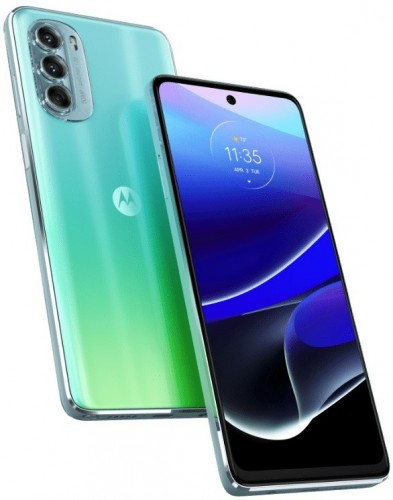
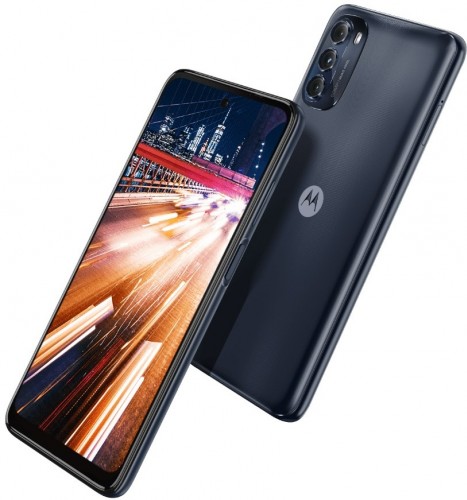
Motorola unveiled the Moto G Stylus (2022) in February and the company has followed it up with a 5G version, dubbed Moto G Stylus 5G (2022), which is a successor to the Moto G Stylus 5G launched last June. Additionally, Motorola has also announced the Moto G 5G (2022), following up on the Moto G 5G introduced in November 2020.
Motorola Moto G Stylus 5G (2022)
Let’s talk about the Moto G Stylus 5G (2022) first. The smartphone is built around a 6.8″ 120Hz FullHD+ LCD and has the Snapdragon 695 SoC under the hood with 8GB RAM and 256GB storage, which is expandable up to 1TB via microSD card. On the software side, you get Android 12 with My UX on top.
For photography, you get a 50MP primary camera (with OIS) on the rear, joined by 8MP ultrawide and 2MP depth units. And there’s a 16MP unit on the front for selfies and video calls.
As evident from the name, the Moto G Stylus 5G (2022) comes built-in with a stylus that lets you quickly jot down notes, write captions, draw sketches, and edit photos on the phone. The Moto G Stylus 5G (2022) also comes with the Moto Note app, which makes it easier to write something quickly as it allows you to start writing without unlocking the phone.
The rest of the highlights of the Moto G Stylus 5G (2022) include a side-mounted fingerprint scanner, water repellent design, 3.5mm headphone jack, USB-C port, and NFC. The smartphone packs a 5,000 mAh battery with TurboPower 10 and Quick Charge 3.0 support.
The Motorola Moto G Stylus 5G (2022) is 9.3mm thick, weighs 215 grams, and has two color options – Steel Blue and Seafoam Green.
It’s priced at $500 and will go on sale in the US starting April 28. It will also be available in Canada in the coming months.
Motorola Moto G 5G (2022)
The Moto G 5G (2022) is powered by the Dimensity 700 SoC and features a 6.5″ HD+ 90Hz LCD. It runs Android 12-based My UX out of the box and comes in a single 6GB/256GB memory configuration. However, you have the option to expand the storage up to 512GB via microSD card.
The Moto G 5G (2022) sports a 13MP selfie camera and features a triple camera system on the back, which is a combination of 50MP primary, 2MP macro, and 2MP depth units.
The Dimensity 700-powered smartphone has a water repellent design and it’s fueled by a 5,000 mAh battery with 10W charging support.
The Moto G 5G (2022) comes with a side-mounted fingerprint reader for biometric authentication and you get a USB-C port at the bottom. There’s also a 3.5mm headphone jack for those who prefer listening to music with wired earphones.
The Motorola Moto G 5G (2022) will go on sale in the US for $400 starting May 19 and launch in Canada in the coming months.
Top 10 Apple accessories you need to create the most effective desk setup
Since its foundation in 1976, Apple has been always been at the peak of modern innovation! The groundbreaking tech giant never fails to surprise us, we always find ourselves biting our nails and squirming with curiosity, whenever Apple announces a new product launch! My Apple devices are some of my most prized possessions – in the sense that I simply cannot do without them! My MacBook holds all the documents and data I hold holy in my life, whereas my iPhone stores the details of every single person I know. I would truly be lost without my gadgets. As ingenious as Apple products can be, it’s always fun to amp them up with a few exciting accessories, and in turn, create the ultimate desk set up for yourself! These innovative designs will help you build an efficient, neat, and streamlined setup, allowing you to boost your daily productivity, and work to your full potential. From a Magic Bridge that merges your Apple keyboard to a handcrafted iPad Pro stand with a magnetic Apple Pencil holder – these accessories are the best work from home investments of 2022.
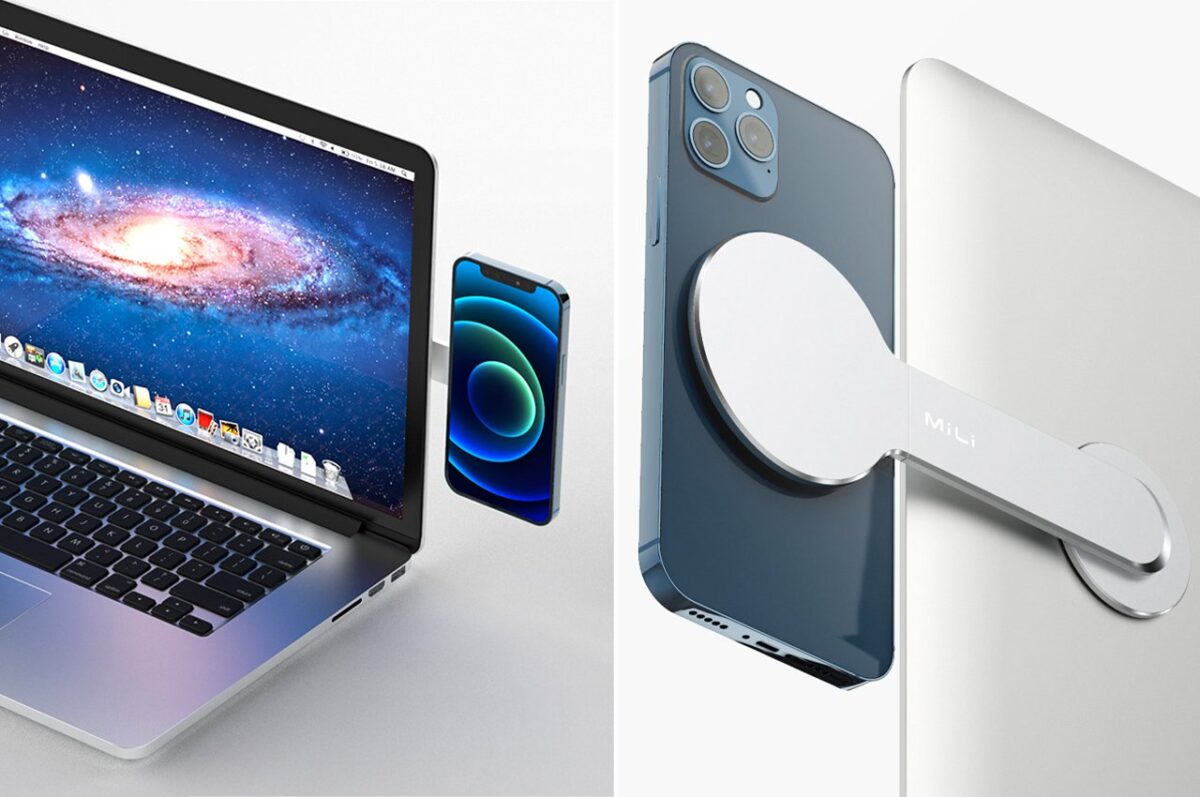
1. The Orbita iPhone mount
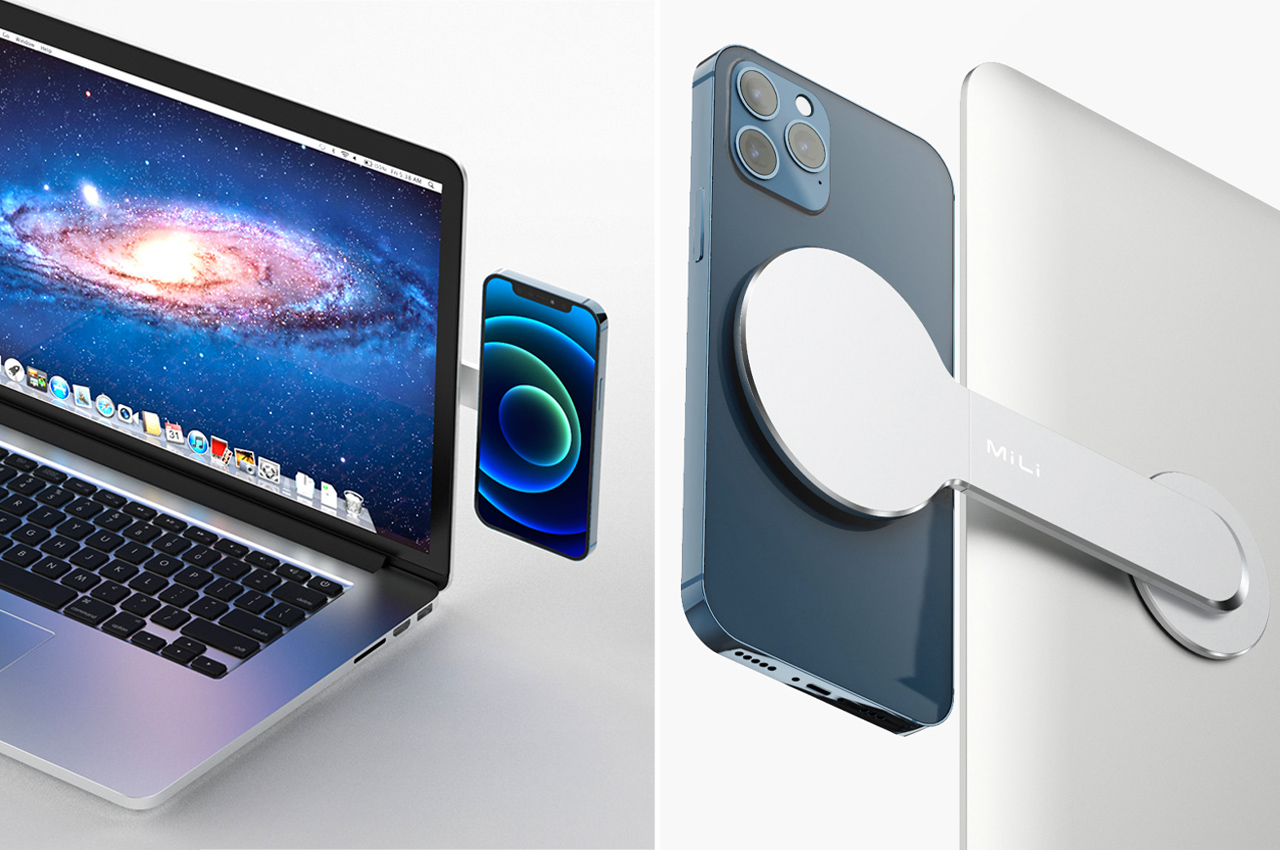
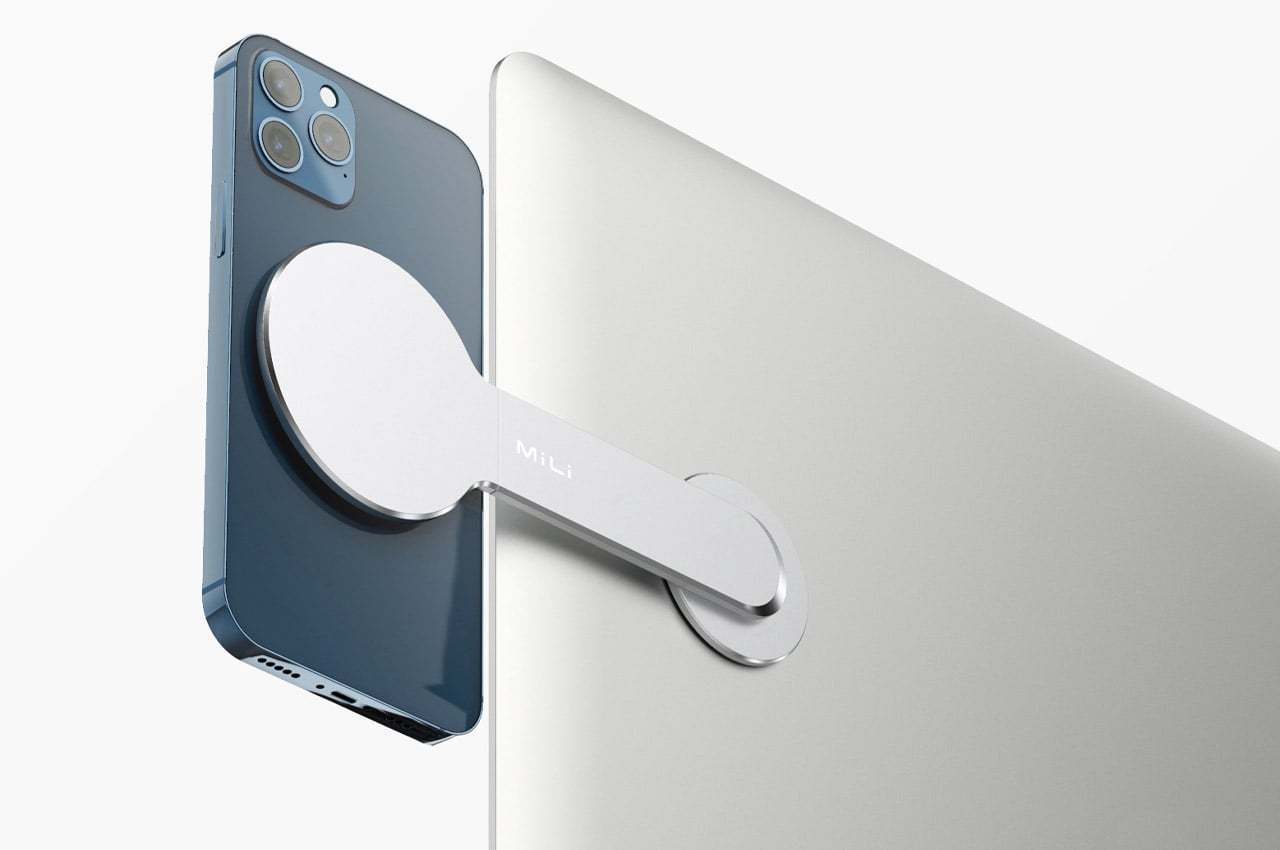
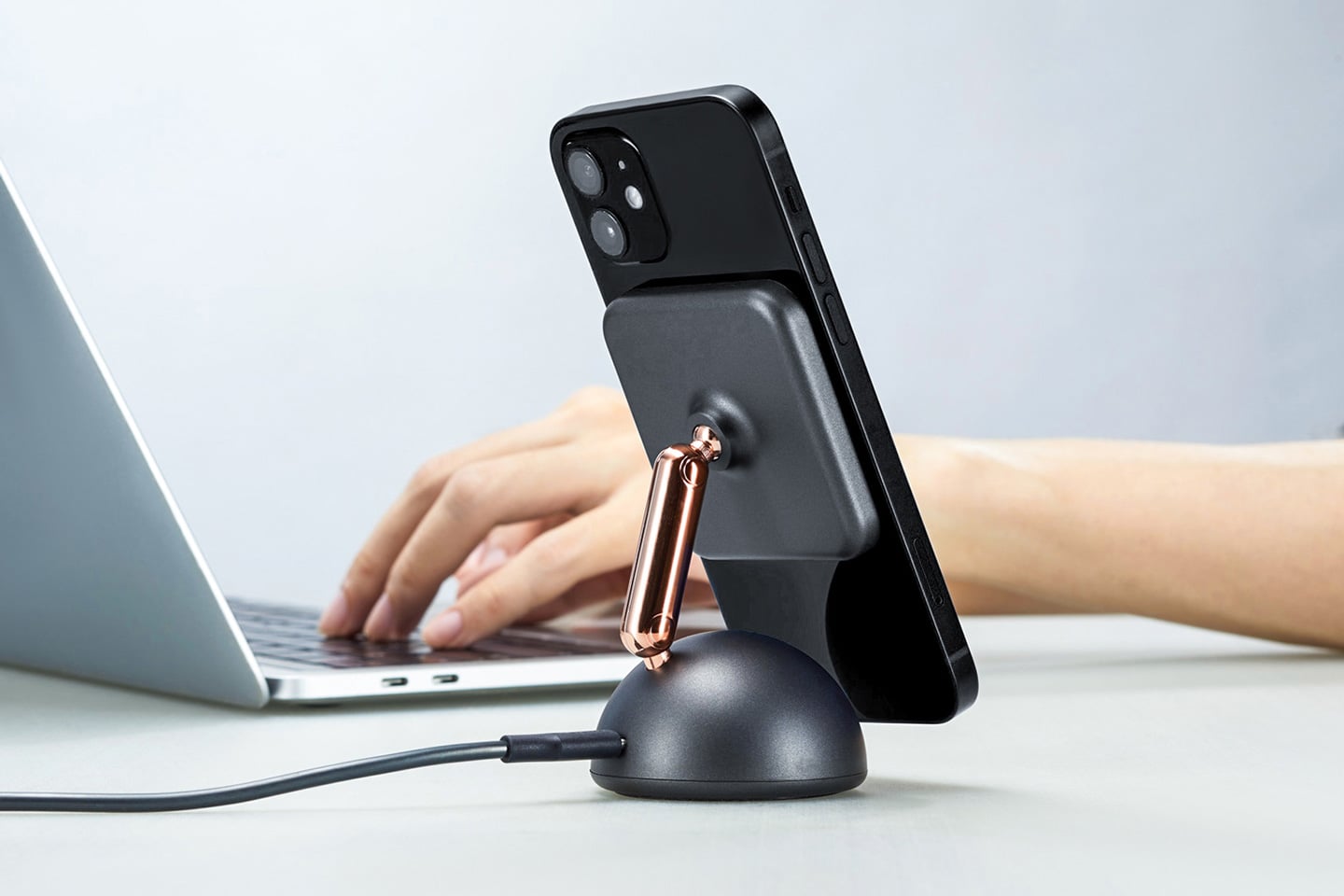
If you thought docking stations or other Magsafe compatible mounting accessories were cool, wait till you lay your hands on the Orbita iPhone mount for the PC screen or your laptop!
Why is it noteworthy?
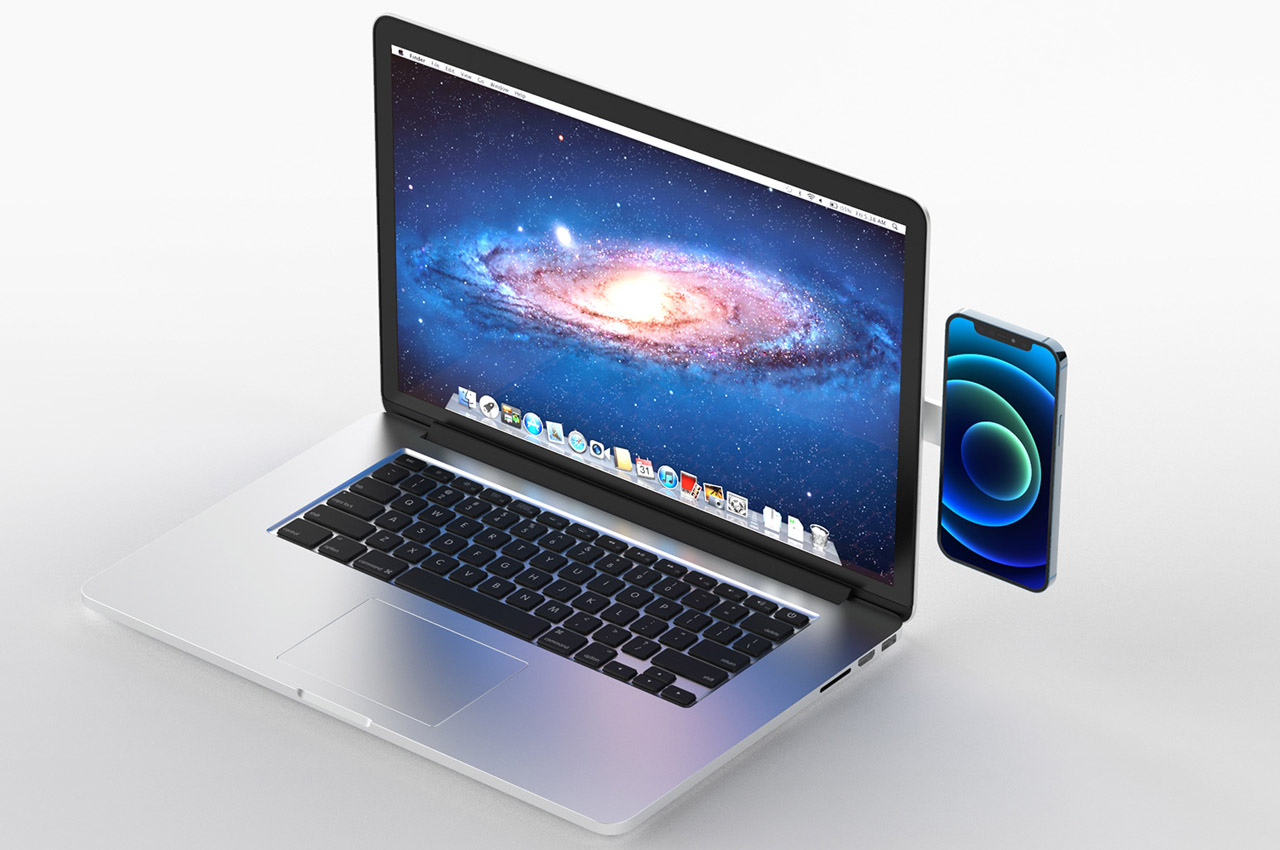
The Orbita modular system is a good example of yet another useful utility of the Magsafe technology – giving the user freedom to extend the personal working space on the desktop or laptop without any hassle. The iPhone 13 becomes the second screen according to the designer Andrea Tortone who developed this modular accessory for MiLi. The Apple device can be oriented in any direction – vertical, horizontal, or anything in between to have a productivity-centered approach.
What we like
Handy for taking up Zoom calls, answering calls, or glancing over at the pop-up notifications right while you’re working on an important project
Has a minimal and clean look
What we dislike
No complaints!
2. M1 Mac Mini
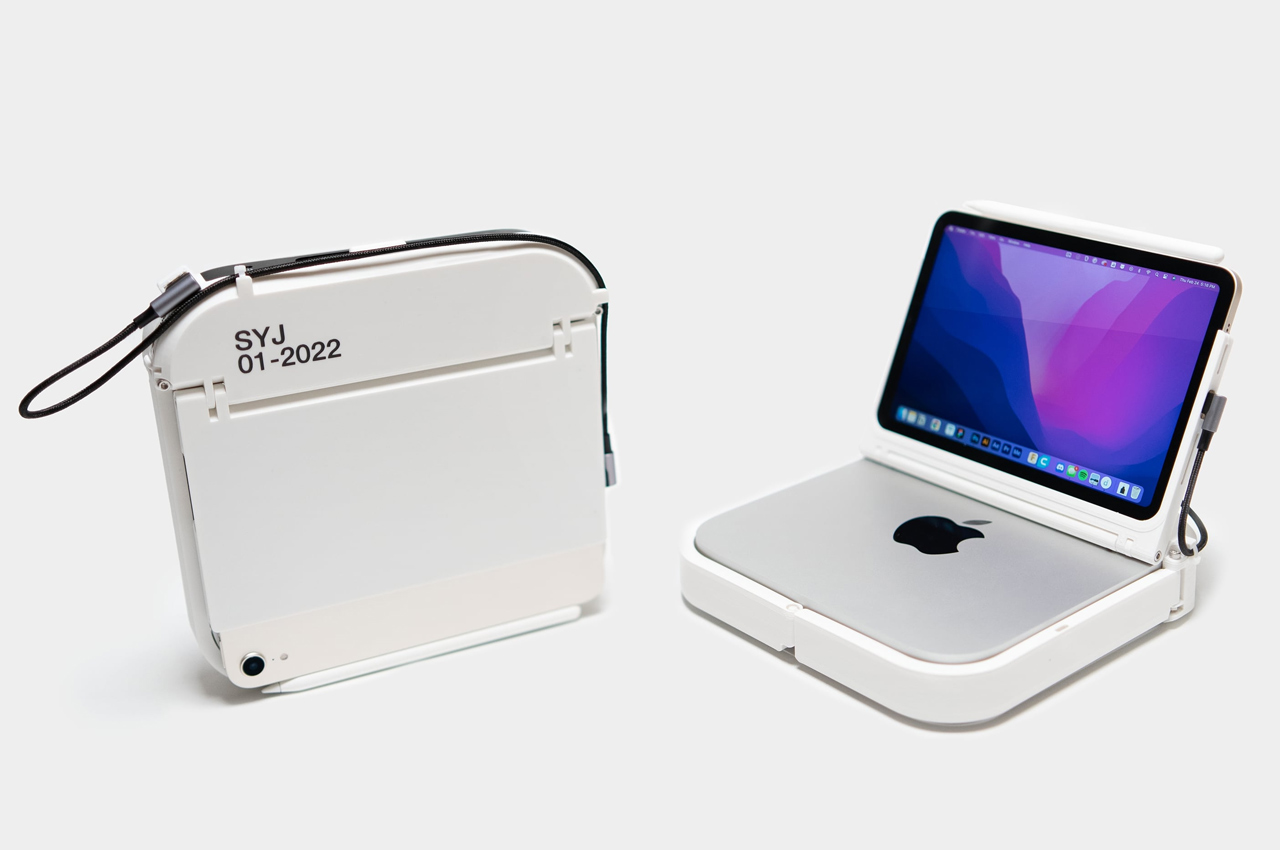
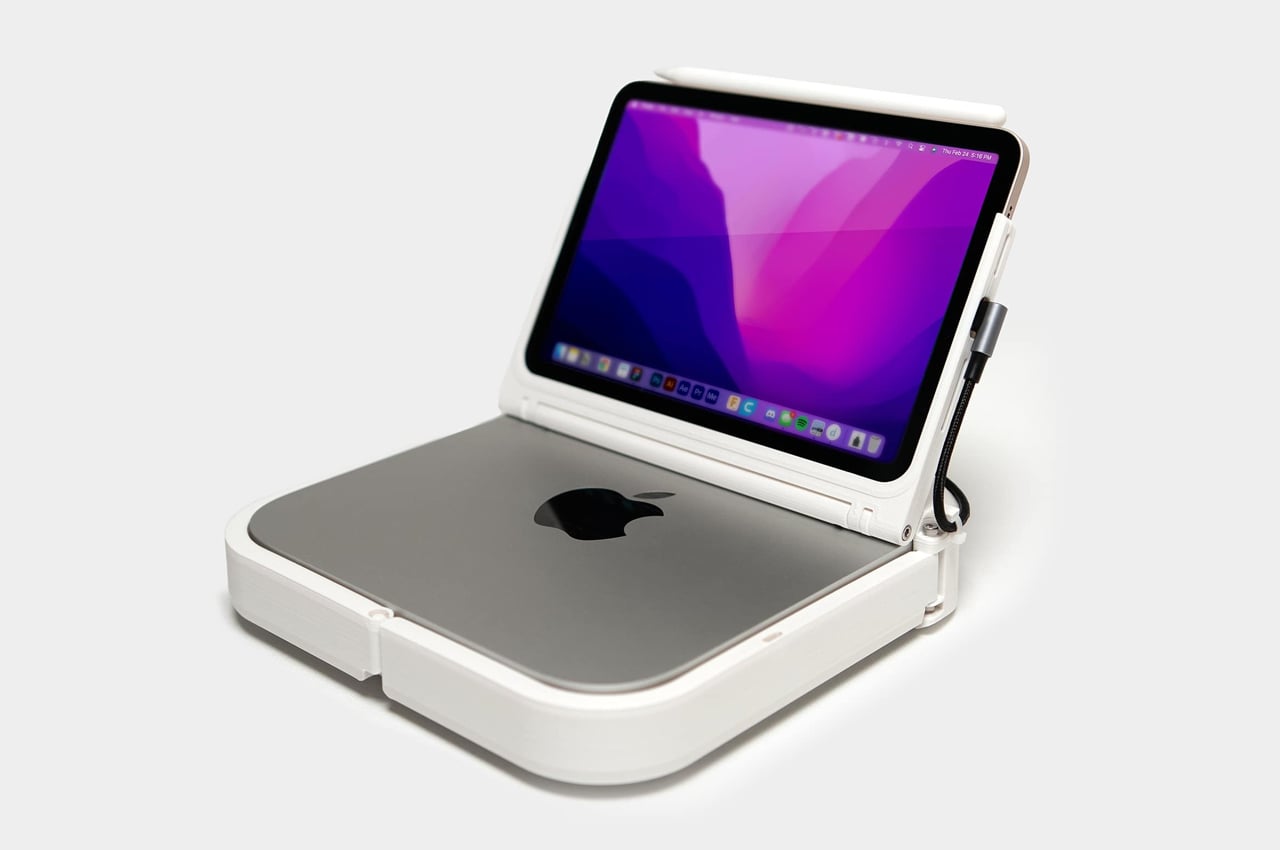
We generally fancy our laptops for the ease of portability and convenience. But if you’re someone like the YouTuber Scott Yu-Jan who despises a laptop; you’ll appreciate the Portable Mac Mini that lets you leave the laptop behind, yet travel light with a handy computer at your service when you may need it.
Why is it noteworthy?
Designer Scott Yu-Jan took to YouTube with an idea of a portable M1 Mac Mini, that paired with an iPad Mini, can be a MacBook alternative for the heavy-duty workaholics who would want to enjoy the power of M1 on the go without owning a MacBook. The DIYer, designer, and creator has made the Mac Mini really portable so that it would allow you to take your M1-powered workstation anywhere and use it conveniently as long as you can plug it into a socket.
What we like
The contraption comes complete with cable holders, a quick-release clasp, and an Allen key
Portable design
A good alternative to a MacBook
What we dislike
Some people might consider this design a bit of a hassle
3. The G4 Charger
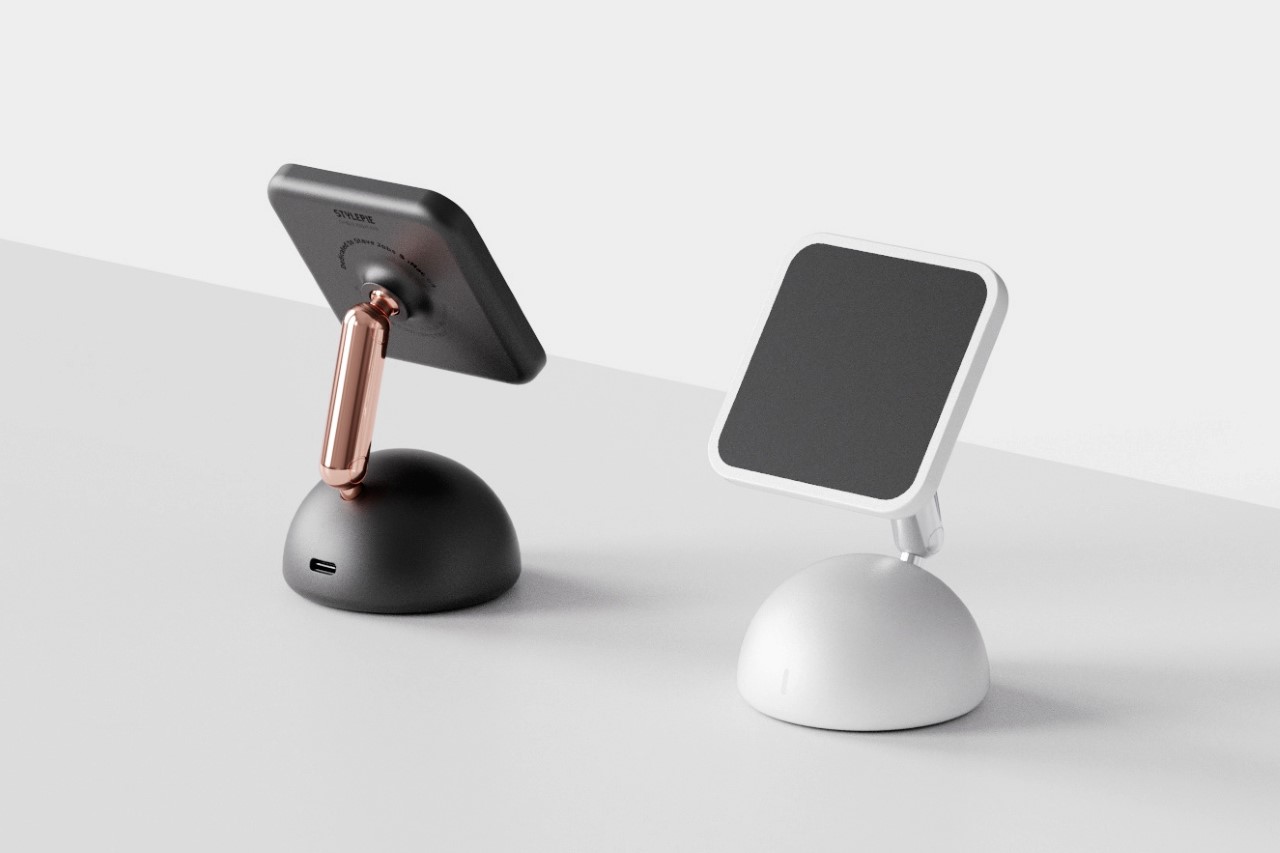
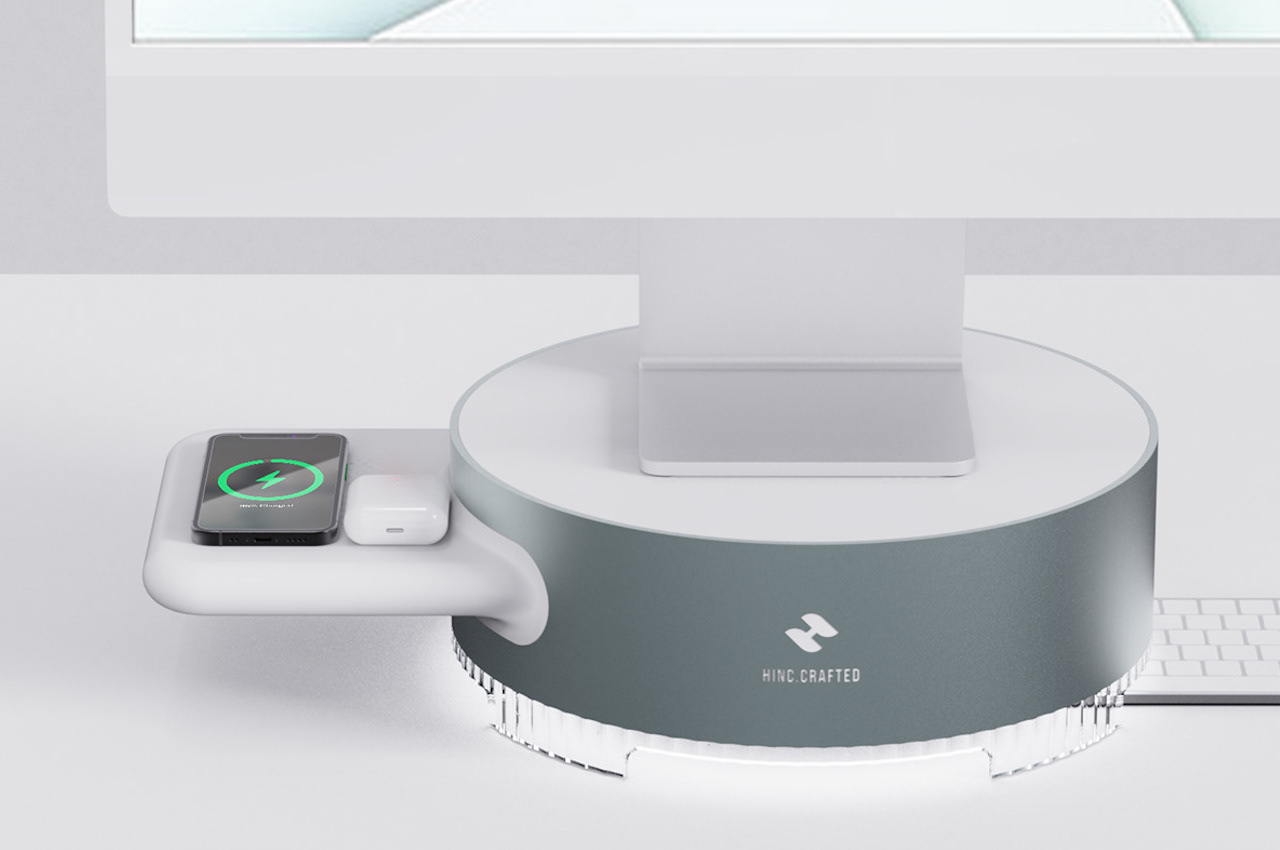
The G4 charger is a wonderful throwback accessory that reminds me of that Elago charger that turned the Apple Watch into the Macintosh. Its design, however, doesn’t seem to have aged the way the Macintosh has. Even by today’s standards, the iMac G4 is an incredibly eye-catching device that you’re sure to be amazed by. The charger condenses that beauty down into a small device that is equally good at drawing your attention to the iPhone that sits on it.
Why is it noteworthy?
The iMac G4, with its debut in 2002, was truly a design icon in that it was nothing like anything else that existed in its time. While the world still struggled with boxy plastic computers, the G4 had this intensely beautiful organic design accentuated with chrome details. It hovered above the rest, thanks to its adjustable stand, paving the way for future iMacs which still to this day retain the detail to maintain the right eye level. Eponymously named the G4, this quirky little charger pays a hat-tip to its 20-year-old predecessor. It sports the same dome-shaped base and chrome-plated stand upon which sits the MagSafe wireless charging element that lets you snap your iPhone to it. Once the iPhone comfortably nestles in place, it transforms almost into a miniature computer, hovering above the ground in a way that makes its display easy to view as well as to use, by allowing you to tap and swipe away!
What we like
The dual joint system on the back of the charger lets you angle and position your phone however you please
A nifty light within its domed front lights up when your phone begins charging
What we dislike
It isn’t available yet!
4. Chipofy
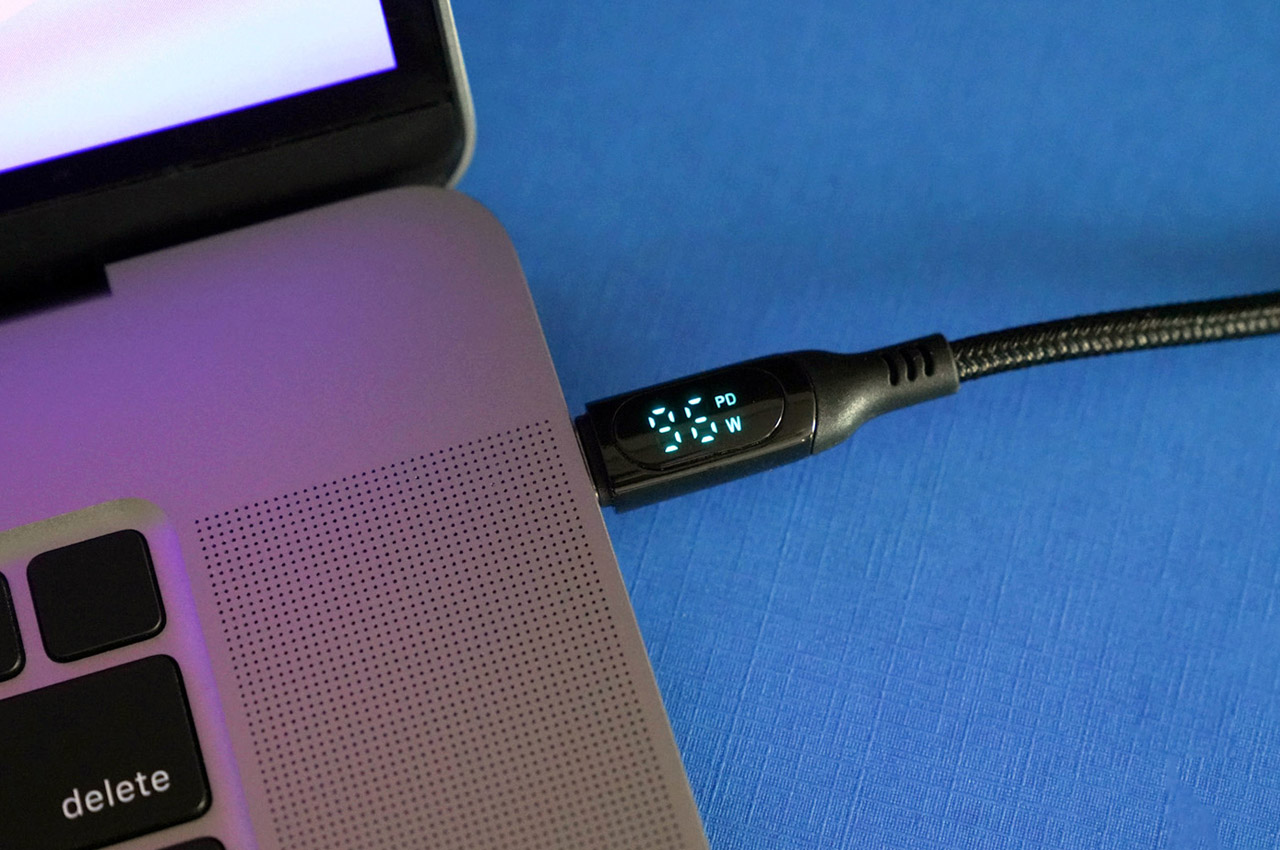
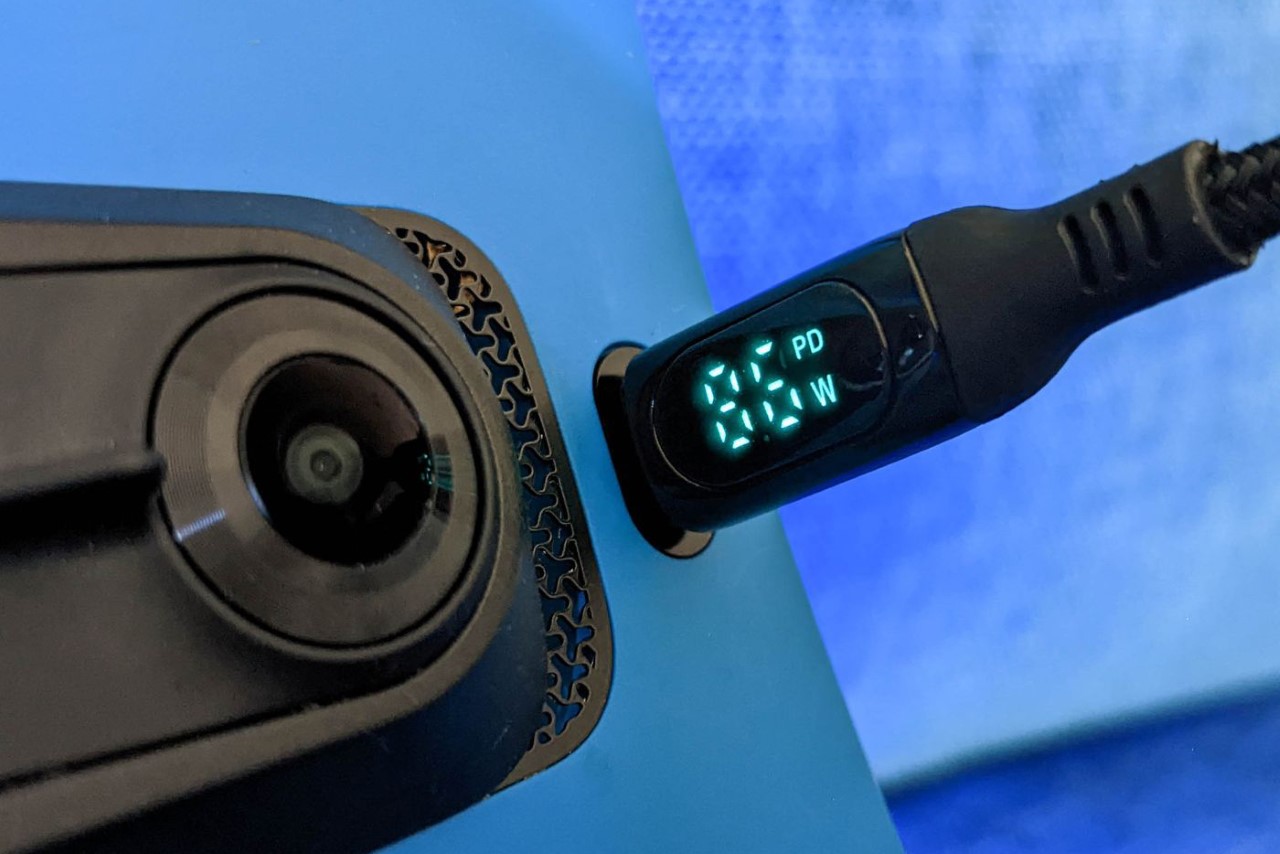
The clever little charging cable comes with its own built-in wattage meter that lets you know if your phone is, in fact, fast-charging or not!
Why is it noteworthy?
Thanks to a nifty LED display built right into Chipofy’s USB-C jack, the cable effectively allows you to measure your device’s power consumption as it charges. The display provides different readings for different devices, with larger gadgets like laptops and tablets pulling significantly more power than phones, power banks, and other Type-C peripherals. Is it supremely useful? Well, Marques Brownlee doesn’t seem to think so, but it’s a handy tool that lets you really see whether your smartphone’s 60W fast charging capability actually pulls off what it promises.
What we like
Comes with a braided exterior that makes it much more durable than those flimsy rubber cables
Handles data transfers too
What we dislike
The LED display on the cable doesn’t really do much when you’re transferring data
5. The Magic Bridge
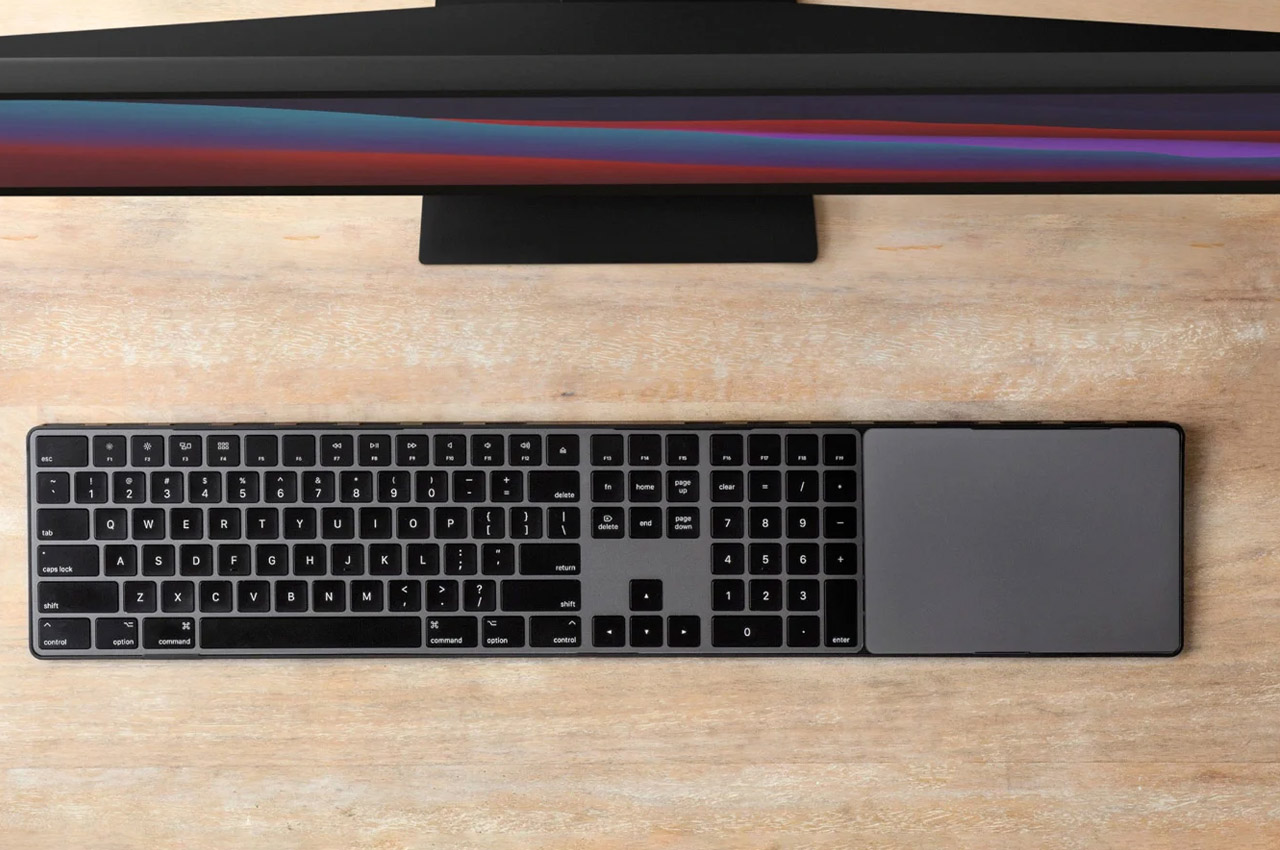
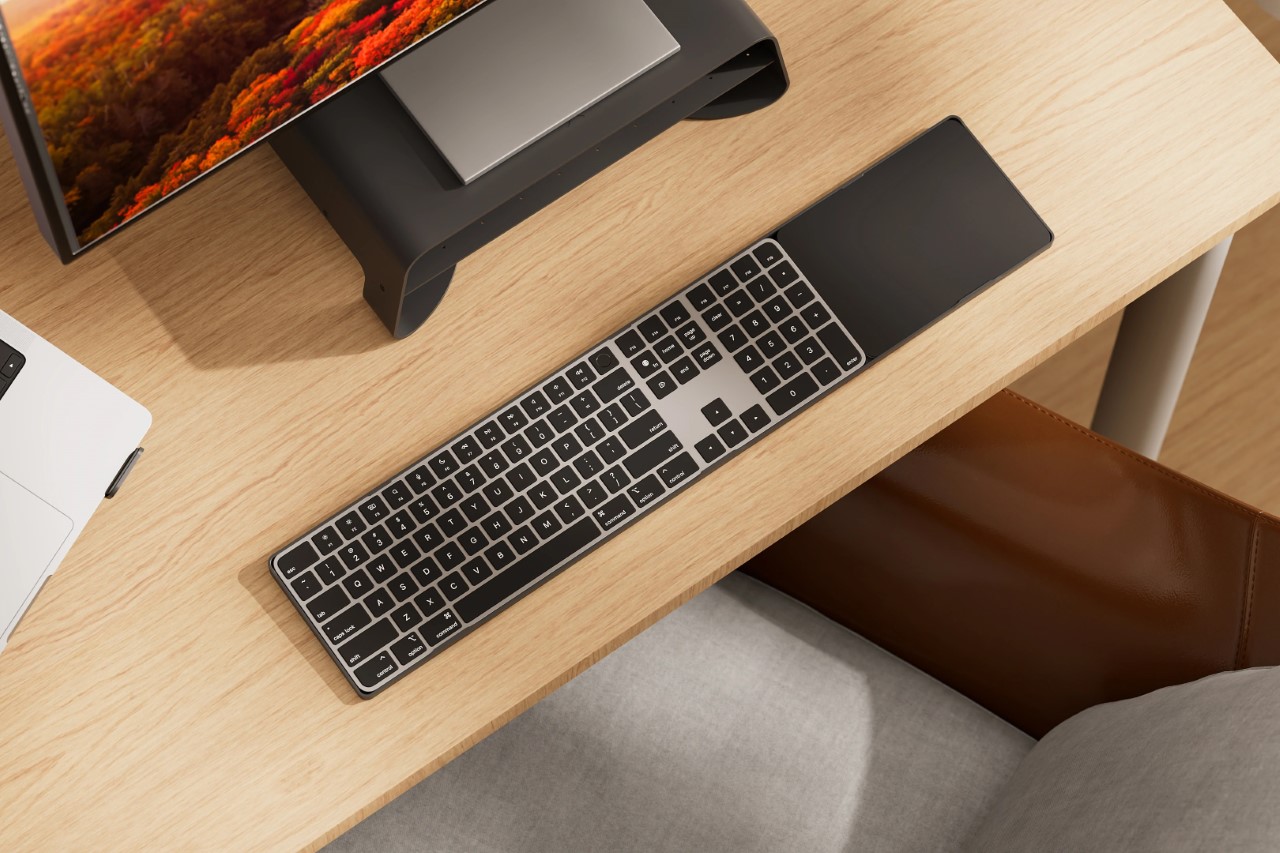
Could it be a coincidence that the Magic Keyboard and Magic Trackpad are exactly the same height? They look, as Twelve South rightfully points out, like they were “separated at birth”, like two siblings longing for each other. The Magic Bridge fulfills that wish, uniting the two long-lost siblings and putting them side by side.
Why is it noteworthy?
Melodrama aside, the Magic Bridge is actually a pretty clever device that does more than just fix your trackpad to your keyboard for the sake of it. For starters, it helps declutter your workspace by ‘bridging’ the gap between the keyboard and trackpad, so they don’t individually clutter your desk. It also effectively merges them together into what Twelve South refers to as the ultimate ‘control station’, so you can carry them around and place them on your coffee table, or even on your lap as you work and switch between your Apple devices.
What we like
Features a clever ambidextrous design that lets you mount your trackpad on either side of your keyboard, depending on whether you’re right or left-handed
Lightweight yet tough form
What we dislike
No complaints!
6. The MOLO
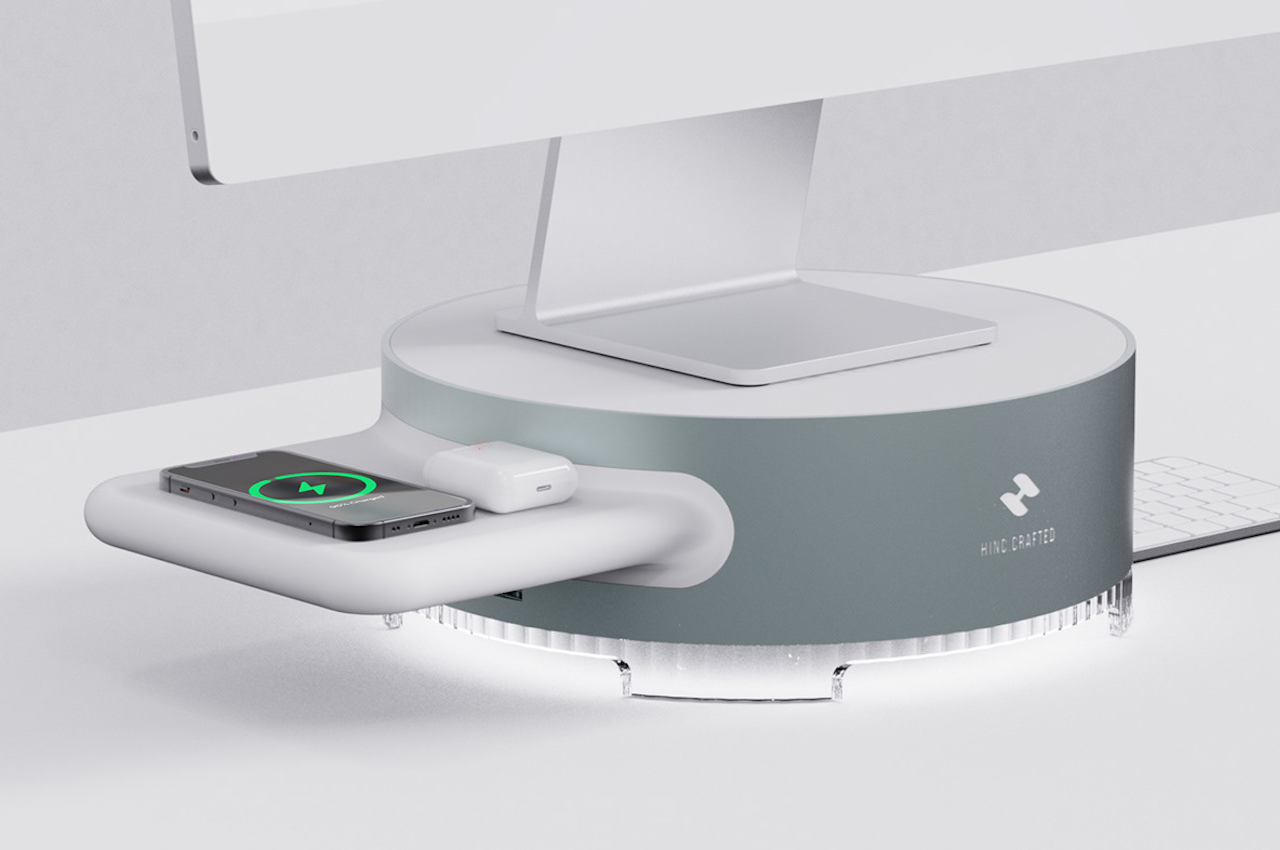
The MOLO comes in a monolithic design and can hold a computer or monitor with strength and durability. It can help you ensure your desk is as well organized and functional as you need it to be. A well-managed working environment can enable you to focus on the tasks at hand. Your workstation with a MOLO at the center can inspire you to do your best. As the Molo keeps its place securely on your desk, you can be reminded to be grounded and responsible.
Why is it noteworthy?
Since we are not going back to the office anytime soon, we must continue making sure our work area is clean, clutter-free, and efficient. If you’re on the lookout for new stuff for your home office, you may want to consider improving your desk situation first. Get a computer desktop stand to elevate your monitor or laptop and place your smartphone and other things there. The MOLO is an ideal computer stand with its static design and more.
What we like
Strength + durability
You can hide the keyboard underneath the MOLO when not in use
What we dislike
Seems more like an eye candy, than a highly functional design
7. The iPad Pro Stand
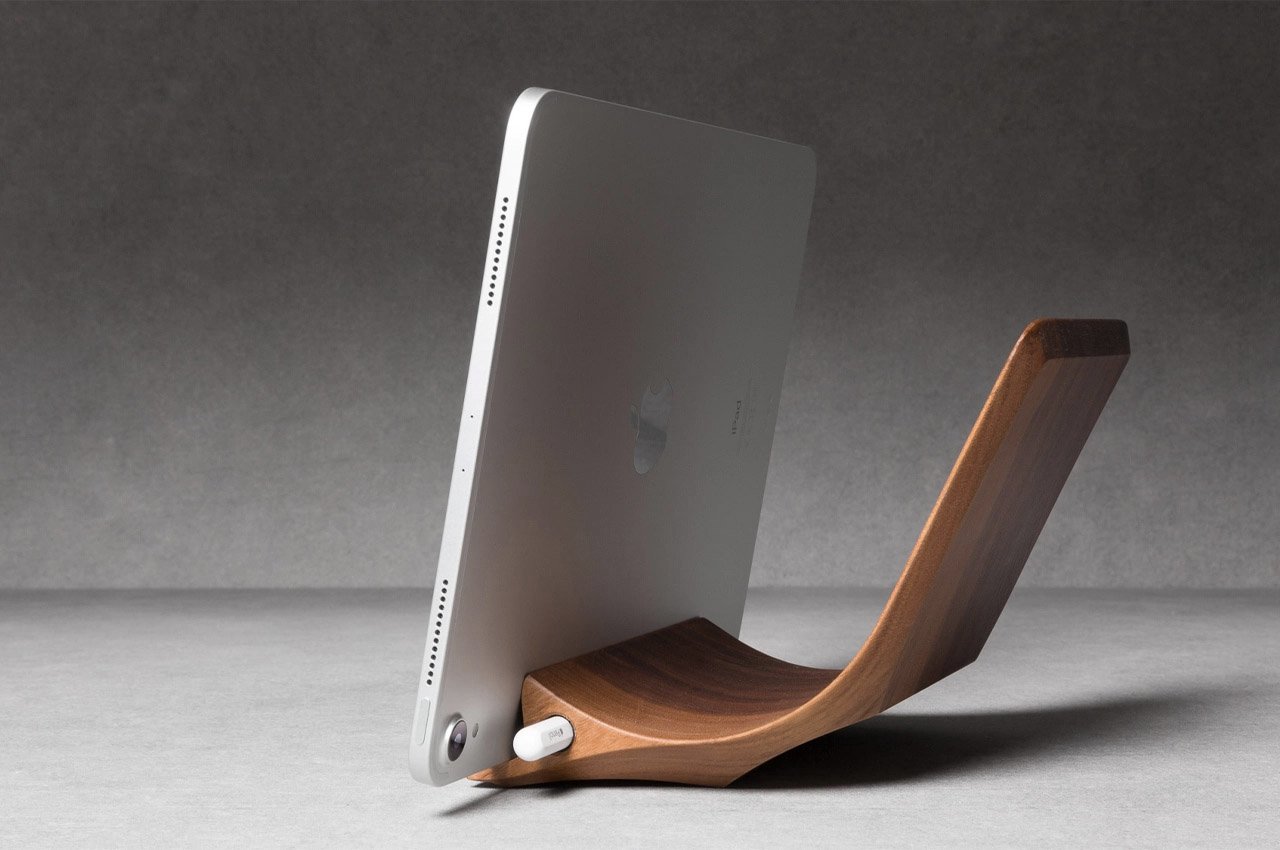
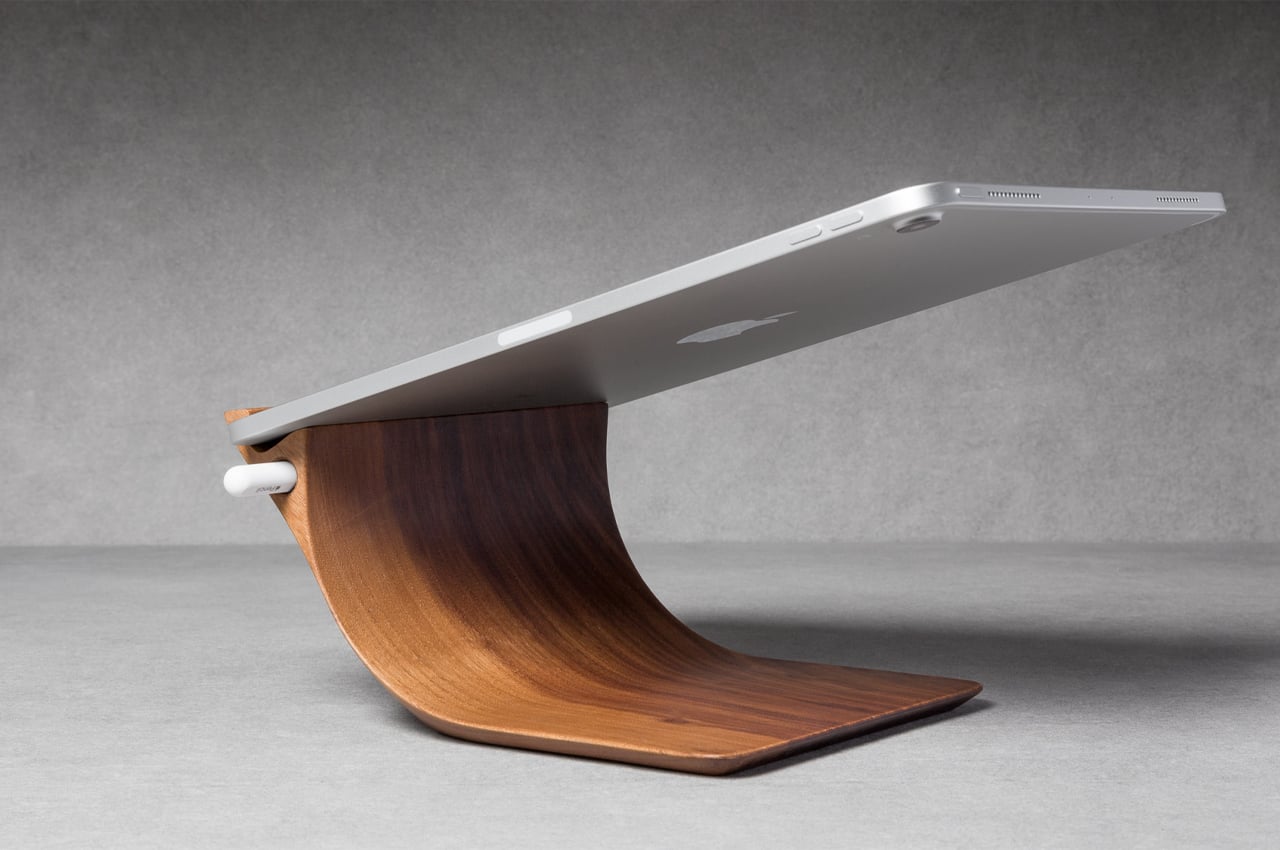
Sculpted into a shape that permits ergonomic usability and comfort, the iPad Pro Stand from Yohann boasts a final form that allows for multi-angled usage, achieved by reducing the light, thin profile to its bare necessities.
Why is it noteworthy?
Keeping track of all of our smart electronics and their accessories can get messy. Depending on what you use them for, smart appliances guide us through the week and keep us on top of our personal and work-related agendas. 2016’s Apple Pencil, for one, was designed for iPad Pro but has a tendency of getting lost. Yohann, a sustainable brand passionate about crafting wooden Apple accessories, created a wooden iPad Pro Stand with a built-in Apple Pencil holder so there will always be a place to store it.
What we like
Features an exact slot for your Apple Pencil to slink into when not in use
You’ll never use your Apple Pencil again
What we dislike
No complaints!
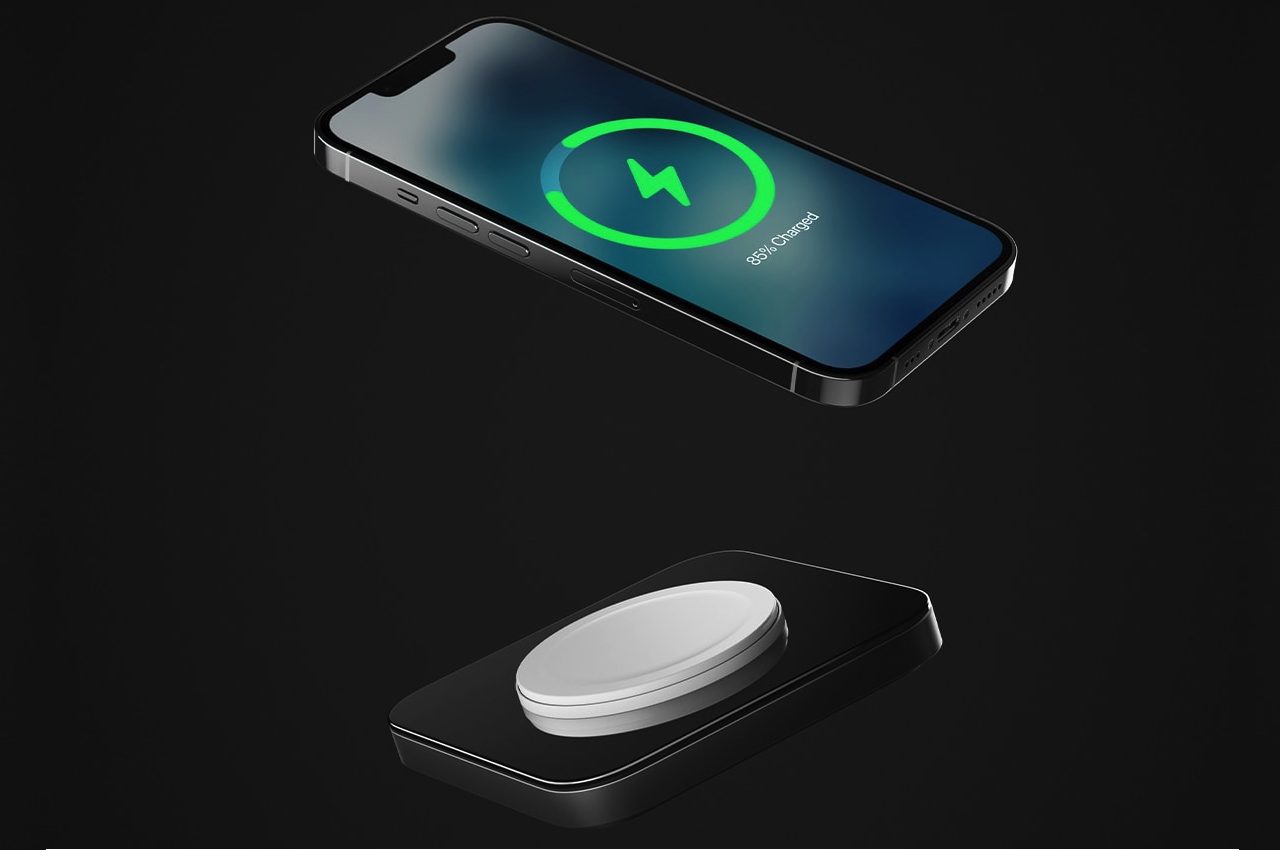
8. The Nomad MagSafe Base One charger
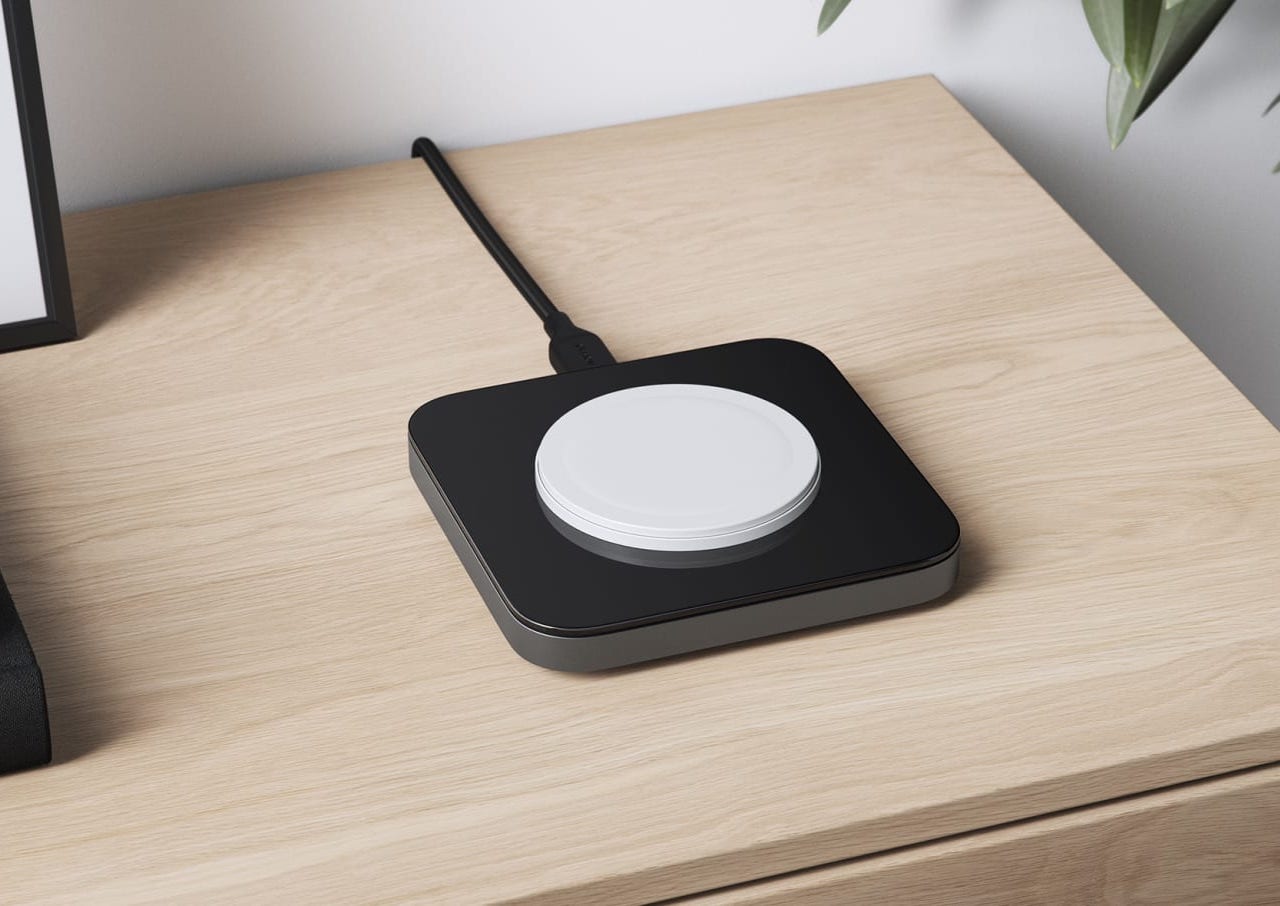
The latest is the Nomad MagSafe Base One charger that makes a first impression that lasts with its glass and aluminum design. It is an official third-party charger you can use for your iPhone as it offers official MFi MagSafe charging. Base One works with most Qi devices, delivering up to a maximum of 15W charging speed. The iPhone charger comes with a weighted metal body complemented by an elevated glass panel. The combination results in a look that can fit most interiors and spaces.
Why is it noteworthy?
Nomad’s MagSafe Base One charger shows a solid metal and glass design, but it is not something delicate to hold and touch. It may remind you of a hockey puck, even with its rounded square shape. However, the weighted build gives it a sturdy form, so you do not have to worry about it easily being damaged.
What we like
Made using high-quality metal chassis and a premium glass panel
It can also wireless charge your AirPods
What we dislike
The 30W USB-C Adapter is not included in the box
Not sure if it is fingerprint or scratch-resistant
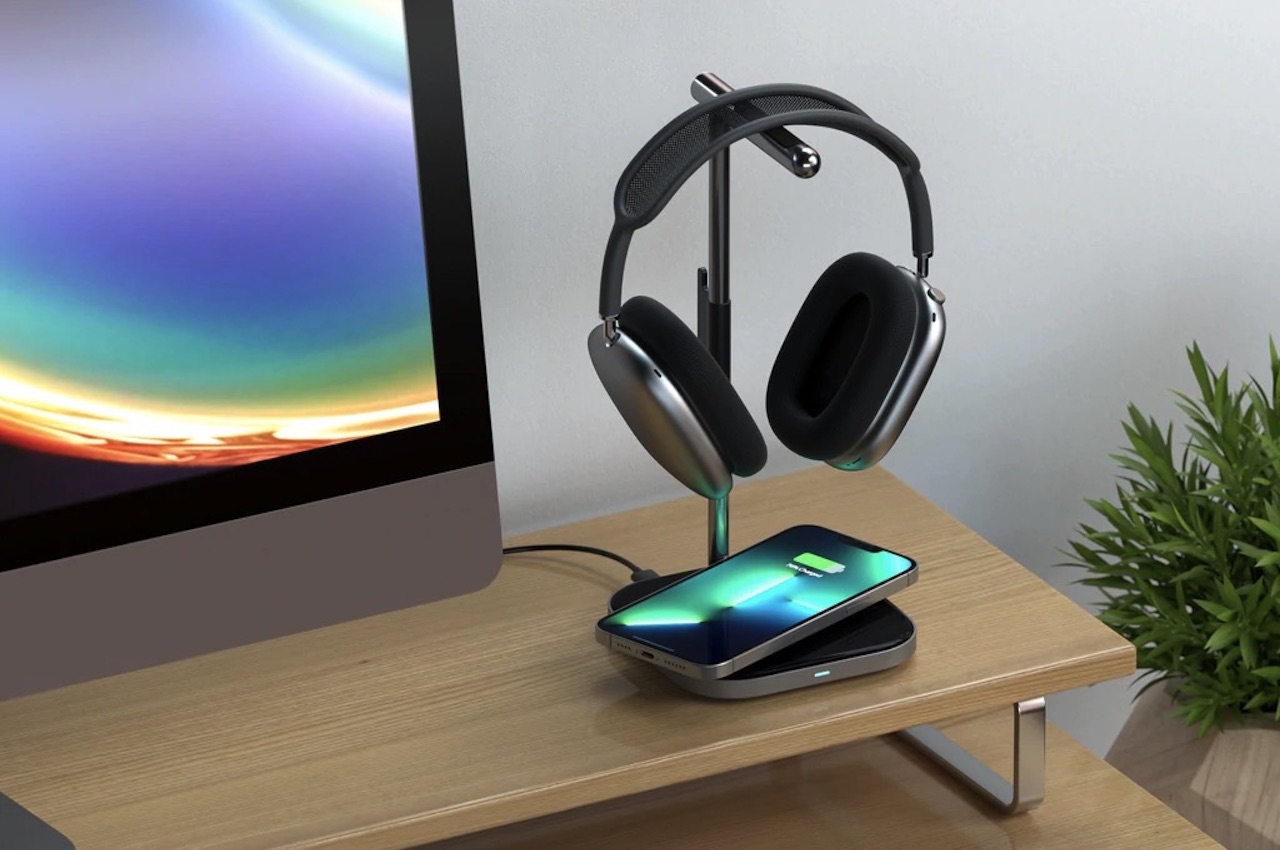
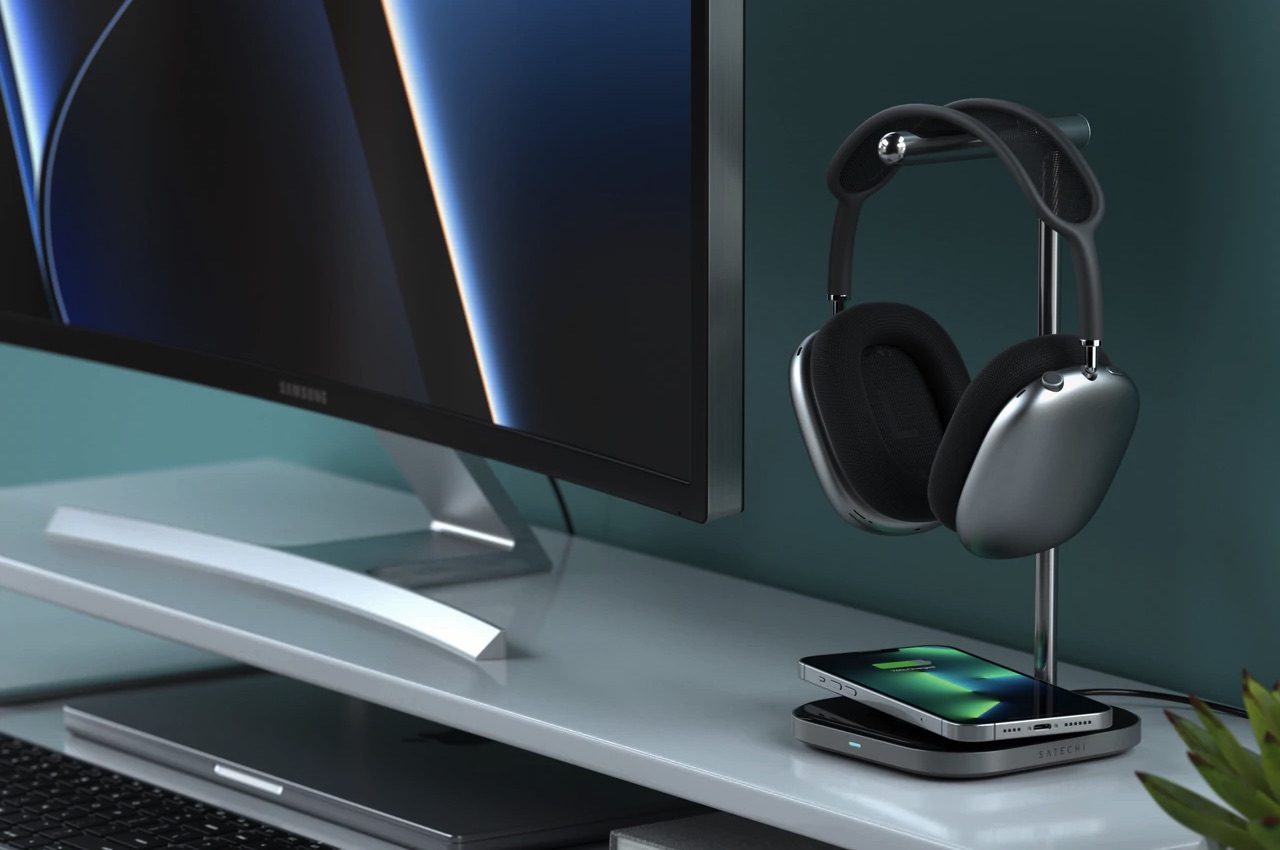
9. The Satechi 2-in-1 Headphone Stand with Wireless Charger
Not many people realize this, but a headphone stand is an essential desk accessory. It would be best if you had something to hold your headphones properly so your pair won’t get damaged when not in use.
Why is it noteworthy?
The Satechi 2-in-1 Headphone Stand with Wireless Charger is an ideal solution because it does more than just carry your headphones. It also works as a wireless charging station for your premium headphones, earbuds, or iPhone. This comes with a USB-C port to charge your headset and a stainless-steel arm with padded grips. It features a hook to keep cables organized and an LED light that will tell you if a wireless device is charging. With all these features, the 2-in-1 Headphone Stand does more than just serve as a headset cradle.
What we like
Lets you charge and store headphones in style
The stand can complement any home or office interior with its minimalist appeal
What we dislike
No complaints!
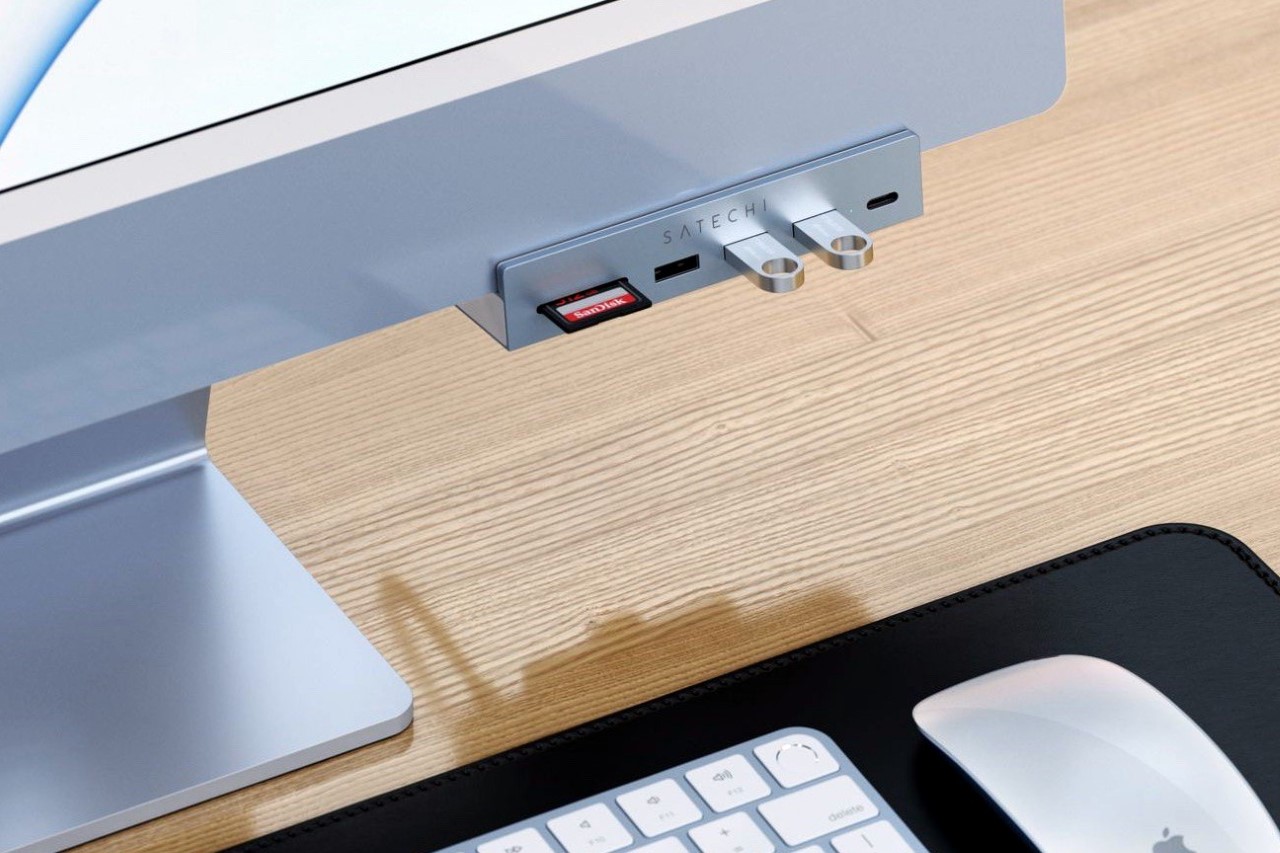
10. The Satechi USB-C clamp hub
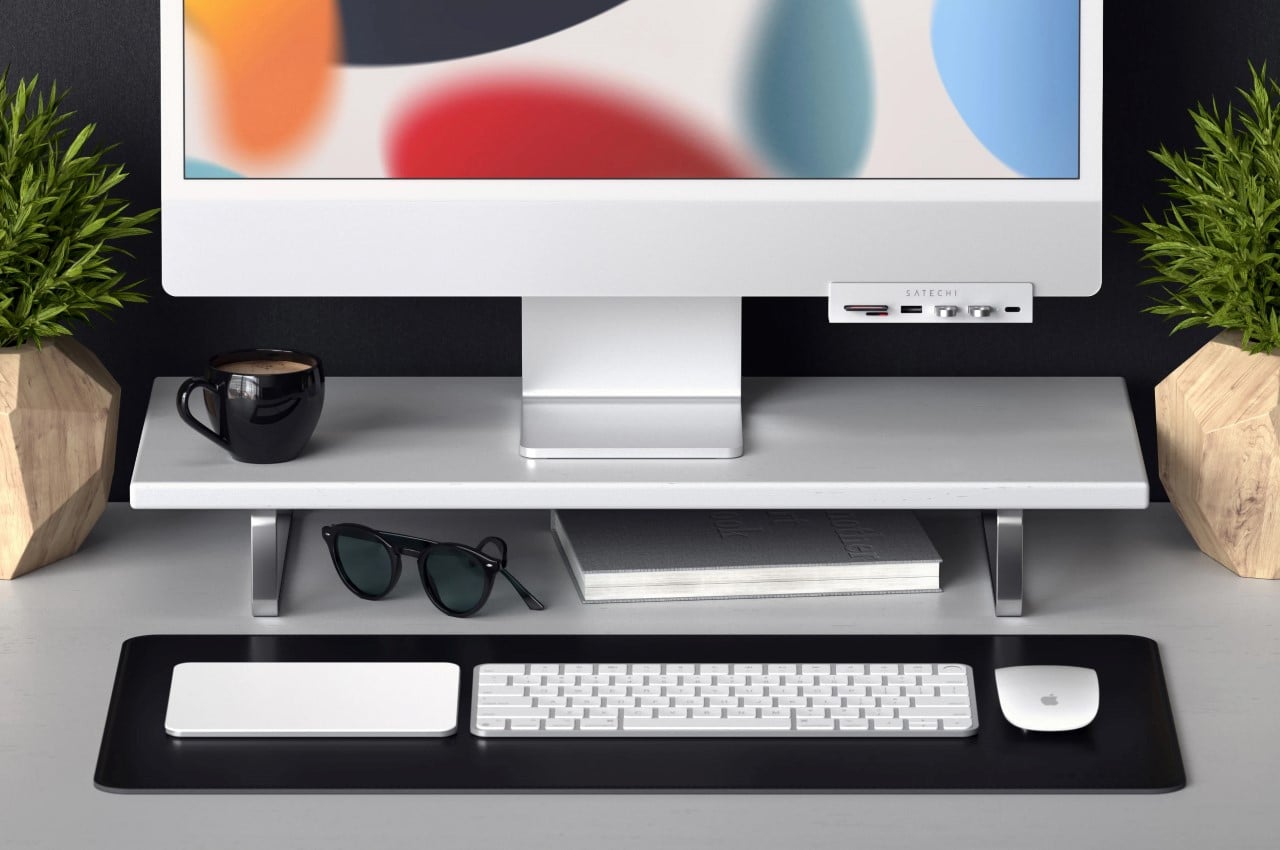
The newly debuted USB-C clamp hub for the 2021 M1 iMac puts 6 different ports right where you need them. From USB hubs to even card readers, Satechi’s nifty little multiport hub has it all, and it conveniently blends right into the iMac’s form factor with a design language that matches the all-in-one computer perfectly!
Why is it noteworthy?
Satechi’s USB-C clamp hub puts all the essential ports at your fingertips. It plugs into one of the USB-C ports at the back and grips onto the iMac using a rotating clamp. The hub comes with 3 USB-A ports, 2 card readers, and one USB-C port on the front, and has data transfer speeds of up to 5Gb/s for the USB ports and 104Mb/s for the card readers.
What we like
It conveniently blends right into the iMac’s form factor with a design language that matches the all-in-one computer perfectly
Samsung releases the Galaxy M53 in India with Dimensity 900 chip
Samsung has been teasing the release of the Galaxy M53 in India for some time now and now the handset is finally official. The phone will be available for purchase through Amazon.in and Samsung.com.
The device runs on the Dimensity 900 SoC paired with either 6GB or 8GB of RAM and 128GB of internal storage. The display is particularly impressive for its class – 6. 7-inch Super AMOLED+ with 1080 x 2408px resolution and support for 120Hz refresh rate.
Interestingly enough, the fingerprint reader is placed on the side of the frame, not under the display. It is rare to find an OLED phone equipped with a side-mounted fingerprint scanner.
The camera setup is also more than decent. The main camera is 108MP, f/1. 8 joined by the standard 8MP, f/2. 2 ultrawide unit and two more 2MP sensors – one is used for macro shots while the other is for depth sensing. The punch-hole on the display is reserved for a 32MP, f/2. 2 shooter.
All that hardware draws power from a 5,000 mAh battery that supports 25W fast charging, presumably over the Power Delivery 3.0 standard. The phone comes with One UI 4. 1 pre-installed on top of Android 12.
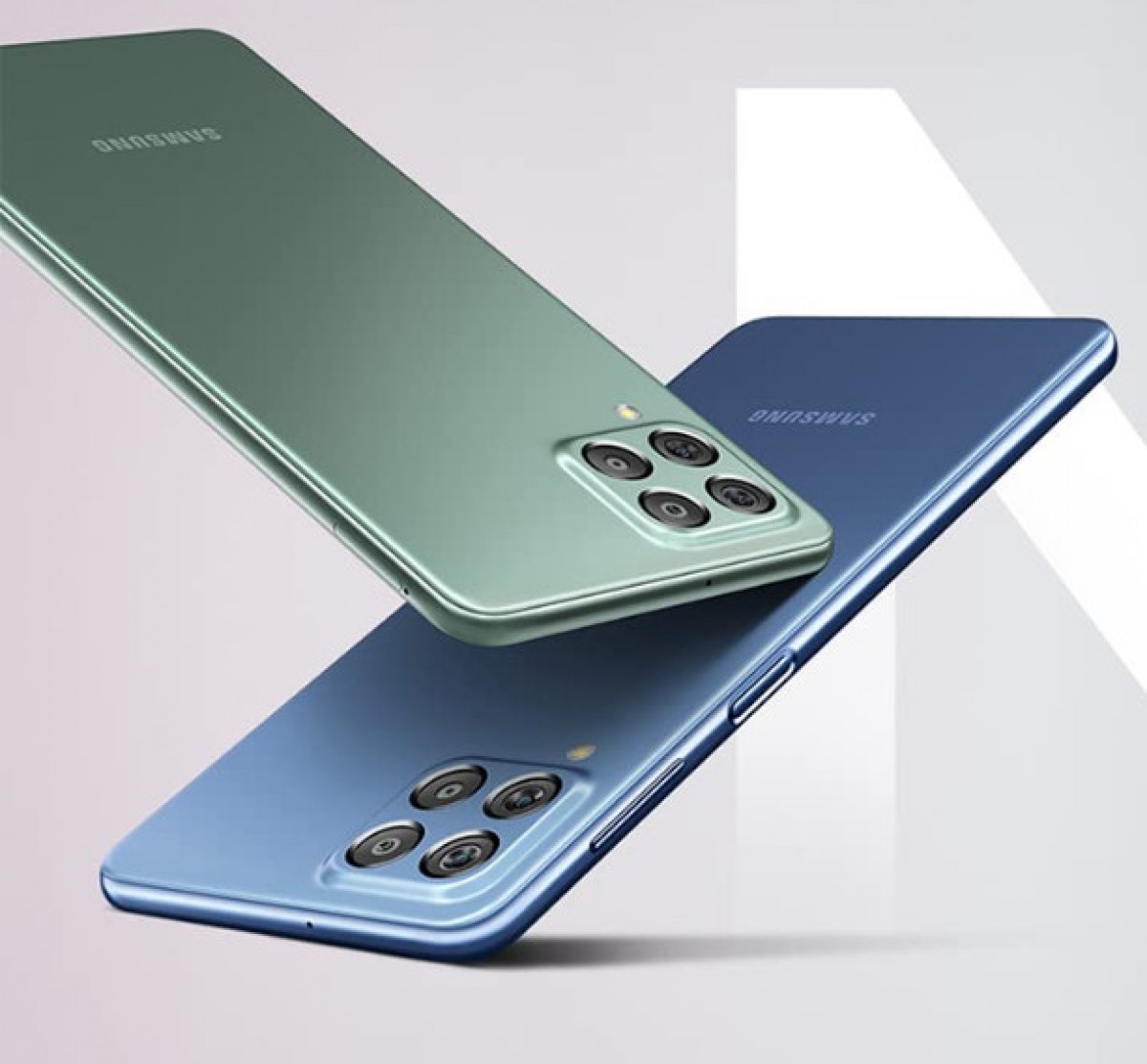
The Galaxy M53 is available in two colors Blue and Green. The 6GB configuration starts at INR 26,499, but early bird buyers can get one for INR 23,999. The 8GB version, on the other hand, will sell for INR 25,999 in the beginning and will ask INR 28,499 later on. The actual sales begin on April 29.
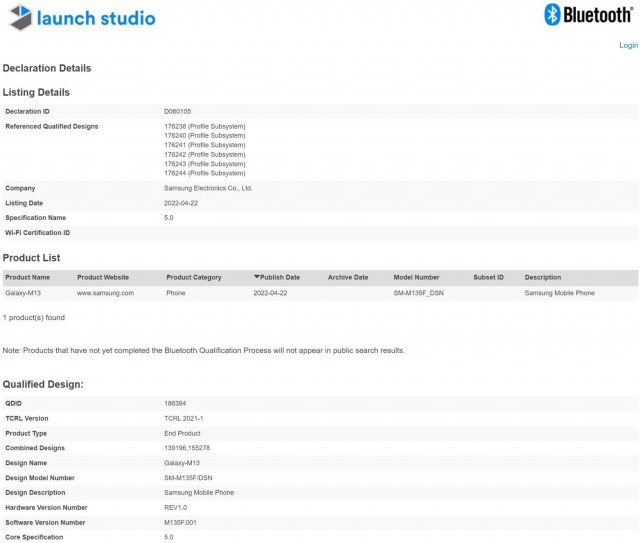
Samsung introduced the Galaxy M12 last February which is due for a successor. The company hasn’t divulged anything about the Galaxy M13 yet, but we know it will go official soon since the smartphone just got Bluetooth certified.
The certifying authority doesn’t reveal the specs of the Galaxy M13, which is listed with model code SM-M135F_DSN. Also, the smartphone’s moniker doesn’t include the 5G label, but it might support 5G networks since a report earlier this month claimed that the 5G variant has model designation SM-M135F.
Samsung Galaxy M13 Bluetooth certified
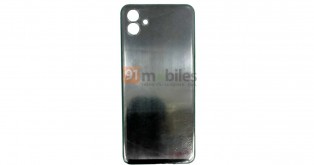
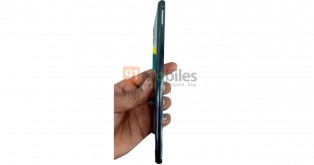
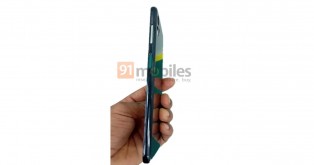
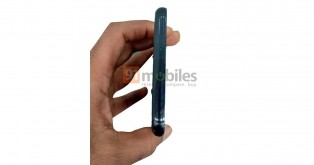
More details about the Samsung Galaxy M13 5G should surface in the coming days, but in the meantime, you can check out its leaked images below.


:format(webp):no_upscale()/cdn.vox-cdn.com/uploads/chorus_asset/file/23397537/downpour_screenshot.png)
:format(webp):no_upscale()/cdn.vox-cdn.com/uploads/chorus_asset/file/23397546/Screenshot__869_.png)