The iOS App Icon Book Review: a celebration of app icons of the past
It’s been nearly 15 years since the first iPhone was launched and almost as long since the creation of Apple’s App Store. In that time, millions of apps have found their way onto Apple devices – each with its own distinctive icon. As a relatively new form of art, The iOS App Icon Book is unlike most other art books you will come across.
About the book
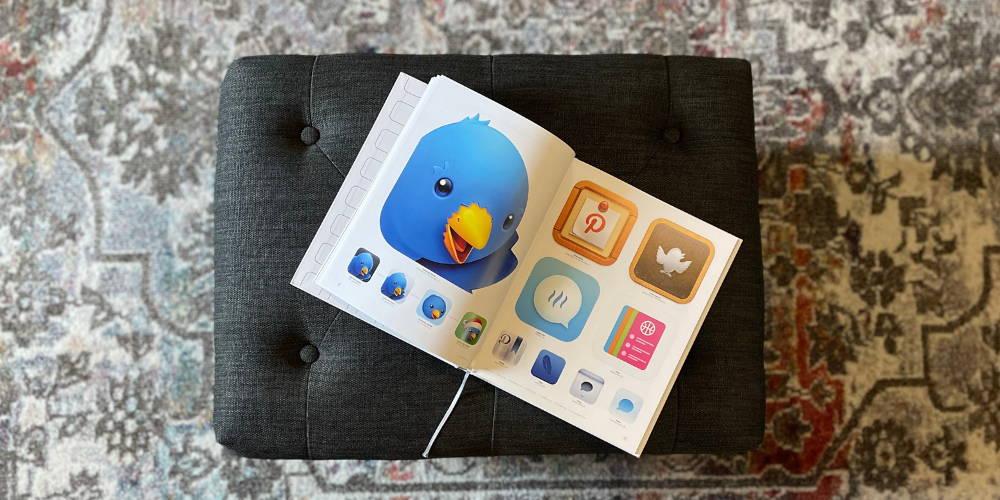
The iOS App Icon Book contains a variety of icons for iPhone apps from the last decade. Some of these icons are familiar to you, while others may be newer.
Danish designer Michael Flarup has been working on the book since 2018. Flarup took his love for design and app icons and made it into a beautiful coffee table book. This project, which began as a Kickstarter campaign has been a huge success. It’s easy to see that this book was born out of a love of the craft of icon design.
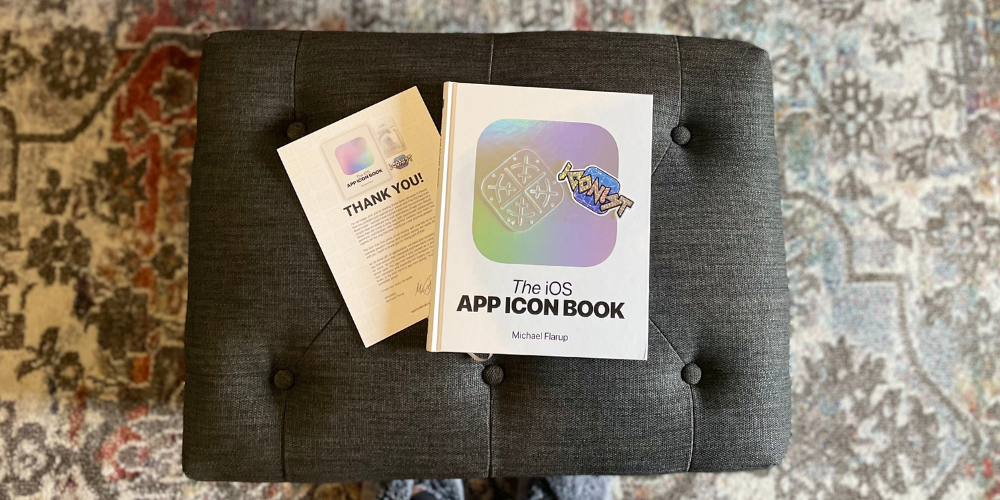
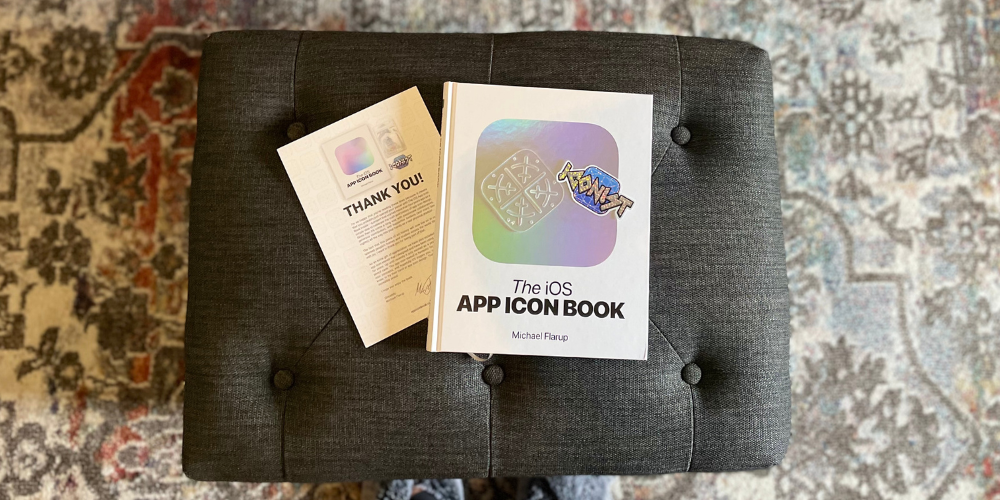
The iOS App Icon Book also comes with a thank you note with an “Iconist” sticker and a stencil the author designed that he uses in his work. It’s a nice touch to an already good-looking book.
Throughout, you’ll not only gain an appreciation for the thoughtfulness and the work put into these designs, but you may also learn something. Additionally, the author makes it clear that this is not a textbook on how to design app icons but offers tidbits of information for those who are interested in the craft.
There doesn’t seem to be much rhyme or reason to which icons made the cut. Flarup includes many of his pieces, as he created them over time. You can see how icons have changed throughout the years. Many of these apps you will recognize by only seeing its icon.
Artist spotlights
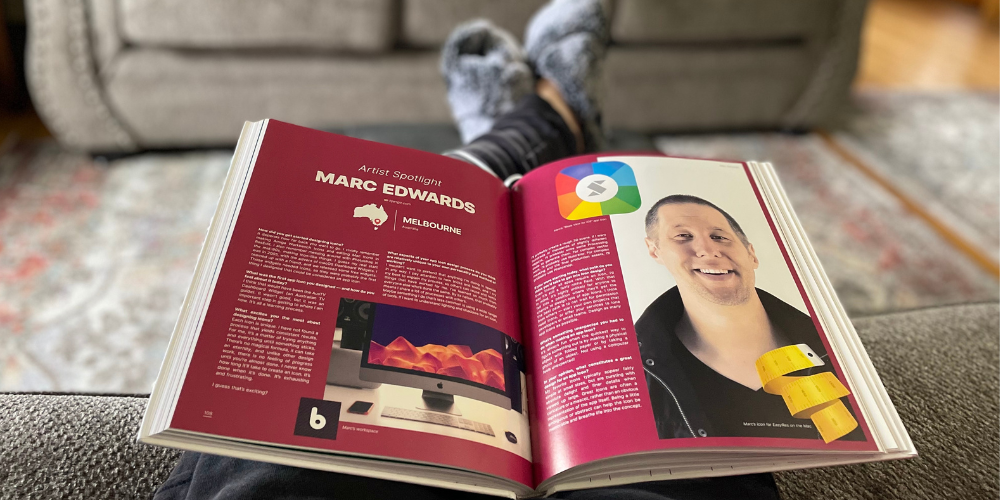
Within its 163 pages, you’ll find various spotlights of app icon artists, featuring interview questions about their career. This is Marc Edwards, an Australian artist. This interview captures his journey to designing icons for apps, as well as how it is currently set up. It also includes advice about how to start, how to do so, and much more. These rare insights gives us a look at the faces behind some of these famous app icons.
While it is easy to enjoy this book as an Apple blogger, it may not be for you. As the book title suggests, the app icons are purely related to iOS – so don’t try to give this book to your hardcore Android friend. However, this is a great gift for digital art lovers and Apple enthusiasts alike. This is a great way to preserve and appreciate the artwork of technology that we all use every day. It also shows us where we came from and allows us to celebrate the progress.
Pre-order The iOS App Icon Book now
You can pre-order The iOS App Icon Book for EUR60 with orders currently shipping. This book will only be available in hardcopy and no digital versions are planned.
Let us know in the comments if you plan on picking up a copy.
Apple Store unions could represent an opportunity for Apple, not a threat
We’ve been seeing growing interest in the formation of Apple Store unions by retail staff, frustrated by stagnant wages at a time of rising inflation, or other working conditions issues.
The prospect of unionization is one which often fills management with fear. This isn’t surprising given the confrontational nature of most management-union relationships. But there is a much more cooperative model out there, and Apple currently has a golden opportunity to adopt it …
The story so far
We first learned of retail staff plans to unionize back in February.
Groups at two stores are reportedly preparing paperwork to file with the National Labor Relations Board, with about six more locations at earlier stages of planning.
The Post says the main source of unrest is due to wages. Apple pays retail employees in the range of $20-$30 per hour, depending on role and seniority. However, the workers say these rates have not kept up with inflation.
Inspired by recent successful union votes at more than 90 Starbucks stores, the report says that efforts to unionize have recently accelerated.
Things got real last month, with a formal start to the process at Apple’s flagship Grand Central Terminal store in New York, with a number of goals for a better deal for staff.
Along with seeking improved working conditions, more vacation time, and better retirement options, the group is looking to secure a minimum wage of $30/hour.
This was followed by similar moves in Atlanta and Maryland.
Apple’s initial response
Apple’s initial response appears to be a defensive one.
The Verge reports that Apple is working with San Francisco-based Littler Mendelson law firm to de-escalate the union fights. Littler Mendelson is also representing Starbucks in an effort to stop its partners from organizing a union. The firm previously helped McDonald’s in 2014 when workers were calling for $15 an hour wages […]
An anonymous Apple Store employee in New York told The Verge that the company has been spreading anti-union messaging during meetings. “There’s a lot of misinformation that’s been spread trying to scare the masses,” the employee said. “I think they’re panicking.”
As I say, that’s understandable – but there is a better option. Rather than fight unions, embrace them. This is a model which works extremely well in Germany, workers and management working in a cooperative way toward common goals. It is also found in a range of other countries, including Austria, Belgium, Denmark, Italy, Luxembourg, the Netherlands, and Spain.
Various names are given to the model, with varying forms of legal recognition, but I’ll use the German model as an example.
The German model
In Germany, workers are free to form or join unions – but they also have the legal right to require their employer to create what’s known as a works council. Workers elect members of a council, who are then appointed members of the board of directors for the company. This generally works at a local level, rather than a corporate one.
The terms of a works council are designed to create a win-win. Councils agree not to call strikes (though unions remain free to do so), and management agrees to consult the council on decisions impacting workers. The two sides then attempt to agree solutions to any problems that arise, in a way that meets the needs of both company and its employees.
The model is a hugely successful one, and there’s no better demonstration of that than during the banking crisis and economic slump that began in 2008. Companies needed to cut costs, and normally this would have been achieved by laying off staff. However, at many large companies, works councils collectively agreed to scale back the hours of each worker – with a government fund making up some of the lost wages – instead of layoffs.
There have been many studies on the effectiveness of works councils, and they consistently show that employees achieve higher pay than through unions, and that companies achieve greater productivity from their workers. The model is a demonstrable a win-win.
Apple has a short window in which to act
So far, just a handful of stores have actively begun the unionization process – but there seems little doubt that this will cascade across the Apple Store network. If Apple leaves things too long, the default management-union model of confrontation and disruption is pretty much guaranteed to apply.
But if Apple acts now, it has a golden opportunity to create instead a cooperative model in which both sides win.
If I were advising Apple CEO Tim Cook, I’d propose that he sends a memo to all retail staff. Arguments could be made for or against explicitly acknowledging the unionization within this. On the ‘con’ side, you could argue that it draws attention to the option for staff who haven’t yet considered it. On the ‘pro’ side, I’d argue that pretty much everyone is going to know about it soon, and it’s always more credible when a company acknowledges reality.
So my proposal for the memo would be along these lines:
I’d like to open by offering my continued thanks for your hard work during difficult times.
I understand that some of you have concerns you would like the company to address, and that you have not felt existing channels of communication have worked for you – or that you have been hesitant to raise issues. I also understand that some of you feel that a union might be a way to have your needs better understood by the company.
Let me make clear that I have no issue with any Apple employee forming or joining a union. Anyone who wishes to take this route is free to do so, without any implications for their future with Apple.
At the same time, I firmly believe that cooperation is always better than confrontation, so would like to propose an alternative. I have today asked Deidre O’Brien, our senior VP for Retail and People, to establish a Team Store initiative. Within each store, a group will be formed comprising the store manager, two other senior store employees, and three members of staff elected by you.
Team Store will be a forum for employees to raise any issues they would like management to address, whether this is something specific to your own store, or to the wider Apple Retail world. Management representatives will be tasked with listening to the issues you raise, and working with your elected representatives (and HR where appropriate) to seek solutions that work for both you and your store.
Deidre will be writing to you shortly with details of how to register your interest in Team Store, and how the election process will work.
9to5Mac’s Take
If Apple does this now, and takes it seriously enough to respond rapidly to staff concerns, I think there’s a real chance that most store staff would opt for this route instead of a union. But even if staff do choose to join a union (and many workers in German belong to both unions and works councils), this approach would ensure that confrontations with unions are minimized.
The result – as demonstrated by the German model – is that everybody wins. Apple gets a happier workforce, which inevitably shows in their interactions with customers. Staff get better working conditions than they would by unionizing.
That’s my view – how about yours? Please take our poll, and share your thoughts in the comments.
Huawei Mate Xs 2 is going global on May 18, Watch GT3 Pro also expected
Huawei had a big launch party in China last month, where we saw the Huawei Mate Xs 2, the Watch GT3 Pro, a new Huawei Band 7, and a MatePad SE tablet – a whole rainbow of products for all consumers’ needs.
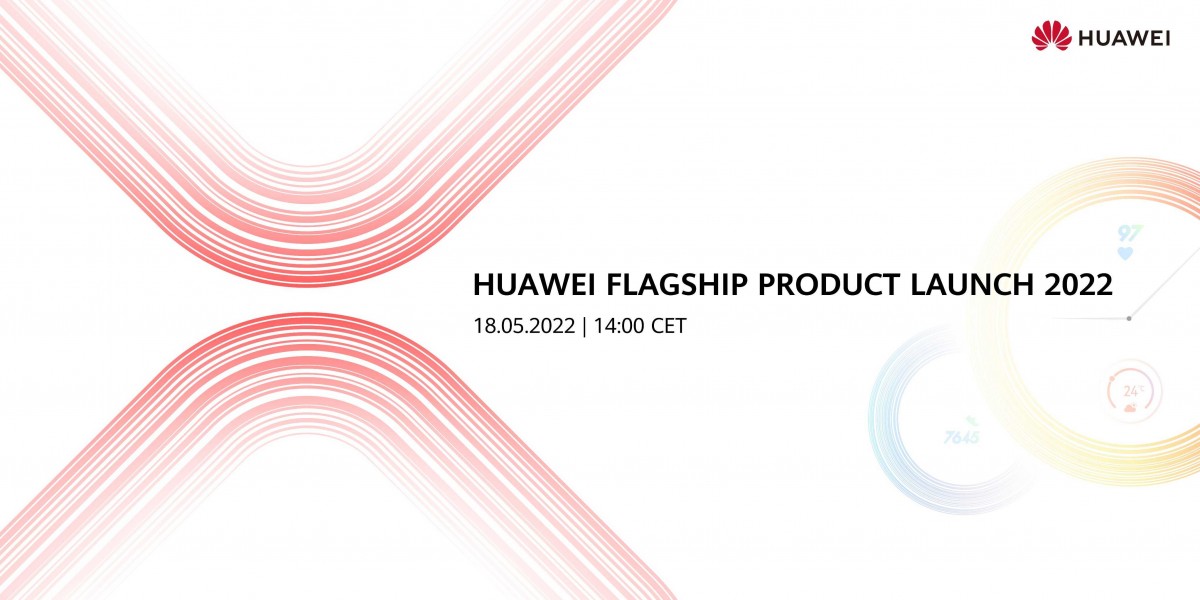
The company is now bringing these devices on the global scene, as it announced a major launch event for May 18 at 14:00 CET.
Huawei did not explicitly mention the devices, but we can see the stylized X with two folded parts in red and a watch dial in the back, fading away.
The Mate Xs 2 supports Huawei M Pencil, has a 50MP triple camera, and a 4,880 mAh battery with 66W fast charging support. The Watch GT 3 Pro is a bigger and better version of its vanilla sibling that could measure ECG but this feature will be market-dependent.
We are on the lookout for any teasers in the next eight days, leading up to the event, so we can have a clearer picture of what to expect.
Engineer gives AirPods charging case the USB-C port we all deserve
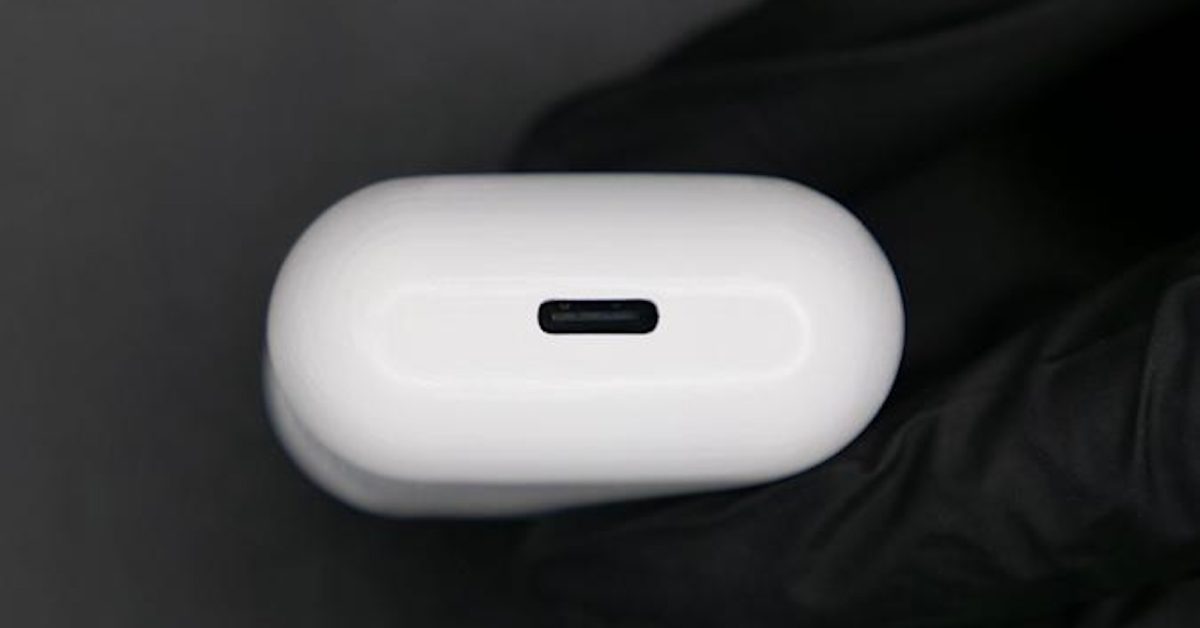
The engineer responsible for creating the first iPhone equipped with a USB C connector has returned to assist in bringing USB-C into the AirPods charging cases. Ken Pillonel has shared a new video showcasing how he successfully switched out the Lightning port on the AirPods charging case for a USB-C port, and it’s fully functional.
AirPods are available with USB-C (sort of )
).
In an interview with Engadget, Pillonel explained that his motivation for taking on this project was simple. Pillonel stated, “What Apple products are I using every day and which ones still have a Lightning port?”
This was a difficult project, especially because Pillonel wanted the product to look as professional as possible. Basically, he wanted the AirPods case with USB-C charging to look like something Apple itself would design. Pillonel said, “It was difficult because I set high standards regarding how the final product should look.”
He also wanted to make it easy for other AirPods owners to replicate this project. This was done by making the USB-C port a “brand-new replacement part” for AirPods, allowing anyone to simply “unplug the old Lightning connector” and “plug in the new USB-C circuit.”
Despite some of the hoops he had to jump through, Pillonel told Engadget that the project was well worth the effort:
But in the end, it seems the troubles were worth the effort, with Pillonel saying “It is so satisfying to be able to use only one cable and one charger for all my Apple devices. It really is how it should be.” And in a way, that’s sort of the dream: Having one cable that can recharge or send data to any device, regardless of what kind of gadget it is or who made it.
A short video posted to YouTube this week shows the USB-C charging case for AirPods in action. Pillonel claims that he is working on a more detailed video showing the entire process.
9to5Mac’s Take
Apple’s insistence on using the Lightning connector to charge AirPods is just as annoying to me as the lack of USB-C on the iPhone, if not more annoying. It is annoying to have to bring a Lightning cable for AirPods in a world that both iPad and MacBook can charge using USB-C.
The saving grace for AirPods is that they do support charging via Qi wireless technology, but that isn’t necessarily a convenient solution when you need a quick charge while on the go or traveling.
Apple may bring USB-C connectivity for AirPods in the near future. However, engineers such as Ken Pillonel will have to prove it’s possible.
A modular controller for all your metaverse adventures and beyond
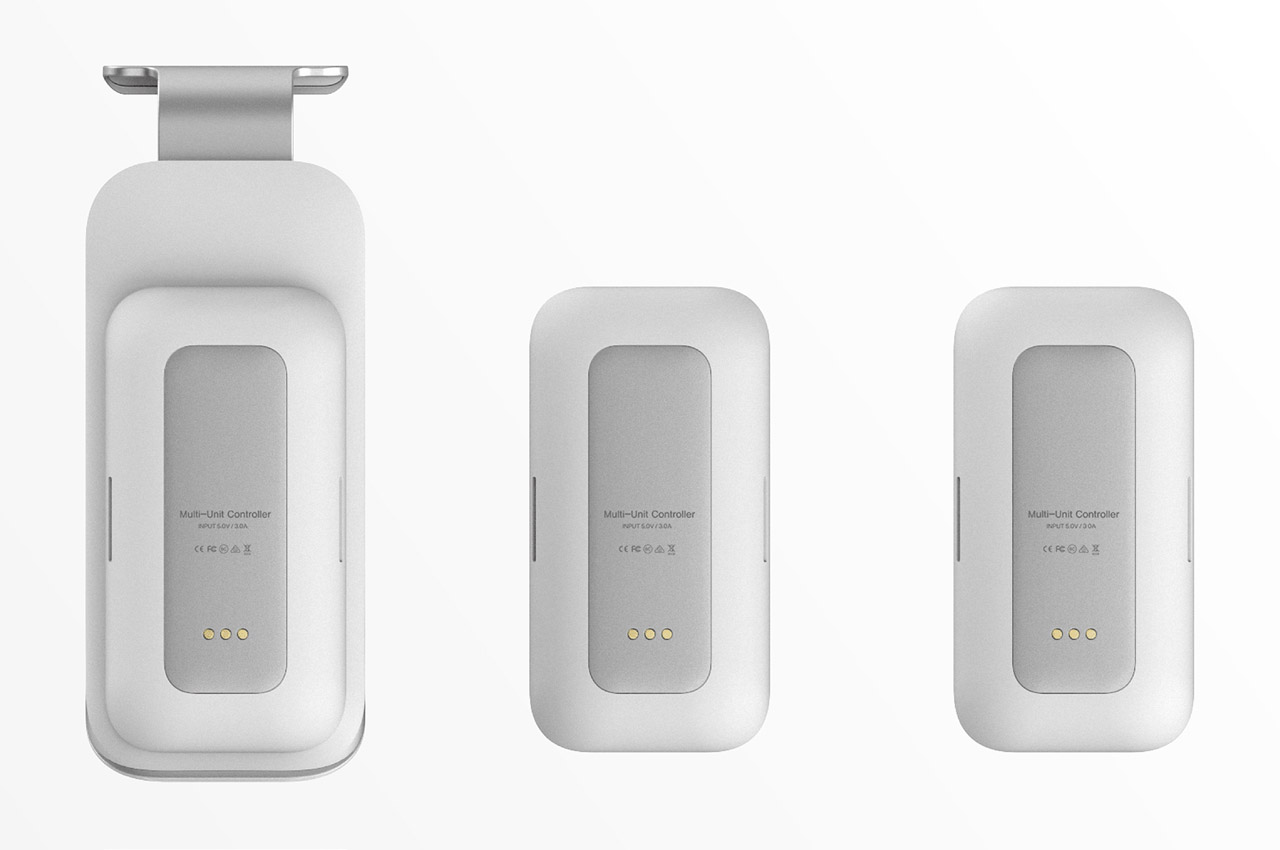
Metaverse is the next big rage aided by AR and VR ecosystems, traversing the users into a realm that’s way more exciting than the real world. The hardware environment is diversifying ever than before to express the applications of the metaverse. A modular controller will make it easy to drive the most rare hypercars or jump off the space station in the endless limits of the universe.
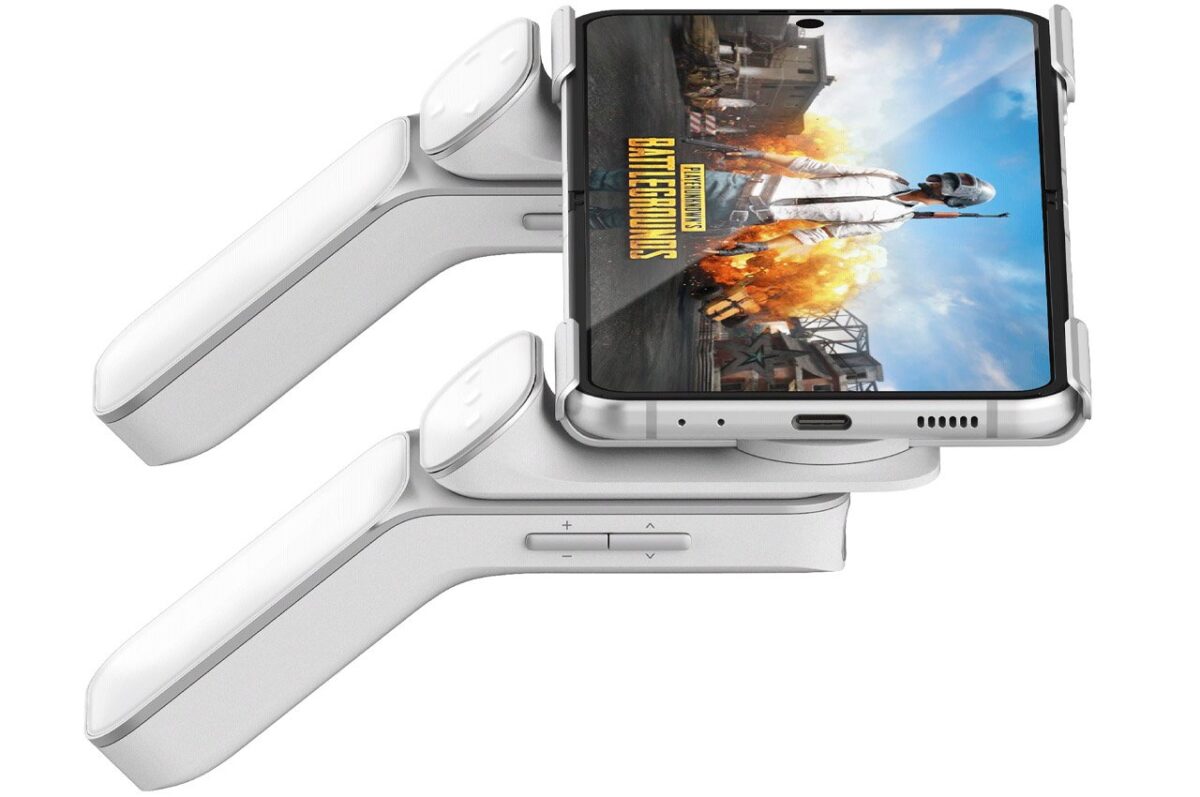
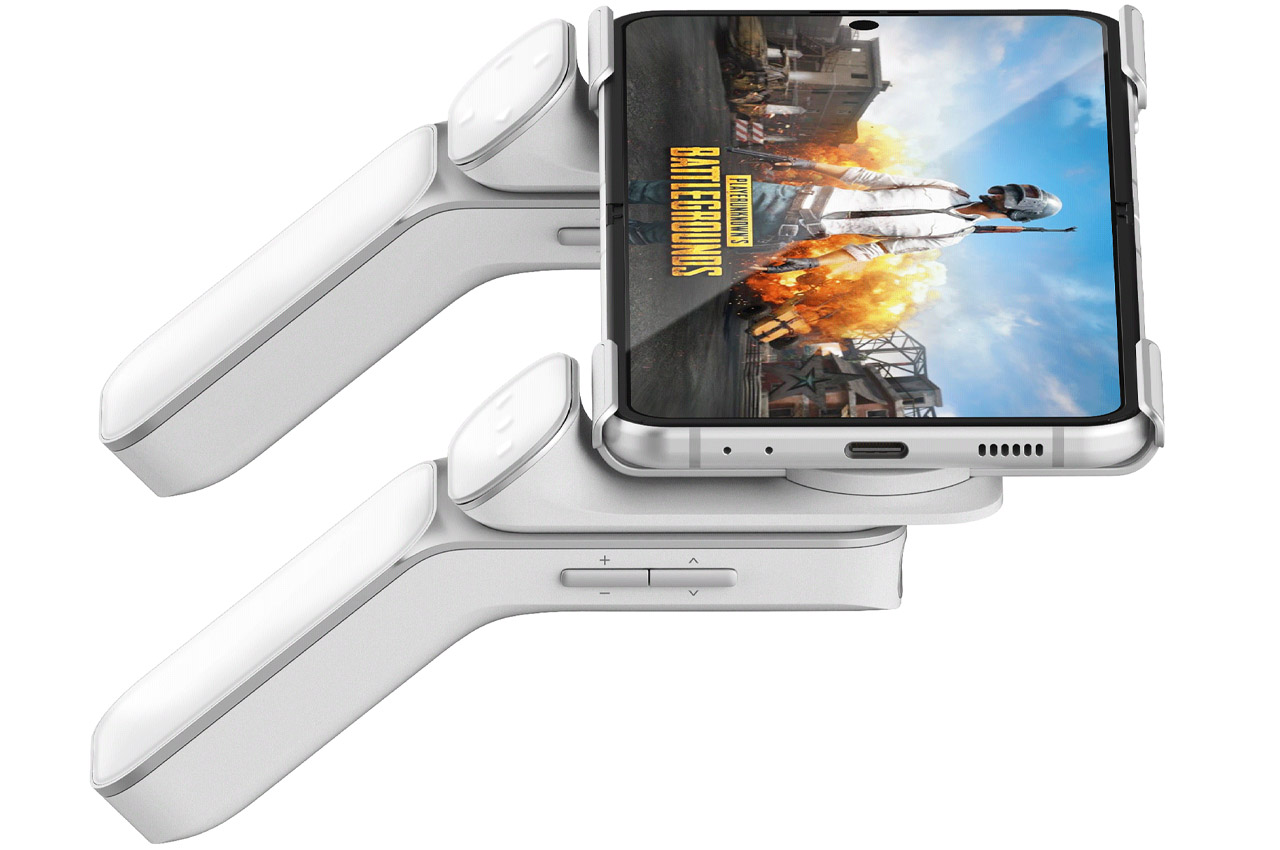
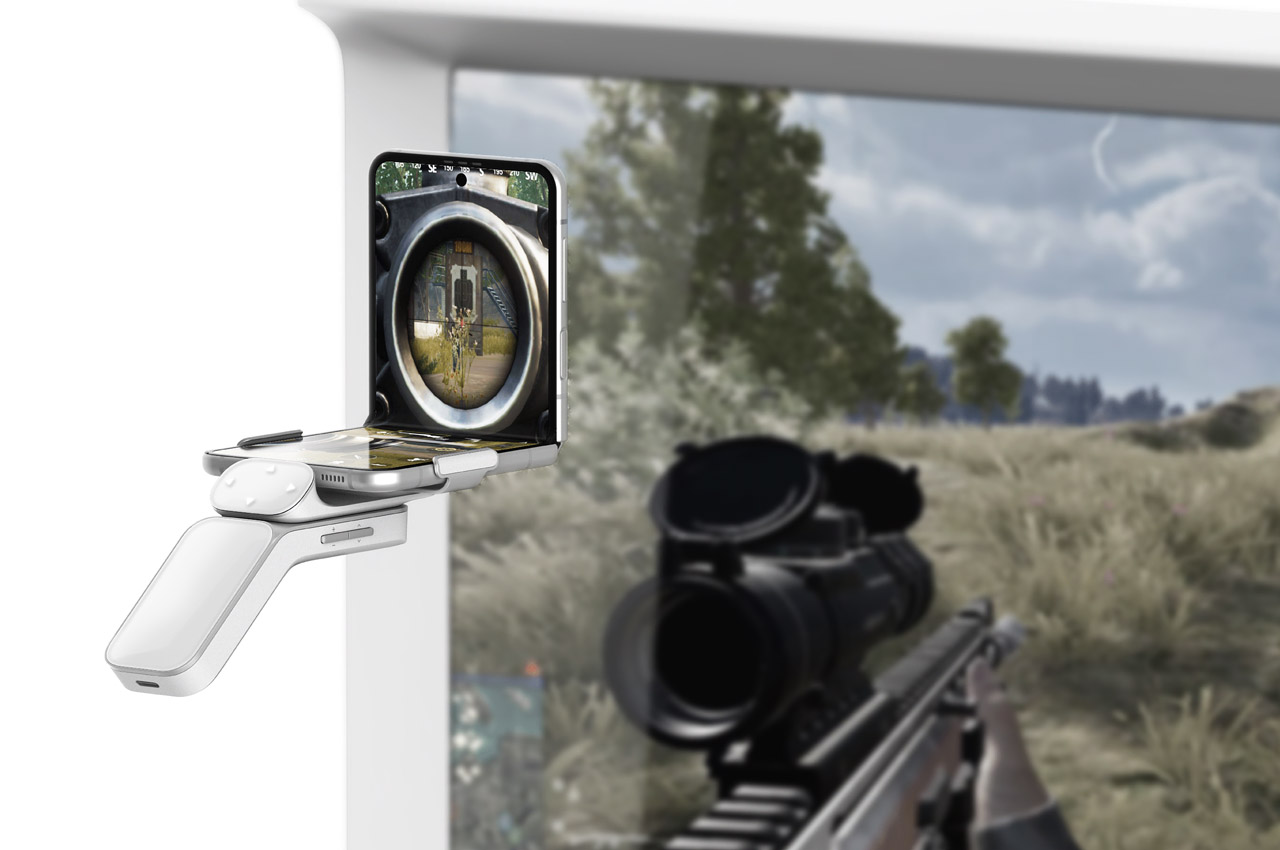
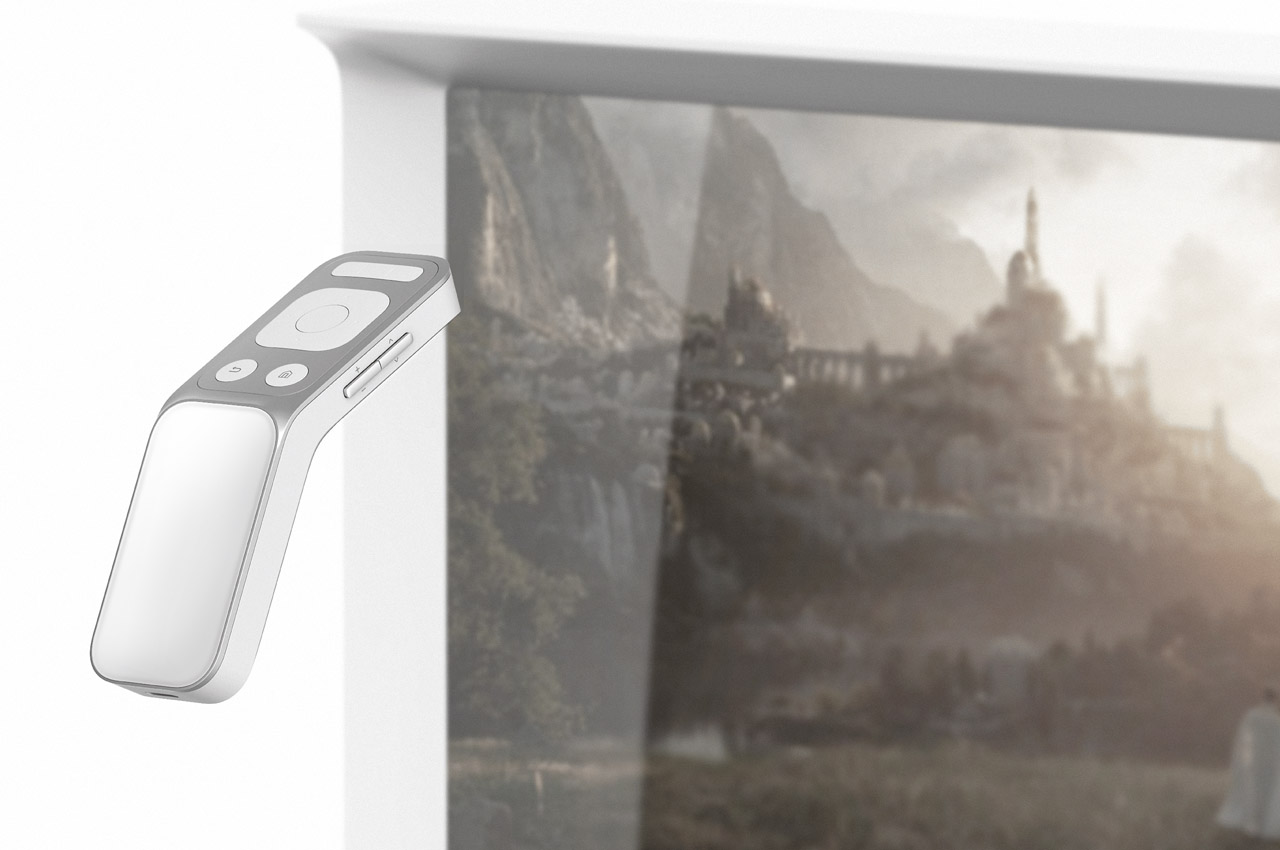
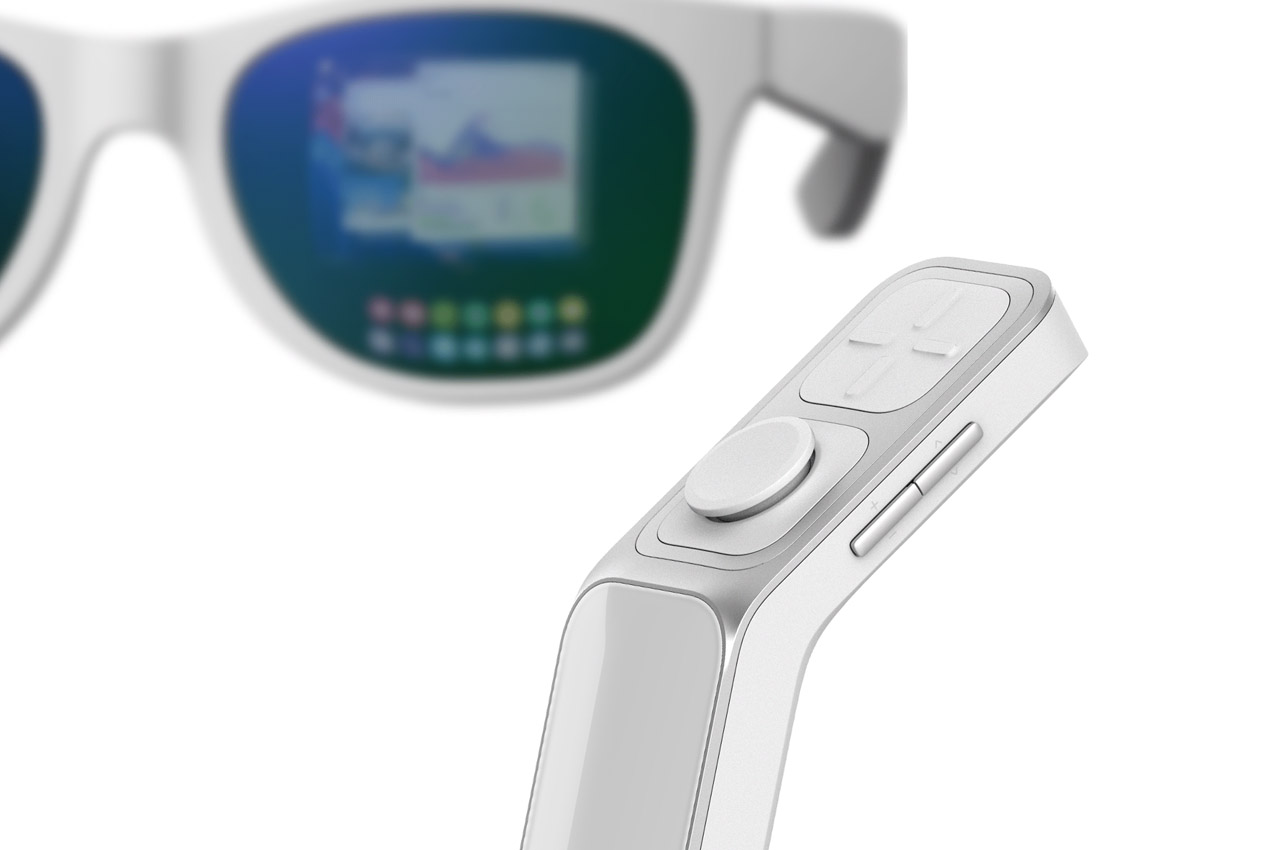
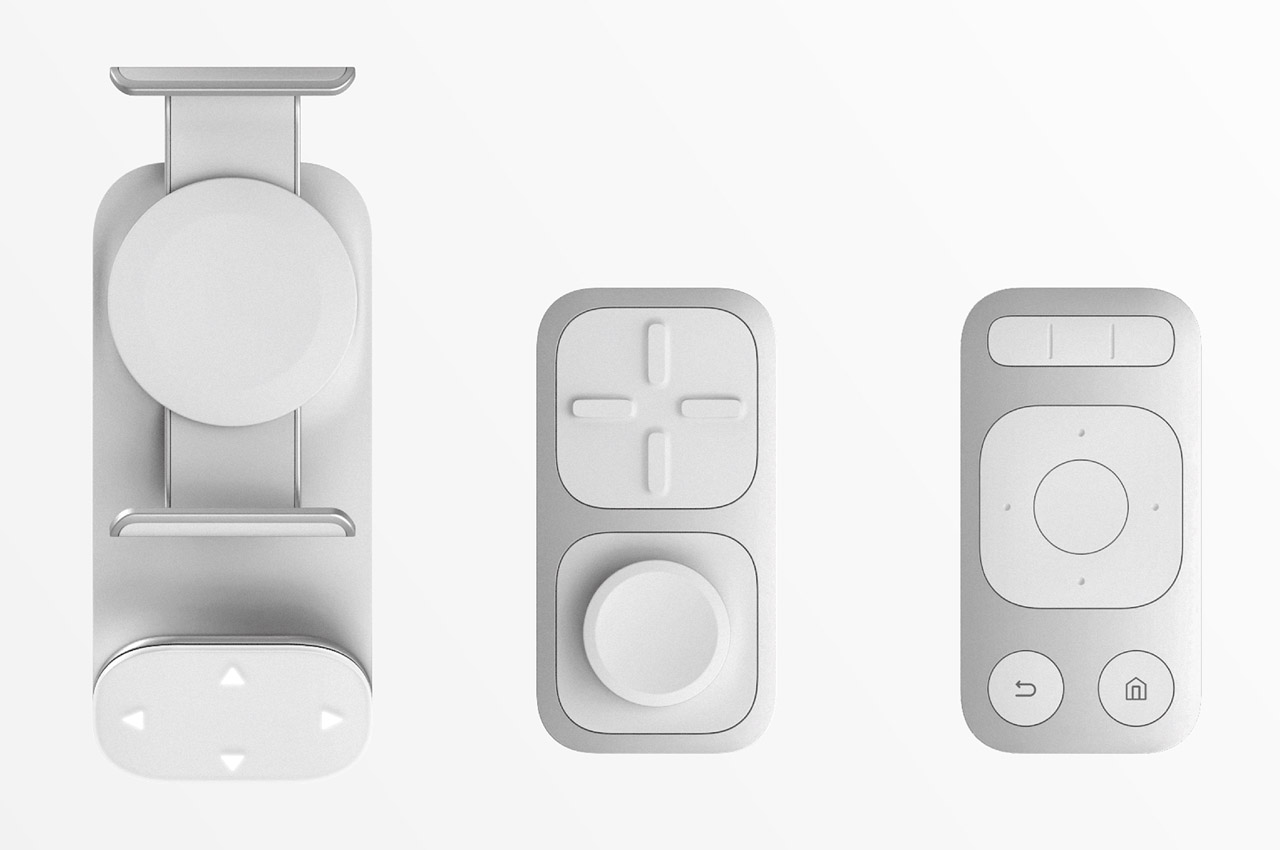
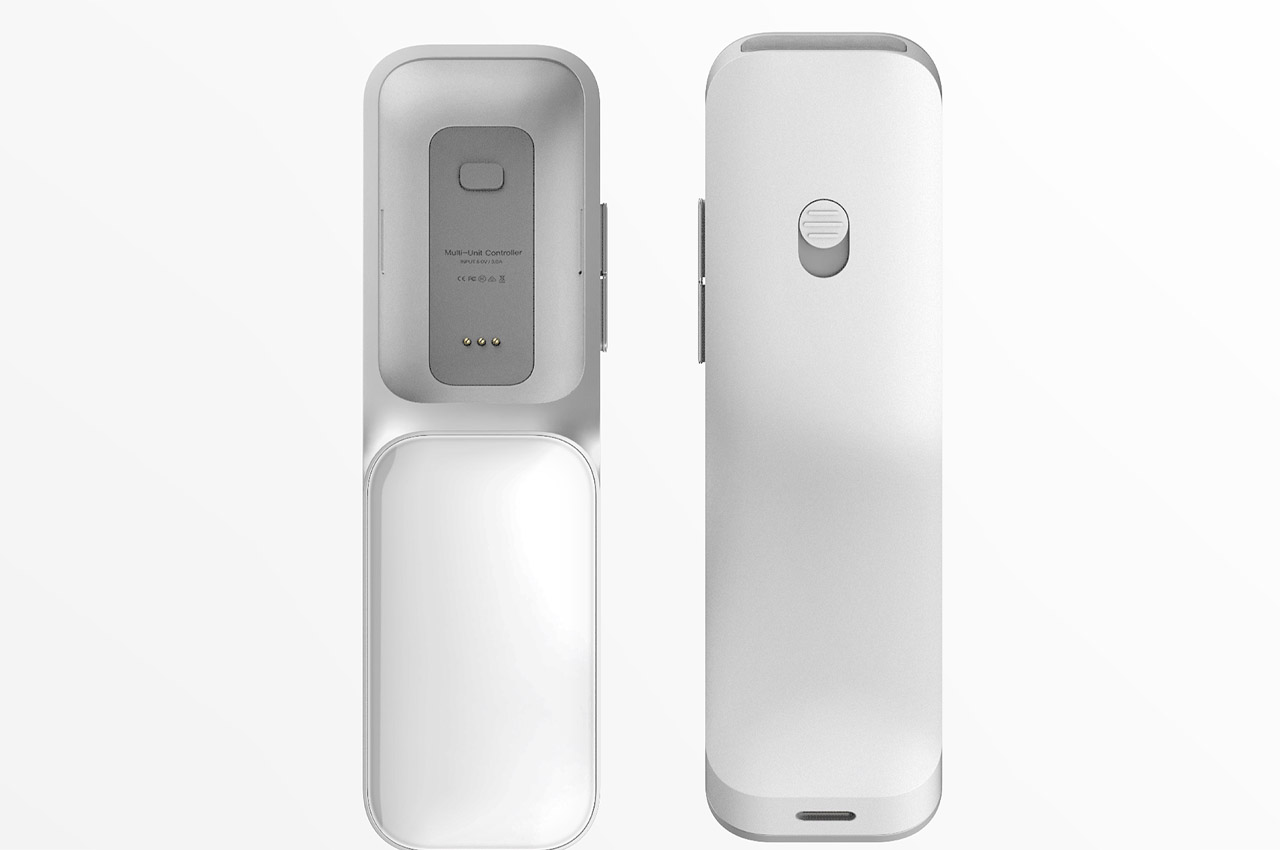
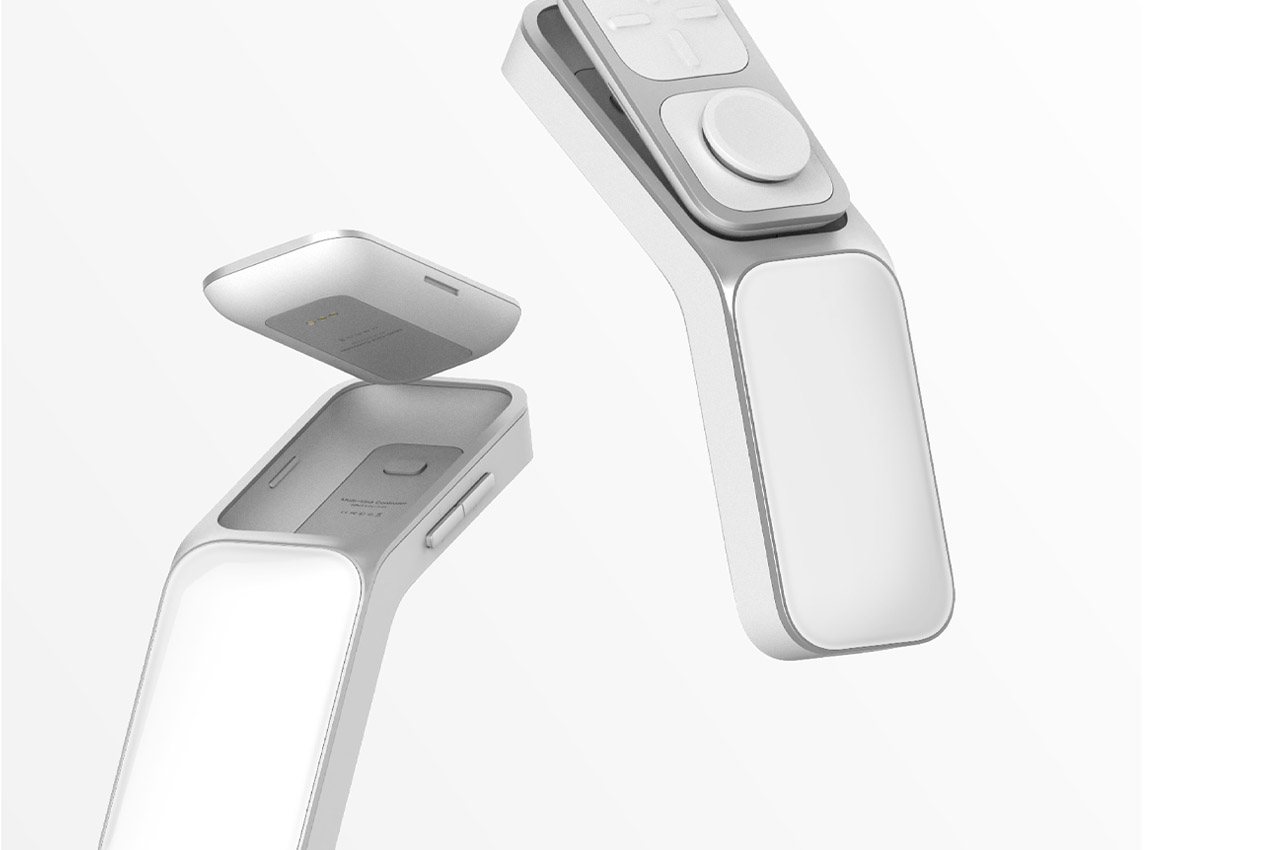
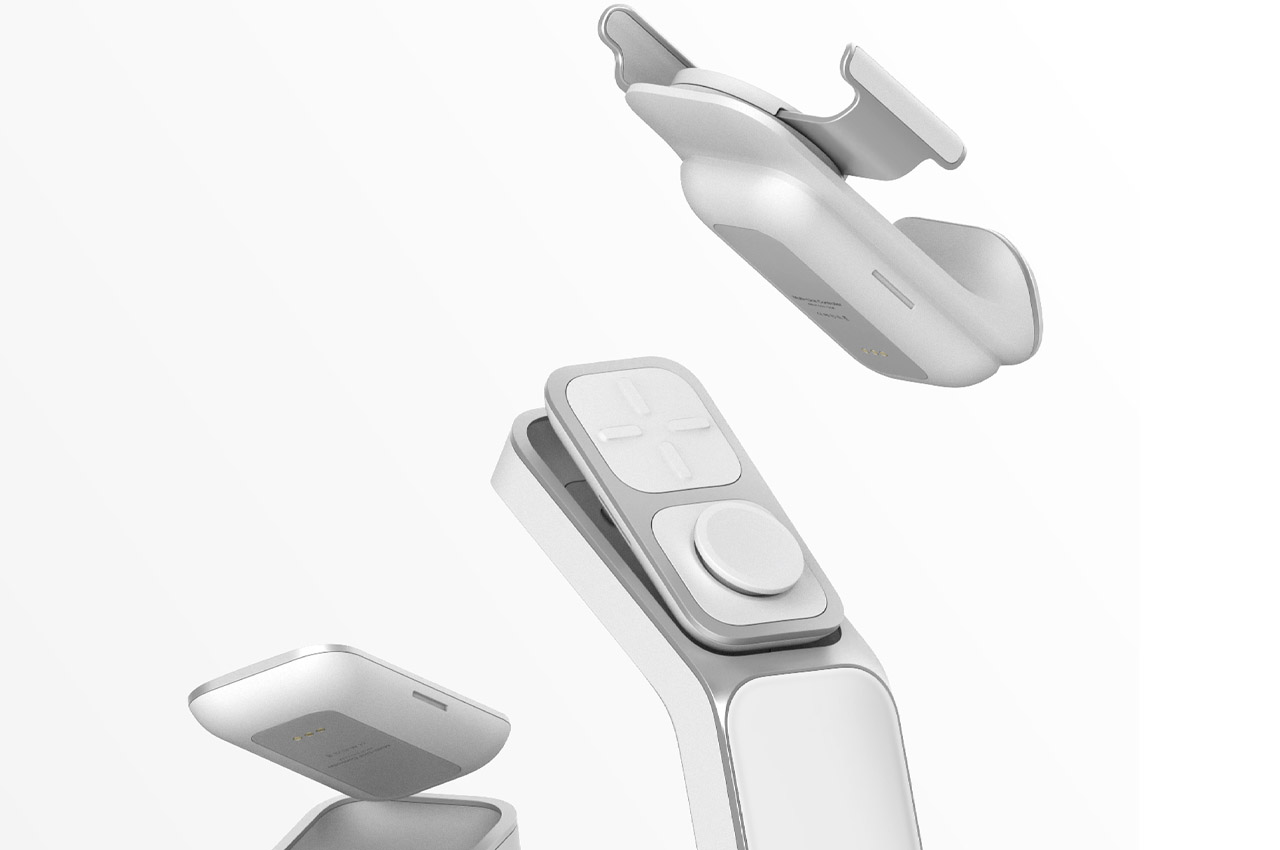
This modular controller seems like a viable idea for the future where we’ll be spending a chunk of our time in the hyper-reality. It is not yet clear what role AR/VR headsets/glasses/glasses, smartphone display screens, and other peripherals will play. However, such cool peripherals could be a benefit to the metaverse in many ways. Modulus is the new modular system smart controller. It consists of three units that can each be used depending on how the user interacts in the metaverse.
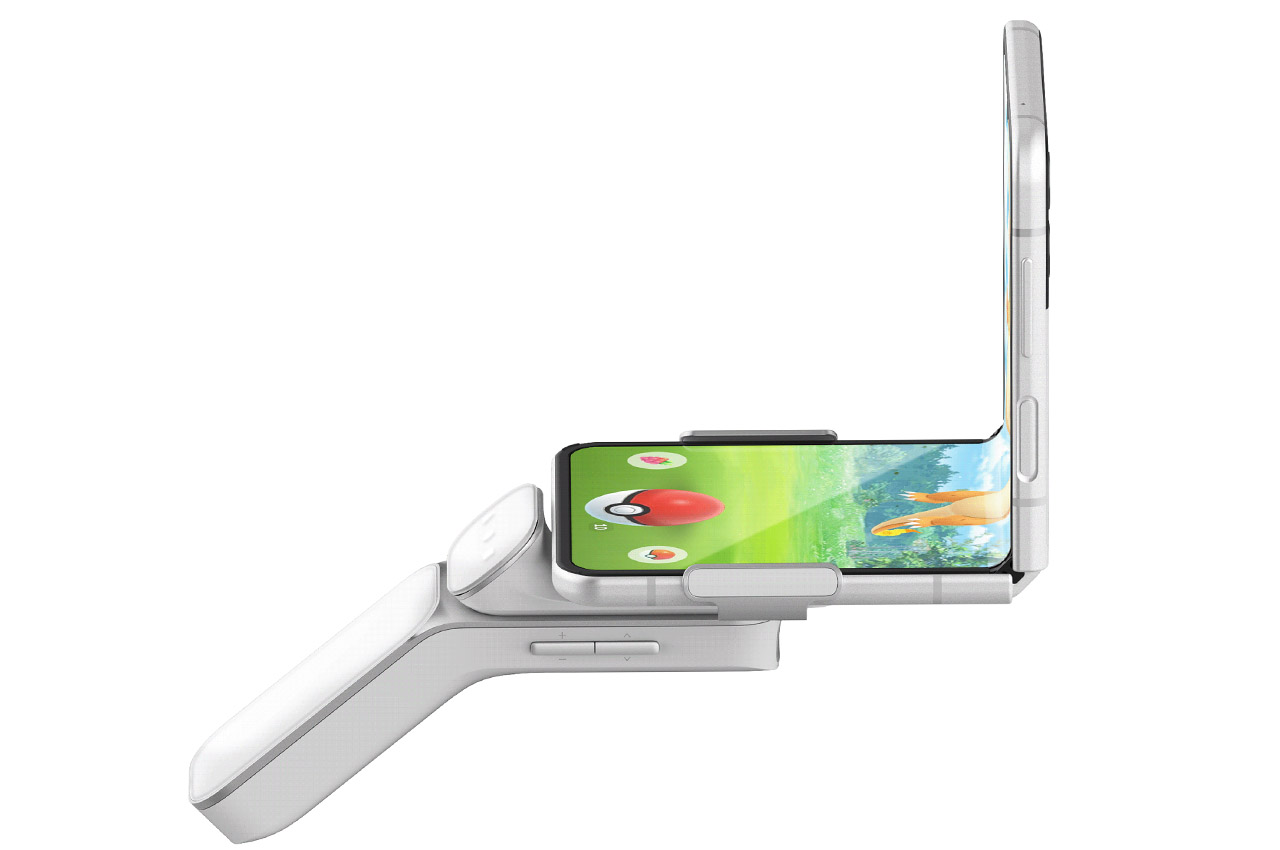
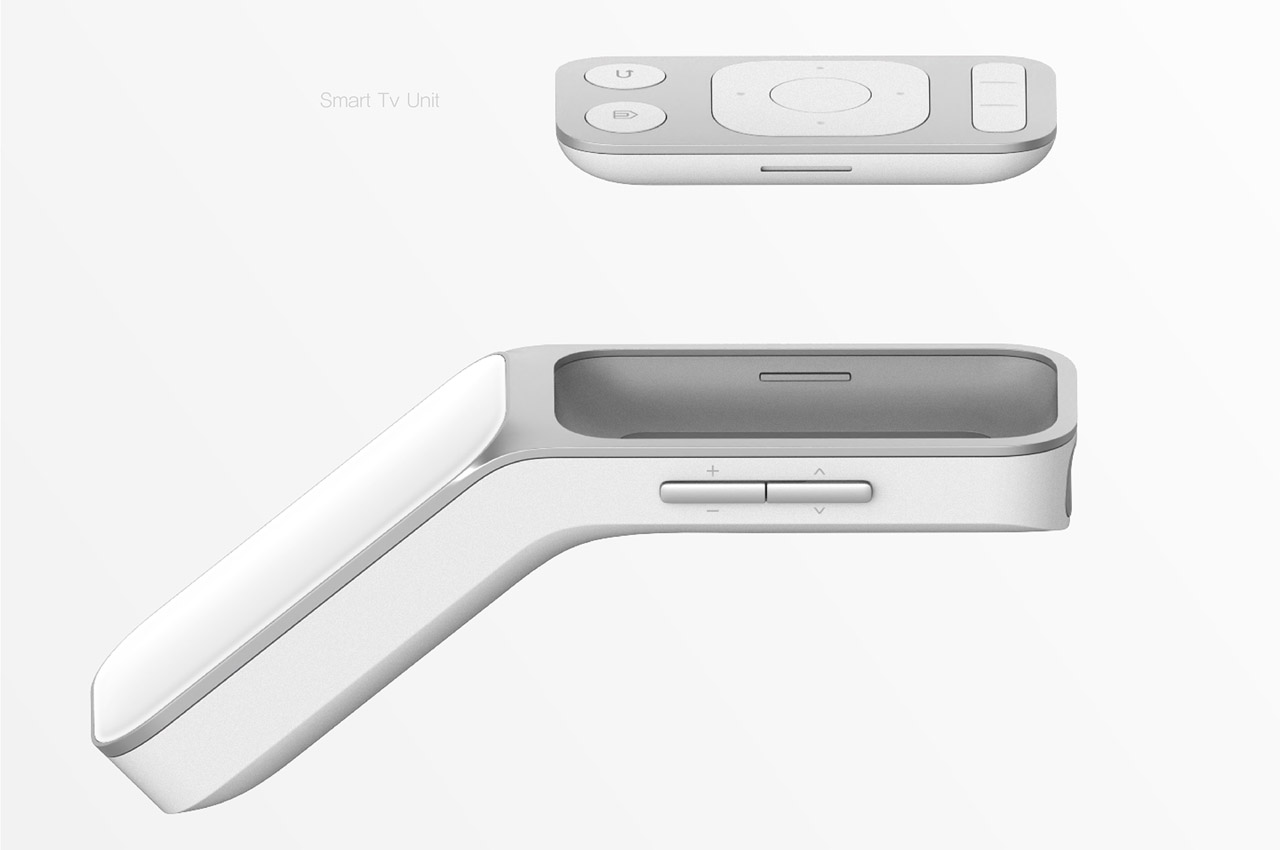
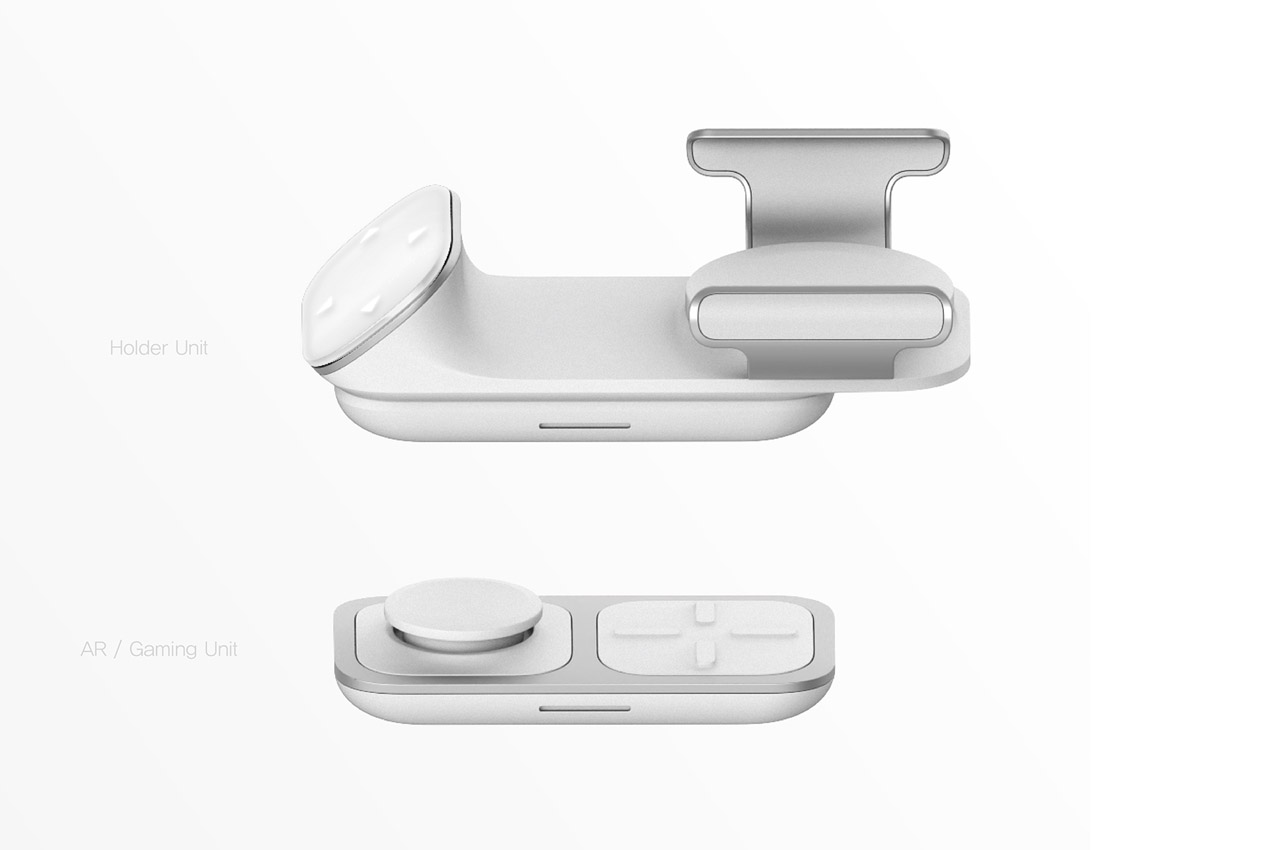
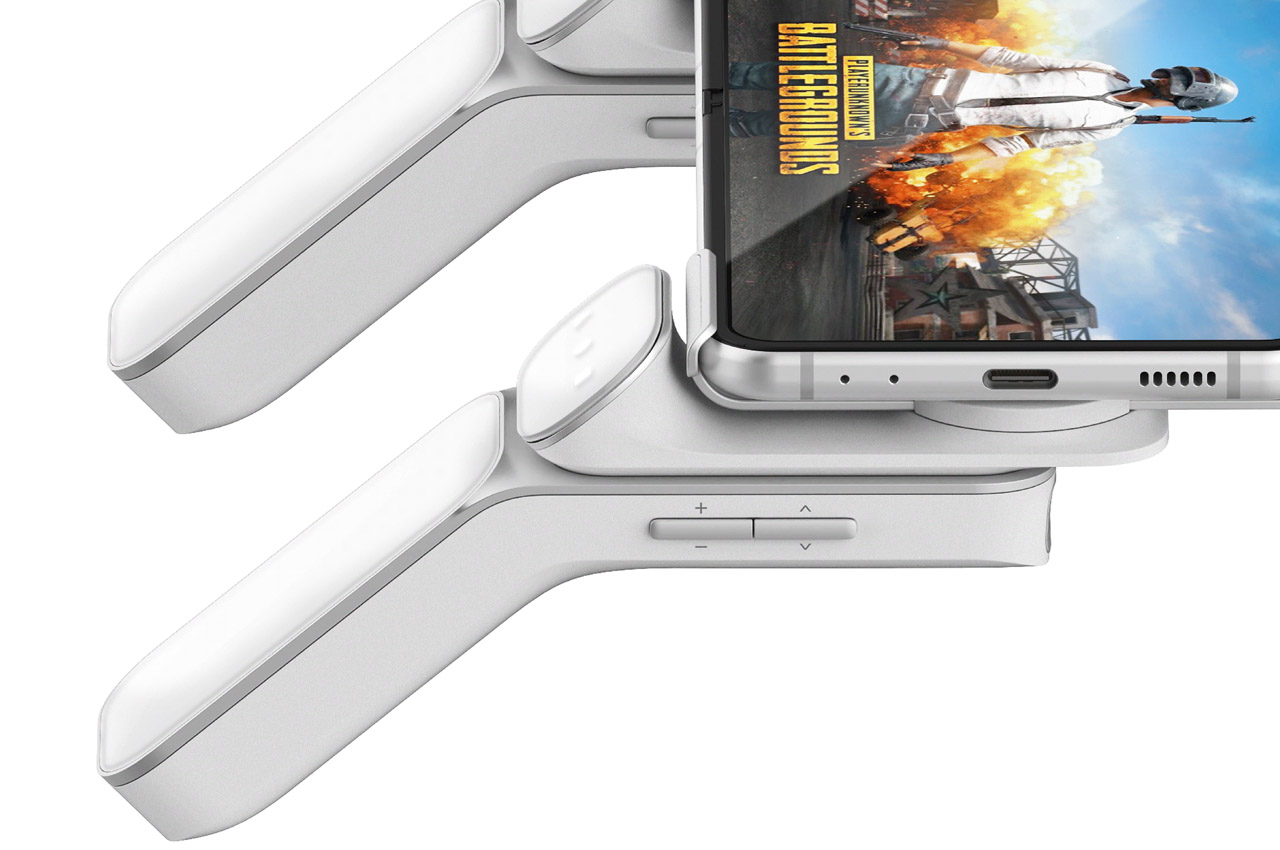
These three units include a holder to hold your smartphone, an AR gaming unit, and a SmartTV unit. The use case scenarios are plenty, right from using the holder unit as a smart scope interface in the peripheral vision to using it as a pair of 360-degree freedom Oculus Quest 2 Controller Grip-like accessories. It is important to create a controller that’s easy to modify without much effort.
Take for example attaching the smartphone to the two holder units, and then onto the base modules to act as a gaming controller. After you are done in COD Mobile knocking out your opponent, remove the set-up and connect the Smart TV to one of the base module to use VR navigation to take you to your preferred scenic spot to relax.
Designer Min Chang KIM captured the essence of the metaverse’s function and the functionality that will allow for seamless transitions from the real to the virtual world.
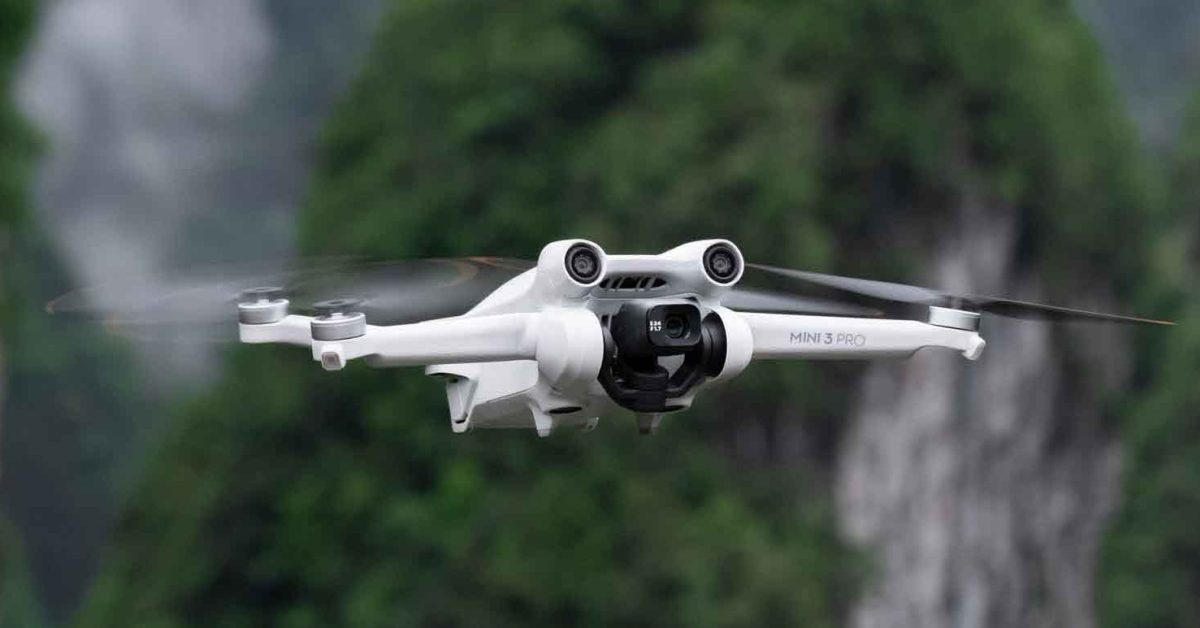
DJI Mini 3 Pro review: 249g pocket drone plays with the big boys
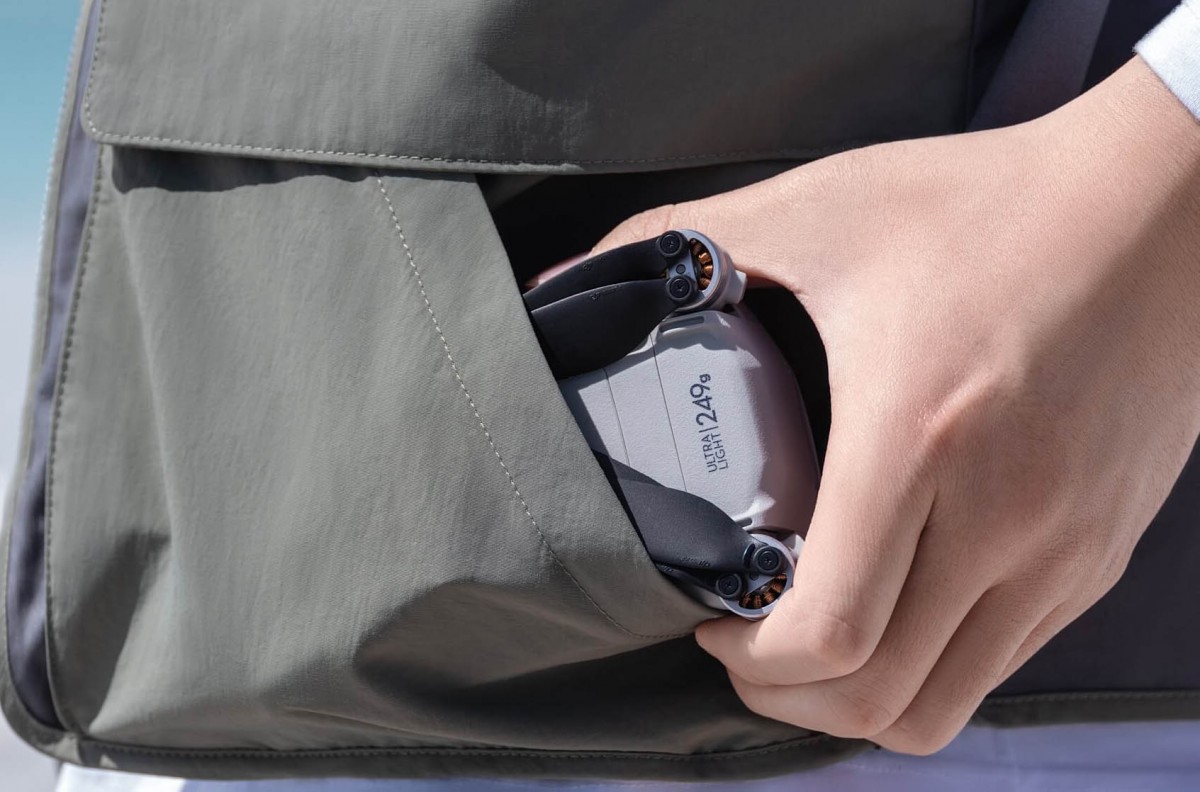
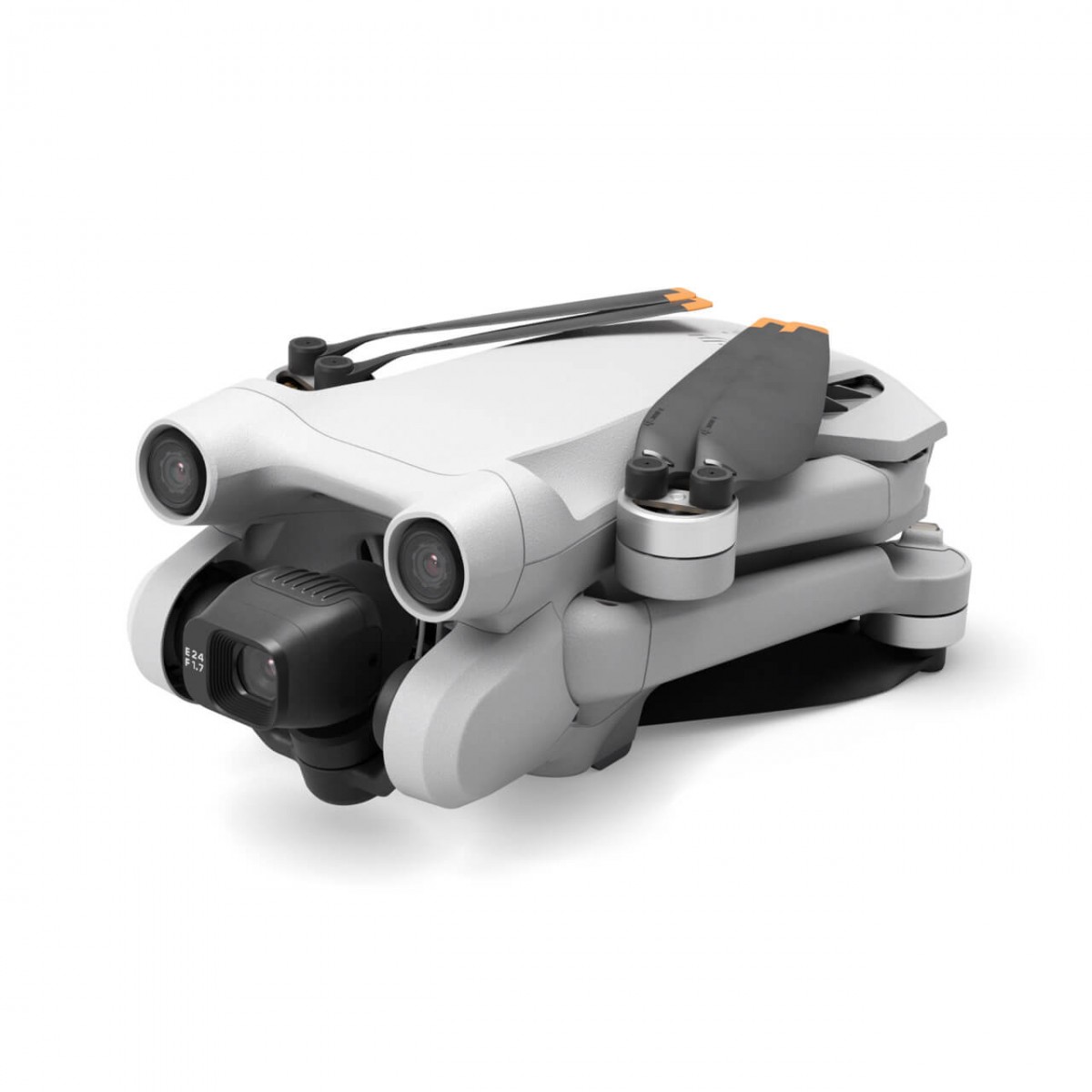
DJI is at it again, bringing technology from its bigger, more expensive products down to its diminutive sub-250-gram DJI Mini 3 Pro drone, which means you don’t need a license to fly it in the US and other jurisdictions. This makes it an excellent high-end drone to start with, or for those who just want to learn how drone flying works.
DJI Mini 3 Pro – Features from bigger drones in 249g package
Until now, you’ve needed bigger drones like the $999 Air 2S and $2,000 Mavic 3 to get some of the features launching with the DJI Mini 3.
FocusTrack Suite: – Spotlight 2.0 Keeps the subject in frame while you fly manually. – Point of Interest 3.0 Circles the subject in a set flight radius and speed. – ActiveTrack 4.0 Follows the subject in two selectable ways. # Trace: The aircraft tracks the subject at a constant distance. # Parallel: The aircraft tracks the subject while flying beside it at a constant angle and distance.
QuickShots – Dronie: Aircraft flies back and up with the camera locked on the subject. – Helix: Aircraft flies up and spirals around the subject. – Rocket: Aircraft flies up with the camera facing down. – Circle: Aircraft circles around the subject. – Boomerang: Aircraft flies around the subject in an oval path, ascending as it flies away and descending as it returns. – Asteroid: Aircraft creates a shot that begins as a sphere panorama high above the subject and ends with a normal shot hovering near the subject.
* MasterShots: Keeps the subject in the center of the frame while executing different maneuvers in sequence to generate a short cinematic video. * Hyperlapse: Creates a dynamic timelapse where the aircraft flies on set paths during capture.
DJI Mini 3 Pro’s major flaw:
Here’s an example of the Mini 3 flying alongside and around the Rivian R1T using Active Track 4.0
Active Track 4.0 works in certain conditions, but it isn’t as robust as the Mavic 3’s Active Track 5. You can see above that the drone loses the pickup for various reasons. The complicated backgrounds and speed of the vehicle lose the drone on multiple occasions where the bigger, more expensive Mavic 3 or Skydio 2 drone would have been able to follow the subject longer.
More importantly, the Mini 3 doesn’t have sideways obstacle avoidance (which I learned the hard way). So if you are flying parallel with the subject, make sure there are no objects of any sort along the flight path because the Mini 3 can only avoid obstacles at are in front of or behind it.
This goes for all Master shots. If the Mini 3 is flying sideways, it is naked in terms of obstacle avoidance. Pilots who are more familiar with obstacle avoidance will find this a challenge when flying from larger DJI drones.
DJI says the Mini 3 has “Tri-Directional Obstacle sensing” which is a little bit misleading. It sees only in the in front, below and behind plane. Anything to the left or right is blind which means you can’t get great follow shots without flying blind to obstacles.
For me and my now injured Mini 3, this was the biggest deficiency.
DJI Mini 3 flight time extended
If you need to stay under that 249g limit, the standard battery for the Mini 3 will keep the drone aloft for over a half hour (34 mins officially).
DJI also offers an extended range battery which will keep the drone aloft for 47 minutes (!! )
In my testing, I got incredible flight times with the 34-minute battery, even doing follow stunts and recording 4K video that seems to confirm DJI’s 34-minute flight time. It is genuinely hard to believe how long these little batteries keep this thing aloft.
DJI Mini 3 camera system
Probably the biggest step up on the Mini 3 Pro is the camera that now plays with the big boys, featuring 4K 60fps (30fps in HDR) and up to 48mp stills. In my limited experience here, the imagery coming out of the camera was worlds better than the Mini and Mini 2, but still not anywhere near the more expensive Mavic 3. The image quality is approaching the DJI Air 2S however, which might be a dilemma in DJI’s product strategy (why buy an Air 2S when the Mini 3 is cheaper and more portable? )
DJI describes the camera system thusly:
DJI Mini 3 Pro also brings a completely enhanced imaging system. A 1/1. 3-inch CMOS camera sensor has dual native ISO, a capturing technology previously only available on cinema and some micro single cameras. It also has an aperture of f/1. 7 and shoots images at up to 48MP and video at up to 4K/60fps. To help capture high-quality easy-to-upload content, the camera rotates 90 degrees for True Vertical Shooting, creating incredible photos and videos in portrait orientation without quality-cutting image zooming and cropping. For the most vivid detail, HDR video recording is available at frame rates up to 30fps. A Normal color profile is available for quick in-app editing, while D-Cinelike allows for more post-editing possibilities. Digital video zoom at up to 2x is available in 4K, 3x in 2. 7K, and 4x in Full HD. Among the key pieces of user feedback we’ve applied, DJI Mini 3 Pro also has improved image performance with 2. 4mm pixels that capture more image detail, which is especially helpful in low lighting and night.
DJI RC
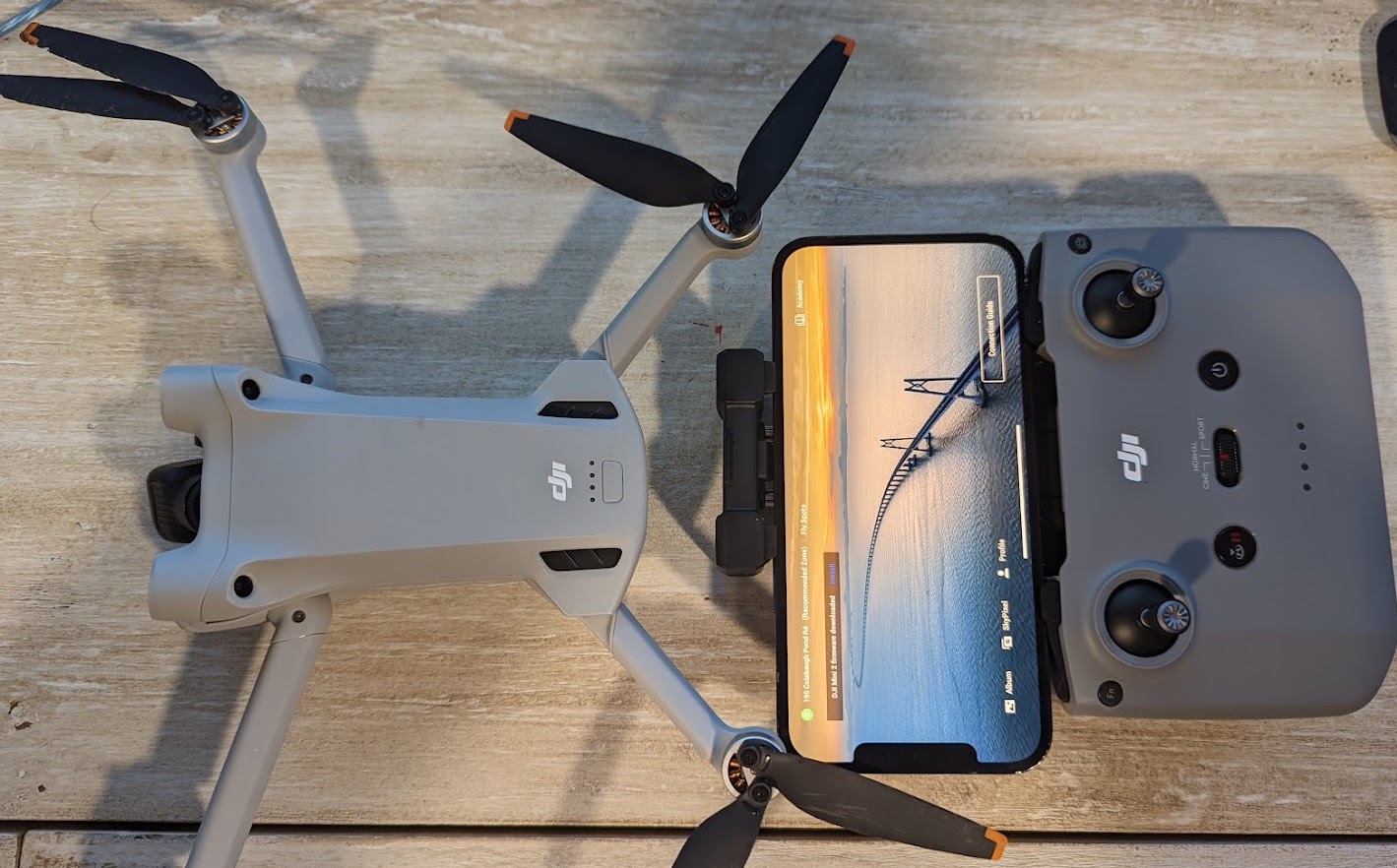
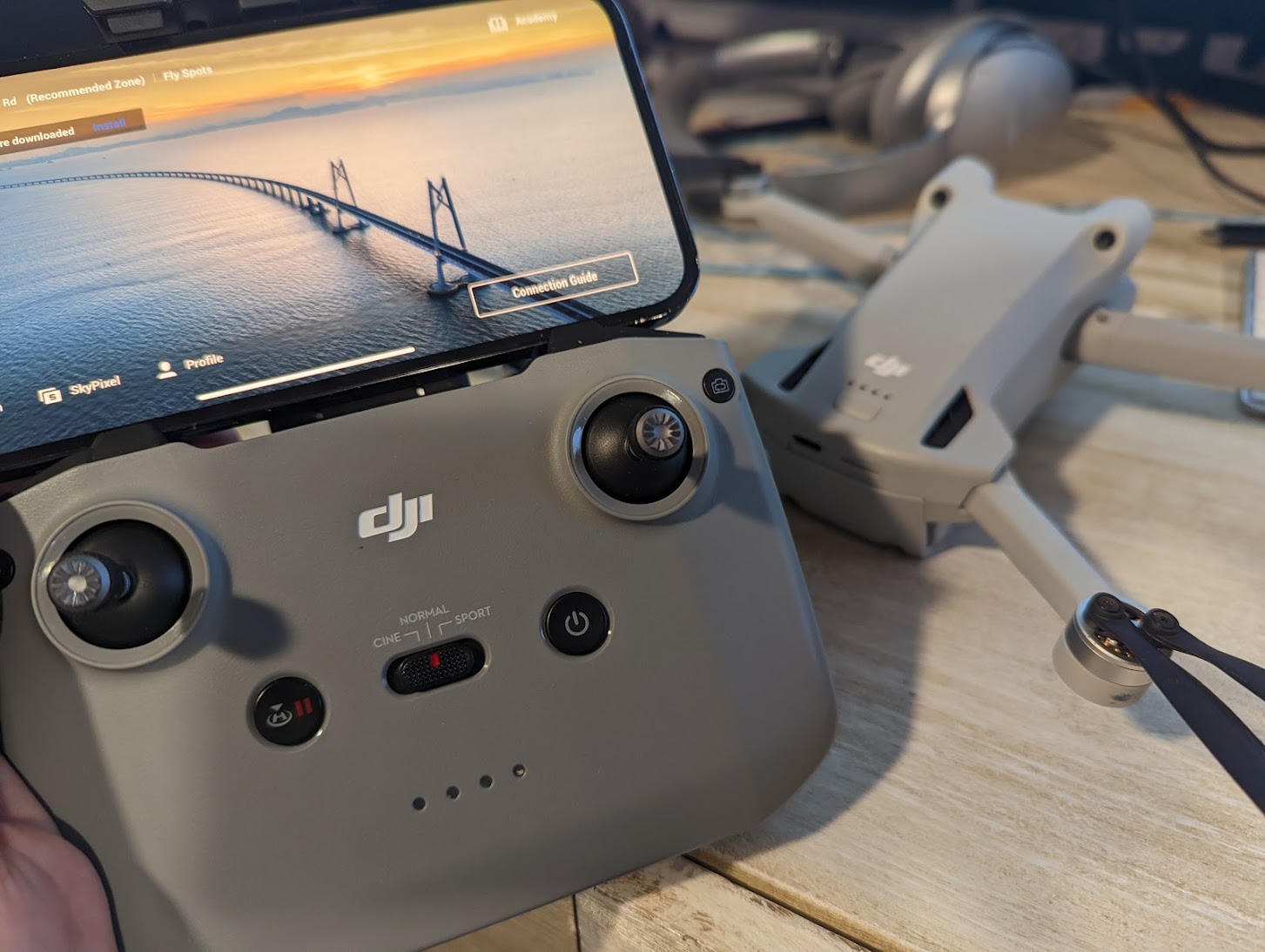
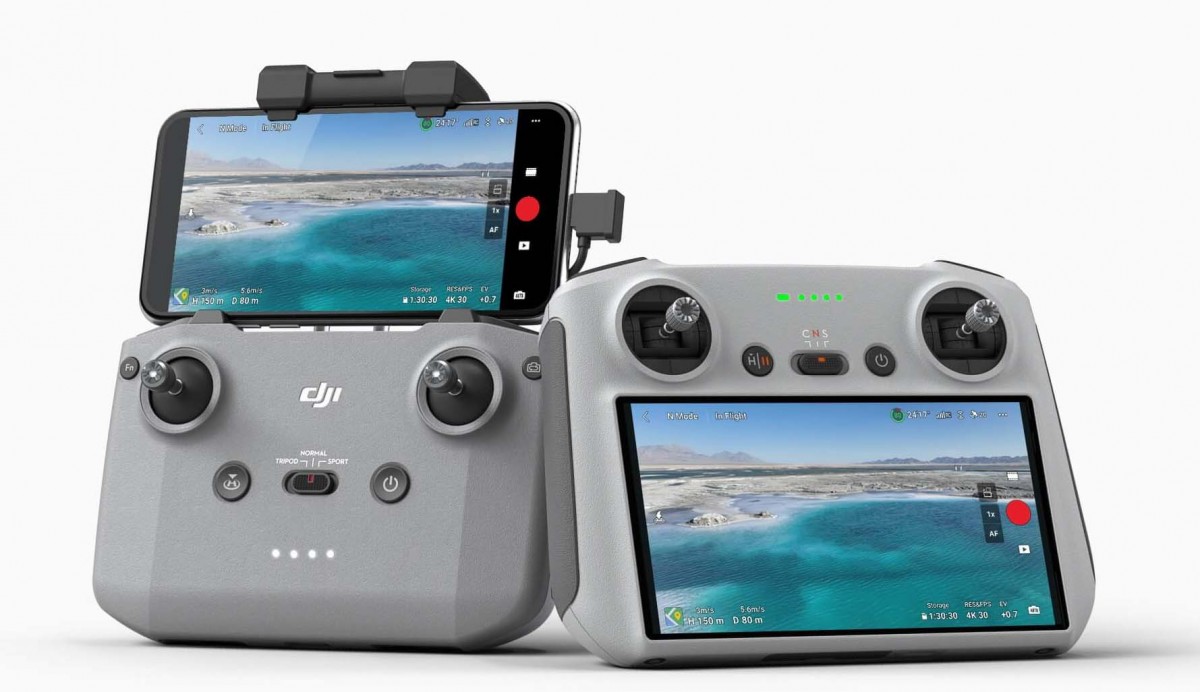
While most 9to5Mac readers will be using their smartphone or iPad Minis for controlling their DJI drones, DJI also has a new, low-cost, and lightweight RC controller with a 5. 5-inch built-in touchscreen.
In my experience, it was much easier to fly than rigging a phone to a controller and using the app. On the flip side, it is more work to get the images and videos off the drone and to social media or other publishing places where a smartphone shines. I think many drone pilots will prefer to have a fully functioning smartphone or tablet as their control device for this reason. The RC can still be used as a “set it, forget it” tool and is reasonably priced. Another downside: Instead of folding sticks, DJI went with its tried and true screw in control stick which are stored in the back. So add a minute or 2 to your setup time if these are stored in the controller before flight. More on RC here.
Price and availability
The DJI Mini 3 Pro is available for pre-order today from store.dji.com and most authorized retail partners in several configurations. The DJI Mini 3 Pro (no remote controller) retails for $669 USD and includes DJI Mini 3 Pro, and excludes any remote controller for those who already have a compatible model to control the drone. Alternatively, the DJI Mini 3 Pro retails for $759 USD and includes DJI RC-N1. DJI Mini 3 Pro (DJI RC) retails for $909 USD and includes DJI RC.
In addition, accessory kits made for DJI Mini 3 Pro are available for pre-order today.
The DJI Mini 3 Pro Fly More Kit retails for $189 USD and includes two Intelligent Flight Batteries, one two-way charging hub, two sets of propellers, and one shoulder bag. The DJI Mini 3 Pro Fly More Kit Plus retails for $249 USD and includes two Intelligent Flight Batteries Plus, one two-way charging hub, two sets of propellers, and one shoulder bag. Other accessories can be purchased separately.
DJI’s Mini 3 Pro is here with a big sensor, three-way obstacle avoidance
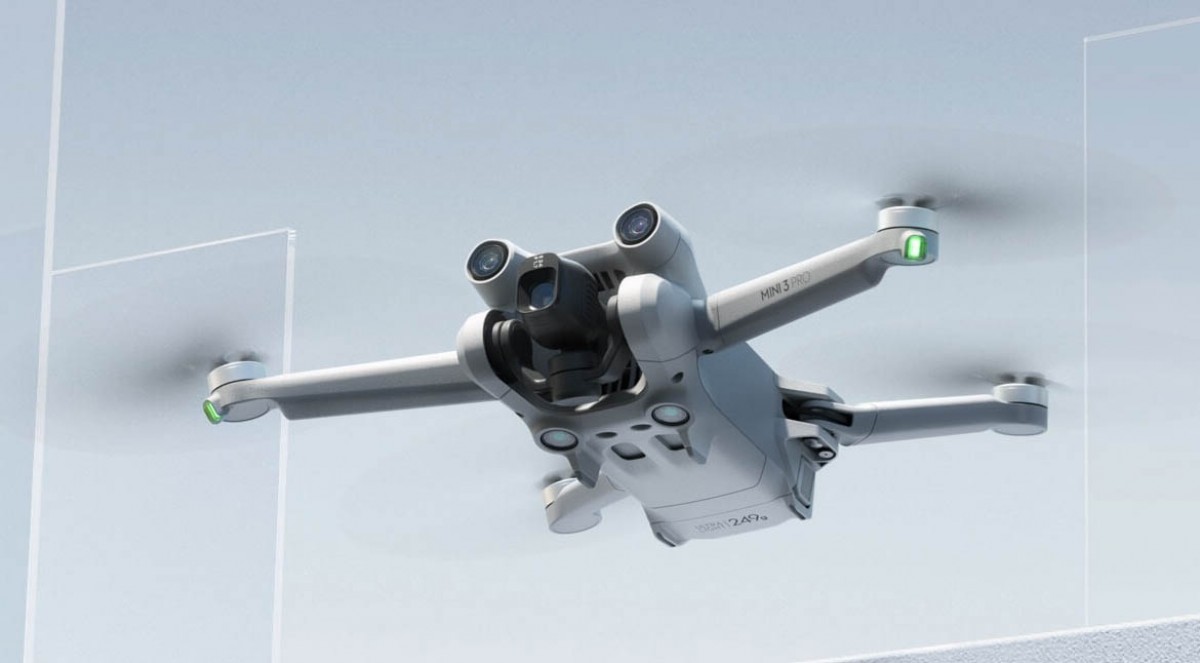
This year, DJI’s mini drone is going pro. Still right under that all-important 249g weight, which means you’re not required to register the drone with most authorities, the DJI Mini 3 Pro is a more premium drone than its predecessor.
For starters, it gets a new 1/1. 3-inch sensor with a bright f/1. 7 aperture that should fare better in all kinds of light. The sensor is a 48MP unit and can shoot in full-res 48MP, or in binned 12MP mode. The lens itself is 24mm – the same width as the mini 2, but narrower than the Air 2S’ 20mm lens.
In terms of video, the DJI Mini 3 Pro ups the ante over its predecessor. It can record 4K video up to 60fps and 4K HDR video up to 30fps. There’s also the flatter D-Cinelike.
The three-axis gimbal of the DJI Mini 3 Pro can rotate vertically to produce that TikTok and Reels-worthy video.
Another huge improvement over the DJI Mini 2 is obstacle avoidance. While that drone only had downward sensors, the Mini 3 Pro has forward, backward and downward sensors. They allow the DJI Mini 3 Pro to support autonomous flight modes like Spotlight 2.0, Point of Interest 3.0, Active Track 4.0, and MasterShots. Hyperlapse is also available.
Flight time has been slightly increased from the Mini 2’s 31 minutes to 34 minutes with the standard Intelligent Flight Battery. There’s an optional Intelligent Flight Battery Plus that comes with the Fly More Combo, which increases the flight time to a bonkers 47 minutes, though that cell requires the faster DJI 30W charger and moves the drone past the no-regulations 249g weight.
The DJI Mini 3 Pro can capture H.264 and H.265 video up to 150 Mbps (up from 100 Mbps on the mini 2). There’s a zoom mode in video – 2x in 4K and 4x in 1080p. Slow-motion capture is done in either 4K@60fps or 1080@120fps.
Looking at the specs, the DJI Mini 3 Pro is closer to the Air 2S than the Mini 2. The bigger drone has better obstacle avoidance, is a bit faster, and uses a bigger sensor, but the new Mini 3 Pro is close on all of these fronts.
DJI is introducing a new DJI RC controller with a 5. 5-inch 700 nit display built-in. This is lighter than the RJI RC Pro.
The DJI Mini 3 Pro is on sale from today. You have a choice of three tiers – the DJI Mini 3 Pro with the standard RC-N1 controller for EUR829, the DJI Mini 3 Pro with the new RC controller for EUR999, and just the drone without a controller, going for EUR739.
You can order the DJI Mini 3 Pro today with shipments expected to commence on May 17.
Gentler Streak for Apple Watch adds workouts voice feedback, now tracks housekeeping, gardening, more
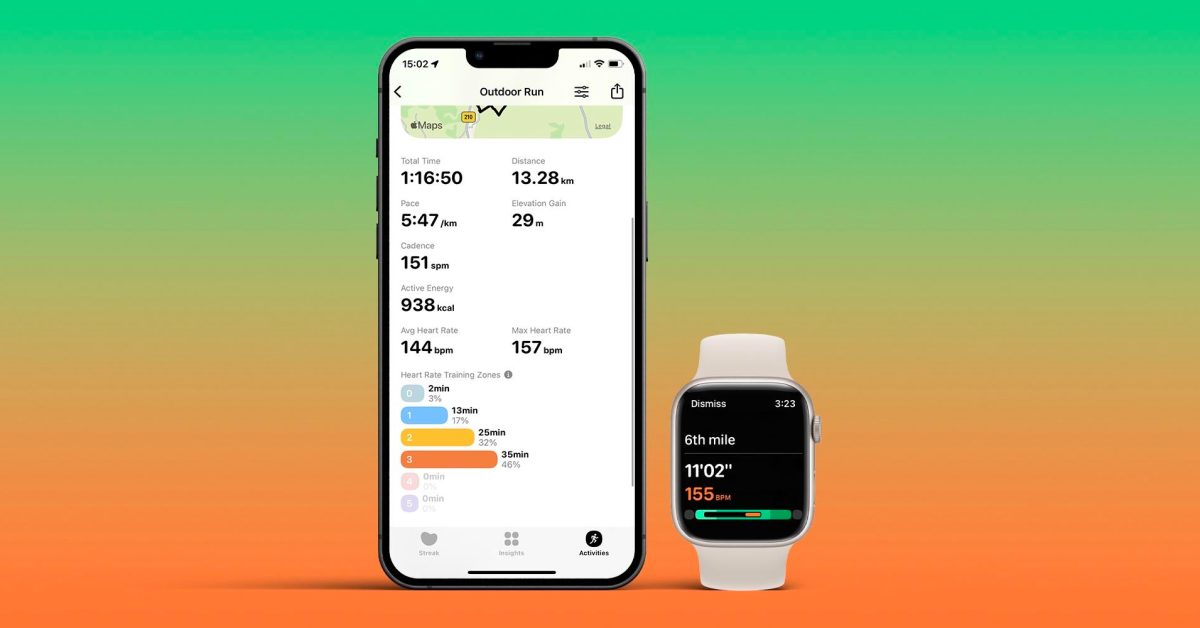
After adding widgets to the app, Gentler Streak is back with a major update by adding voice feedback when users are working out using the Apple Watch. There are also new exercises and a handful of new tweaks for both iPhone and Watch versions.
Gentler Streak is an Apple Watch workout app that wants to bring compassion to your fitness goals. It was first highlighted by Apple in February during the American Heart Month, and 9to5Mac has been covering its updates ever since.
The app already offers more than 100 trackable exercises, including non-conventional workouts, such as dog walking. Now, it’s also bringing support for nordic walk, longboarding, housekeeping, and gardening.
One important feature that is also now available on Gentler Streak is voice feedback on Apple Watch. With that, Siri can now announce splits during a workout – which is really useful for runners or those that can’t look at the screen when exercising.
In addition, Gentler Streak now lets users hide emoji energy equivalents. While this feature is nice to show the equivalent of a meal, it could also be triggering for some. With that in mind, if you don’t want to see the food equivalent emojis in your workout summary, it’s now possible to remove them in Settings.
Last but not least, there’s a new workout finished alert. When you stop during the activity, Gentler Streak will notify you to pause or finish your workout.
The app is free to download here on the App Store but requires a subscription to take full advantage of it. Premium costs $6.99 per month or $19.99 for a full year.
Related:
These are the best Apple Watch apps to have on your wrist in 2022
Photoshop for iPad shifts closer to feature parity with desktop app in latest update
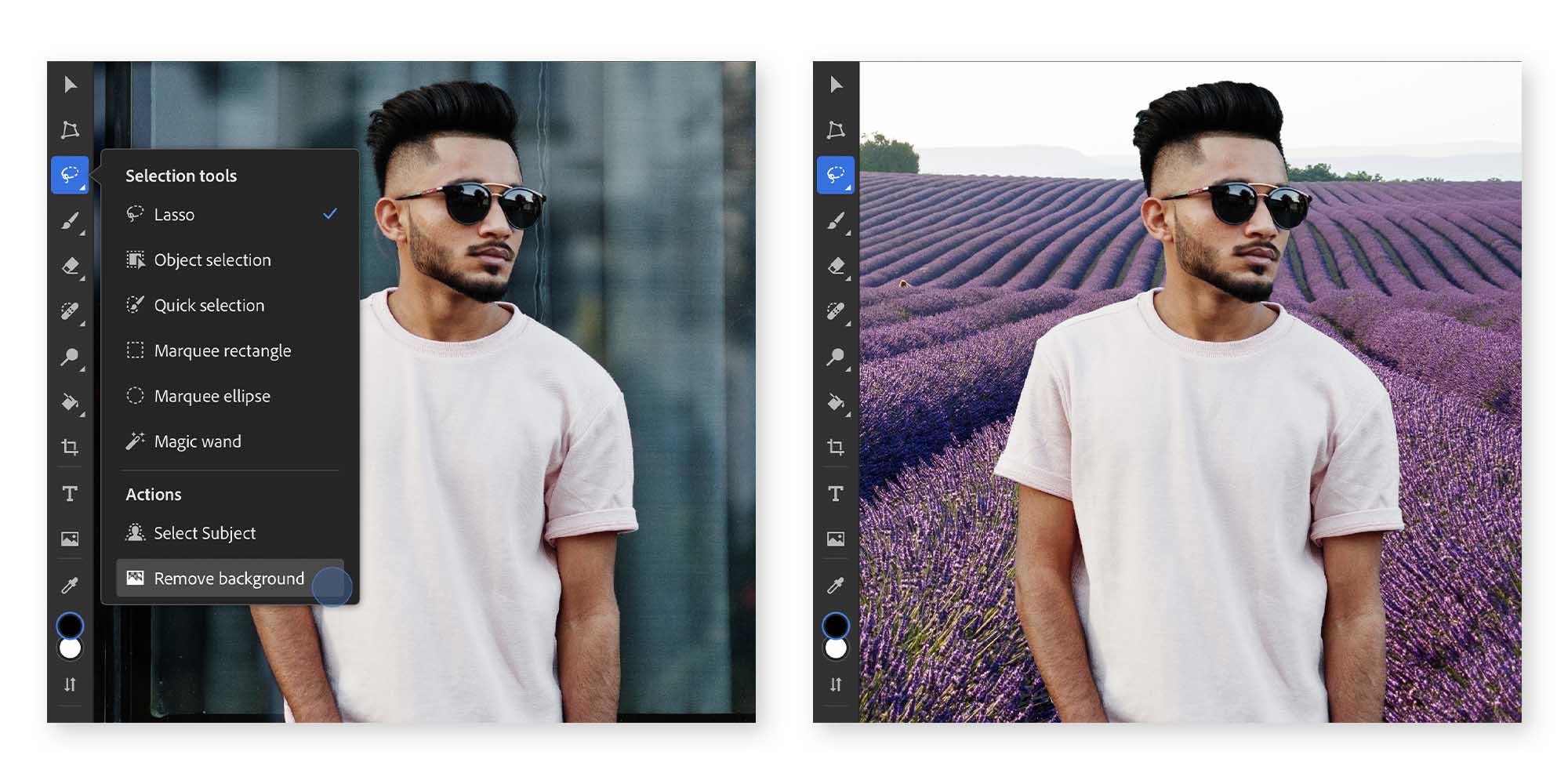
A new update has been made to Photoshop for iPad, which brings it closer to Photoshop for Mac’s feature parity. The new features include Content-Aware Fill, Remove Background, Select Subject designed for hair and people, Auto-tone, color and contrast, and an enhanced font browser.
Adobe detailed all the new features on their blog today:
Content-Aware Fill
The Photoshop team has spent 30+ years adding new and innovative technology to imaging, and Content-Aware Fill is one of the landmark features on Photoshop Desktop. Today we’re bringing this functionality to Photoshop on the iPad, with an easy one-tap step that takes any selection and uses AI to fill its contents based on its surroundings! Make distracting objects in your background disappear, or blend artifacts smoothly. Remove unintended bystanders in your photos, clear out artifacts and dust, and see what else our AI technology can do.
To use it, take the lasso tool, or one of Photoshop’s smart AI-powered selection tools like Object Select to pick an area, tap “Content Aware Fill”, and watch your selection disappear and blend into your image.
Remove Background
One of the most transformative tools in recent times has been the power to remove the background of any photo, allowing you to take the subject and place it within other images, replace backgrounds with other scenes, and more. Photoshop has led the way by driving the highest quality results with a combination of its patented Select Subject technology and layer masking, allowing you to remove the background from any image non-destructively — without actually changing the original pixels of the image.
This one-touch action has been added to Photoshop for iPad. It will make your job easier and faster. You can easily swap out the background and place your subject in another photo. Simply open your image and select “Remove Background” under the lasso tool, or under Quick Actions on the right-side properties panel.
Select Subject designed for hair and people
Select Subject technology allows you to remove backgrounds and select the most significant part of photos, often people. With our 2022 update to Select Subject, our AI model can now identify photos of people, and perfectly select and refine the small details like wisps of hair and edges of clothes. This would normally take many hours to make the right selections.
Even better is that it all happens in just one click. When Select Subject is used on a portrait photo, it will automatically complete all the hair and edge refinements for you. Once selected, it’s easy to use masks and adjustment layers to quickly transform simple portraits into more stunning images!
Auto-tone, color and contrast Some of the most common actions Photoshop users take upon opening a photo on Photoshop Desktop is to run some combination of 3 commands — Auto Tone, Auto Contrast, and Auto Color. These commands will give you one-tap solutions to correct tonal issues or color imbalances, so that you can take the extra steps out of adjusting your photos and continue on with your work.
To use, simply tap the auto commands from the “Filters and adjustments” icon on the right side. Add a quick dose of Content-Aware Fill, and you can touch-up and remove objects from your photo in a matter of seconds!
Font browser and more
There’s even more in the app as well this year! We’ve added :
to our app, in addition to all the above one-tap actions.
* Access to all 20,000+ Adobe Fonts from directly within the type tool
* Load your own custom fonts
* Change the name of your cloud document when editing it
* Sync your cloud document on-demand
* View pins and annotations left by others on documents you’ve shared from the commenting panel
Photoshop for iPad is a free download and you can unlock features with a Creative Cloud subscription. The new update is available starting today, and you can download it right here.
Nintendo Indie World May 2022 livestream announced for Wednesday
Nintendo Switch owners will get a fresh batch of game announcements on Wednesday, May 11, during a new Indie World livestream, Nintendo announced Tuesday.
May’s Indie World showcase will be streamed on Nintendo’s YouTube and Twitch channels, starting at 7 a.m. PDT/10 a.m. EDT on Wednesday. Nintendo says viewers can expect “roughly 20 minutes of information on upcoming games headed to Nintendo Switch” from independent game developers. Fans can also likely expect stealth game releases after the Indie World event concludes, based on Nintendo’s history of surprise launches.
Nintendo’s most recent Indie World stream from December highlighted games like Chicory: A Colorful Tale, Omocat’s role-playing game Omori, and Sea of Stars, the next game from the developers behind The Messenger. There’s no advance word on what to expect from Wednesday’s Indie World update, but we’ll keep our fingers crossed for Hollow Knight: Silksong, once again.