Kuo: All iPhone 14 models to get autofocus selfie cameras

Kuo: All iPhone 14 models to get autofocus selfie cameras

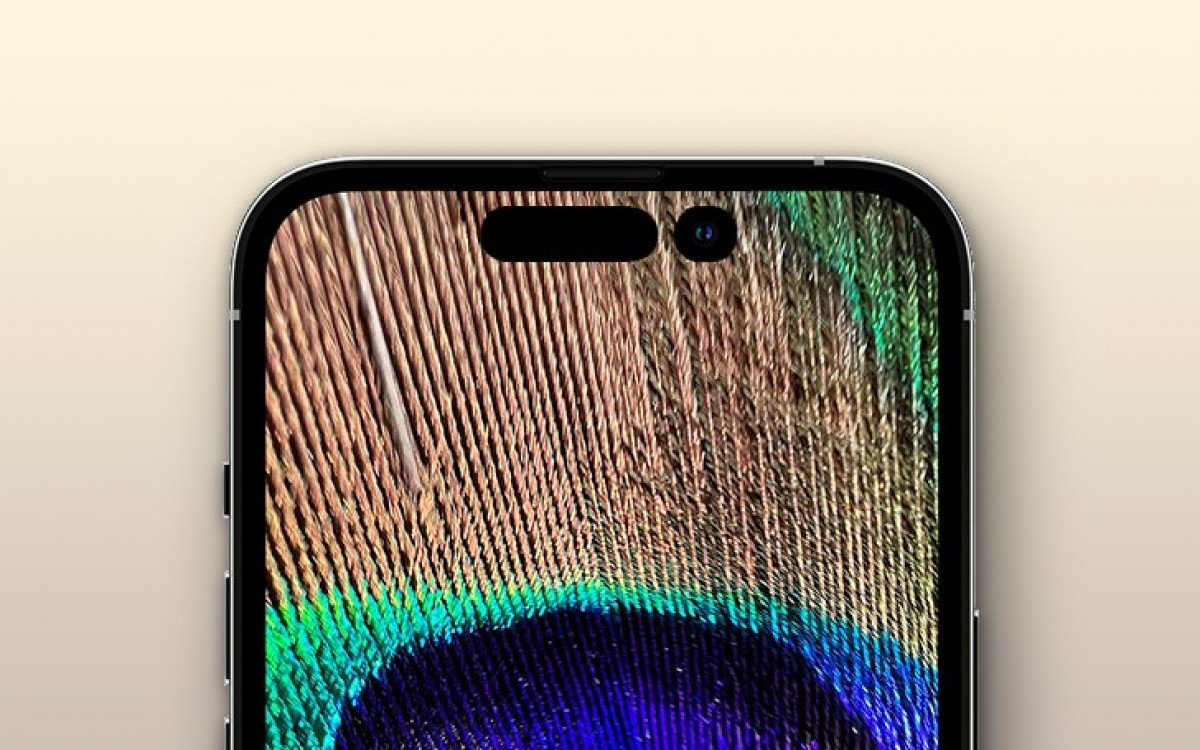
Apple analyst Ming-Chi Kuo is out with another iPhone 14 prediction and this time it’s about the selfie camera. All four new iPhones coming later this year will boast autofocus front-facing cameras with an f/1.9 aperture. This would be a major upgrade over past iPhones which have persistently stuck with fixed focus selfie shooters and f/2.2 apertures for a while now.

Kuo: All iPhone 14 models to get autofocus selfie cameras

Photos, video calling and live-streaming apps will all benefit and the wider aperture will allow the sensors to capture more light which should result in better daytime and low light shots. The addition of autofocus will allow for better subject tracking and improved depth of field in stills and videos especially when it comes to Portrait mode. We don’t get any clues on the imaging sensor size and resolution but the addition of AF will surely bring a better selfie experience.

Source (tweet)

https://fdn.gsmarena.com/imgroot/news/22/03/iphone-14-punch-hole-ross-young/-952x498w6/gsmarena_000.jpg

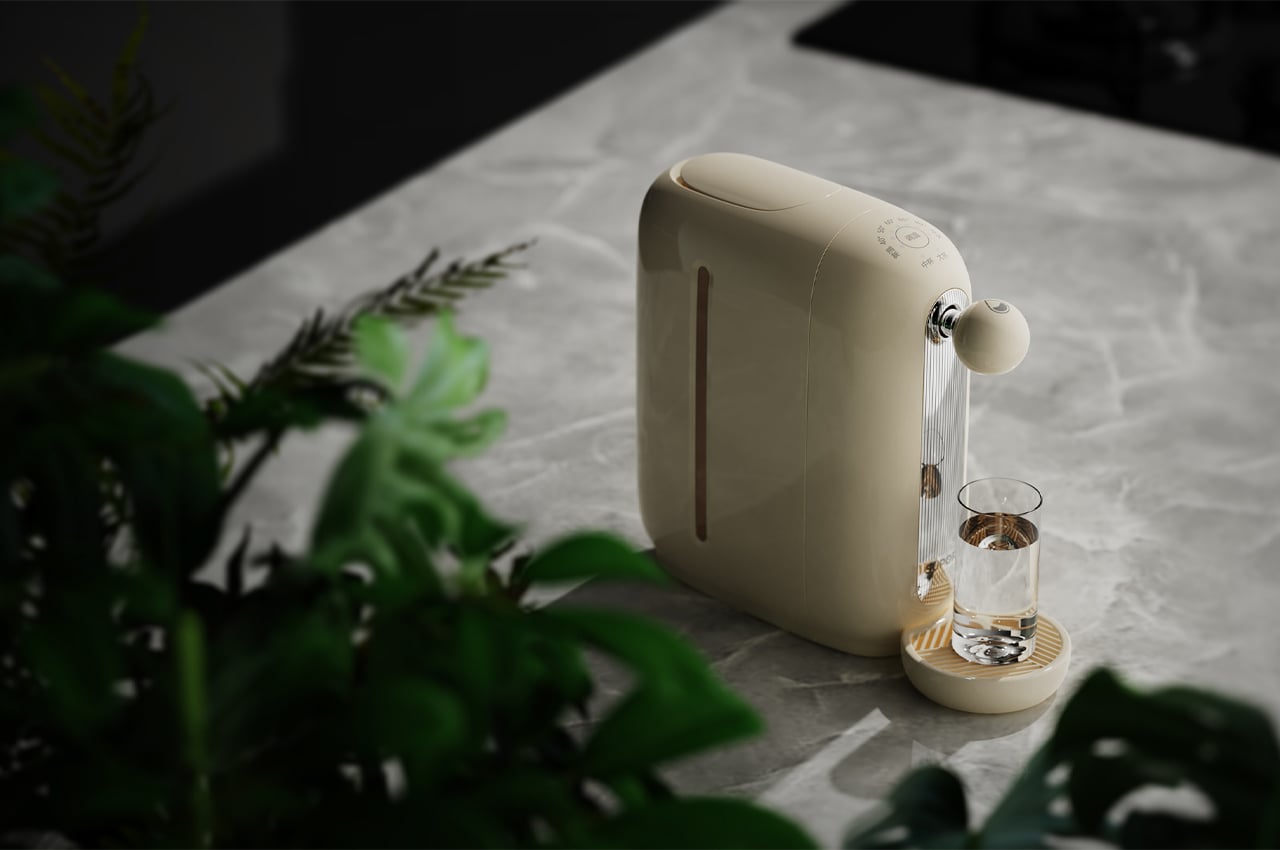
This sleek at-home water dispenser designed at people who WFH can discharge water in three seconds

This sleek at-home water dispenser designed at people who WFH can discharge water in three seconds

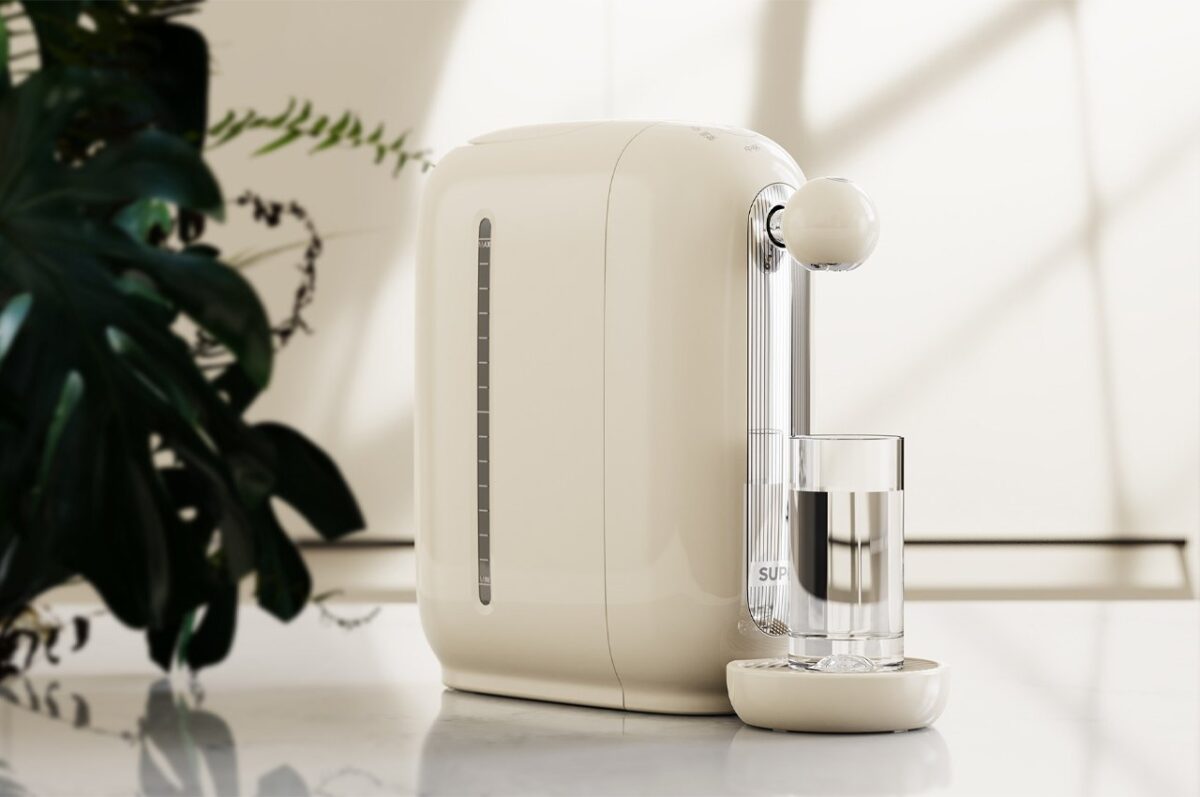
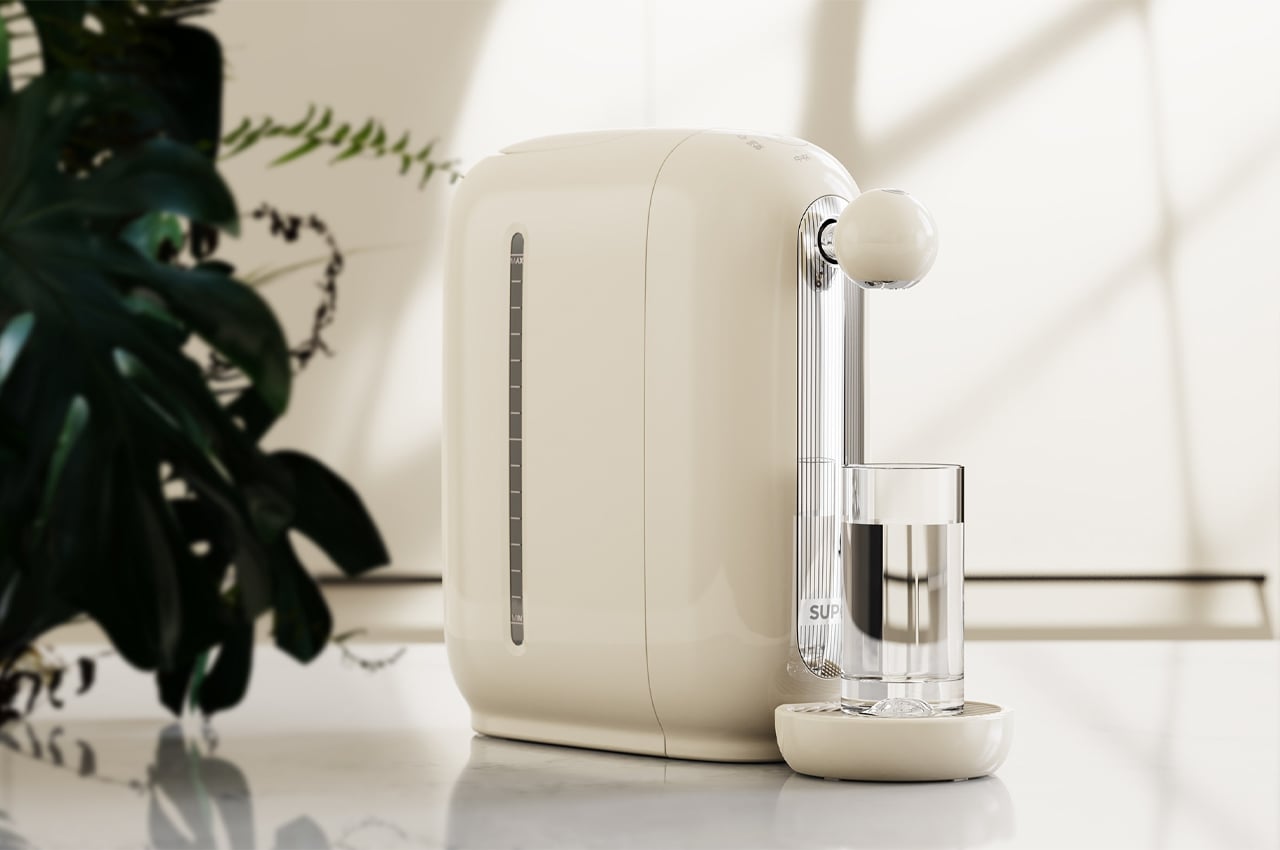
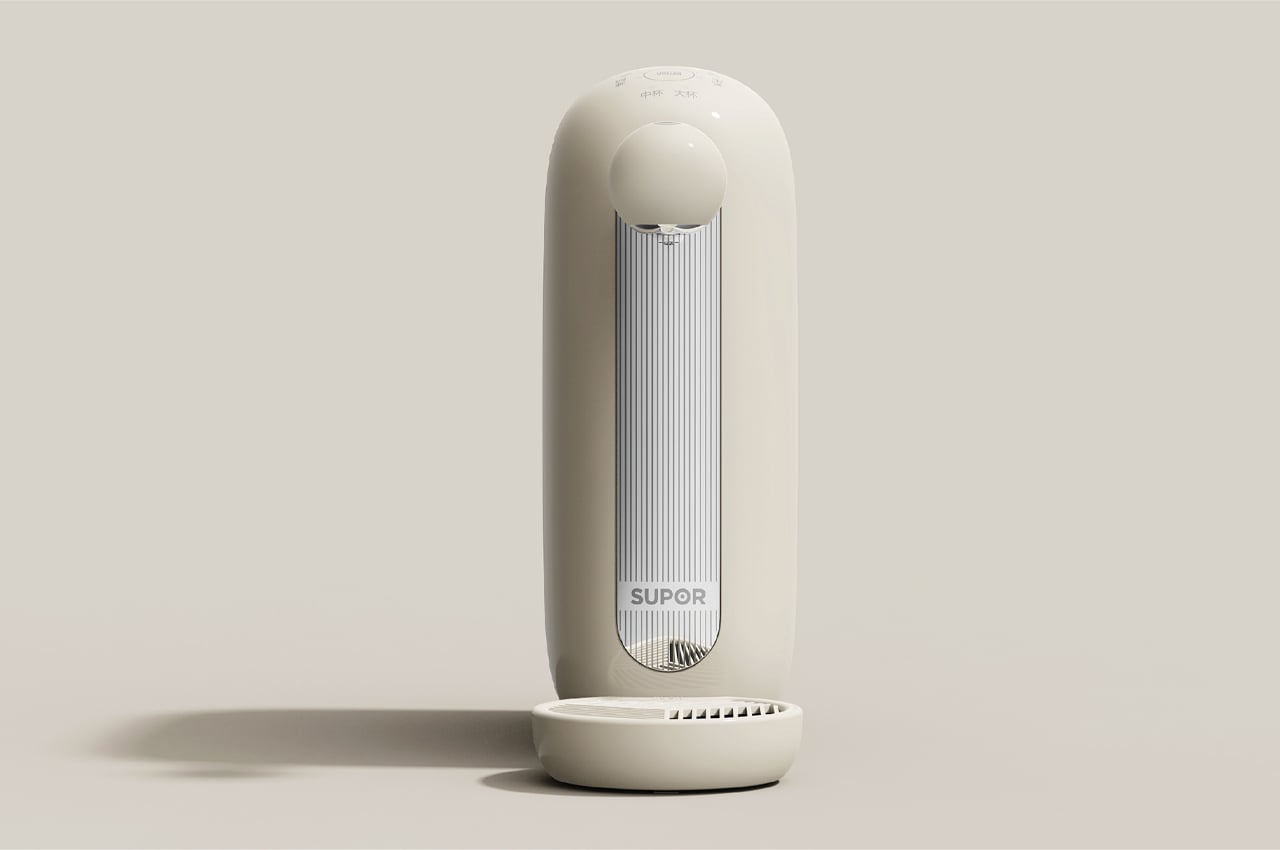
The Supor Instant Water Dispenser is an at-home appliance constructed for today’s world of remote working and WFH.

As we get more comfortable in our homes due to stay-at home orders, more people are using appliances to bring the outside world inside. Although there’s no substitute for a trip to the cafeteria every morning, the convenience of at-home appliances such as french presses or coffee brewers makes it a bit more convenient. The Supor Instant Water Dispenser is a new at-home appliance concept from designers Guoyu Li and Weili Wu that can pour water out in a matter of seconds.

Designer: Guoyi LI and Weili W


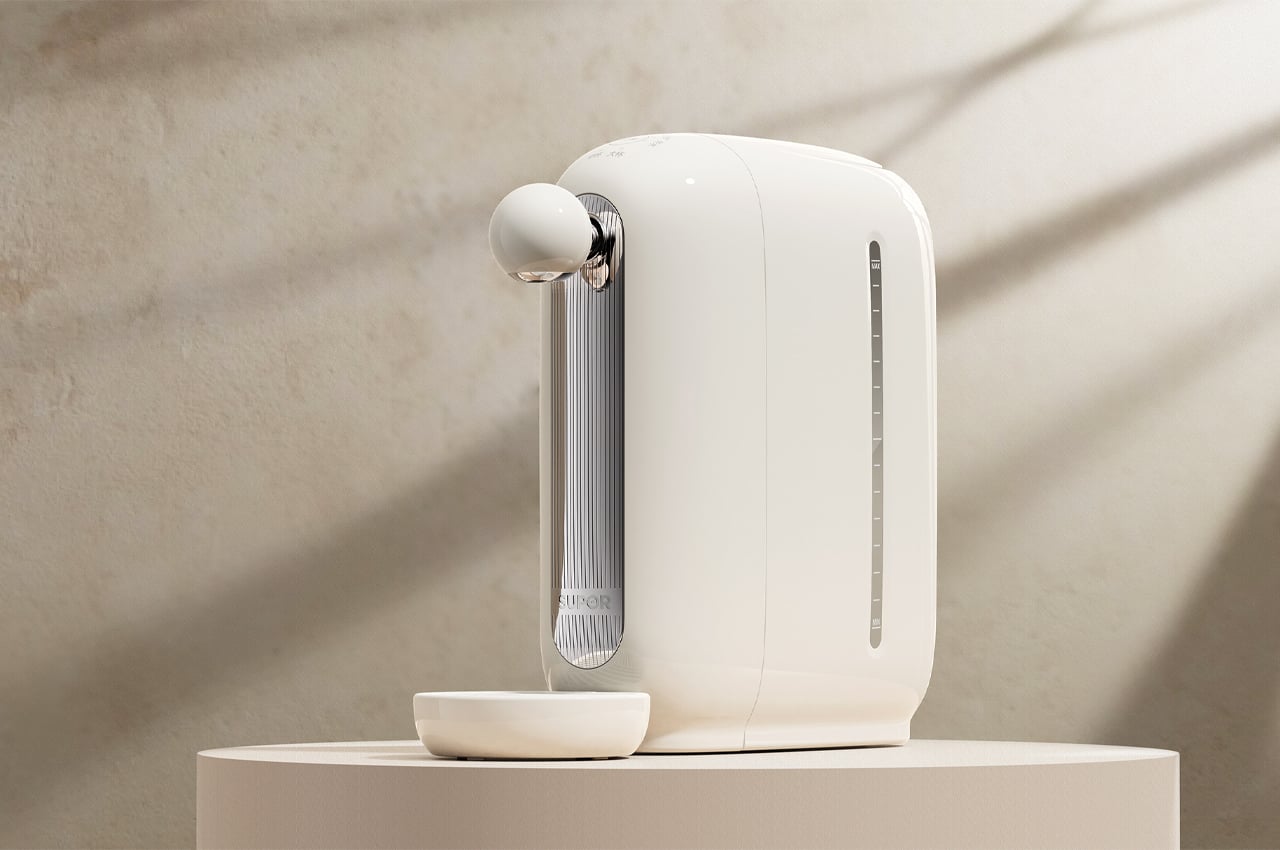
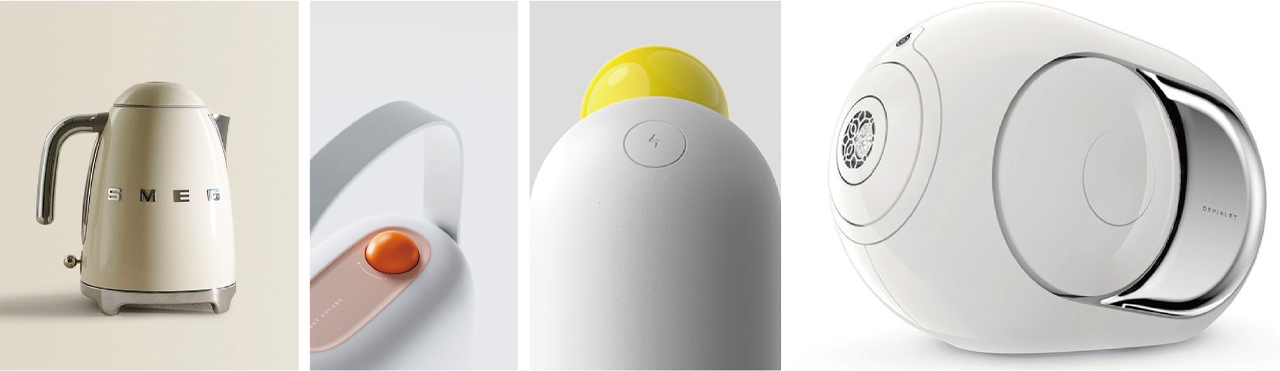
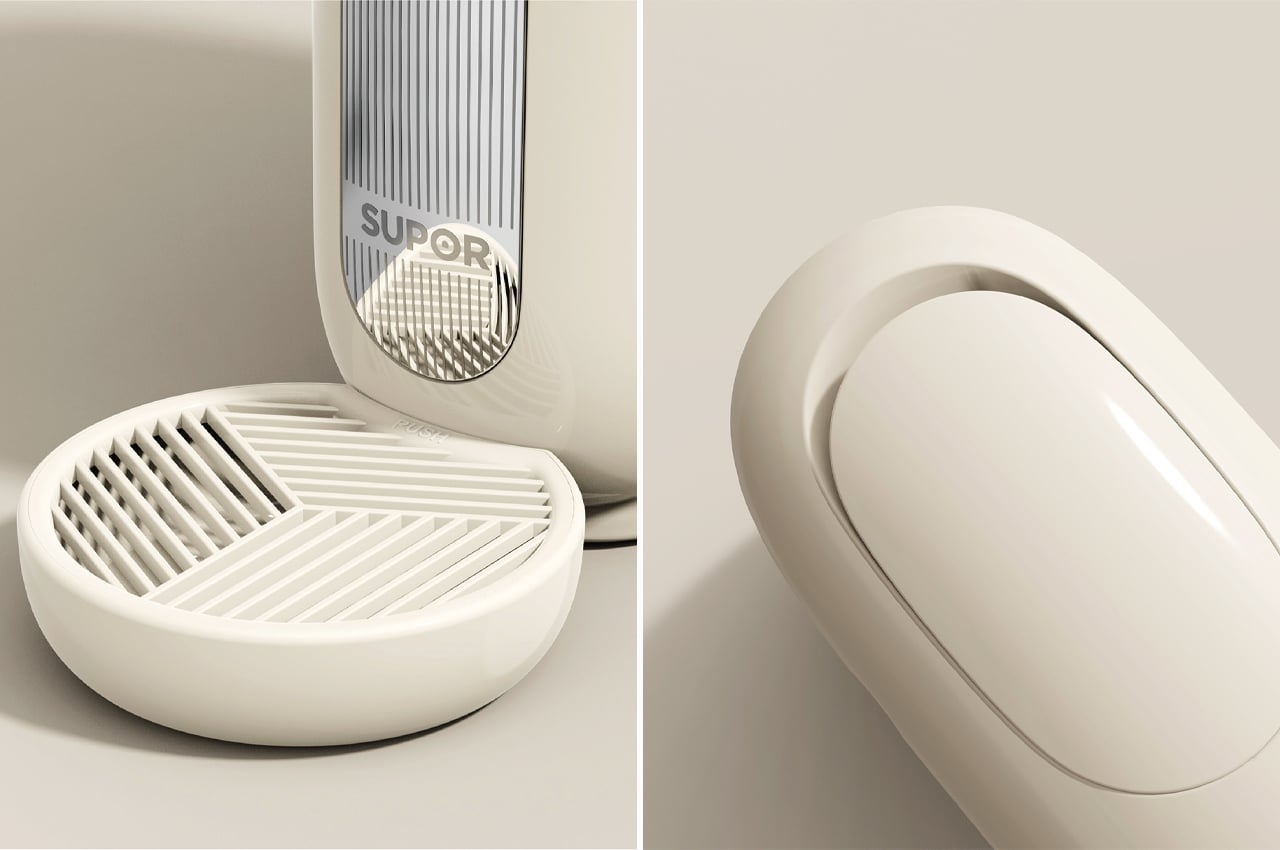
Adopting an integrated design language, the Supor Instant Water Dispenser keeps a polished midcentury modern look. This appliance’s retro-inspired, but timeless metallic appearance makes it easy to fit in any kitchen or office.


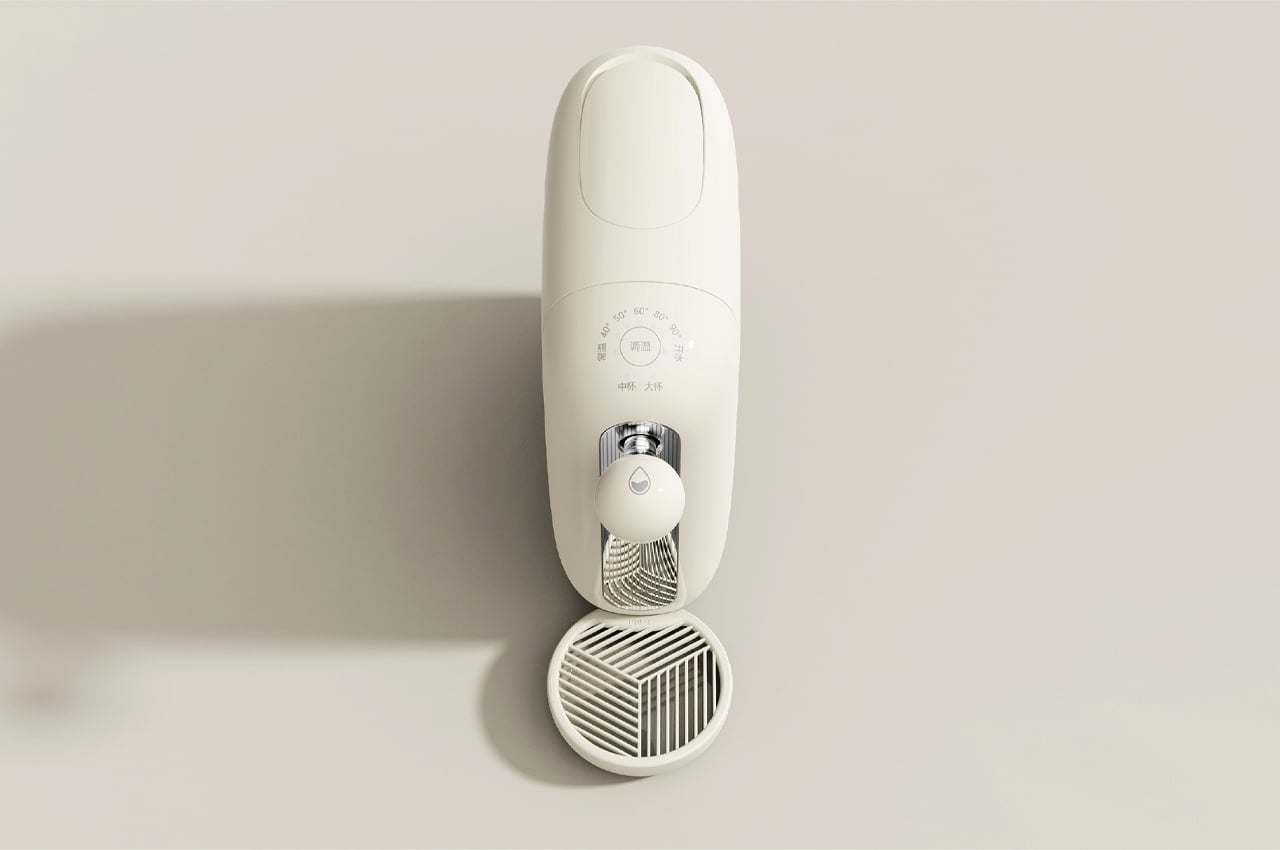
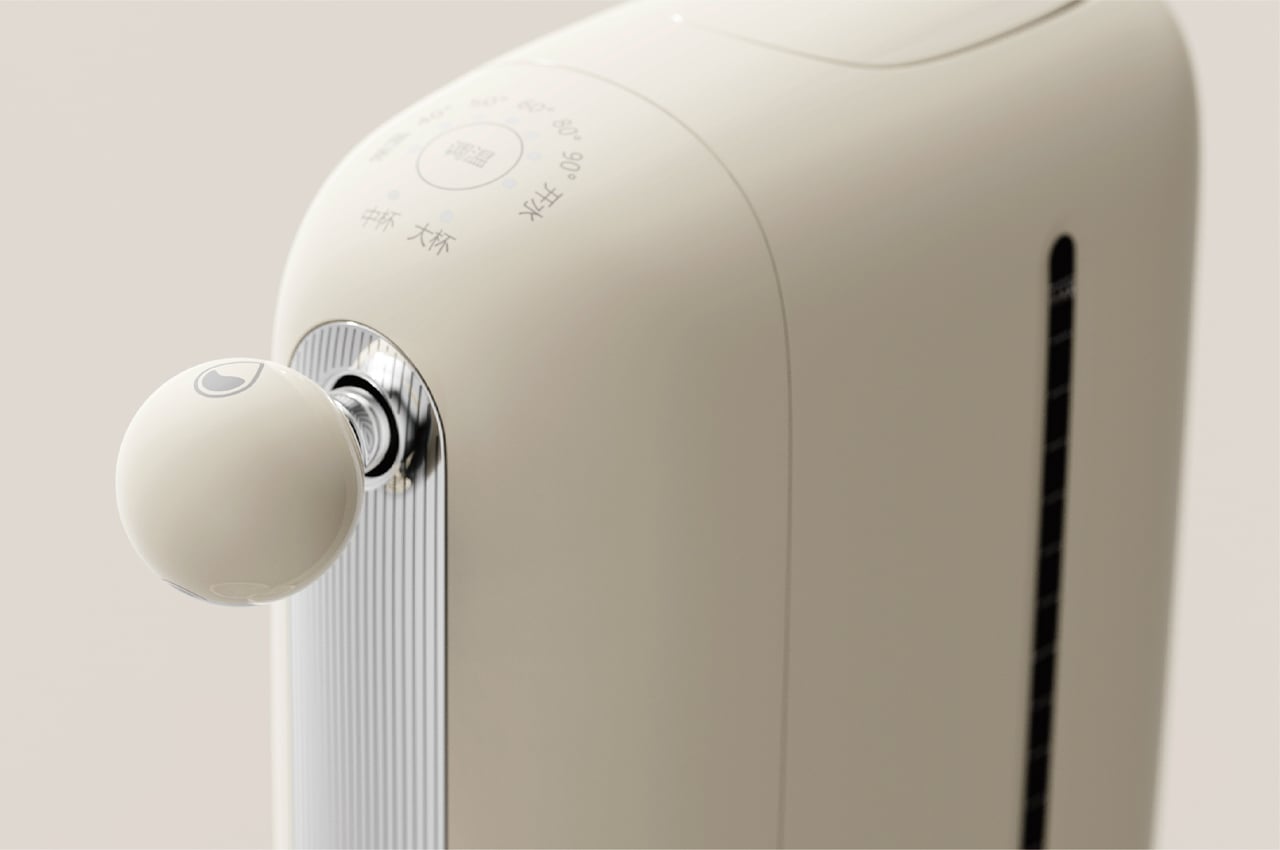
In addition to its adaptable design, the Supor Instant Water Dispenser maintains a slender body so that it can fit onto any countertop no matter the amount of space available. Thanks to a seven-speed touch screen, users can also adjust the rate of water discharge so that it can pour from the faucet as quickly as three seconds.

Marketed for stay-at-home mothers and remote workers, the Supor Instant Water Dispenser is an at-home appliance that can be used for anything from brewing coffee to making a pot of tea. Even when the deadline is quickly approaching or when the meeting is just about to begin, a cup of coffee or pot of tea can be made available sooner than you can punch in the Zoom meeting passcode.

In contrast to similar products currently on the market, the designers suggest, “The attributes of products sold online determine that products need to reflect differences in form and appearance, and at the same time need to increase user stickiness through experience design, so that products are not only satisfied with functional attributes but become a way of life that can be shared on social platforms.”

The seven-speed touch screen adjusts the rate of dispensing water to varying speeds.

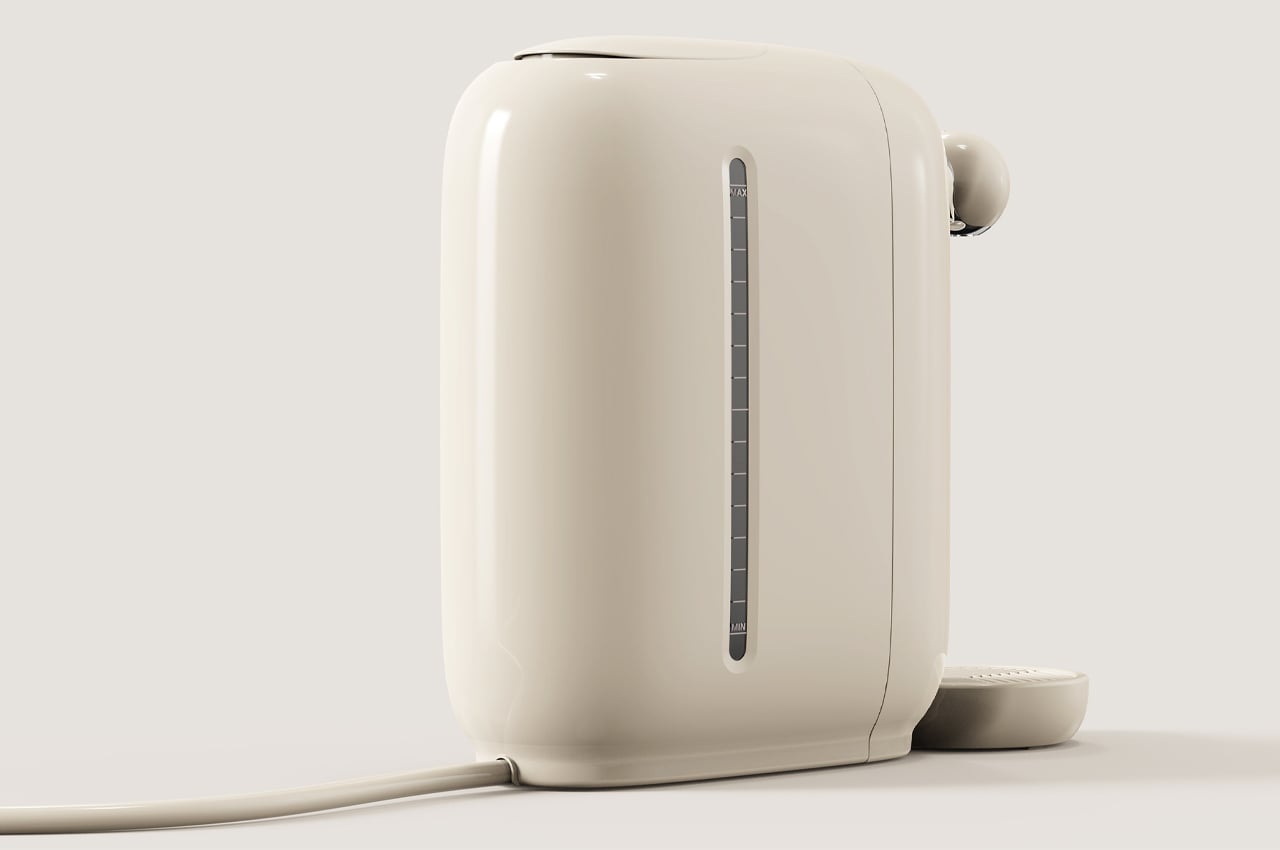
The attached grated reservoir ensures no-mess operation.

The slim design of Supor allows it to fit onto most kitchen countertops.

Supor is plug-and-play for ultimate convenience.

https://www.yankodesign.com/images/design_news/2022/04/auto-draft/13_supor_liwu_waterdispenser.jpg

Realme Q5 Pro debuts with 80W charging, vanilla Q5 tags along

Realme Q5 Pro debuts with 80W charging, vanilla Q5 tags along

Realme introduced the Q5i earlier this week, and now it adds two more family members were announced – Realme Q5 and Realme Q5 Pro.

The Realme Q5 has a 6. 6″ LCD with 120Hz refresh rate and 1080p resolution. There’s a punch hole in the top left corner for the 16MP f/2. 1 selfie camera.
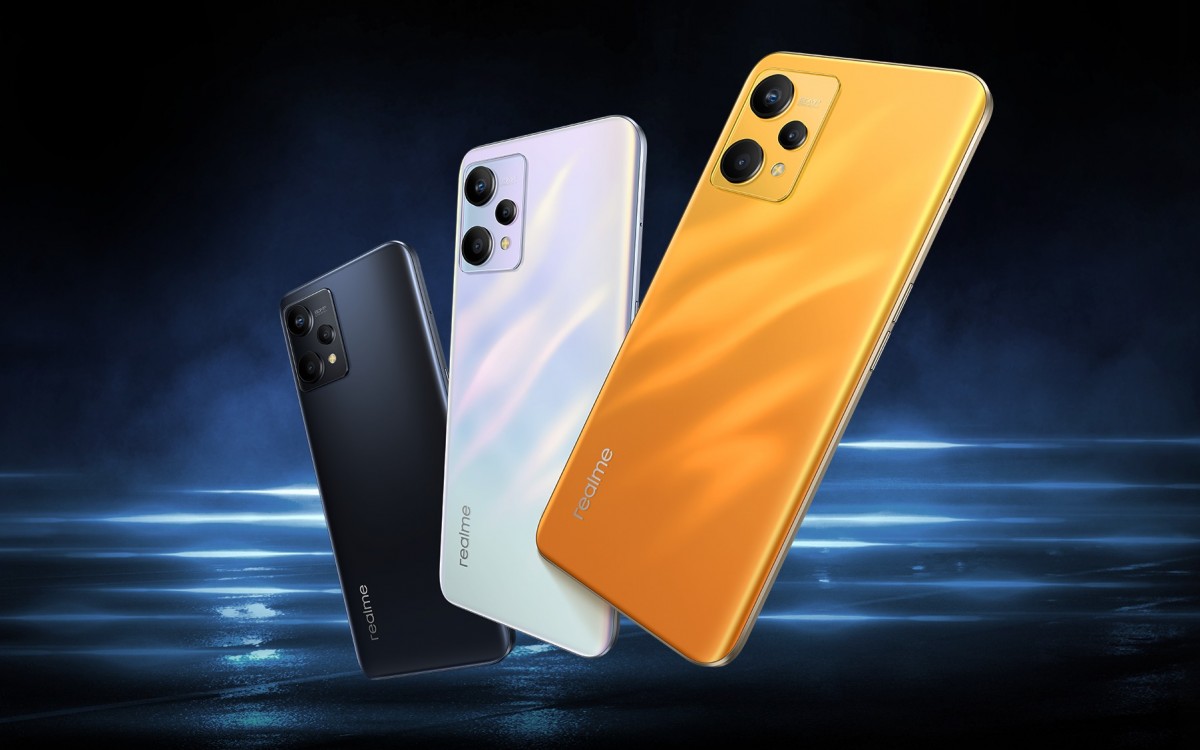
Realme launches Q5 with 60W fast charging, Q5 Pro brings 80W rates

There are three more cameras on the back. The alignment is the same as the Realme 9 Pro (as is the rest of the body), but the sensors behind the lenses are different. We have a 50MP main shooter, a 2MP macro camera and a 2MP depth shooter.

Realme Q5
Realme Q5
Realme Q5

Realme Q5

The Snapdragon 695 5G and the 5,000 mAh battery are also borrowed from the 9 Pro, as well as the side-mounted fingerprint scanner. The Realme Q5 offers speedier 60W SuperDart charging, though.

The phone will launch with Android 12 and Realme UI 3.0. It is currently available for pre-order in China in three colors – Silver, Gold, and Black, with sales scheduled to begin on April 27. Prices are CNY1,399 ($220) for the 6/128 GB version, CNY1,599 ($250) for 8/128 GB, and CNY1,799 ($280) for 8/256 GB.
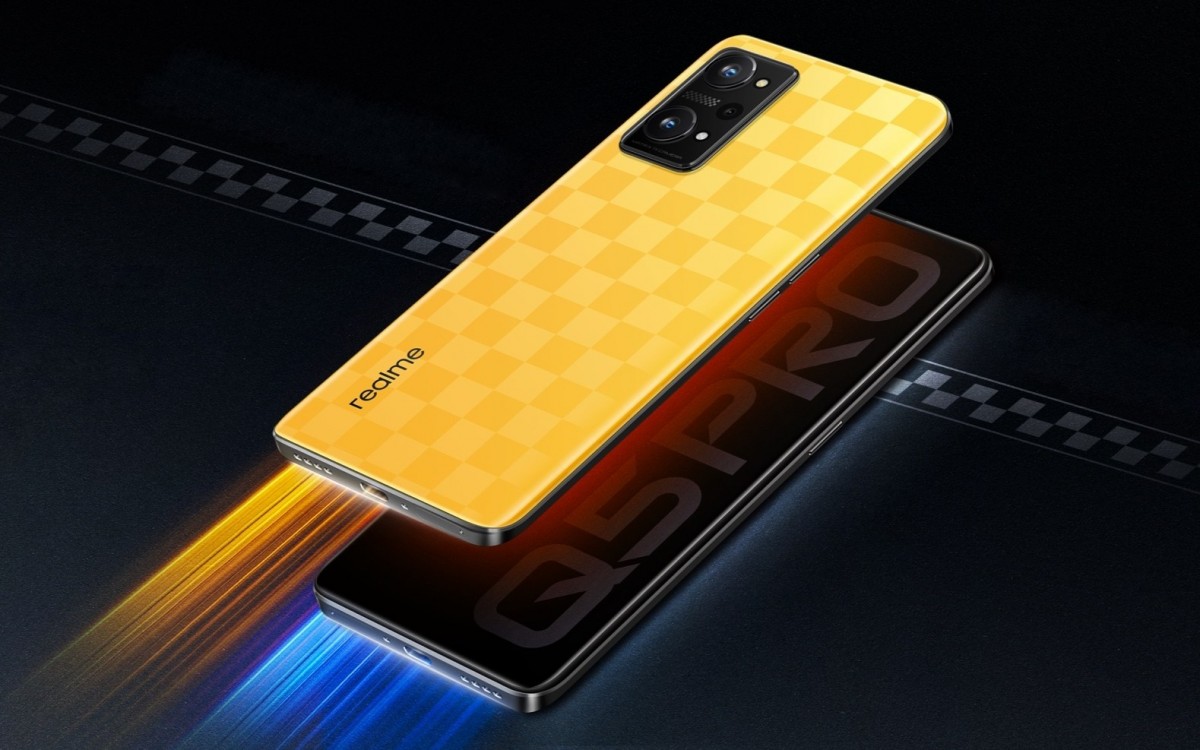
Realme launches Q5 with 60W fast charging, Q5 Pro brings 80W rates

The Realme Q5 Pro borrows the display, battery capacity and overall design from the Realme GT2.

The 6. 62″ AMOLED with 120Hz refresh rate has a fingerprint scanner underneath and a 16MP selfie camera in the upper left corner.

Around the back is a 64MP main camera, alongside 8MP ultrawide snapper and a 2MP macro shooter. The chipset here is the relatively old, but still capable Snapdragon 870.
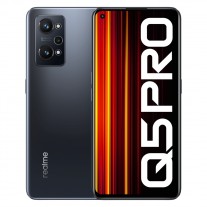
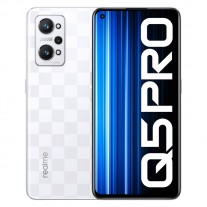
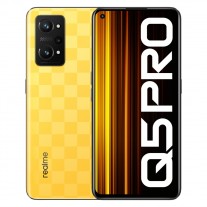
Realme Q5 Pro
Realme Q5 Pro
Realme Q5 Pro

Realme Q5 Pro

The significant change Realme implemented in the Q5 Pro is 80W fast charging for the 5,000 mAh battery. This is among the fastest in the company’s portfolio, trailing only behind the revolutionary GT Neo3.

There is a Black color option with a 6/128 GB memory that costs CNY1,899 ($300). There are Yellow and White variants with a checkered-flag design for CNY2,099 ($325) or CNY2,299 ($360), as they only come in 8/128 GB and the 8/256 GB options.
Realme launches Q5 with 60W fast charging, Q5 Pro brings 80W rates

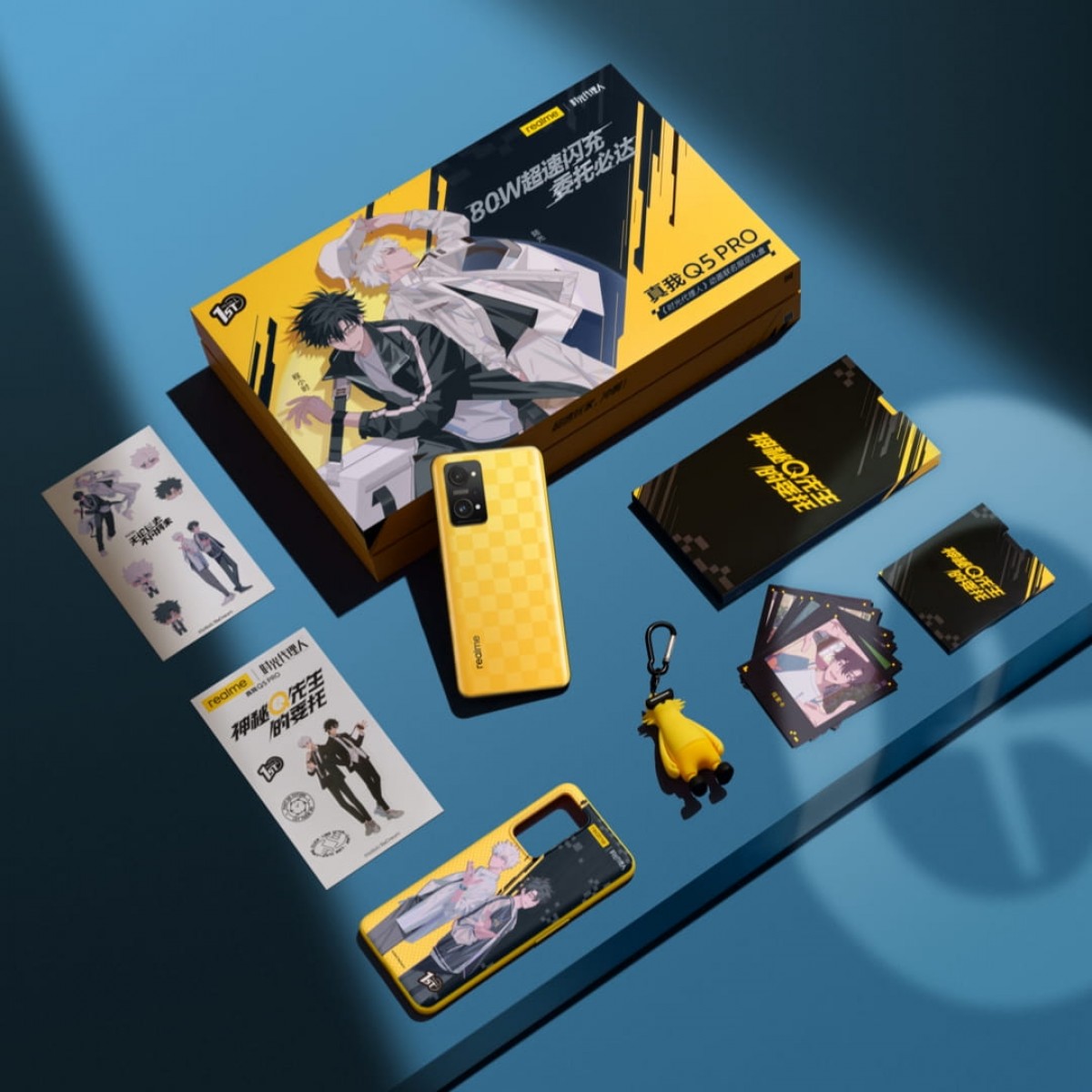
Realme also offers a limited edition retail box branded with characters from the Time Agent anime. It includes a Yellow 8/128 GB phone, a protective case, a Realmeow keychain, some stickers and collecting cards. The price of the whole package is CNY2,299 ($360).

Source 1 * Source 2 (both in Chinese)
https://fdn.gsmarena.com/imgroot/news/22/04/realme-q5-pro-ofic/-952x498w6/gsmarena_001.jpg

vivo X80 Pro full specs surface

vivo X80 Pro full specs surface

vivo will unveil the X80 series on April 25 in China. The company hasn’t divulged much about it yet, but previous leaks of the X80, X80 Pro, and X80 Pro+ gave us a fair idea of what to expect from the lineup. And while we await more information from vivo about the X80 series smartphones, full specs of the Pro model have surfaced, which corroborate previous rumors and reveal new details.

The source claims that the vivo X80 Pro will come with a 6. 78″ 120Hz 2K AMOLED screen, 12GB RAM, 256GB/512GB storage, and 4,700 mAh battery. This is what we’ve heard already, but the source says that the X80 Pro will be powered by the Snapdragon 8 Gen 1 SoC, contradicting previous reports of the phone having the Dimensity 9000 chip at the helm.

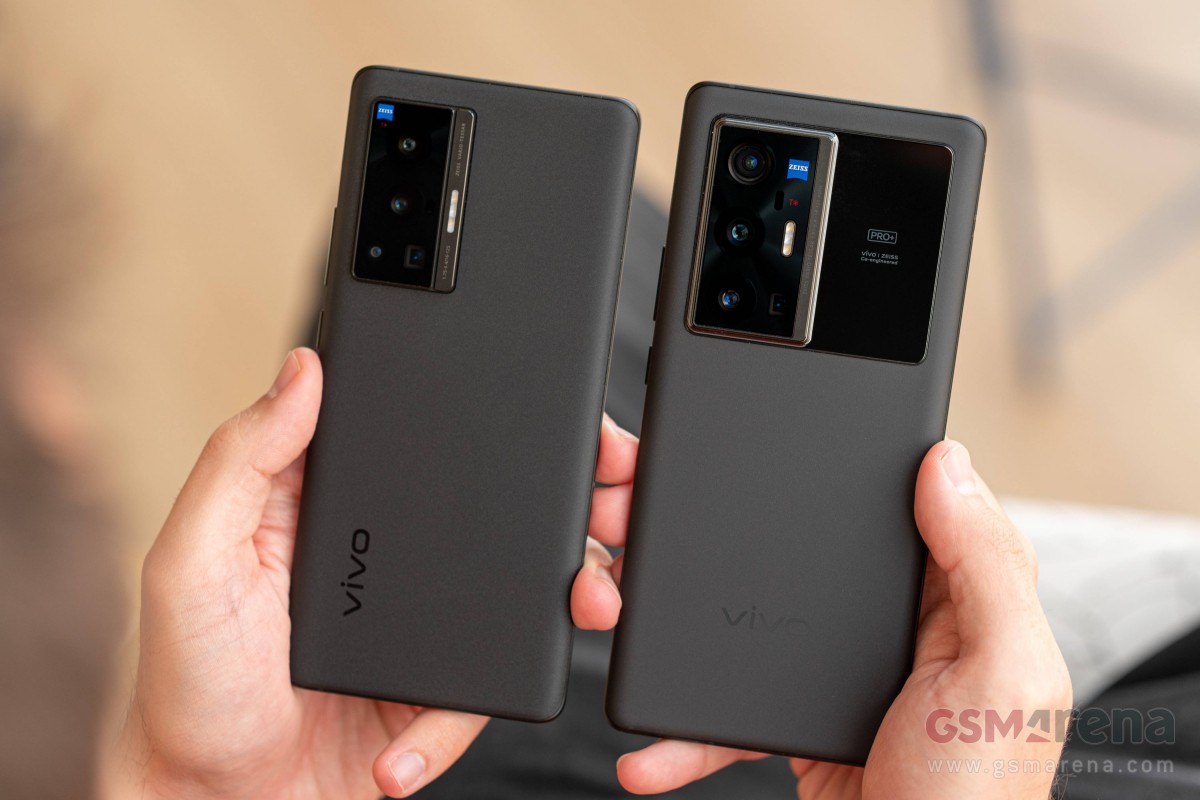
vivo X70 Pro (left) and X70 Pro+ (right)vivo X70 Pro (left) and X70 Pro+ (right)

The report further states that the vivo X80 Pro will sport four cameras on the rear – 50MP primary (f/1. 57), 48MP ultrawide, 12MP telephoto, and 8MP periscope (with 5x optical and 60x digital zoom). Previous leaks claimed the ultrawide and telephoto units will use 12MP sensors.

While the source doesn’t mention the selfie camera’s resolution, rumors have it that the X80 Pro will feature a 32MP selfie shooter.

The rest of the vivo X80 Pro’s leaked specs include an ultrasonic in-display fingerprint scanner, 80W wired charging, 50W wireless charging, and OriginOS Ocean based on Android 12. The smartphone will be 9. 1mm thick and weigh 220 grams.

Source

https://fdn.gsmarena.com/imgroot/news/22/04/vivo-x80-pro-full-specs/-952x498w6/gsmarena_001.jpg

Xiaomi Civi 1S confirmed to have Snapdragon 778G+ SoC under the hood

Xiaomi Civi 1S confirmed to have Snapdragon 778G+ SoC under the hood

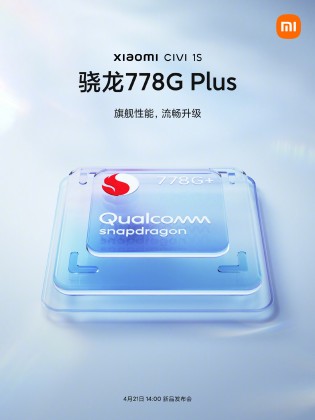
Xiaomi introduced the Civi series in China last September to replace the CC lineup, with the Xiaomi Civi being the first smartphone in the series. Xiaomi will add another member to the lineup tomorrow, dubbed Civi 1S, which is now officially confirmed to have the Snapdragon 778G+ SoC at the helm.


Xiaomi Civi 1S
Xiaomi Civi 1S

Xiaomi Civi 1S will come with the Snapdragon 778G+ SoC and triple rear cameras

Xiaomi also said that the Civi 1S will be smoother, more durable, and have longer battery life but didn’t divulge any other specs of the smartphone. However, with the full unveiling set for tomorrow at 2PM China time, there’s not much waiting to know all about the Xiaomi Civi 1S.

Source 1, Source 2 (both in Chinese)
https://fdn.gsmarena.com/imgroot/news/22/04/xiaomi-civi-1s-processor-confirmed/-952x498w6/gsmarena_001.jpg

Netflix lost customers for first time in a decade, considers cheaper tier with ads

Netflix lost customers for first time in a decade, considers cheaper tier with ads

Netflix published its quarterly report yesterday. The numbers for January and March looked uninspiring. The streaming company expected to add 2. 5 million subscribers, but instead, it lost 200,000 for the first three months of the calendar year.

The number tanked the company stock, which lost over 25% in after-hours trading

Reed Hastings is the Netflix CEO. He said that he was opposed to “the complexity and advertising” and preferred “the simplicity of subscription”. However, he also believes in consumer choice, meaning that Netflix is looking at introducing a lower tier without ads.

Netflix lost customers for first time in a decade, considers cheaper tier with ads

During the same January-March period in 2021, Netflix recorded an influx of 4 million paying users, but now it recorded only 0,5 million. However, since the platform pulled out of Russia, it lost 700,000 users, resulting in a net loss of customers – the first time this has happened since October 2011.

The main challenge ahead remains soft acquisition, but Reuters reminded that 100 million household in the US are already paying for Netflix and the company should look for expansion in other regions. There is also a fierce competition from rivals such as HBO Max and Disney.

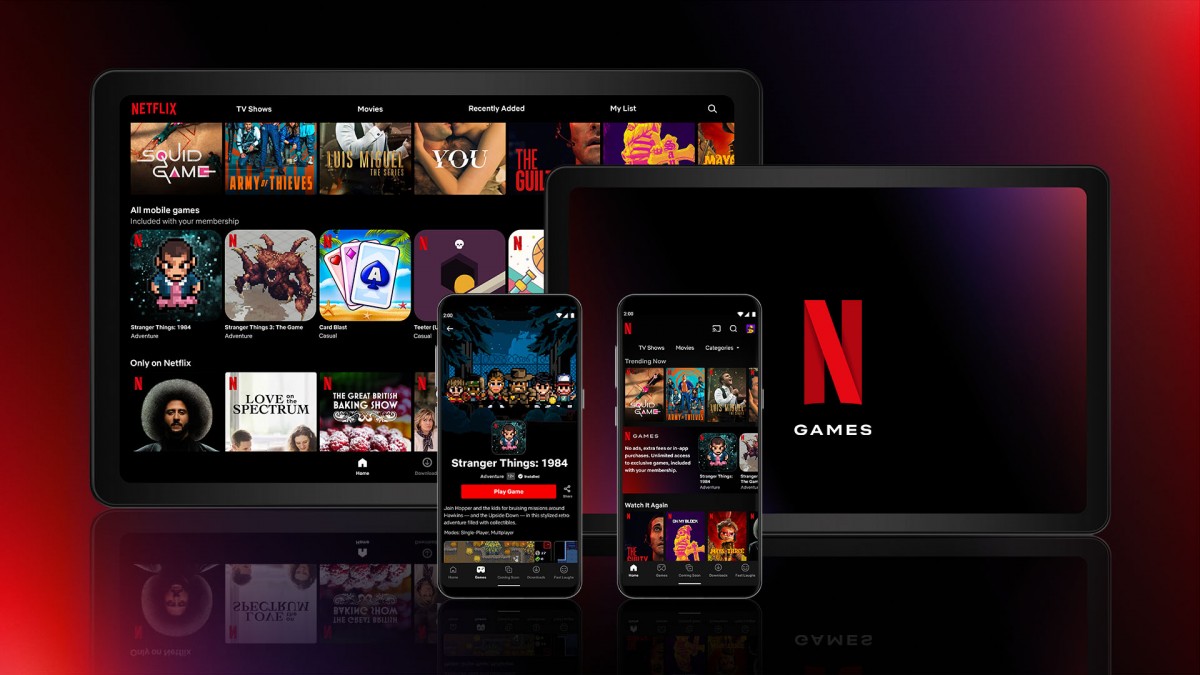
Netflix adds five mobile games to its Android app worldwide

All major streaming services are expecting a slower growth, with Netflix in particular forecasting 2 million more people to stop paying in the next three months, despite the return of big titles such as “Stranger Things” and “Ozark”.

These numbers resulted in a shocking drop in value, with Netflix stocks losing 26% after the bell on Tuesday, erasing $40 billion of value. The downdraft caught competitors as well – Roku fell 6%, Walt Disney reported a 5% decline, while Warner Bros Discovery was down 3.5%. It lost 50% of its value since Netflix said it expected a slow growth in subscribers in January.

Source | Via

https://fdn.gsmarena.com/imgroot/news/22/04/netflix-q1-results/-952x498w6/gsmarena_001.jpg
Categories
Uncategorized Uncategorized Uncategorized Uncategorized Uncategorized Uncategorized Uncategorized Uncategorized Uncategorized

Another leak of the Pixel Watch shows deep integration with FitBit

Another leak of the Pixel Watch shows deep integration with FitBit

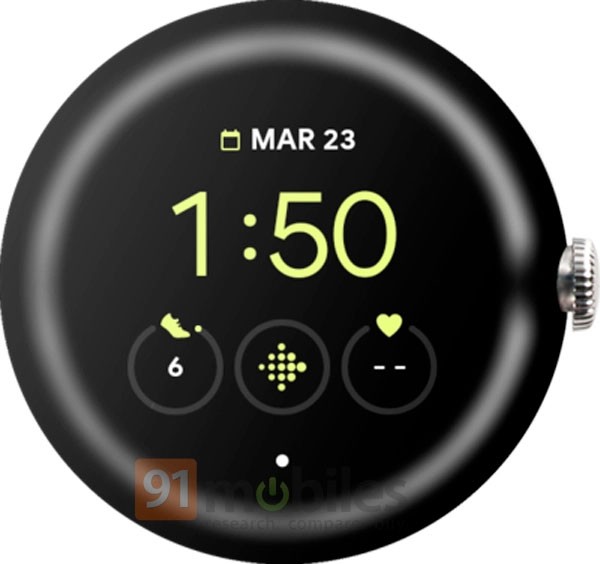
In an exclusive report by Evan Blass for 91Mobiles, a new render of the upcoming Pixel Watch shows another look at Google’s first Pixel-branded smartwatch. The Pixel Watch’s frontal view reveals just a little bit more about Google’s intention with Fitbit.

Another leak of the Pixel Watch shows deep integration with FitBit

One of the icons on the watch face features the Fitbit logo, showing that Google may finally integrate its acquisition – first announced in late-2019 and completed in 2021. It also is mentioned that the Pixel Watch would run WearOS 3.1 when it does launch.

Another leak of the Pixel Watch shows deep integration with FitBit

The leaked render closely matches with previously leaked renders of the Pixel Watch, complete with the watch’s fully rounded display edge and the digital crown.

It is reported that the Pixel Watch’s reveal is imminent, but a full-on release isn’t entirely off the table either. We expect to hear more about the Google Pixel Watch during Google I/O, set to take place next month on May 11-12.

Source

https://fdn.gsmarena.com/imgroot/news/22/04/google-pixel-watch-frontal-leak/-952x498w6/gsmarena_000.jpg

How Samsung’s 2022 TVs Offer Enhanced Accessibility to Anyone and Everyone

How Samsung’s 2022 TVs Offer Enhanced Accessibility to Anyone and Everyone – Samsung Global Newsroom

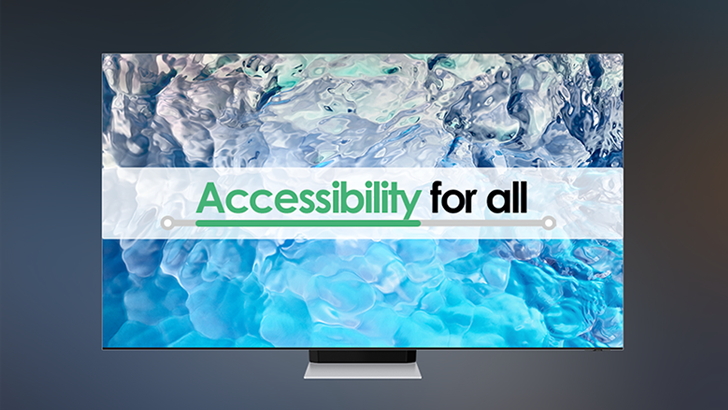
Samsung Electronics has developed accessibility technology with the aim of making it easy for anyone to connect with the rest of the world through their televisions. The company started delivering these results around the globe since 2014..

Following the introduction of the company’s 2022 lineup at the recent Unbox & Discover event, Samsung Newsroom is highlighting the company’s ongoing efforts towards innovating for improved TV accessibility in the infographic below.

https://img.global.news.samsung.com/global/wp-content/uploads/2022/04/VD_accessibility_thumb728.jpg
Categories
Uncategorized

The Perfect Tool for Balancing Life, Work and School as a Busy Student

The Perfect Tool for Balancing Life, Work and School as a Busy Student – Samsung Global Newsroom


The life of a student can be hectic and stressful. From getting good grades and studying foreign languages to juggling part-time or even full-time jobs, hardworking students of any age are always on the move.
 
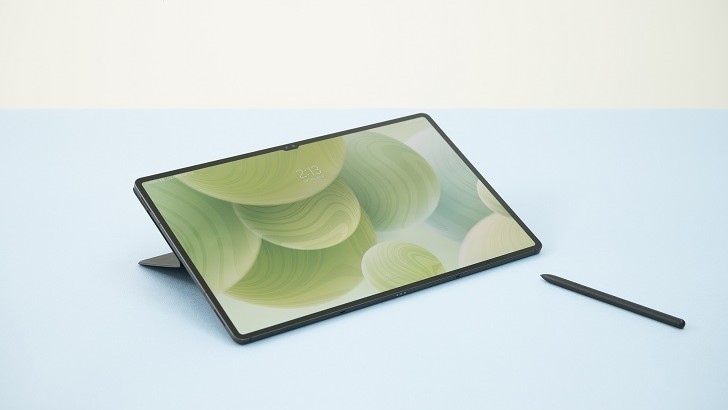
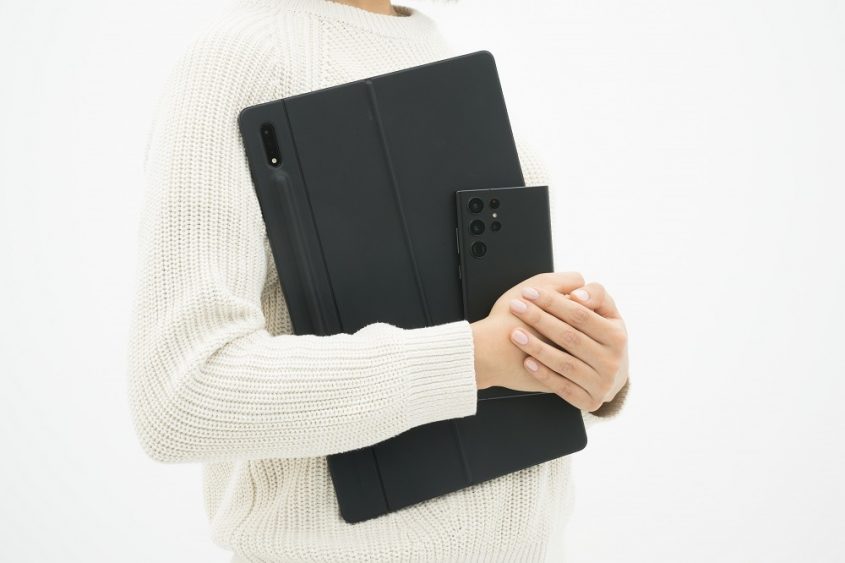
That’s why Samsung Electronics has created the Galaxy Tab S8 series to be the ultimate tool in making any student’s lifestyle more manageable. Pushing the boundaries of what’s possible for a Galaxy tablet, the Galaxy Tab S8 Ultra combines the largest display and the thinnest bezels with convenient portability, so you can be prepared for whatever challenges you face inside or outside the classroom. Samsung Newsroom has put together this guide to showcase how campus life can become even smarter with the Galaxy Tab S8 Ultra.


Takes Notes To Ace Any Class


If you’re having difficulty keeping up with notes during a class or lecture, try using the Galaxy Tab S8 Ultra’s split-screen feature to quickly organize1 all the information thrown your way. You can split your screen into three windows during online classes. For instance, you can open your reading assignment on the left and your notetaking app on the right to conveniently access all the apps you need on a single screen. Thanks to the tablet’s 14.6-inch ultra-large display, your notetaking experience will never feel cramped. Even in split-screen mode, apps are still easy to use, spacious and adjustable to fit your needs.
 

During important lectures where you can’t miss a single detail, you can also sync the live voice recording to your notes.2 Simply press the “record” icon in the notes app when class starts and begin writing. You can easily replay the voice recording and follow along with your notes, conveniently synced to the audio, to help you take in even the most complex information.


Look and Sound Your Best on Every Video Call


The Galaxy Tab S8 series is packed with improved features for video calls, so whether you’re joining an online class or catching up with your classmates, you’ll come across loud and clear. The Galaxy Tab S8 Ultra is the first of the Galaxy Tab series to be equipped with a 12-megapixel main camera in the front and an ultra-wide lens for an even wider screen. The Galaxy Tab S8 also comes with the AI-based Auto-Framing feature, which automatically adjusts the camera frame according to onscreen camera movement, such as zooming out or adjusting the angle when someone walks into frame. With the device’s three precision microphones, you can also minimize distractions, reducing background noise for even sharper, clearer audio.


Transform Your Tablet Into a PC


There are times when you just need a laptop, like when you’re completing assignments or preparing to give a group presentation. When this is the case, Samsung DeX3 gives you that PC-like experience, so you can open up multiple app windows at once, just like you would on a PC. Using the DeX Mirroring feature, you can bring your work to the big screen by mirroring the tablet’s DeX window on a TV screen or a monitor. If you have the Book Cover Keyboard for the Galaxy Tab S8 series and a Bluetooth mouse, you can instantly transform your tablet into a working laptop.
 

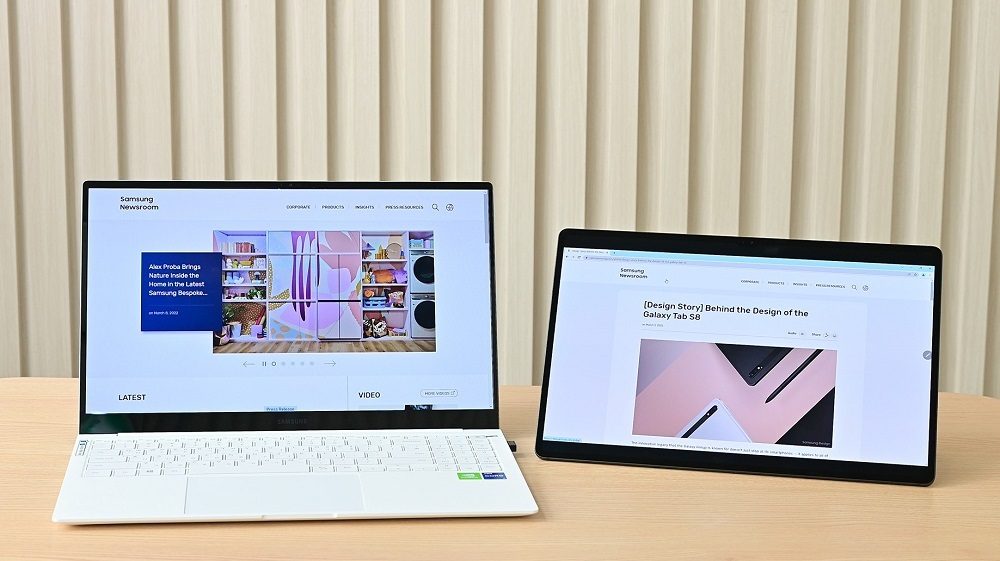
Alternatively, you can use the Second Screen4 feature to wirelessly connect your Galaxy Tab S8 as a secondary monitor if you already have a laptop. Simply connect the Galaxy Tab S8 Ultra to your PC screen and either expand or duplicate the display to push your productivity to the max. With the Galaxy Tab S8, you can work smarter, not harder.
 

With the newly upgraded S Pen, you can write as smoothly and effortlessly on your tablet as you do on paper. The S Pen has a 30% faster response speed5 through a prediction algorithm for a truer pen-to-paper or brush-to-canvas experience. If you’re annoyed by clacking laptop keys or just prefer to write by hand, the S Pen will become your writing utensil of choice.


Find a Hobby You’ll Love


If you want to add a splash of color to your life, why not try drawing using the S Pen? The Galaxy Tab S8 Ultra has partnered with Clip Studio Paint for an optimized experience that connects your tablet to your Galaxy smartphone. By activating the Companion Mode in the app and connecting it to your Galaxy smartphone, you can turn your mobile phone into a paint palette and your tablet into a canvas. You can create digital masterpieces and unleash your creativity like never before.
 

Due to the pandemic, staying at home has become the new normal, driving up the popularity of streaming services. When it comes to binging your favorite shows, the Galaxy Tab S8 provides you with an optimal viewing experience. Whether you’re watching on campus or at home, you can experience next-level streaming with the Galaxy Tab S8 Ultra’s expansive screen and a rich soundscape with Dolby Atmos anytime, anywhere.
 

Across the world, students are working hard to achieve their dreams, and the Galaxy Tab S8 is there to help any student balance their schedule and reach academic success. Whether you’re studying at the library, exploring new hobbies, or taking a break, the Galaxy Tab S8 is designed to give you the flexibility to fit your campus lifestyle and the tools to learn, create and play.
 
 
1 The Galaxy Tab S8+ and the Galaxy Tab S8 Ultra feature the split screen mode that allows users to work with up to 3 apps in one screen. The Galaxy Tab S8 series makes it easy to split the screen, and users can even adjust the size, layout and order of split windows according to their preferences.

2 This function is intended for personal use only. Lecture recordings may not be posted, distributed, or shared without the permission of the instructor. Please verify your academic institution and instructor’s policy before recording in the classroom.

3 Samsung DeX is supported on select Galaxy smartphones and tablets. Additional features available on compatible devices only include the Galaxy S22, Galaxy Tab S8 and devices running One UI 4.1 or later. Compatible apps may vary and not all apps may be resizable on Samsung DeX. Accessories for external screen connection sold separately.

4 Second Screen feature is supported for Galaxy Book Windows PC and Galaxy Tab S7/7+ or later models (2021 Jan update required for Galaxy Tab S7/S7+). Wireless display-capable Windows 10 PC models and Windows 10 v.2004 or later version are required (Windows update: Sep 2020 or later). For even more efficiency, the Second Screen function can be used with the Galaxy Book’s Second Screen app.

5 Results based on internal test conducted using Samsung Notes app. Actual rate of improvement may vary by model and user environment.

https://img.global.news.samsung.com/global/wp-content/uploads/2022/04/Tab-S8_Thumb728.jpg

Google’s Nearby Share expected to receive a “Self Share” feature

Google’s Nearby Share expected to receive a “Self Share” feature

As spotted by Esper‘s Mishaal Rahman (via Twitter), there is a new Nearby Share feature coming to Android. This feature was seen in the most recent version of the Google Play Services app, though currently dormant.

Nearby Sharing will now have an option called “Your Devices”, which lists devices within your immediate vicinity that also belong to the same Google Account. You can then transfer a file directly to the receiving device by clicking this button.

Nearby Sharing lets Android and Chromebook users send files, photos and videos to nearby devices. However, there is one minor problem when you send files to other devices. In its current state, you are required to accept a confirmation prompt on the receiving device despite both being having the same Google account logged in.

Although the feature has not yet been made public, due to its close proximity to Google I/O next year, it’s possible that the feature will be available around the same date.

Via

https://fdn.gsmarena.com/imgroot/news/22/04/nearby-share-to-get-an-update/-952x498w6/gsmarena_000.jpg